


How AV Integrators Cut 60% of AV Design Time with XTEN-AV

Sahil Dhingra
Published 01 April 2026
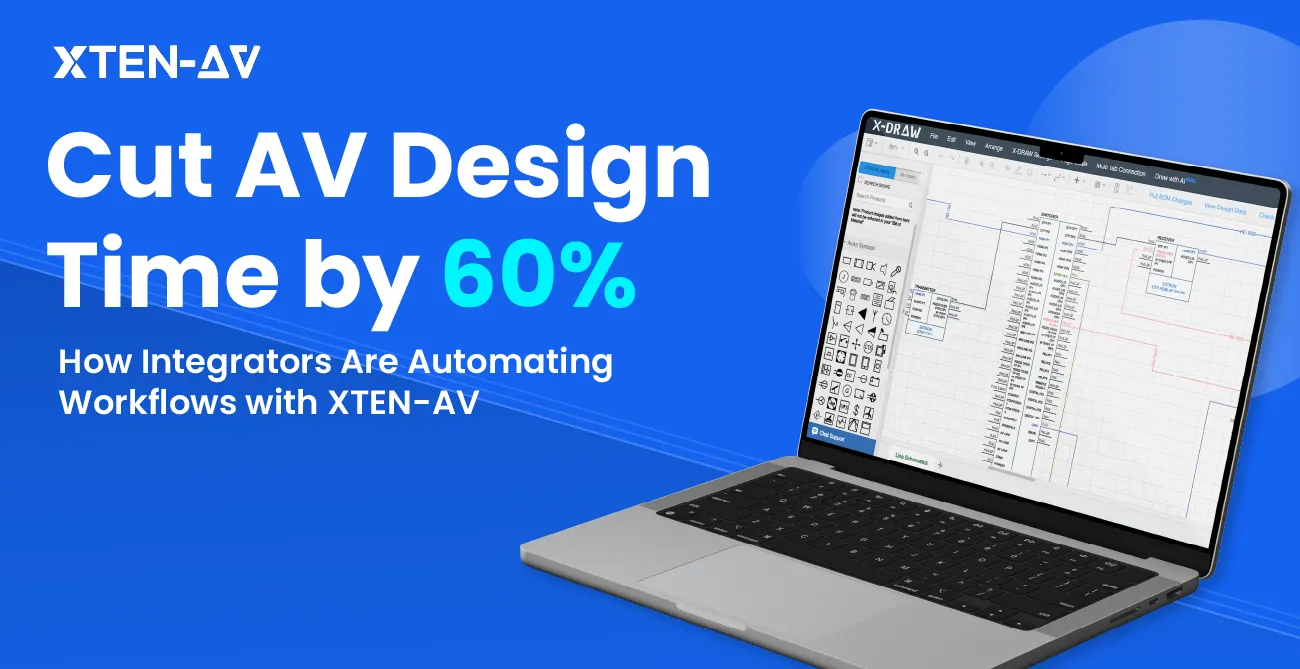


You finish a site visit on Monday. By Wednesday, there’s a scope change in your inbox; the client swapped the display and wants a second camera. Now you’re back in the generic design and documentation tools you’ve been trying to make work for AV Design workflows like Visio for redrawing signal flow diagrams, Excel for manually updating the BOM, and reformatting the proposal all over again, sending you back to square one every time there’s a change.
No AV Integrator put “redo everything” in the project budget. But it happens on every project.
The problem isn’t your team’s skill. Your team knows AV. It’s that the tools were never designed to work in sync with each other. So even a small change triggers a chain reaction of manual updates across disconnected files, and the hours just disappear.
That’s the problem XTEN-AV solves. By connecting design, BOM, and proposals into a single automated AV workflow, it seamlessly integrates with your current tools, reducing manual updates and easing adoption, so you can focus on winning more projects.
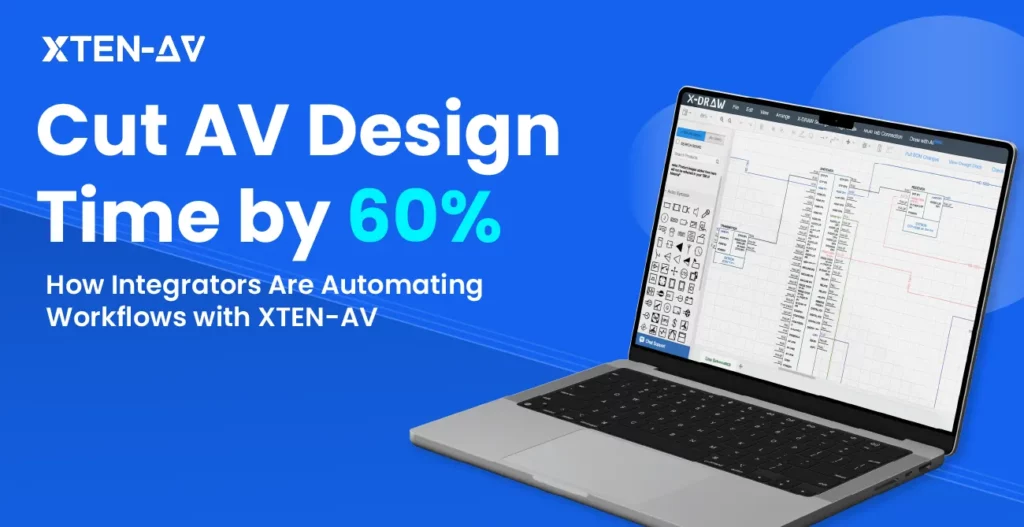
“According to the AV industry, Integrators who’ve made the switch report cutting design time by 60%, not by working harder, but by adopting a workflow that automates their task and eliminates the rework.”
In this article, we’ll break down where that time actually goes, how XTEN-AV removes it, and how you can start seeing the same results on your next project.
The all-in-one solution for your Audio Visual (AV) System Design & Installation needs
Transform your audio-visual experience with XTEN-AV.
No Credit Card required
Key Takeaways:
Generic tools kill AV productivity: Visio, Excel, and AutoCAD weren’t built for AV. Every scope change triggers manual updates across disconnected files, eating hours on every project.
Manual BOMs are where margin disappears: Excel-based BOMs average 85% first-pass accuracy. Missed mounts, cables, and accessories don’t show up until a technician is already on site.
The 60% time saving is real and measurable: A standard 30-seat boardroom goes from 12-15 hours to 5-6 hours. That’s not working harder; it’s eliminating the rework loop entirely.
One change, everything updates: Swap a display, add a camera, change the layout, the BOM and proposal sync automatically. No redrawing, no reformatting, no starting over.
BOM accuracy goes from 85% to 99.5%: On a $50K install, that gap isn’t a rounding error. It’s a change order, a delay, and a client who starts second-guessing their integrator.
Every project role benefits: Sales engineers, designers, project managers, and field techs all work from the same live project record. No version confusion, no “which file is current?”
15 days is enough to prove it: Run one pilot project through the full XTEN-AV cycle and compare your hours. The
Why Traditional AV Workflows Slow AV Design and Proposal Time
For years, AV professionals relied on generic CAD software and documentation tools for their AV workflows, for example, AutoCAD for floor plans, Visio for signal flows, and Excel for BOMs. Everything was managed across separate, out-of-sync tools, which slowed your workflow. Here’s how:
1. Generic CAD Tools Weren’t Built for AV
CAD platforms are powerful tools, but they were built for architects, not AV integrators. Most sales engineers can’t use them without training, so every small design change has to go through an engineering queue. That slows everything down, especially when you’re trying to close a deal quickly.
And honestly, AV design doesn’t need most of what these tools offer, which just makes these tools more complex to use. Engineers require between two weeks and two months of training before they can begin independent work on their first proposal.
The XTEN-AV’s X-DRAW platform enables all Audio visual (AV) team members to start designing without extensive training, making them feel capable and empowered to contribute quickly, so your team can adapt seamlessly to project changes and new members.
2. Manual Audio Visual (AV) BOM Entry Is Where Margin Goes to Die
For most AV teams, the BOM is always a manual compilation exercise rather than an automated AV BOM. They build their BOM by hand, use one screen for the design, and another for the Excel spreadsheet. This is a common issue in manual BOM workflows, leading to errors and delays.
The cost of a missing mount, cable, or power supply will be charged to your personal account. The client’s request for a change requires you to restart your work, as you need to revise the drawing and update the spreadsheet before transferring everything to the proposal document. Every single revision goes through this same loop.
With XTEN-AV, the Audio visual (AV) BOM builds itself as you design. Every component you place on the canvas is automatically added to the BOM with the correct part number, quantity, and pricing pulled from a library of 1.5 million products across 5,200 brands. The BOM updates immediately when the client requests a change.
3. Manual Symbol Placements in Audiovisual (AV) Signal flow diagrams
Audio visual (AV) Signal flow diagrams are non-negotiable in AV. But drawing them traditionally takes more time than most integrators like to admit. In legacy CAD software such as Visio and other CAD tools, every symbol is placed, resized, and connected by hand, one by one. There are no shortcuts or any smart logic.
And if one component changes during the client meeting, the entire diagram updates automatically, reducing frustration and stress for your team by avoiding hours of rework.
X-DRAW fixes this at the root. Every symbol comes with an AV-native, AVIXA-approved library, already tied to BOM line items the moment it hits the canvas. So, you don’t need to dig through generic clip art libraries just to find a single symbol for your signal flow diagram.
4. The Real-World Cost
A mid-sized firm designing a 30-seat conference room can easily burn 40+ hours on layouts and coverage calculations, only for the field technician to show up on site and discover the speaker throws were miscalculated and the audio zones are uneven.
With XTEN-AV, automatic coverage calculations and contextual symbols produce accurate layouts and BOMs as the design progresses. This ensures field technicians arrive with precise information, minimizing onsite surprises and rework.
It’s not one big fix. It’s what happens when your design, BOM, and proposal all work together automatically, rather than you having to keep them in sync manually.
Take a standard 30-seat boardroom. You work on its SLD, signal flow, rack layout, full BOM, and a client proposal. That package typically takes 12–15 hours with a legacy workflow. With XTEN-AV, the same deliverables take 5–6 hours.
Your sales engineer opens X-DRAW and starts placing devices on the canvas. Every product they drop in is pulled from a live library and automatically added to the BOM.
And if the client asks to swap the display. In the old workflow, that’s a couple of hours of redrawing, re-pricing, and reformatting. In XTEN-AV, update the design once, and the BOM and proposal adjust together.
The proposal will be delivered to the client on Tuesday instead of its original schedule for Friday delivery. The project’s success depends on how quickly bids are processed, as the turnaround time will determine which competitor wins.
The accuracy gap matters too; Excel-based BOMs average 85% first-pass accuracy. XTEN-AV hits 99.5%. On a $50K boardroom install, that 15% gap isn’t a small mistake; it’s a change order, a delay, and a client who starts doubting whether they chose the right integrator.
Here’s what actually changes when you move from a legacy AV workflow to XTEN-AV:
Stage | Legacy Tool Stack | XTEN-AV |
Design change | Update drawing → BOM → proposal (3 manual steps) | Update once, all outputs sync |
BOM generation | Manual compilation from drawing review | Auto-generated from schematic |
Proposal build | Format from scratch each time | Pulled live from project data |
Missed accessories | Caught during install as change orders | Captured at the design stage |
Coverage calculations | Built-in AI using manufacturer data, ±5% variance | |
Revision turnaround | Rebuild across multiple files | Propagates automatically |
How does XTEN-AV simplify your AV workflow to reduce Audio Visual (AV) Design Time?
The best way to understand how XTEN-AV works is to walk through it as a real project and see how AV integrators use XTEN-AV to streamline the AV design process. We have documented all project stages, from the initial client meeting through installation handoff, showing what happens at each stage, the choices made, and the outcomes delivered to the client.
Step 1: Lock the Scope Before You Touch a Drawing
Most AV teams rush this step, and that’s where the rework starts.
Say you’re three days into designing a 20-seat boardroom. Signal flow is done, the BOM is built, and the proposal is almost ready. Then the client’s IT manager jumps in, saying, “The display is moving to a different wall, and they want a second camera for hybrid calls”.
Now your signal flow needs to be redrawn, the BOM updated, and the proposal reformatted. A two-line change just cost you half a day.
It happens because the scope wasn’t fully locked before the design began, the room layout wasn’t confirmed, and the hybrid requirement was never discussed.
XTEN-AV’s platform fixes this. Before anyone touches the design, every critical decision is documented: room layout, display placement, camera requirements, UC platform, and existing infrastructure. All of it captured in a project brief before a single device hits the canvas.
So when the client comes back with a change, it’s a documented change order, not free rework.
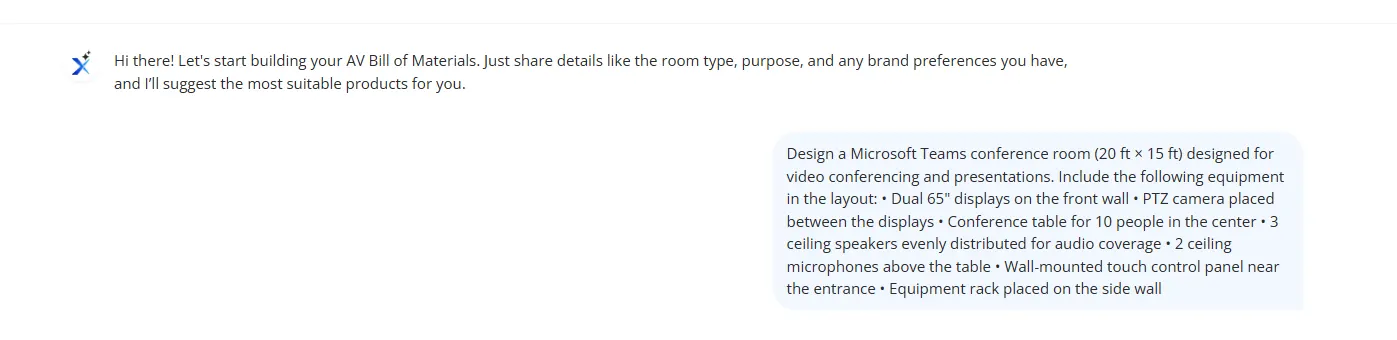
Step 2: Build the Audio Visual BOM Before the Drawing, Not After
With the scope locked, the next step is the BOM. Most teams build it after the design, from memory, in a spreadsheet. That’s how mounts, cable runs, and control components get missed, and those misses don’t show up until a field technician is on site, wondering why half the parts aren’t there.
In XTEN-AV, the BOM builds automatically as you design. Every device placed on the canvas is instantly logged with the correct quantity and accessories. Nothing estimated, nothing entered by hand.
Going back to the 20-seat boardroom, you add a display to the signal flow, and XTEN-AV automatically pulls in the mount, the cable, and the wall plate. You swap the display, and the BOM updates. You add a second room, and quantities recalculate.
By the time the design is done, the BOM is already done. No missed line items or surprise change orders on site when fixing a missed accessory costs ten times more than catching it at planning.

Step 3: Design the Audio visual (AV) System in X-DRAW
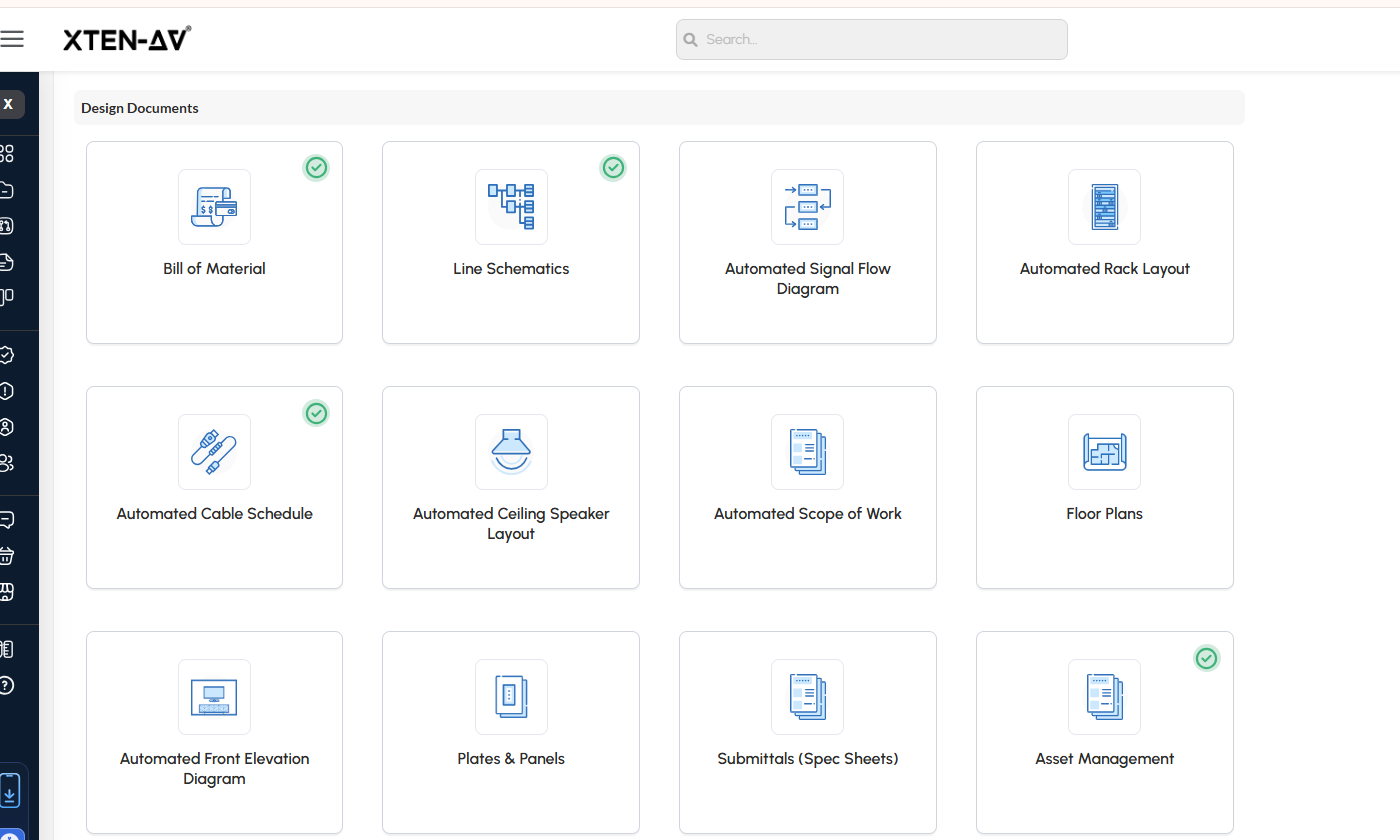
With the BOM in place, it’s time to build the actual design. X-DRAW isn’t just a generic diagramming tool; it’s a full AV system design software that helps you create every document your project needs, all from the same data.
Going back to the 20-seat boardroom, as your engineer builds out the signal flow, X-DRAW lets you make the full document set alongside it:
- Single-line schematics
- Signal flow diagrams with labeled audio, video, and control paths
- Rack layout with equipment positioning
- Cable schedule with type, length, and connection endpoints
- Ceiling speaker layout mapped to the floor plan
- Scope of work generated from the design data
- Front elevation diagrams for client presentations
- Wall plate and panel labeling
- Manufacturer spec sheets packaged for submittals.
Every document stay connected to the BOM. Change a device and everything updates together: the schematic, the rack layout, the cable schedule, all of it.
The legacy workflow requires three different tools for the first half of the work, which necessitates manual formatting and continuous verification to achieve consistent outcomes. X-DRAW provides a single source of all data, so users need to make only one update when any information needs to be changed.
Step 4: Build and Send Client Proposals in x.doc
Once the design is done, x.doc is Audiovisual AV proposal software that turns your designs and BOM data into an editable project proposal without any manual formatting or copy-pasting.
Your engineer links the proposal to the client record, picks from a library of 100+ prebuilt audio visual av proposal templates and creates it automatically from the live project data. Scope of work, BOM, pricing, design drawings, and signature fields, all pulled in and ready to go.
Once it’s ready, the proposal goes out directly from x.doc. The client receives a link they can access on any device to review and sign the document, without needing to download PDFs or use email. The system allows you to monitor their exact document opening times and dispatch reminders.
If they request a change, it’s logged directly inside x.doc against the original proposal.
From first draft to signed proposal, the whole process lives in x.doc: every revision, change order, and sign-off all in one place.
Step 5: Hand Off to Installation Without Losing Control
Getting the proposal signed was the easy part. What happens after is where most projects start slipping, tasks get missed, field teams work from outdated drawings, and project managers spend half their day chasing status updates over email.
Before XTEN-AV, that error-prone act was just part of the job. Now it doesn’t have to be.
The moment the proposal is signed in that 20-seat boardroom, X-PRO XTEN-AV’s AV project management software becomes the main control center for operations. The project manager manages task distribution, establishes priority levels, and connects all project elements to the project schedule. The install team arrives at the site carrying their most current drawings, task lists and documents, which they access through their mobile devices.
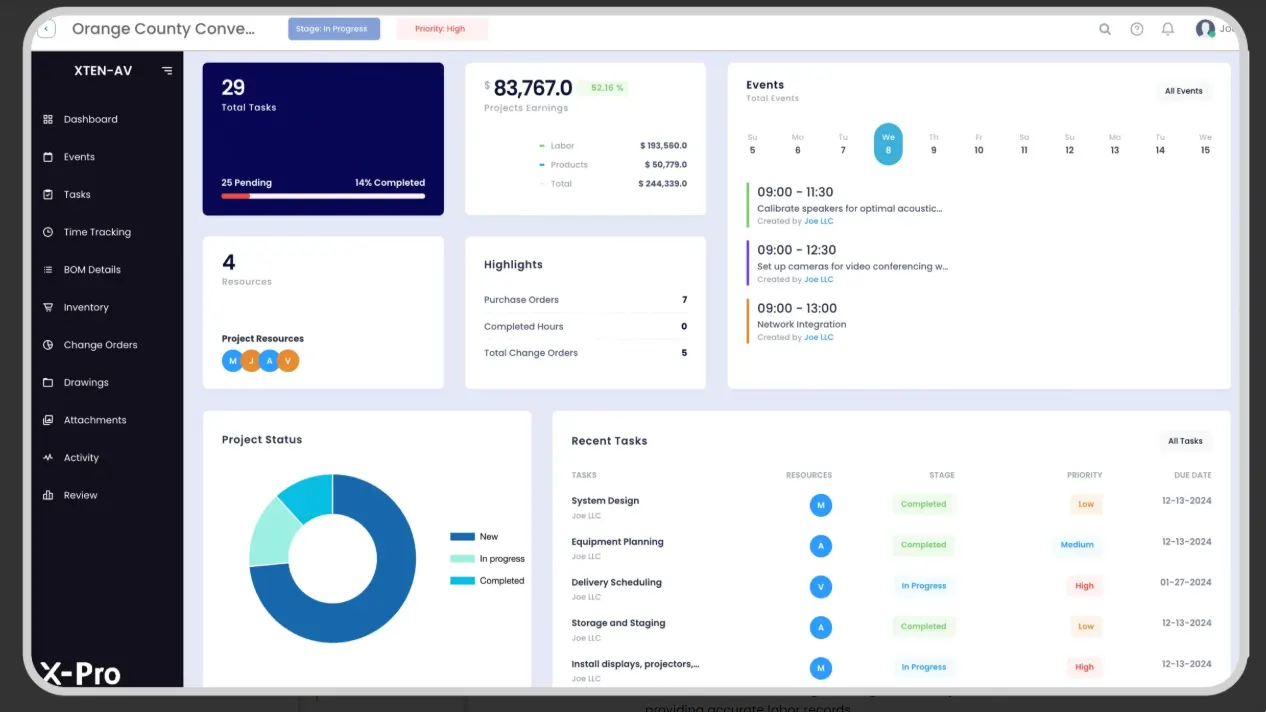
As the installation progresses, technicians clock in and out directly from the job site. Labor hours, material costs, and project spend are updated in real time, so if something is running over budget, you know early enough to take action.
Purchase orders, inventory, and invoicing are also in X-PRO, all of which are linked directly to specific projects. That’s how the full cycle closes, from the first client conversation to a signed-off installation, without anything falling through the cracks.
Which AV Projects Benefit Most from XTEN-AV Workflow Automation?
XTEN-AV works across project types — but the return is highest when your work is repeatable, multi-room, or documentation-heavy. Here’s where it makes the biggest difference:
Boardrooms and Conference Rooms
Conference rooms are the bread and butter for most integrators, and the challenge isn’t complexity; it’s speed. A client with 12 boardrooms to refresh doesn’t want to wait two weeks for proposals on all 12.
Build a validated Teams or Zoom room template in XTEN-AV once, and every additional room of the same type becomes a quick configuration rather than a new design project. Dual displays, camera framing, mic coverage, DSP routing, all pre-set. Adjust for the room where needed, done.
Best for: Integrators with a consistent conference room mix who need same-day or next-day proposal turnaround on repeat configurations.
Classrooms and Training Rooms
Classroom AV is even more template-driven than conferencing. Room sizes vary, but the core system architecture rarely does. Once a validated classroom kit is built in XTEN-AV, every subsequent room becomes a coverage-and-quantity exercise rather than a redesign.
The design work would have taken weeks, but now it will take only days with XTEN-AV. The solution works best for Multi-Room Rollouts.
Best for: K-12 educational institutions, colleges, and corporate training centers that need to establish uniform audiovisual standards across multiple learning spaces.
This is where XTEN-AV’s value is most visible. Corporate floor builds, hospitality rollouts, retail standardization, any project where similar rooms are deployed at scale.
Build the room type once, apply it across 40 rooms. A global change updates every room simultaneously. The documentation consistency that’s nearly impossible to maintain manually across a large rollout becomes automatic.
Best for: Large integration firms and contractors handling phased multi-site deployments who need consistent documentation across every room in the bid.
Auditoriums and Large Venues
Complex rooms have a lot going on, distributed audio across multiple zones, mixed video formats, flexible seating, and staging systems. With that many signal paths, things go wrong when documentation is loose.
XTEN-AV keeps every signal path mapped and routed clearly from day one. The install crew walks in with complete documentation. Commissioning becomes a verification exercise, not a troubleshooting session.
Best for: Integrators managing performing arts centers, houses of worship, higher-education auditoriums, and large enterprise venues.
Whether you’re turning around a single conference room or rolling out 40 classrooms across a district, XTEN-AV cuts the design time, eliminates the rework, and gets the proposal out faster.
What Each Team Member Gets
XTEN-AV isn’t just for designers. It’s for every role working on the project.
Role | What They Gain |
Sales Engineer | Faster proposals, cleaner scope of work, fewer revision cycles before sign-off |
AV Designer | Templates eliminate redundant work, BOM auto-syncs, and no redraws after scope changes |
Project Manager | Full execution visibility, task tracking, and real-time budget monitoring |
Field Technician | Accurate, up-to-date documentation on site — fewer RFIs, fewer return visits |
Every role works from the same live project record. So, no version confusion, or “which file is current?”
How XTEN-AV Improves Workflows for Sales, Design, Project Management, and Field Teams?
Here’s what usually happens when integrators start a new platform. They move every active project in at once, whether it’s in the designing, proposal or installation stage.
Within days, the team is confused, projects are behind, and the platform gets blamed for a mess that was never really its fault.
XTEN-AV offers a 15-day free trial, and the integrators who get the most out of it do the opposite. They keep active projects where they are, pick one new project to run through XTEN-AV properly, and spend 15 days building a workflow they can trust before rolling it out to the rest of the team.
Here’s how to spend those 15 days.
1. Pick one project that is in the initial stage to test
A standard boardroom or conference room works best, something currently in early design or pre-sales. Not your most complex job, or your most urgent one. Just a clean, repeatable project you can run through the full XTEN-AV cycle without any pressure.
Before you start, write down two numbers: how long your current process takes from scope intake to proposal submission, and how many revision cycles a typical proposal goes through before the client signs. You’ll need these by Day 15 to see what actually changed.
2. In Your First Week, Run the Full Cycle
Spend half a day setting up your templates first, device naming conventions and validated starting points for your most common room types. This is the step most teams skip, and it’s the one that determines whether the trial feels faster or just different.
Then run the pilot project end-to-end. Scope intake, schematic diagrams in X-DRAW, automatic BOM generation, proposal out through x.doc. Track your hours at each stage and compare directly to your baseline numbers.
By the end of week one, you’ll have a complete proposal out the door, built faster than your current workflow, or you’ll know exactly where the gaps are.
3. In Your Second Week, Test the Revision
This is where most integrators have their moment of clarity.
Take that same project and run a scope change through it. Swap the display, add a camera, change the room layout, whatever your clients typically come back with. Watch the BOM and proposal update automatically. Then check how long that just took.
That gap between what it used to take and what it just took, that’s your number.
Finish the week by handing the project off in X-PRO. Assign tasks, review the field documentation, and get feedback from your install team on whether what they received was clear enough to work with.
By Day 15, You Will Have Real Data
Not a case study from another integrator or a vendor benchmark. Your hours, revision time, and field feedback from a real project your team just ran from start to finish.
At that point, the decision makes itself.
Before You Start, Two Things To Remember
Don’t skip the templates: Without your room-type templates set up on day one, you’ll spend the trial recreating work the platform was built to eliminate. It won’t feel faster, because it won’t be. Templates are what unlock the speed.
Assign one internal owner: The trial requires a senior designer or project manager to handle all team inquiries and manage trial operations. The trial process becomes stagnant without this individual, as by the 15th day, there will be insufficient information to reach a valid conclusion.
That’s all it takes. Start your free trial today, no disruption to your current work, no commitment, no pressure.
The all-in-one solution for your AV needs
Transform your audio-visual experience with XTEN-AV.
No Credit Card required
Audio Visual System Design Mastery + Winning Proposals = 10x Productivity!
- ✔ Automatic Cable Labeling & Styling
- ✔100+ Free Proposal Templates
- ✔ Upload & Create Floor Plans
- ✔1.5M Products from 5200 Brands
- ✔ AI-powered ‘Search Sense'
- ✔Legally Binding Digital Signatures

Conclusion
Right now, somewhere in your market, a competitor just sent a proposal you haven’t even started yet. Not because they have a better team. Because they have a faster AV design workflow.
Every week you spend managing disconnected tools is a week where another AV integrator down the road is closing deals you could have won. Proposals that landed faster. Documentation that looked cleaner. Revisions that turned around in minutes instead of days.
The AV integrators who made the switch aren’t looking back. They’re taking on more projects, turning around proposals the same day, and walking into competitive bids with confidence because they already know their numbers are right.
The AV integrators who decided to switch their systems are winning more proposals. The teams are taking on additional projects, completing proposals the same day, and their confidence in the bidding process numbers gives them an advantage.
That could be your team in 15 days. Start your free trial today.
FAQ's
The savings come from eliminating manual rework loops across disconnected tools. XTEN-AV maintains project alignment through its single workflow, which combines drawings, BOMs and proposals to reduce duplicate work while automated design processes enhance operational productivity.
XTEN-AV generates single-line diagrams, signal flow drawings, rack layouts, complete BOMs, and formatted proposals. All outputs stay aligned through a connected AV proposal workflow.
Yes. X-DRAW supports both diagram types with AV-specific symbol libraries and labeled signal paths, ensuring consistency across documentation.
Most users produce real project output within the first week through a pilot-project approach and role-based training.
The faster turnaround process leads to better responsiveness, which strengthens buyer momentum. The proposal win rate in competitive bids improves with fewer revisions and better documentation.
AV design software is a dedicated application used by AV integrators to develop system diagrams, create bills of materials (BOMs), and generate client-ready proposals. XTEN-AV provides a unified platform that integrates design work, documentation processes, and proposal development.
In a traditional AV workflow, AV design and proposal creation require 10-15 hours per project, including multiple required revisions. Whereas the process only requires 5 to 6 hours of work when automated workflows are implemented.
The process of AV workflow automation reduces repetitive manual work, boosts documentation precision, speeds up proposal development, and maintains uniformity throughout the design, BOM, and execution phases.
Explore more by topic

AV Design Mastery + Winning Proposals = 10x Productivity!
- Automatic Cable Labeling & Styling
- 100+ Free Proposal Templates
- Upload & Create Floor Plans
- 1.5M Products from 5200 Brands
- AI-powered ‘Search Sense'
- Legally Binding Digital Signatures
No Credit Card Required
Related Blogs
-

- Posted by Sahil Dhingra

Audio Visual How AV Integrators Cut 60% of AV Design Time with...

-
- Posted by Sahil Dhingra
Audio Visual What Are the Different Types & Components of Access Control...
-
- Posted by Sahil Dhingra
Audio Visual Top 5 Project Management Software CRM & Invoicing Tools for...
