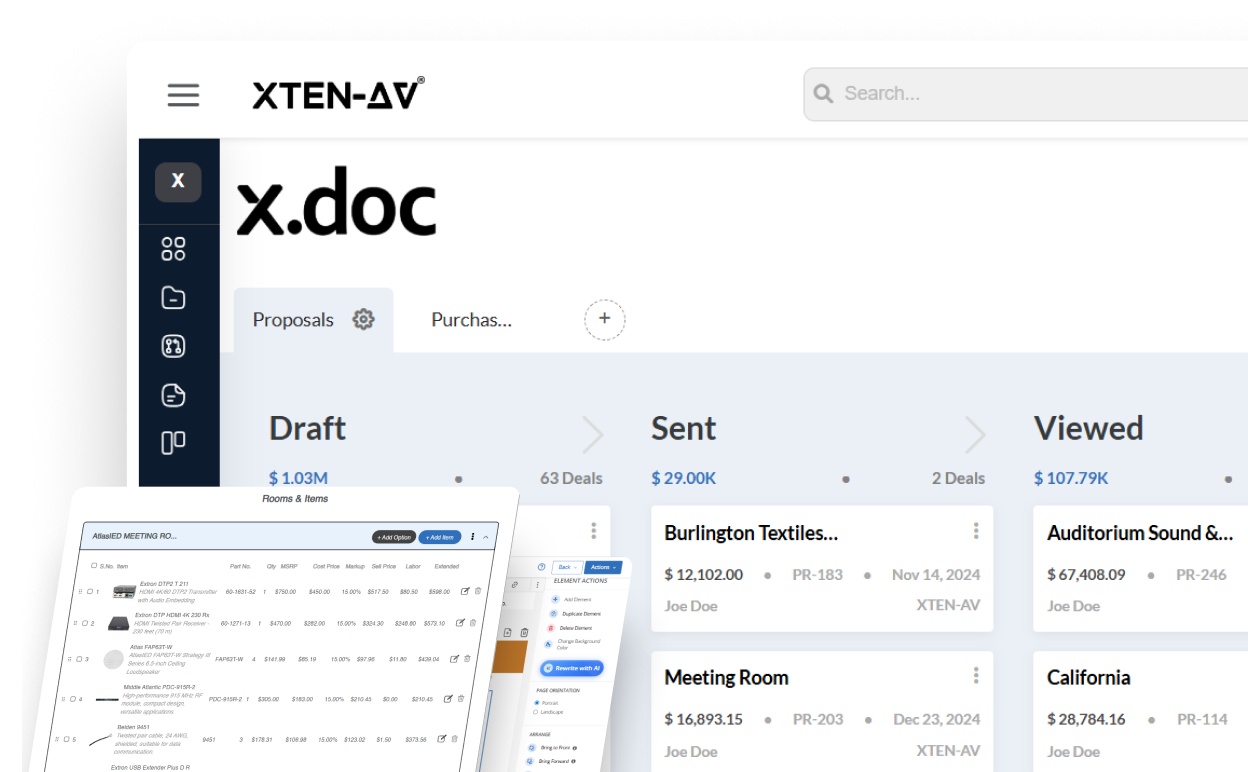








Create, Send & Manage AV Proposals
in One Place
X-DOC is AV proposal software built for professional AV integrators, connecting equipment, labor, pricing, scope and client approval in one workflow.
















Build AV proposals around the
details that matter
Start from an AV design, project, existing document or template, then build the proposal around equipment, labor, pricing and project requirements.
Present every proposal under
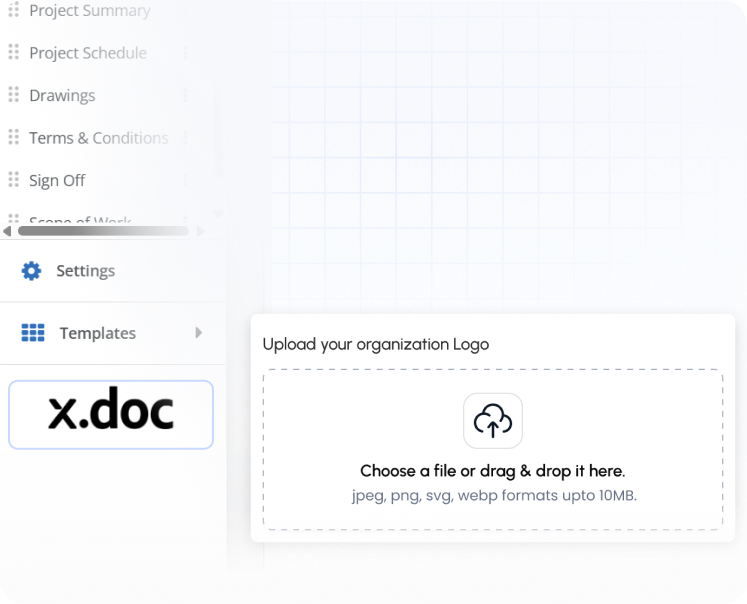
your brand
Apply your logo, fonts, colors and layout to create proposals that reflect your company and the project you are presenting.
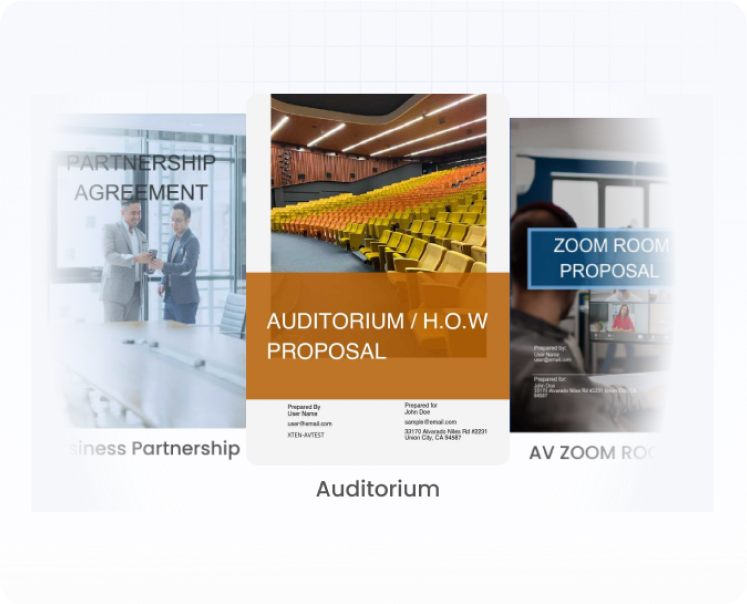
Start with 100+ AV-specific proposal templates
Choose from 100+ AV-specific proposal templates for conference rooms, classrooms, auditoriums, boardrooms and other common AV environments.
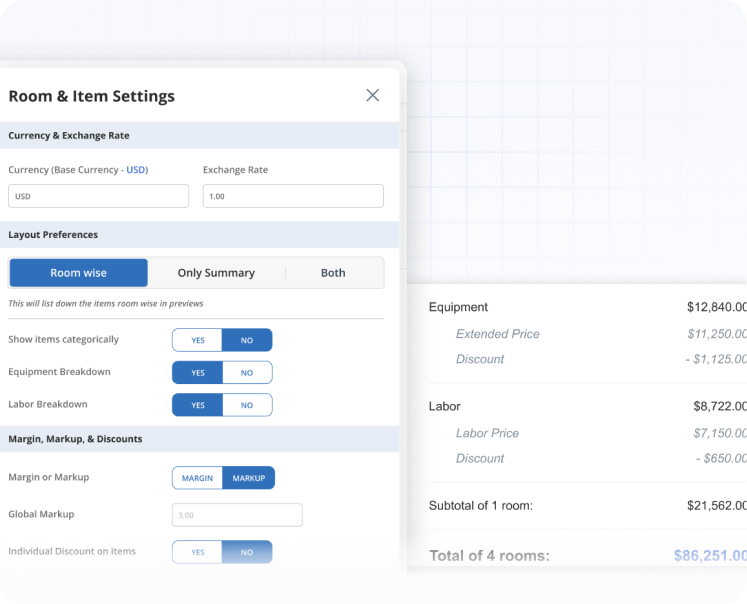
Calculate equipment costs within the proposal
Add equipment pricing, taxes, discounts and markups, then review total cost, selling price and margin before the proposal reaches the client.
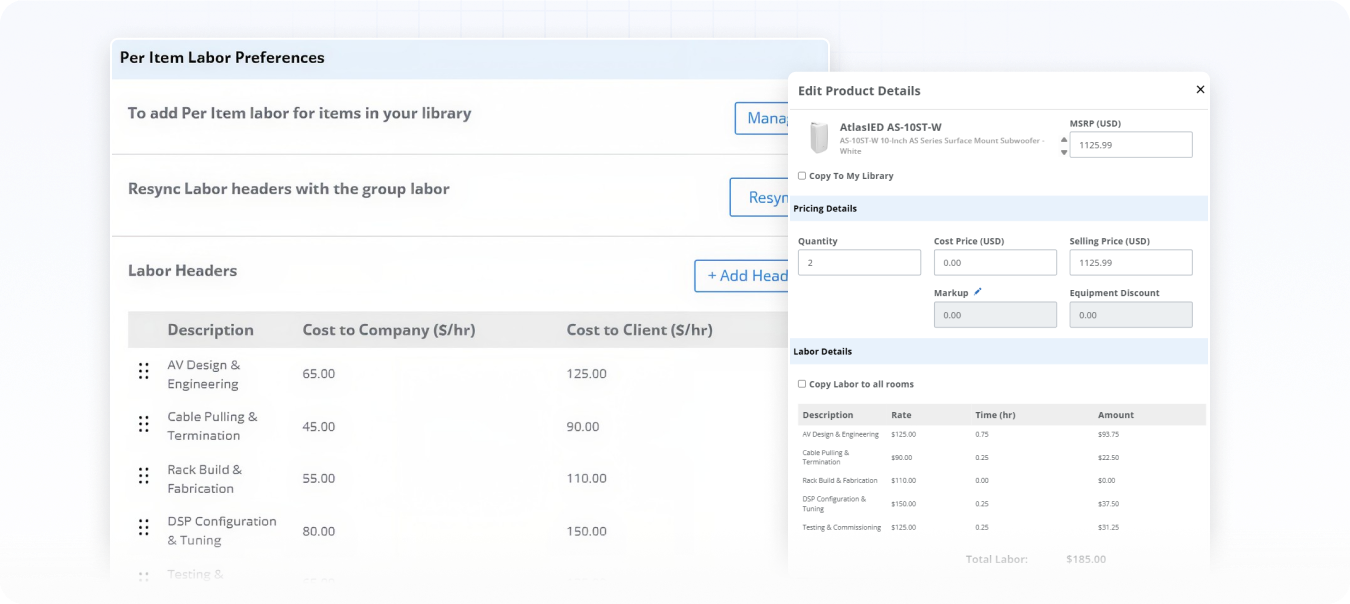
Calculate installation labor
Add labor by equipment item, overall project cost or custom labor method without maintaining a separate spreadsheet.
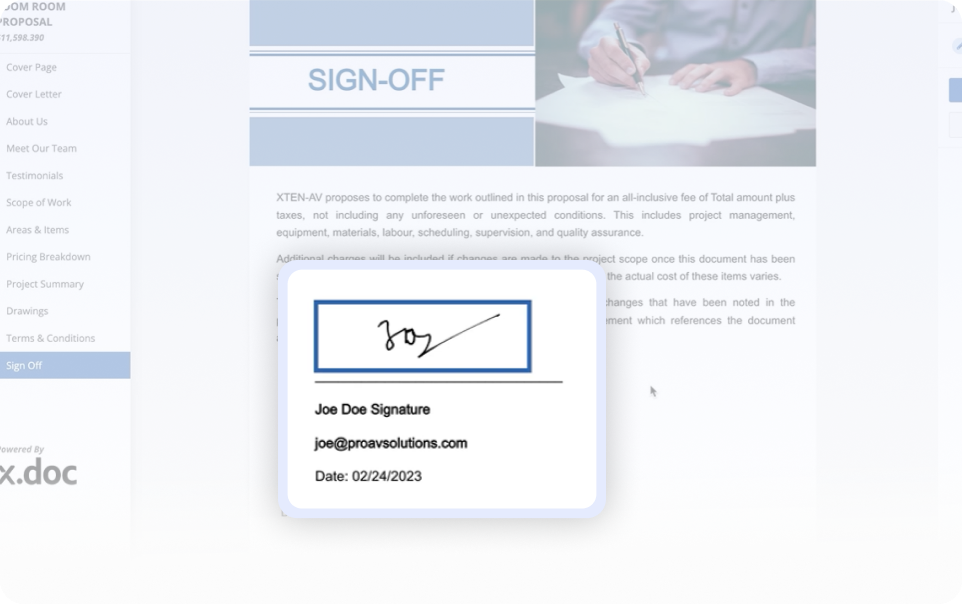
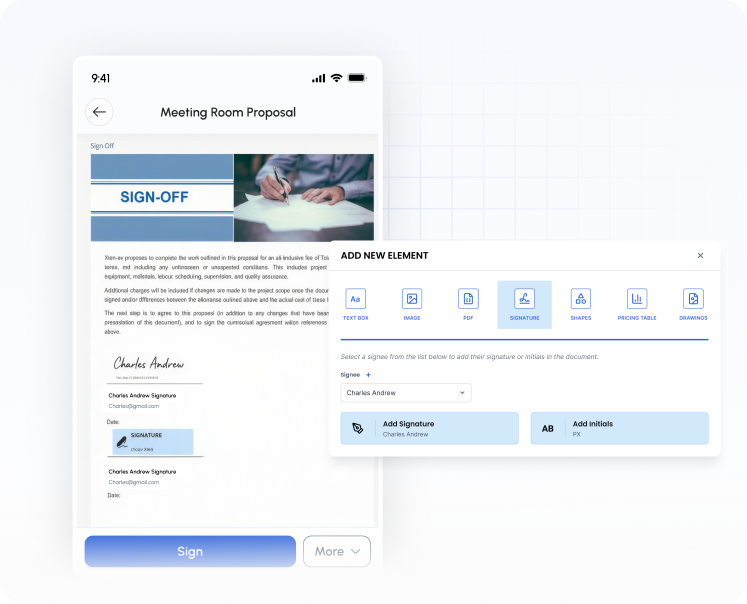
Collect client signatures within the proposal
Let clients review and sign proposals through a secure proposal link without moving the approval process into a separate e-signature tool.
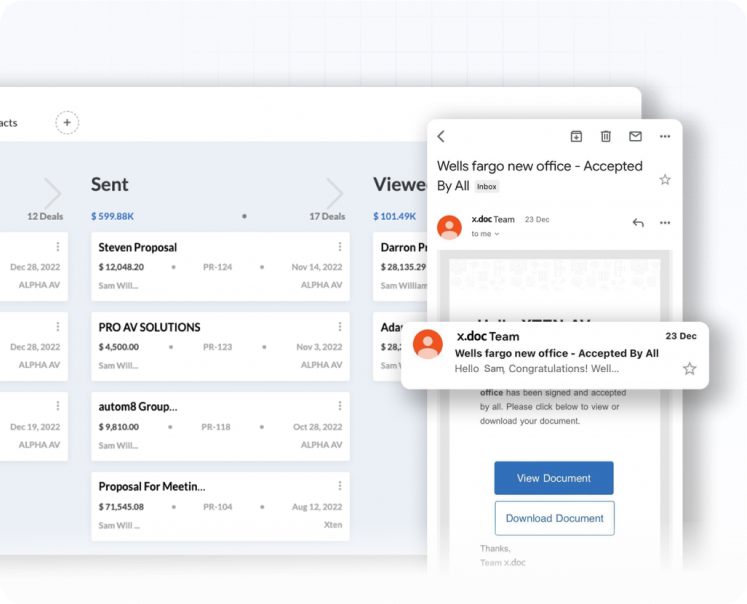
Track proposal activity
Send proposals through a trackable URL and see when clients view them, giving your team visibility into proposal activity.
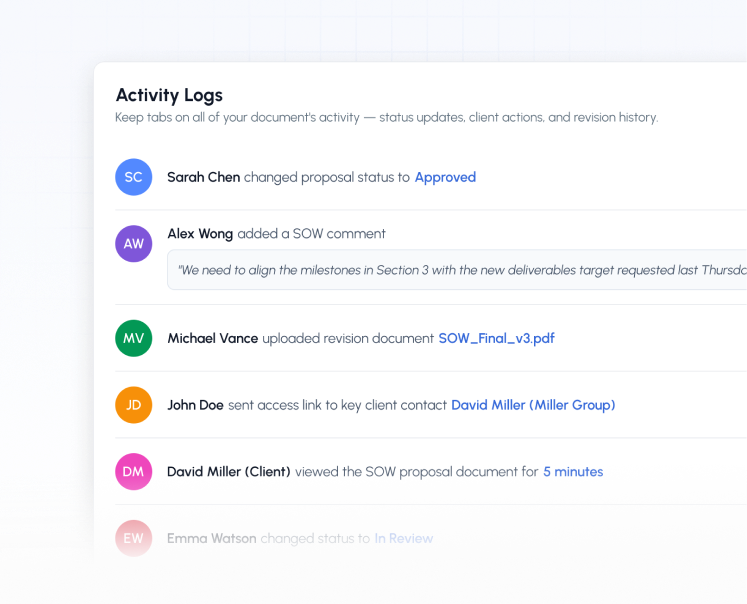
Keep proposal versions organized
Track proposal revisions so your team can work from the current version and maintain a clear record of updates.
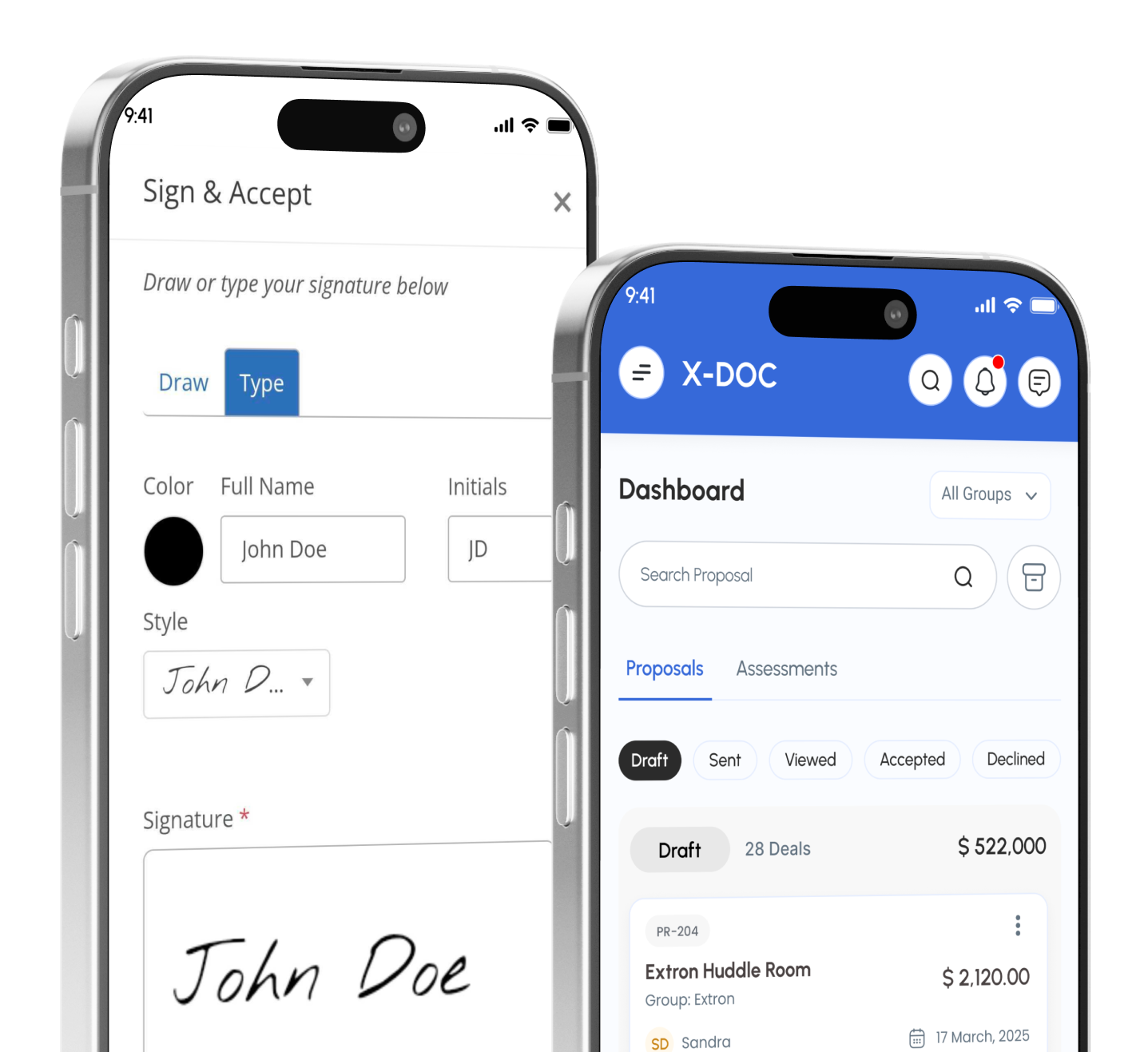
Review and sign proposals on mobile
Let clients review and digitally sign proposals from mobile devices.





Structure every AV proposal
around your project

Build from existing proposal documents
Bring existing proposal content into x.doc instead of recreating the document manually.
 ️
Add AV drawings to proposals
Bring relevant drawings from X-DRAW directly into the client-facing document.

Organize by room or area
Create rooms and areas, reorder them and control which spaces appear in the proposal.

Consolidate multiple BOMs
Combine equipment from multiple BOMs into a single proposal while keeping project information organized.

Keep the BOM connected
Sync proposal equipment with the design and update product pricing using information from your product library.

Convert proposals into X-DRAW projects
Convert an existing proposal into an
X-DRAW project so the workflow can continue into system design when the project moves forward.

Build custom proposal sections
Build proposals around the sections your projects require, from pricing and labor to technical descriptions and submittal information.
 ️
Use proposal variables
Add reusable placeholders for project and client information instead of typing the same details repeatedly.
 ️
Control pricing visibility
Choose whether product pricing, quantities, taxes or other selected pricing information appears in the client-facing proposal.
See how AV professionals build
proposals with X-DOC


Awesome Cloud Base Software
“It has been a great experience using XTEN-AV compared to D-Tools. XTEN-AV is such a better tool to work with and easy to generate proposals much faster. Easy to use and learn! Easy to generate proposal with saved templates. Great library.”

XTEN Wins Bids
“Overall Xten has been a great decision for our company. XTEN-AV has made the switch very easy and has been very helpful with training sessions!”
Flexible & Easy AV Design
"Overall, I think it is a good product that offers unique flexibility to create diagrams and designs for our customers. Easy to add new items to our drawings through their database and even create a database of our own."
Great Starting Software
"Overall, it's a good software and great toolkit. It reduces costs for smaller companies by eliminating the need for 4 or 5 other software into a single package. It's relatively easy to use, full featured, and covers all the basics for an IT and AV company."
XTEN-AV for AV Line Schematics
"I have had a great experience, created my templates and defaults the way I wanted them but now my workflow and efficiency are much better. I like the customization and automation features that I have access to and control over."
The perfect software for Small Business Integrators!
"Surpassed all expectations! They thought of everything to reduce my workload! Templates for Proposals, Diagrams, Quotes, Invoices, etc are already well made and having the ability to customize each individual component to suit my needs is amazing!"
A serious competitor to D-Tools that becomes better every day.
"We use XTEN for the drawing feature. While D-Tools relies on AutoCAD or Visio for drawing, XTEN has X-DRAW built in with an AV specific toolset that works. Making your own blocks is fairly quick. With new products coming out constantly, that's a valuable service."
XTEN-AV For Non-Integrator
“Overall, I have enjoyed using XTEN-AV over the past 2+ years and appreciate their flexibility and willingness to listen to product suggestions. The ability to quickly create and use design templates for rooms that are repeatable.”
Best AV Project Software
“An absolute game changer! We now have complete AV diagrams that can be handed off to the install team. Drawing AV flows is easier & then generating a BOM from that to share with vendors is effortless. It has given back hours of time and can be accessed from anywhere.”
XTEN-AV is a MUST!
“My experience has been wonderful. You are given a dedicated agent from XTEN-AV to work with and they have live agent chat if you need help answering any questions! It's a very detailed program. You can keep track of your project from all stages.”
AV Designers Dream Come True
“Overall its a great tool that has lots of challenges to overcome in order to compete with big boys in the industry, however the start is great and I truly hope they invest into product devolvement and GUI improvements. BOM - Bill of Materials Design - On the fly changes”
Why I love XTEN-AV
“Overall my experience and expectations have been meet over and above what I imagined. BOM list build outs for ease of ordering parts and equipment.”
All-rounder & Powerful AV Design
“Fantastic! Starting to leverage other capabilities that we had not in the past and it is helpful in tracking progress of opportunities. I really appreciate that this product provides the ability to create a complete design from nothing to complete technical drawings.”
Best AV drawing platform for the Price!
“The drawing software to make professional cabling drawings for AV systems is a great alternative to Auto CAD. The growing library is a big plus with the ease of adding in products that may not be in the library.”
Long-time XTEN-AV user
“Love x.doc, it guides from proposals to final system documentation, and everything in between. But the star of the show is X-DRAW. XTEN-AV is intuitive, flexible and quick. The extensive library database of manufactures equipment models is a definite pro!”
Ease of Design
“I absolutely love the overall concept of providing constant gear updates and tools to allow for ease of designs.”
Happy new customer to XTEN-AV!
“Overall I think the service and the product in general is a lot for the money spent! The workflow in general is very intuitive, without leaving customizing out of the picture. The more I use the program, the more I like it!”