



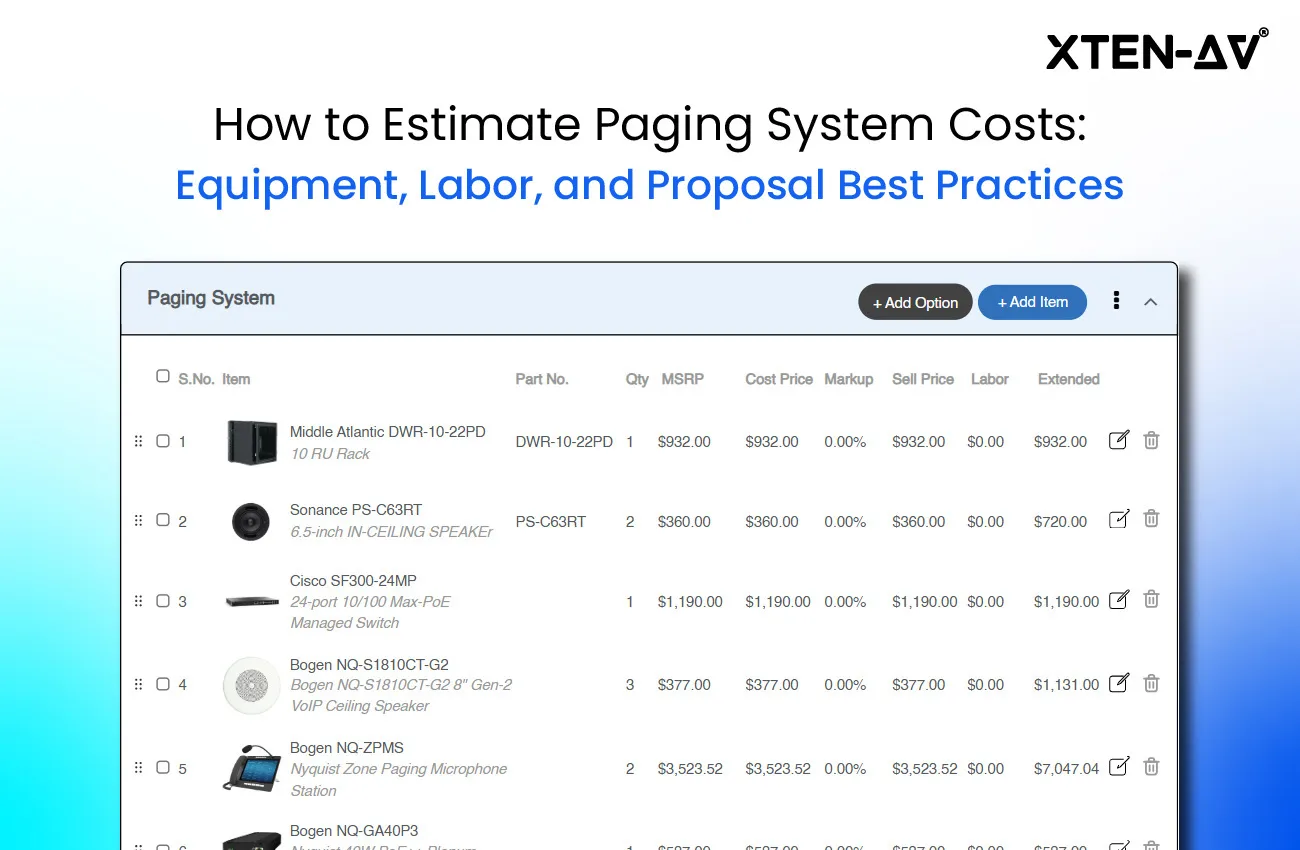


Paging system cost estimation is often the first question when organizations plan a new paging or public address (PA) system. Yet there is no single answer. The final price depends on far more than just the equipment.
Amplifiers, ceiling or horn speakers, mixer-amplifiers, and cabling are only part of the equation. The layout of the facility, the number of paging zones, and the integration with fire alarms or telephone systems can all shift the budget. Add installation labor, site surveys, and programming, and the figures start to vary widely.
Hidden cost drivers also play a role. Long cable runs, ceiling reinforcements, permits, or last-minute design changes can unexpectedly increase expenses if not factored in upfront.
That’s why paging system cost estimation should be approached as a structured process rather than guesswork. Understanding both equipment pricing and labor requirements gives businesses a realistic picture of total expenses and helps avoid unexpected overruns.
This article breaks down paging system costs in detail. It also explains how to calculate PA system installation cost. Finally, it shares proposal best practices so integrators and decision-makers can budget with clarity and confidence.
The all-in-one solution for your Security System Design & Installation needs
Transform your audio-visual experience with XTEN-AV.
No Credit Card required
Key Takeaways:
- Paging system cost estimation must cover both equipment and labor. Speakers, amplifiers, cabling, and AV labor hours all shape the budget.
- The PA system installation cost often rivals equipment pricing. Accurate labor breakdowns and contingencies prevent overruns.
- To estimate paging system cost, build a detailed Bill of Materials (BOM) with real pricing for speakers, amps, and accessories.
- Strong paging system proposal best practices include clear cost breakdowns, markup, and AV proposal cost transparency.
- XTEN-AV’s tools like X-DRAW and X-DOC simplify estimation, design, and proposals for better accuracy and profitability.
What factors determine paging system cost for a quote or proposal?
When people ask how much a paging or public address system will cost, the answer is never one number. The total depends on a mix of equipment, labor, and site-specific conditions. If you are preparing a paging system proposal or trying to estimate costs for a new project, it helps to understand the major pieces that drive the budget.
What paging and PA equipment drives the estimate the most?
Most of the spending starts with the hardware. Speakers, amplifiers, cabling, and paging controllers are the obvious line items, but the actual bill changes a lot depending on the site. A small office might only need a few ceiling speakers tied to a basic 70-volt amp, which keeps the price reasonable. Compare that with a hospital, a school, or a busy factory floor.
In such spaces, you could be looking at dozens of speakers spread across multiple paging zones. These systems are often supported by mixer-amplifiers or IP-enabled devices. In those cases, both the quantity and the quality of gear drive the final number. This is why equipment choices remain one of the biggest factors in paging system cost estimation.
How do installation labor hours affect total paging system cost?
If you ask most integrators what really tips the balance, it is the time it takes to get everything installed. The cost to install a PA system can sometimes equal, or even surpass, the hardware itself. Pulling cable through ceilings, mounting speakers in hard-to-reach areas, and programming amplifiers or zone controllers all add up quickly.
A straightforward office installation might be wrapped up in a few days, but larger buildings with complex layouts can stretch into weeks, which naturally pushes labor costs higher.
How do building size, ceiling type, and cable paths change pricing?
The size and design of the facility play a huge role in paging system costs. A small office with drop ceilings is usually straightforward, but once you move into larger or more complex spaces, the numbers rise quickly. Open warehouses often need horn speakers or pendant models to cover wide, noisy areas, while a multi-floor school or hospital requires long cable runs, additional amplifiers, and more time on ladders. Every unique layout detail adds either extra gear, more labor hours, or both.
Should you estimate differently for analog 70V vs IP paging systems?
Choosing between an analog paging setup and an IP-based system also shifts the budget. Analog equipment, especially 70-volt amplifiers and basic ceiling speakers, comes at a lower price, but the wiring is extensive since everything runs back to the amplifier. IP paging systems use the building’s network, which cuts down on some cabling, but the individual devices, like IP speakers or endpoint amplifiers carry a higher unit cost. The trade-off is that analog leans cheaper on equipment, while IP may save labor in the long run.
What integration costs should you include for PBX, fire alarm, and emergency notification?
A paging system rarely operates in isolation. Tying it into a fire alarm, a phone PBX, or an emergency notification platform means additional hardware modules and custom programming. These features add value but also add time to the installation. Other factors, such as after-hours work, restricted access, or travel for remote sites, can increase expenses as well. Even the project schedule matters, since tight deadlines often mean overtime or larger crews.
By looking at each of these factors early, you can develop a far more accurate estimate and avoid surprises during installation.
How Do I Estimate Equipment Costs for a Paging System Proposal?
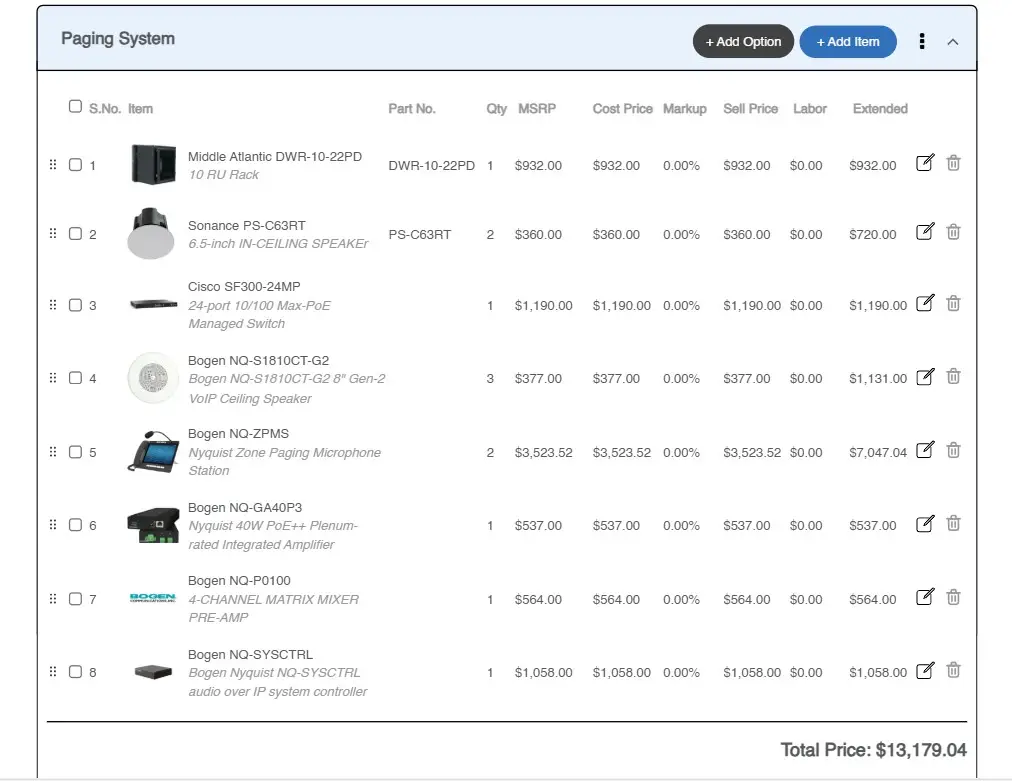
When you want to figure out how much a paging system will cost, it’s not about throwing out a rough number. You need to list every component that will be installed. Count the speakers, amps, cabling, and accessories, then assign a realistic price to each and multiply by quantity. This way, you know exactly what the system will cost instead of relying on a guess. A simple Bill of Materials, or BOM, is the easiest way to organize everything and make sure nothing is forgotten.
What should be included in a paging system equipment BOM?
Every paging system, no matter how simple or complex, will include a few essential parts. Forgetting even small items can cause your budget to slip. A detailed site survey plays a key role here. It helps you map out the room layout, wiring paths, and acoustic needs before finalizing the list of core components.
Speakers: These can be ceiling speakers, wall-mounted units, or paging horns. The type depends on the environment and coverage area. Ceiling speakers for offices may cost around $50–$150 each, while weatherproof horns or high-output units for warehouses are often higher. Don’t forget accessories like mounts, back-cans, or tile bridges.
Amplifiers: In analog setups, a central 70V amplifier or mixer-amplifier powers all the speakers. The wattage needed depends on how many speakers you’re running. A commercial-grade 250W amplifier can cost a few hundred dollars up to $1,000. In IP-based systems, you might use smaller distributed amplifiers or powered IP speakers, which changes how the costs add up.
Paging Consoles or Microphones: A simple push-to-talk microphone may cost $100–$300, while a more advanced console with zone selection or integration with a phone system can be significantly more.
Cabling and Connectors: The longer the runs, the more this line item matters. For analog systems, expect reels of 16/2 or 18/2 cable. IP systems need network cables and PoE switches. While these are individually inexpensive, they add up quickly across large sites.
Auxiliary Equipment: Power supplies, UPS units, equipment racks, DSPs, or zone attenuators might be needed depending on the project’s complexity.
Miscellaneous Materials: Conduit, junction boxes, anchors, and even shipping fees can’t be ignored. These small costs, if left out, often eat into profit margins.
How do you get real pricing for paging and PA system equipment?
Pick up the phone, email your usual distributors, and ask for quotes. Look at manufacturer catalogs and dealer price lists but treat those as starting points. If you have access to a product library or price database, use it to cross-check unit costs and lead times. For any unusual item, request a written quote so you know availability and price holds. Save freight and expected delivery times alongside the unit price. Finally, note whether the price is list, dealer, or net. That difference often matters when you roll numbers into a proposal.
How do you build a Bill of Materials for a paging system proposal?
Create a line for every item: model number, short description, unit price, quantity, and extended total. Group rows by category like speakers, amps, cabling, and accessories. Add separate lines for racks, UPS, and any required tools or rentals. Use a spreadsheet or a BOM tool so totals update automatically when prices change. Keep the BOM versioned. That way, you can show which price set you used and update the client if something changes.
Should you include spares or future expansion in the estimate?
Decide whether to include spare parts or just show expansion options. For mission-critical projects, plan at least one spare for key devices or a small percentage reserve, often 5 to 10 percent of critical items. If the client prefers staged growth, include an optional line showing the kit required to add zones later. Either approach avoids surprise charges if something fails or the site grows.
How do you apply markup to paging system equipment costs?
Turn your purchase totals into selling prices by applying a markup that covers procurement effort and margin. Some items carry a lower markup, some higher. Typical ranges fall between 10 and 40 percent, depending on volume and competitiveness. Put your cost and sell columns both in the BOM so you can see the margin per line. Be transparent internally; decide whether the client sees line-item pricing or only the final lump sum.
What final checks prevent missed line items in paging system quotes?
Go line by line and ask simple questions: Did I include back-cans, tile bridges, and mounting plates? Are connectors, junction boxes, and patch panels listed? Did I add license fees, shipping, and warranty coverage? Get a colleague to eyeball the BOM; a second pair of eyes often finds what was missed. Update prices with the most recent quotes before you finalize the proposal.
By breaking the calculation into these steps – components, pricing, BOM creation, expansion, markup, and review: you end up with a structured estimate that’s reliable. In the next section, we’ll move from equipment costs to the other side of the equation: labor.
How to Calculate Installation Labor Cost for a Paging System Project Estimation?
Labor is one of the biggest costs in any paging system project. In fact, in many commercial installations, it can equal or even exceed the equipment cost. That makes it essential to estimate it carefully. Undervaluing labor can hurt profitability, while overestimating might scare off clients. The trick is to break down every task, assign realistic hours, and factor in project management, coordination, and contingencies.
What labor tasks should be included in a paging system estimate?
Mounting speakers takes more time than most people expect. Ceiling speakers, horn speakers, or pendant units all require drilling, cutting ceiling tiles, or installing specialized mounts. Pulling cables is another labor-heavy task. Analog systems need speaker wires running from the amplifier to each speaker, while IP paging systems often rely on network cables to the nearest switch. Don’t forget ladder or lift time, cable management, and labeling. A two-person crew will cut down the hours per speaker, but you still need to multiply hours by crew size when calculating total labor.
How do you estimate rack and head end installation labor?
Installing the amplifier, paging console, and any DSP or interface modules is another key part of labor. Setting up the rack, connecting all cables, labeling ports, and securing equipment can take several hours depending on system complexity. After that, configuring amplifier levels, assigning paging zones, and programming any DSP or IP features also adds time. Testing the system is crucial. Walking the facility to check coverage, adjusting volumes, and demonstrating functionality to the client are all part of the labor cost.
How do you account for engineering and project management time?
Many integrators overlook the hours spent off-site. Time spent drafting floor plans, preparing as-built drawings, coordinating with IT, fire alarm teams, or subcontractors, and attending client meetings should be included in your labor estimate. These tasks are part of the total paging system cost estimation and often add 10–20 percent to overall labor hours. Some companies list these as separate project management or engineering fees for clarity in proposals.
How do you calculate labor hours per task and per crew?
Assign hours for each task based on your experience or past projects. For example, mounting a ceiling speaker in a finished office might take one to two hours; if you have twenty speakers, that adds up to 20–40 hours. Cable pulls, rack wiring, and system configuration should also be estimated in blocks, considering building layout, ceiling type, or floor material. Two technicians working together will reduce individual task hours, but remember to multiply total hours by the number of people for an accurate labor figure.
What labor rate should you use for a paging system proposal?
Once total hours are calculated, multiply by a realistic hourly rate. Skilled AV technicians in commercial environments often bill $75–$100 per hour. Adjust for local market conditions, union rates, or subcontractor costs. Include payroll taxes, insurance, and overhead when estimating labor cost for the AV proposal. Many integrators also add a 15–20 percent margin on labor to cover profit.
How much contingency should you add to paging system labor?
Unexpected delays are common. A hidden obstruction, a ceiling tile that doesn’t fit, or an equipment delivery delay can increase labor requirements. Adding a 10–20 percent contingency to your hours can prevent surprises. Historical data is invaluable here. If a previous project with 30 speakers took 60 hours, that should guide your estimate for a similar setup.
Before finalizing, review the labor estimate carefully. Check that all tasks, crew sizes, and additional activities are included. Make sure small items, like patch panels, conduit, or lift time, are counted. A thorough review ensures your labor estimate is realistic and protects your margins. Following these steps aligns with the paging system proposal best practices and makes the final proposal more accurate and professional.
Estimating labor correctly is essential for an accurate paging system cost estimation. When combined with a detailed equipment cost calculation, it gives a realistic total PA system installation cost. It also allows you to prepare a professional proposal that clients can trust, whether the system is analog or IP-based. Applying these principles consistently ensures projects stay on schedule, on budget, and profitable.
What Should a Paging System Cost Proposal Include?
Figuring out the right paging system cost estimation is only half the job. The way you share those numbers with a client is just as important. A proposal that’s clear, transparent, and tied to real benefits makes the difference between winning the job and leaving doubts on the table.
Break the Numbers Into Sections:
Most clients don’t want a single lump sum. They want to see where the money is going. The easiest approach is to split costs into categories like equipment, labor, and management. Here’s a simple layout many integrators use:
Category | Amount (USD) |
Equipment & Materials | $8,500 |
Installation Labor | $7,500 |
Project Management & Design | $1,000 |
Total Project Cost | $17,000 |
This way, the client sees exactly how the paging system costs (equipment & labor) stack up without feeling overwhelmed.
List the Key Equipment:
You don’t have to write down every cable tie, but you should mention the main items. For example: “25 ceiling speakers, one amplifier, one paging microphone.” That level of detail shows you’ve thought it through. If the list is long, add a Bill of Materials in the appendix. Tools like XTEN-AV’s proposal templates can export that BOM automatically and save hours of manual formatting.
Show the Value, Not Just the Price:
Numbers on a page don’t mean much unless you explain what they achieve. Instead of just writing “amplifier – $600,” link it to the outcome: “Provides enough power for three paging zones with headroom for future expansion.” By tying the public address system cost to results, you help the client understand why it’s worth the investment.
Spell Out What’s Included (and What Isn’t):
One of the easiest ways to avoid conflict later is to be upfront. If your cost to install a PA system doesn’t include ceiling patching or permit fees, make that clear. If you’re assuming the IT department will provide network ports for IP speakers, say so. Transparency builds trust.
Add Options Where It Makes Sense:
A good proposal gives the client choices. You might add an optional service contract or note that an IP-based paging setup can be included for a higher price. Laying out the analog vs IP paging system cost difference side by side helps the client make an informed decision.
Keep It Professional:
Formatting matters more than most people think. Use your company branding, double-check the math, and make sure the tone matches your client’s expectations. Sloppy formatting can make even a solid AV labor cost estimation look unreliable. AV estimation software such as XTEN-AV’s X-DOC can polish everything and reduce the risk of errors.
Review Before Sending:
Always have someone else look at the document. Make sure the speaker count in your BOM matches the scope of work and check the totals. It’s surprisingly easy to miss a small error that changes the overall estimate paging system cost.
Highlight Your Experience:
A short note about past projects or certifications helps reinforce why your pricing is fair. For example, “Our team has installed paging systems in multiple schools and hospitals, all delivered on time and on budget.” Including support details, like staff training and a warranty period, reassures the client that the price covers more than just hardware.
When proposals combine accurate audio paging equipment pricing with clear explanations and a professional layout, clients are far more likely to approve them. The cost looks reasonable, the value is obvious, and the trust is established.
How Can XTEN-AV Improve Paging System Cost Estimation and Proposals?
Working out the cost of a paging system can be tricky. It is not just the hardware but also the way everything ties together. Many integrators spend hours chasing prices, drawing layouts, and then reworking the numbers. XTEN-AV takes that headache out of the process by combining design, pricing, and proposal tools in one platform.
At the center is XAVIA, the AI assistant. Give it room dimensions, coverage needs, and brand preferences, and it builds a bill of materials in seconds. You can adjust the scope and instantly see how that changes the cost. What once required a manual checklist now feels more like a guided conversation.
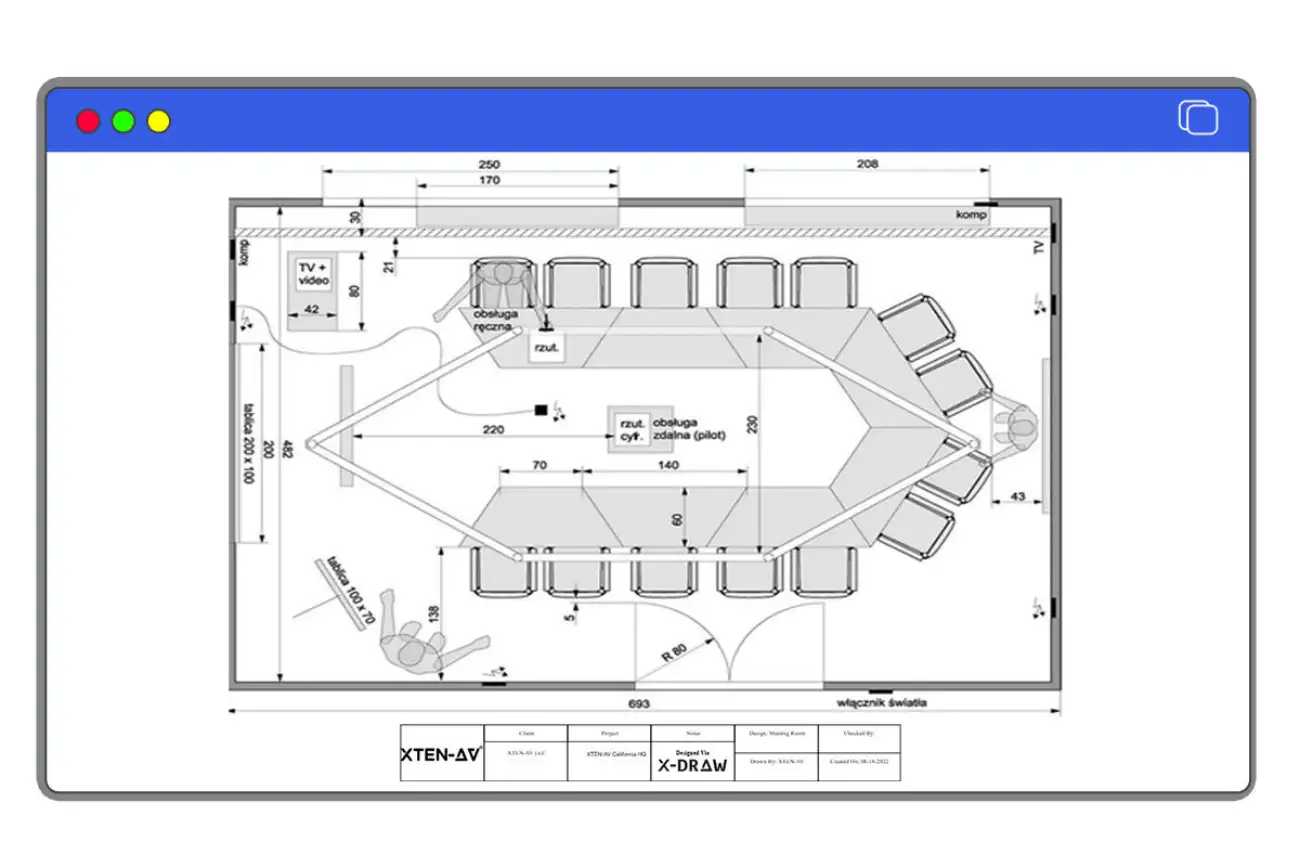
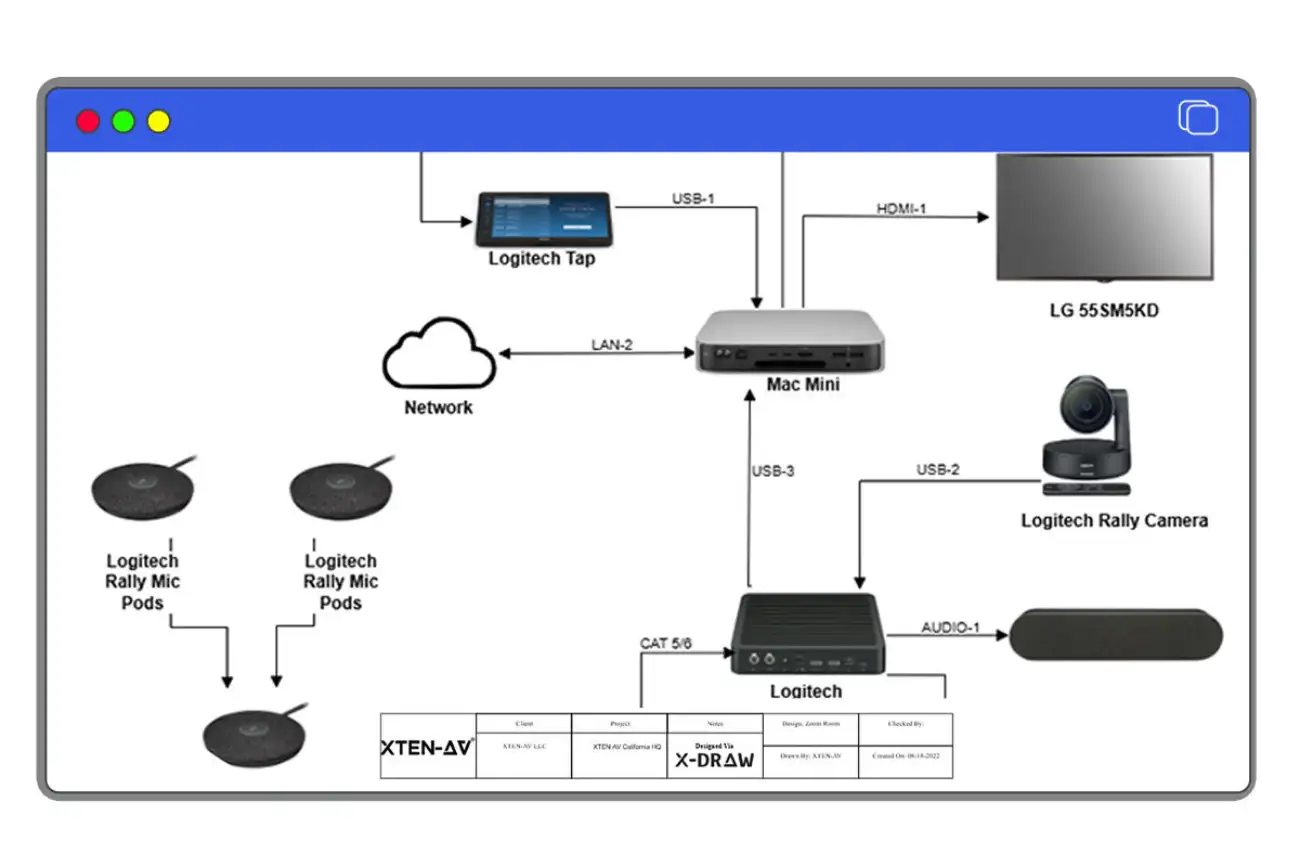
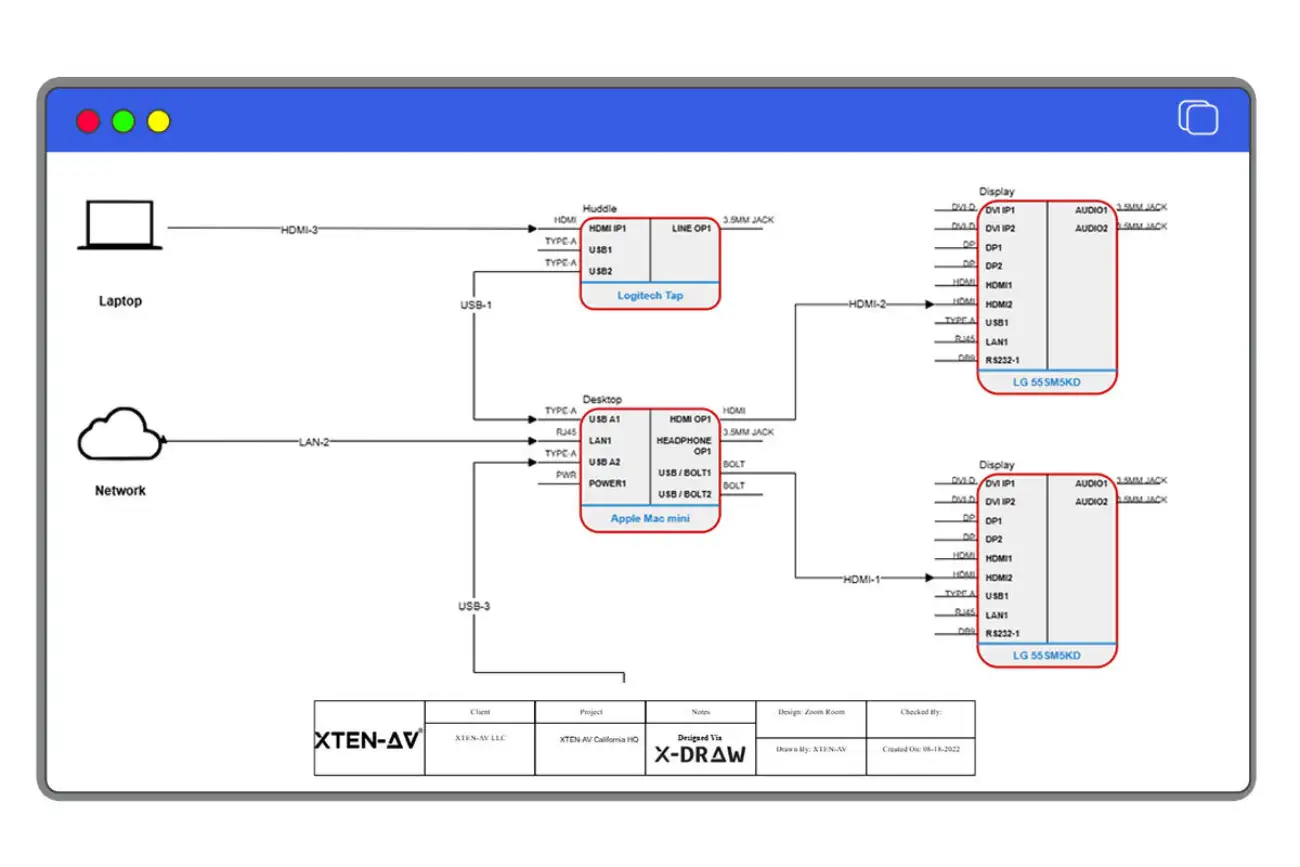
For layouts, X-DRAW converts the system plan into schematics and floor designs. It shows
speaker locations, wiring paths, and rack details clearly enough that you and the client know what to expect. Spotting design gaps early saves both time and money.
When it comes to presenting costs, X-DOC generates proposals that read cleanly. Clients see equipment, labor, and options separated into easy sections. You can include value notes, service terms, and upgrades without building the document from scratch.
XTEN-AV also offers calculator tools that support more accurate system planning. They give you numbers you can trust during planning and help you avoid guesswork.
With XAVIA, X-DRAW, and X-DOC working together, estimating and presenting a paging system proposal becomes faster, clearer, and more reliable.
The all-in-one solution for your AV needs
Transform your audio-visual experience with XTEN-AV.
No Credit Card required
Security System Design Mastery + Winning Proposals = 10x Productivity!
- ✔ Automatic Cable Labeling & Styling
- ✔100+ Free Proposal Templates
- ✔ Upload & Create Floor Plans
- ✔1.5M Products from 5200 Brands
- ✔ AI-powered ‘Search Sense'
- ✔Legally Binding Digital Signatures

Conclusion
A paging system is more than just another piece of technology in a building. It is often the backbone of daily communication. Whether that means calling staff to action, making safety announcements, or keeping a large site organized. The cost of getting it wrong is high. Missed items, poor estimates, or rushed planning can lead to systems that underperform or require costly fixes later. Careful budgeting and a clear Bill of Materials prevent those issues and give clients a plan they can trust.
Breaking down the equipment list and tying it to real prices also changes how proposals are received. Instead of vague numbers, the client sees exactly where their money is going. That level of transparency builds confidence and helps explain why one solution may be better than another. It is not about guessing a total but about showing a clear picture of the system they are investing in.
For professionals, this is where XTEN-AV comes in. Its product library, automation, and proposal tools help you estimate quickly while reducing mistakes. Build your next paging system plan with accuracy.
Try XTEN-AV today and see the difference. Book Your 15-day free Trial or live free demo Now!
FAQ's
The cost of a commercial paging system varies by building size, number of zones, and equipment quality. A small office may only need a few thousand dollars’ worth of gear, while schools, hospitals, or factories often run into tens of thousands. The best way to get an accurate estimate is to build a detailed Bill of Materials (BOM) and apply real pricing rather than relying on rough guesses.
Analog systems usually have lower hardware costs and are easier to price at the start. However, they require more cabling and labor, which can offset the savings. IP paging systems tend to cost more upfront, but often simplify installation and make expansion easier down the line. The choice depends on balancing initial paging system cost with long-term flexibility and integration needs.
Labor usually causes the most trouble when pricing a paging system, since it is not as clear-cut as equipment. Spend time walking the site and make notes on things like ceiling height, cable runs, and spots that may slow the crew down. Add a bit of extra time for testing once everything is installed, because problems almost always show up at that stage. Checking records from earlier jobs gives a useful benchmark. Many integrators also rely on XTEN-AV’s X-DOC, which links your Bill of Materials with labor needs so the estimate lines up better with reality.
Yes, including future expansion shows foresight and adds credibility to your proposal. Even if the client decides not to purchase extra zones or spares upfront, outlining the possibility demonstrates that the system has room to grow. It also saves time later because you’ve already accounted for the necessary hardware and design adjustments in your documentation.
A lot of problems come up later because maintenance was never mentioned in the first place. It helps to be upfront about things like yearly testing, firmware updates, or replacing a worn-out speaker. Some integrators put it in as a separate line item so the client can see the choice clearly, instead of burying it in the fine print. If you’re using a tool like XTEN-AV’s proposal software, it’s pretty simple to show these options without making the document feel crowded.
Explore more by topic

AV Design Mastery + Winning Proposals = 10x Productivity!
- Automatic Cable Labeling & Styling
- 100+ Free Proposal Templates
- Upload & Create Floor Plans
- 1.5M Products from 5200 Brands
- AI-powered ‘Search Sense'
- Legally Binding Digital Signatures
No Credit Card Required
Related Blogs

-

- Posted by Sahil Dhingra

Audio Visual How to Create Audio Visual (AV) Schematic Diagrams 10x Faster...
-
- Posted by Sahil Dhingra
Audio Visual How AV Integrators Cut 60% of AV Design Time with...

-
- Posted by Sahil Dhingra
Audio Visual What Are the Different Types & Components of Access Control...
