Overhead Paging System Guide: Components, Design & Best Practices for Commercial AV Projects

Sahil Dhingra
Published 24 SEPT 2026
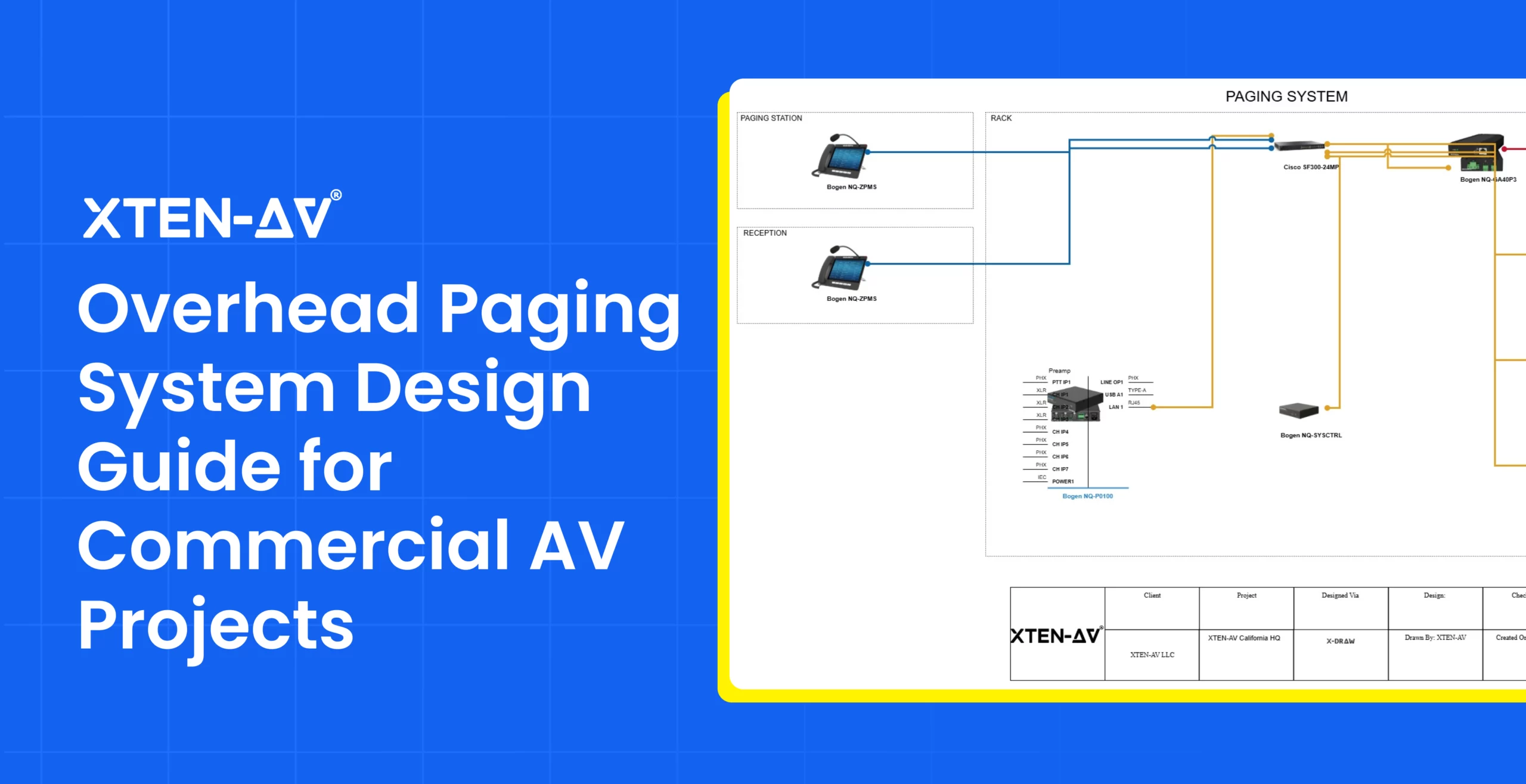
Commercial paging deployments can face challenges when approved AV plans transition into real-world environments. Speaker locations, acoustic conditions, coverage requirements, and site infrastructure may differ from initial assumptions. These gaps can create coordination challenges between designers, integrators and installation teams.
Incomplete scope details can create planning challenges during execution. Changes in equipment requirements, procurement decisions, and labor costing may lead to unexpected expenses, timeline changes and coordination gaps.
In this guide, explore the key components, planning considerations and best practices for an overhead paging system in commercial AV environments. Learn about speaker placement, equipment selection, wiring requirements and technical factors for delivering clear communication across different facilities.
“A successful paging design requires careful consideration of system architecture, network requirements and the specific communication needs of the facility.” — Kintronics.
Key Takeaways
- An overhead paging system requires proper speaker placement, coverage planning, and zone configuration to achieve clear communication across commercial environments.
- Effective paging system design focuses on equipment selection, network planning, and system architecture for reliable audio distribution.
- Accurate AV schematic drawings, including wiring diagrams, floor plans and signal flow diagrams, support better visualization and coordination during project planning.
- XTEN-AV (X-DRAW) is worth considering for AV designers looking to automate signal flow diagrams, floor plans, rack elevations, submittals and schematics using a cloud-based AV CAD drawing and diagramming platform.
- Speech intelligibility is critical for commercial paging designs with Anvilfield highlighting 10–15 dB above ambient noise for clear voice communication.
What Is an Overhead Paging System and How Does It Work?
An overhead paging system is a commercial audio communication setup that delivers voice announcements across facilities using microphones, amplifiers, controllers, and loudspeakers. For AV professionals, effective paging system design focuses on speaker placement, coverage zones, speech intelligibility and audio distribution requirements.
The setup captures voice input through a paging station or microphone, processes the signal through audio equipment and routes announcements to selected areas. Modern IP-based systems use network infrastructure for centralized control, flexible zone management and integration with existing communication platforms.
Need to understand the cost factors behind a commercial paging project? Explore our Paging and PA System Cost Estimation Guide to learn about equipment, labor and pricing considerations.
What Are the Key Components and Design Considerations for Commercial Paging Systems?
A commercial paging setup combines audio equipment, network infrastructure and planning factors to deliver clear voice communication across facilities. AV professionals consider speaker placement, acoustics, coverage zones, equipment selection and signal routing to create effective communication environments.
The following table highlights the essential components and planning factors:
| Component / AV Design Factor | Role in Commercial Paging Systems |
| Paging Microphones and Stations | Capture voice announcements and route messages to selected areas or facility-wide zones. |
| Ceiling Speakers and Coverage Planning | Determine audio distribution based on room layout, acoustics, ambient noise, and listening areas. |
| Amplifiers and Audio Processing | Manage signal power, audio levels, and consistent output across connected speakers. |
| Zone Control and Audio Routing | Direct announcements to specific areas with flexible zone configuration. |
| IP Network Infrastructure | Enables network-based communication, centralized management, and scalable expansion. |
| Room Acoustics and Speech Intelligibility | Influences speaker placement, tuning, and voice clarity across different environments. |
| Equipment Selection and System Architecture | Align speakers, amplifiers, controllers, and network components with facility requirements. |
| Wiring Diagrams and Technical Documentation | Show device connections, cable paths, and installation details for integrator coordination. |
How Do VoIP Paging Systems Enable Scalable Communication?
Modern commercial communication setups use network-based audio distribution to connect multiple locations, zones, and devices through existing IT infrastructure. VoIP paging systems allow AV professionals to manage announcements across IP-enabled devices with flexible zone control, centralized management, and easier expansion.
Unlike traditional analog setups, IP-based architectures support scalable deployments through simplified device additions, remote management, and integration with existing communication platforms. Network planning, device compatibility, and audio routing remain key considerations for reliable performance.
What Are the 7 Essential Elements of a Professional Paging System Wiring Diagram?
A professional paging system wiring diagram organizes device connections, signal paths and cable references into a clear visual layout. For AV designers and integrators, these diagrams simplify speaker placement, coverage planning and installation coordination by providing a complete view of connectivity before final deployment.
Here are the 7 key elements AV professionals should include in a commercial paging system wiring diagram:
1. Audio Source Connections
Show how paging microphones, call stations and input devices connect to initiate announcements across selected areas.
2. Signal Processing and Amplifier Routing
Illustrates audio paths between processors, amplifiers and output devices for precise signal distribution.
3. Ceiling Speaker Layout and Coverage Zones
Maps ceiling speaker placement, listening areas and zone assignments to achieve clear voice distribution across facilities.
4. AV Cable Paths and Connection Labels
Documents cable routes, termination points and cable labeling details for accurate installation and easier maintenance.
5. IP Network Device Connections
Shows links between IP-based audio devices, controllers, and network infrastructure for flexible communication setups.
6. Rack Equipment Arrangement
Displays the placement of amplifiers, controllers, network switches, and rack-mounted components within the AV rack.
7. Project Details and Proposal Information
Organizes equipment details, project scope and client-facing content using a paging system proposal template for professional AV presentations.
What Challenges Do AV Integrators Face When Designing Paging Systems?
A paging system integrator must evaluate technical requirements, facility needs and design considerations to create reliable communication systems. Careful planning of coverage areas, equipment selection and system architecture helps improve performance and project outcomes.
The table below highlights common challenges and how AV professionals can address them:
| Challenge | Why It Matters | Key Consideration |
| Uneven Audio Coverage | Poor speaker placement can create unclear announcements in large spaces. | Plan speaker locations based on room layout and coverage requirements. |
| Complex Facility Layouts | Large campuses and multi-zone areas require careful planning. | Design zones to support clear communication across different areas. |
| Equipment Compatibility | Incorrect component selection can impact audio performance. | Choose speakers, amplifiers, and network devices based on AV project needs. |
| Network Integration | IP-based systems depend on reliable network connectivity. | Consider IT infrastructure when planning VoIP paging setups. |
| Lack of AV Drawings | Missing documentation can affect project coordination. | Create schematics, floor plans, and signal flow diagrams before deployment. |
| Future Scalability | Expanding facilities may require additional zones or devices. | Plan flexible designs that support future changes. |
Struggling with disconnected AV processes? Discover how XTEN-AV commercial AV software connects automation, schematic design, proposals, project management, and after-sales service in one unified AV platform.
Build Better Paging Designs with Faster AV Planning.
How Does XTEN-AV Simplify AV Design and Diagramming for Paging Projects?
X-DRAW by XTEN-AV is a cloud-based AV schematic drawing and diagramming platform built for AV designers, engineers and integrators working on commercial paging projects. It enables teams to create automated schematics, signal flow diagrams, floor plans, rack elevations, cable schedules, ceiling speaker layouts and BOMs using pre-designed AV templates. The platform includes a product library of 1.5M + AV products from more than 5,200+ brands, allowing professionals to select accurate equipment, visualize system connections and create detailed AV designs efficiently.

Key X-DRAW features for commercial paging project design include:
- Create Clear AV Schematics and Signal Flow Diagrams
Generate detailed visual diagrams that represent device connections, audio paths, and signal routing. These AV drawings provide a clear view of system architecture during planning and coordination.
- Plan Speaker Placement with Floor Plans
Map speaker locations, room layouts and coverage areas using floor plans and ceiling speaker layouts. This allows design engineers to evaluate placement before installation.
- Build Detailed Wiring Diagrams
Create a paging system schematic diagram with clear device connections, cable paths, and signal references. These diagrams give integrators and installers better visibility into audio routing and system connectivity during deployment.
- Start Projects with Pre-Designed AV Templates
Use pre-designed AV templates to create schematic layouts faster and maintain consistent design standards across commercial projects.
- Find Equipment Faster with AI-Powered Search Sense
Find relevant AV products faster with AI-Powered Search Sense, using manufacturer preferences and previous selections.
- Select Equipment from a 1.5M+ Product Library.
Access detailed product data from 5,200+ AV brands to select suitable speakers, amplifiers and related components.
- Generate Rack Elevations and BOMs
Create AV rack layouts and equipment lists directly from completed designs for accurate project preparation.
Conclusion
Reliable overhead paging systems require accurate planning, clear diagrams, and structured layouts to support effective communication across commercial environments. X-DRAW by XTEN-AV allows AV design engineers to create schematic drawings, signal flow diagrams, floor plans, and rack layouts with ease. Simplify your next project with a complete XTEN-AV ecosystem and book a free demo today to explore advanced AV CAD design and diagramming capabilities.
Audio Visual System Design Mastery + Winning Proposals = 10x Productivity!
- ✔ Automatic Cable Labeling & Styling
- ✔ 100+ Free Proposal Templates
- ✔ Upload & Create Floor Plans
- ✔ 1.5M+ Products from 5200 Brands
- ✔ AI-powered 'Search Sense'
- ✔ Legally Binding Digital Signatures

FAQs
Designing an overhead paging system requires planning coverage areas, selecting the right audio equipment and understanding facility requirements. AV professionals also create detailed drawings to define speaker placement, signal flow, and system layout.
An overhead paging system distributes voice announcements through strategically placed speakers across EdTech campuses, schools, universities, hospitals, offices, and industrial environments. It supports daily communication, emergency notifications, and targeted announcements across different zones.
IP paging systems transmit audio announcements through network infrastructure instead of traditional analog connections. IP paging system design focuses on network connectivity, device integration, zone management and audio routing to support scalable communication across commercial facilities.
An overhead paging system wiring diagram should show speaker connections, amplifier paths, network links, cable details, and device locations. These details help AV teams understand system flow and plan accurate deployment.
AV integrators can use CAD design and diagramming tools to create schematics, signal flow diagrams, rack layouts, and floor plans. These drawings help visualize system architecture and maintain accuracy throughout the project.

Explore more by topic