








What Is Location-Based AV Project Management? A Guide for Multi-Room Installations.

Sahil Dhingra
Published 23 June 2026


This becomes even harder during a large multi-room AV installation involving multiple field teams and phased rollouts.
When AV projects spread across floors, buildings, and installation teams, things get hard to track. Teams dig through folders. Check file names. Confirm whether the drawing they opened actually belongs to the room they are standing in.
That is where location-based AV project management comes in.
It organizes projects around physical spaces, buildings, floors, rooms, and technical areas. Drawings, BOMs, tasks, and handoffs connect directly to the spaces where the work happens. Not a flat pile of files.
That structure matters more as projects grow.
According to AVIXA’s 2025 Industry Outlook and Trends Analysis (IOTA), pro AV revenue is set to hit $402 billion by 2030. Bigger projects. More rooms. More teams. More to keep organized across design, procurement, installation, and service.
Without a clear location structure, mistakes show up fast. A display package meant for Floor 6 lands on Floor 5. A ballroom BOM references the wrong room split. An installer opens an outdated drawing because three versions sit in the same folder with no room label.
Location-based AV project management fixes that. Project data organizes around the actual building. Every drawing, task, BOM, and handoff stays tied to the right room.
Key Takeaways
- Large AV deployments become difficult to manage when drawings are stored in generic folders.
- A building-floor-room structure helps teams track designs and installation work more clearly.
- Room-level organization reduces drawing mix-ups and equipment mistakes.
- Installers and PMs spend less time confirming which files belong to which spaces.
- Hotels, campuses, classrooms, and corporate offices benefit the most from location-based workflows.
- XTEN-AV supports location hierarchy through X-PRO, X-DRAW, and X-DOC.
The all-in-one solution for your Audio Visual (AV) Project Design & Documentation needs
Transform your audio-visual experience with XTEN-AV.
No Credit Card required
What Is Location-Based AV Project Management?
Location-based AV project management means organizing project data by physical spaces. Buildings. Floors. Rooms. Zones. Technical areas. Each room can have its own drawing package, DSP configuration, rack layout, approvals, commissioning notes, and closeout requirements.
That is why room-level structure matters. Each drawing, BOM, and task connects to the location where the work will happen, not just a folder on a shared drive.
In a typical AV project, the hierarchy looks like this:
Level | AV Example |
Campus / Site | Corporate HQ, university campus, hotel property |
Building | Building A, North Tower, Convention Wing |
Floor | Floor 2, Level 5, Mezzanine |
Room / Area | Boardroom 204, Ballroom A, Classroom 301 |
Design | Audio design, display design, control system design |
Deliverable | Drawing, BOM, proposal, installation task, closeout doc |
This is different from generic task-based project management. In standard PM tools, the unit of work is a task. In AV project management, the unit of work is a room. Each room has its own set of project data. Drawings. Signal flow diagrams. Rack layouts. BOMs. Installation notes. Approvals. Closeout docs. When all of that is tied to the room it belongs to, the whole project becomes easier to follow, from design through to installation.
Most PM frameworks do not account for this. They are built around timelines, milestones, and task assignments. AV projects need that too, but they also need spatial context. The work does not happen in a Gantt chart. It happens inside a ballroom, a classroom, an executive briefing center, or an MDF room, and the project structure needs to reflect that.
Why Do Large AV Projects Need a Building-Floor-Room Hierarchy?
Large AV projects need a building-floor-room hierarchy because everything ties back to a physical space. Designs. Equipment. Approvals. Handoffs. Without that structure, project managers lose track quickly.
Look at what a real enterprise AV project involves. A corporate campus has boardrooms, huddle rooms, training suites, an auditorium, and several MDF rooms. A hotel has ballrooms that split into smaller spaces, restaurants, and lobbies. A university can mean 40 classrooms, lecture halls, labs, and a performing arts space.
Each one of those spaces carries its own AV scope, equipment list, approvals, and installation sequence. Two or three rooms, manageable. Once a hotel deployment reaches a few hundred spaces, teams usually stop relying on folders alone. The project becomes too difficult to track room by room.
A building-floor-room hierarchy gives everyone a shared map. The PM, the designer, procurement, the field installer, the client, they all navigate the same framework. “Which drawing belongs to this room?” stops being a question. The answer is already there.
What Goes Wrong When AV Drawings Are Not Tied to Locations?
When AV drawings are not tied to a location, things go wrong. Teams use the wrong file. Equipment gets installed in the wrong room. Design work gets duplicated. Handoffs stall while someone confirms which drawing belongs where.
Here is a realistic scenario. A field team arrives on Floor 4 to install a training room display system. The drawing file only says “Training Room Final.” The installer calls the PM because nobody can confirm whether the drawing belongs to Floor 3 or Floor 4. The field team waits. The installation window is already tight because another team is scheduled to work in the room later that afternoon. By the time the right drawing is confirmed, 30 minutes have gone.
Larger deployments create even more room for confusion. Especially when phased rollouts are happening across several floors at the same time. One team may already be installing displays on Floor 2 while revised DSP files are still being reviewed for Floor 5. Without room-level structure, revision tracking becomes difficult very quickly.
- An installer uses an outdated drawing. The folder has multiple versions and nothing shows which one is correct for that room.
- A procurement team orders equipment for the wrong floor. The BOM covers a whole building section, not a specific room.
- A design manager duplicates work on a repeated room type. No one flagged that the room already had a confirmed design.
- A client walkthrough stalls. The PM cannot quickly match AV designs to the rooms the client wants to see.
- A service issue appears six months after handoff. The service team digs through old folders trying to find which system belongs to which room.
These are not rare situations. Research backs this up. According to analysis cited by Trimble, sourced from MyComply, 48% of construction rework comes from poor collaboration. Another 26% comes from miscommunication. AV projects face the same risk. When drawings have no room context, the cost shows up in wasted labor, delayed schedules, and frustrated clients.
Strong AV drawing management becomes critical once projects span multiple buildings and deployment phases.
File names are not project structure. Folders are not project structure. A named hierarchy that connects rooms to designs is project structure.
How Does Location Hierarchy Improve AV Project Handoff?
Location hierarchy makes AV project handoff cleaner. Every team member: designers, PMs, installers, procurement, clients, works from the same structure to find the right drawings, BOMs, and room details.
Handoff in AV is not just passing documents. It is passing context. A PM taking over from a designer needs to know which rooms have confirmed designs, which are still pending, and which equipment is locked in. An installer taking over from a PM needs to know exactly which drawing goes with which room on which floor.
Without a location hierarchy, that context does not live in the project. It lives in someone’s head. In an email thread. In a note scrawled on a printed drawing. It does not live in the project workspace where everyone can access it.
A location-based structure changes that across every stage:
Workflow Stage | How Location Hierarchy Helps |
Design | Designers link drawings to the correct room or floor from the start |
Proposal | Sales teams can review scope by room or building area |
Procurement | Equipment can be confirmed against the correct room BOM |
Project management | PMs can track work status by physical space, not just task list |
Installation | Field teams know exactly which drawing belongs to which room |
Closeout | Documentation is organized by room, not dumped into a folder |
Service | Service teams can trace system history back to the specific location |
When every stakeholder navigates the same location structure, handoff becomes faster. Questions that normally require a call, “which room is this drawing for?” have an answer already in the project workspace.
What Is the Difference Between File-Based and Location-Based AV Project Management?
File-based AV project management organizes work around document names and folders. Location-based AV project management organizes work around the actual jobsite. Location-based structure gives teams a clearer way to connect rooms, drawings, BOMs, tasks, and handoffs.
File-Based Project Management | Location-Based AV Project Management |
Depends on folder names and file versions | Uses buildings, floors, rooms, and zones as the primary structure |
Drawings may be hard to identify by room or floor | Designs are directly tied to physical spaces |
Room ownership can be unclear | Each space has an assigned owner and linked design |
Field teams may need clarification calls to confirm the correct file | Installers navigate to the correct room and find the right context |
Harder to manage repeated room standards across sites | Multi-room and multi-site rollouts are easier to navigate and control |
Weak closeout structure, docs are filed generically | Cleaner room-level documentation from the start |
Generic project management tools are useful for tracking timelines and assigning tasks. But they were not designed for the spatial complexity of AV work. An AV project involves technical design data, equipment lists, and field execution, all tied to physical spaces inside a building. A task tracker that does not account for rooms and floors can create as much confusion as no PM tool at all.
Location-based structure is not a replacement for task management. It is the spatial layer that makes AV-specific work navigable. It also creates a clearer Audio Visual (AV) system design workflow from engineering through installation and service.
Where Is Location-Based AV Project Management Most Useful?
Location-based AV project management works best when a project has many rooms, floors, or buildings. It helps most when room types repeat across a site or when multiple teams work on the same property.
Corporate Campus AV Projects:
Campuses spread AV across boardrooms, training suites, meeting rooms, briefing centers, and lobbies. Room designs may look the same. But each room still needs its own design, BOM, and handoff, even if it follows the same scheme.
Education AV Projects:
Universities often standardize AV across dozens of classrooms and yet still deal with odd spaces like lecture halls, labs and auditoriums. Without room-level organization, repeated room packages become difficult to track during deployment and closeout.
Hospitality AV projects:
usually reach a point where location hierarchy becomes necessary. A divisible ballroom may operate as one large event space in the morning, then split into four smaller rooms later in the day. That creates multiple audio zones, control scenarios, and room configurations tied to the same physical area.
Government Facility AV Projects:
Council chambers, command centers, hearing rooms, and secure meeting areas all have their own AV needs. A location structure helps the team, and the client follow designs, approvals and scope, room by room.
Healthcare AV projects:
Training rooms, simulation labs, telehealth suites, and even the waiting areas need an AV setup. A lot of healthcare endeavors also ask for room-level paperwork, for compliance, and later on for service history records.
How Should AV Teams Structure Locations and Sub-Locations?
AV teams should structure locations and sub locations the same way the project site is organized: site, building, floor, room, zone and system area. It makes drawings, BOMs, tasks and approvals easier to locate and oversee for day to day work.
A practical framework:
- Start with the site or campus as the top-level project context.
- Add major buildings or towers as primary locations.
- Break each building into floors or sections as sub-locations.
- Add individual rooms, zones, or technical spaces under each floor.
- Link AV designs to each room or area, not just to the building.
- Keep naming consistent across drawings, BOMs, and project tasks.
- Use room-level organization to support handoff and closeout from the start.
Example structure for a corporate headquarters project:
Corporate HQ → Building B → Floor 5 → Boardroom 501 → Display System Design + Audio System Design + BOM + Installation Notes
Any team member: PM, designer, installer, or client, can go straight to the right room and find everything they need. Teams spend less time searching folders or calling the PM to verify which drawing belongs to which room.
Naming matters too. If locations are named the same way across drawings, BOMs, and tasks, the project stays connected. If names drift, “Conf Room 501” in one file and “Boardroom B” in another, the structure starts to break down.
How XTEN-AV Helps Organize Multi-Location AV Projects?
XTEN-AV is used by more than 30,000 AV professionals. It covers design, documentation, proposals, project management, and service, all in one platform. That matters because location-based project management only works when it connects to the tools where the work actually gets done.
X-PRO is XTEN-AV’s Audio visual AV project and field service management software module. It has a feature called Location & Sub-location in Projects. A PM can add locations like Building A or Hotel Wing. Then add sub-locations like Floor 3 or Conference Room 301. Multiple AV designs can be linked to each space. The project structure matches the building.
X-DRAW is XTEN-AV’s Audio Visual (AV) system design and integration software. A designer can link signal flow diagrams, rack layouts, and room drawings directly to the right project location. Designers do not need to manually match drawings back to rooms later in the project. The connection is built into the platform.
x.doc is XTEN-AV’s Audio visual (A) proposal software and documentation module . It ties proposals, equipment lists, and project docs to the same location structure. When procurement needs to check what belongs in a specific room, they look at the same hierarchy the designer and PM are already using. Procurement teams can review equipment against the same room structure already used by design and project management.
X-DRAW also includes Areas in Design for better room-level AV design organization inside complex projects. It breaks a drawing into system zones within a room. Combined with project-level locations, the structure runs from the building down to the room down to the system. First drawing to final handoff, all connected.
For larger AV deployments, this becomes less about software organization and more about operational control.
Location-Based AV Project Management Checklist
Use this AV project handoff checklist before installation begins to confirm every room, design, BOM, drawing, task, and handoff is connected to the correct physical space.
□ Project locations are created for each building or major area.
□ Sub-locations are created for floors, rooms, or zones.
□ Each AV design is linked to the correct location or sub-location.
□ BOMs are reviewed by room or project area, not by building section only.
□ Drawing names are consistent with the project hierarchy.
□ Installation notes are connected to the correct room or technical space.
□ Field teams have access to the correct drawing for each room before installation begins.
□ Client approvals are tracked by room or area.
□ Closeout documentation is organized by location, not filed generically.
□ Service handoff references the correct room and linked AV system.
□ Revision history is tied to the correct room or deployment area.
The all-in-one solution for your AV needs
Transform your audio-visual experience with XTEN-AV.
No Credit Card required
Audio Visual System Design Mastery + Winning Proposals = 10x Productivity!
- ✔ Automatic Cable Labeling & Styling
- ✔100+ Free Proposal Templates
- ✔ Upload & Create Floor Plans
- ✔1.5M Products from 5200 Brands
- ✔ AI-powered ‘Search Sense'
- ✔Legally Binding Digital Signatures

Conclusion
AV projects involve drawings, equipment lists, installation coordination, approvals, commissioning notes, and handoffs across many spaces. Location-based AV project management keeps all of it tied to the right rooms and buildings, whether the project spans one floor or ten.
The room is the delivery unit in AV. Every design, every equipment list, every installation note, every closeout doc, it all belongs to a specific space. When the project is built around that, the whole workflow gets easier. From design to procurement to installation to service.
File names are not project structure. Folders are not project structure. A location hierarchy that matches the actual building is.
Managing AV projects across multiple buildings, floors, and rooms?
See how XTEN-AV helps teams keep designs, documentation, proposals, and project workflows connected in one place.
FAQ's
Location based AV project management organizes project information around physical spaces. Like, buildings, floors, rooms, zones and technical areas. It links drawings, BOMs, tasks, and handoffs to the precise spot where the installation actually happens. So instead of everything sitting in separate disconnected folders, teams can work inside a project layout that mirrors the real building layout.
In AV projects usually multiple rooms, floors, systems, buildings are involved. If the hierarchy isn’t clear, tracking drawings, BOMs, and the actual installation scope gets difficult fast.
Teams end up confirming which file belongs to which room, time that should go toward design and delivery.
It helps installers find the correct drawing, room details, and installation context faster. Instead of relying on file names or calling the PM for clarification. Field teams can navigate project data by building, floor, room, or technical area and quickly locate the correct drawing.
A location might be Building A, North Tower, or Hotel Wing. A sub-location could be Floor 3, Conference Room 301, Ballroom A, or Classroom 204. AV designs including drawings, BOMs, and setup notes, can get linked straight to those particular spaces.
It makes clear where every design, drawing, BOM and task winds up. PMs, designers, installers, and clients all seem to work from the same reference point, the actual rooms and buildings. Nobody has to decode folder names or try to guess which file is the current one.
An item costs $1,000 and sells for $1,250. Markup is 25%. Margin is 20%. Neither is wrong. But if the sales team targets “25% margin” and calculates markup instead, every proposal in the pipeline is less profitable than it looks.
It works best on multi-room, multi-floor, or multi-building projects. A single room probably does not need a full hierarchy. But if a drawing could be mixed up with another room’s drawing, or if handoff involves more than two or three people, a clear location structure helps.
X-PRO lets teams add locations and sub locations inside a project and link AV designs to each space. X-DRAW connects design drawings and room areas to the same structure. X-DOC ties proposals and documentation to the same hierarchy. Together, they give AV teams one connected workspace built around the actual building, from the first drawing to the final handoff.
Explore more by topic

AV Design Mastery + Winning Proposals = 10x Productivity!
- Automatic Cable Labeling & Styling
- 100+ Free Proposal Templates
- Upload & Create Floor Plans
- 1.5M Products from 5200 Brands
- AI-powered ‘Search Sense'
- Legally Binding Digital Signatures
No Credit Card Required
Related Blogs
-

- Posted by Sahil Dhingra

Audio Visual 5 Best Speaker Placement Calculators for Commercial AV Projects in...
-
- Posted by Sahil Dhingra
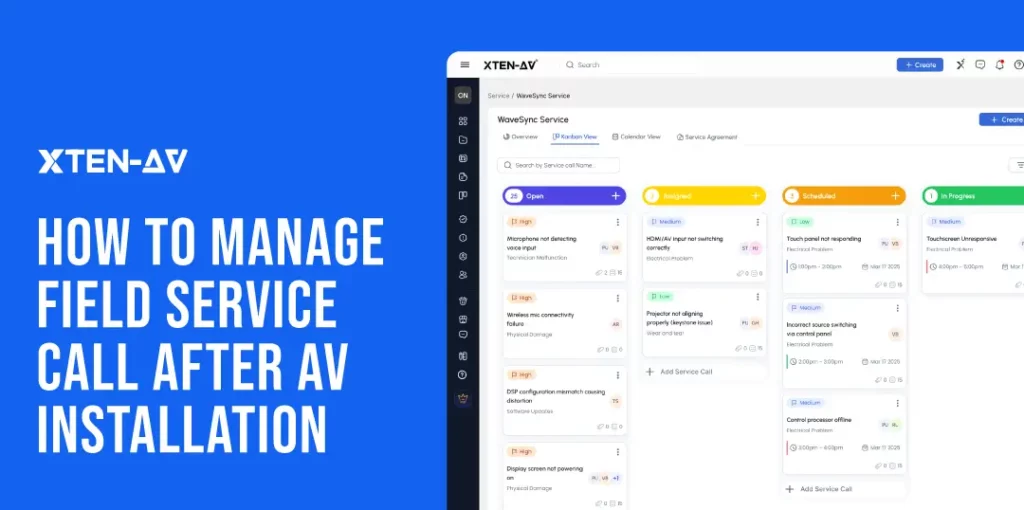
Audio Visual How XTEN-AV Helps Manage AV Service Calls After Installation Sahil...
-
- Posted by Sahil Dhingra
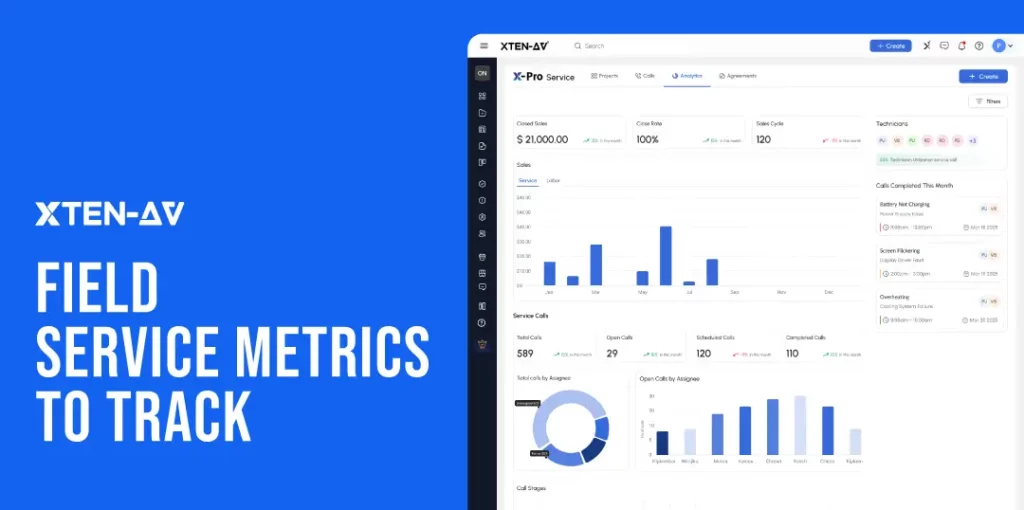
Audio Visual Field Service Metrics for AV Integrators Sahil Dhingra Published 20...
