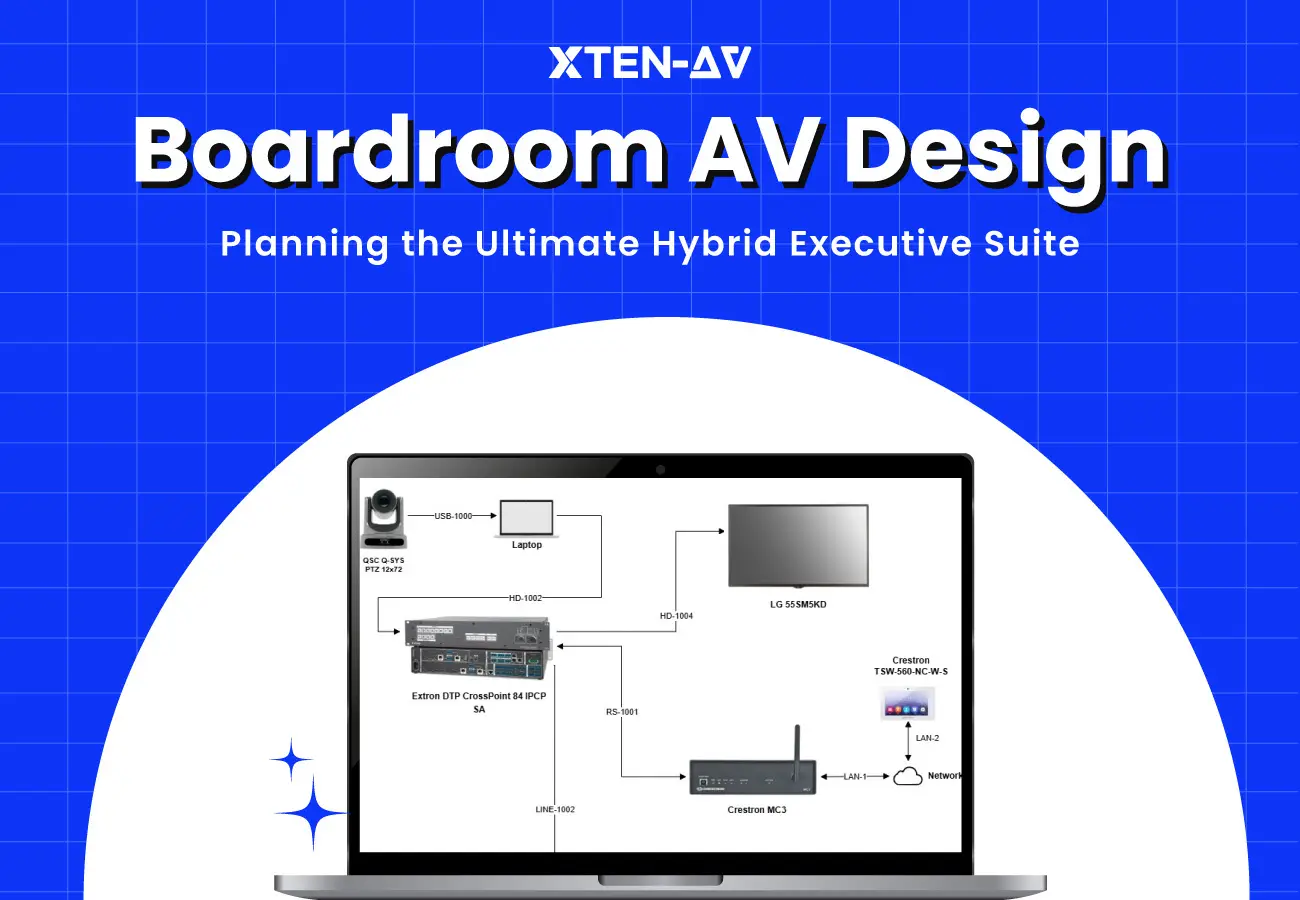


In today’s business landscape, where work environments are constantly changing, office spaces and particularly meeting rooms are undergoing a major transformational shift. Hybrid meetings have become the norm, blending in-office and remote team members into a unified workflow, making quick, high-stakes decisions while collaborating across continents. The most important aspect of facilitating successful meetings lies in the design and layout of boardroom setup. With remote work and hybrid teams on the rise, the need for a top-notch conference room, AV couldn’t be more emphasized.
When it comes to designing a perfect hybrid meeting room, it needs a carefully planned boardroom AV design approach that ensures every participant whether available in the room or joining remotely can participate and contribute with ease. At XTEN-AV, we’re committed to equipping your hybrid boardroom with the advanced and efficient AV solutions designed to meet your needs.
In this blog, you will learn how to plan and design a hybrid boardroom audio visual setup that makes communication and collaboration better and helps meetings run in a hassle-free manner.
Key Takeaways
Hybrid meeting rooms require well-planned audio visual design to have smooth collaboration for both in-room and remote participants.
Room analysis and needs assessment are the foundation of a perfect boardroom setup.
Layout, seating, sightlines, acoustics, and lighting have a great impact on engagement and visibility.
Displays, microphone, speakers and cameras need to be selected carefully so that everyone can have the same audio video experience.
Plan for future scalability to avoid spending on expensive redesign processes.
Integrated software solutions such as X-Draw, X-Pro and X-doc for AV design, documentation and project execution.
The all-in-one solution for your Audio Visual (AV) Project Design & Documentation needs
Transform your audio-visual experience with XTEN-AV.
No Credit Card required
What should be included in a boardroom AV design?
AV solutions are of utmost importance for modern boardrooms that transform traditional meetings into dynamic and engaging sessions. Whether you’re negotiating a multi-million-dollar deal or presenting corporate strategy, audiovisual integrations need to perform like a finely turned orchestra, bringing all the key players in harmony. A modern boardroom AV design integrates visual, audio, control, and connectivity into a unified system that enables clear communication, seamless collaboration, and easy operation.
Display System
It is the central visual element of hybrid meeting rooms used for presentations and sharing content. It typically includes large format displays, dual-display setup, interactive flat panel or LED walls in large boardrooms. A well-designed boardroom display placement ensures clear visibility, readable content and effective collaboration.
Camera System
Video conferencing cameras capture participants and provide clear visuals for remote attendees, improving engagement during hybrid meetings. This includes wide angle camera, PTZ camera, auto framing camera and intelligent camera. A well-designed system ensures proper framing, eye-level viewing, balanced room coverage, and an improved remote meeting experience.
Microphone System
Microphones capture speech from all seating positions, ensuring clear communication without background noise or echo. Some microphone solution include table microphone, ceiling microphone, beamforming microphone and boundary microphone.
Speaker System
Speakers distribute audio evenly across the room so every participant can hear remote voices clearly. Common setups include ceiling speakers, soundbars and distributed systems. Proper speaker placement delivers consistent voice clarity, and even coverage across all seating areas.
Audio DSP
DSP manages audio signals, removes echo, reduces noise, and balances sound levels for better clarity. Proper DSP configuration is crucial because it ensures microphones and speakers work in a unified way.
Control System
With a control system, you can manage all boardroom AV functions in a streamlined manner. Users can control cameras, audio, lighting and meeting functions, making it easier for users to operate.
Content Sharing System
Wireless presentation systems, screen sharing tools and conference platforms like Microsoft Teams or Zoom enable participants to share content quickly without any problem.
Acoustic & Lighting
Room acoustic treatment impacts speech clarity and meeting quality. While proper lighting gives even illumination and reduced glare, resulting in video clarity.
Documentation & Drawings
Standardized documentation is a prerequisite for proper installation, maintenance and scalability of AV systems. This includes signal flow diagrams, single line diagrams, AV layout / floor plan, rack elevations, cable schedules and cable paths, and a detailed Bill of Materials (BOM). Moreover, AV schematic, rack location and proposal scope are also covered to name a few. Strong documentation significantly reduces future downtime, speeds up troubleshooting, and improves long-term system reliability.
How do you design a boardroom for hybrid meetings?
A well-designed boardroom for hybrid meetings should be able to enhance collaboration so that smooth interaction between in-person and remote attendees can be established. The right AV tech can help you achieve this goal. Here’s how you can design the ideal hybrid meeting room:
Step 1: Planning and Design Room Analysis and Needs Assessment
The process of creating an optimal boardroom AV system design begins with thorough analysis of boardroom specs and a detailed needs assessment of participants requirements. The team of AV professionals will conduct on-site evaluation to understand physical dimensions, acoustics, lighting conditions and even technological infrastructure of the space. Collaboration needs, communication dynamics and specific functionalities are all comprehended. This will help in identifying the design solutions which will promote efficiency and engagement.
Step 2: Plan Signal Flow Architecture
Hybrid meetings depend on structured AV signal routing so that audio and video move properly between devices. Usually, the signal flow works in a way:
- A laptop sends content to the display for presentations or sharing information.
- Microphones capture speech, send it to the DSP and then it travels to the conferencing system.
- The camera captures the room view and sends video to the meeting platform for remote participants.
- The remote participants’ audio is sent back to the room speakers so in-room users can hear them clearly.
A well-structured signal flow ensures all these connections work together to eliminate delays and any kind of mismatch.
Step 3: Define Infrastructure & Cable Pathways
Well-planned AV infrastructure and cable routing are essential for hybrid meeting room performance. Some key elements of infrastructure involve cable path, table connectivity, rack location, power distribution and network integration. You need to put power and signal cables separately and should add extra capacity for future system expansion.
Step 4: Optimize Sightlines and Camera Coverage Geometry
Talking about AV boardroom design, camera planning should be in accordance with the visual geometry of the room. The layout needs to be in such a way that every participant is visible. Additionally, seating needs to be oriented towards the main display. The AV system should account for full room coverage so that remote attendees can see everyone properly.
Step 5: Integrate Audio Coverage Strategy
For audio design the focus is on how sound behaves within the space and speech should be captured evenly from every seat. Hence, analyzing the seating layout is crucial. Also, ceiling height matters because higher ceilings can increase reverberation and reduce clarity if not treated properly. So, accordingly the audio system should be designed to ensure consistent coverage across the entire table, so no participant is too far or too soft in the mix. When AV design is carefully planned then issues like dead zone, echo and background noise can be eradicated.
Step 6: Plan Network & Platform Integration
Hybrid boardrooms rely on a strong and stable network to function effectively. AV system integrators need to keep in mind that dedicated bandwidth is crucial for smooth audio and video quality. The AV system should also be compatible with popular meeting platforms like Microsoft Teams, Zoom, and Webex, allowing users to connect without technical issues. Overall, the quality of the network directly impacts how well hybrid meetings perform.
Step 7: Consider Environmental Factors
Environmental conditions decide how AV systems will perform in hybrid spaces. Effective boardroom acoustic treatment will help in improving sound quality and eliminates issues like echo or background noise. Additionally, proper lighting placement can help in improving visibility without any glare on screens. The design goal is to create a balanced environment that supports clear communication and a world-class viewing experience.
Step 8: Plan for Scalability and Future Expansion
Hybrid technology is revolving at a rapid pace, so planning in advance for scalability and future expansion is a fruitful decision. In this regard, Audio visual (AV) designers should allow extra cable capacity for future additions, rack space should be flexible so that new equipment can be accommodated and use a modular system architecture to upgrade the components easily. It’s also important to ensure compatibility with future software updates to avoid system limitations. A future-ready boardroom design helps minimize the need for costly redesigns and upgrades over time.
How do room layout, seating, and sightlines affect boardroom AV design?
Boardroom layout, seating and sightlines are known as the foundational elements of a well-designed boardroom, influencing how participants interact and collaborate with remote attendees.
Room layout
Room layout plays a key role in determining how AV systems are positioned to aid visibility, audio coverage and collaboration. Common layouts include boardroom, U-shaped, and huddle configurations. A boardroom layout includes a large table with chairs around it and perfect for formal meetings with 6–20 participants, allowing displays, cameras and microphones to be centrally aligned. A U-shaped layout features tables in a horseshoe form.
This is great when the display or presenter needs to be the focal point while maintaining clear sightlines for users. A huddle layout uses small tables or clustered seating and is best suited for quick, informal meetings with 2–6 participants and needs compact displays and wide-angle cameras.
Sightlines
Sightlines is an effective factor in boardroom AV design because of its direct impact on display, camera, and participant engagement. Poor sightlines can result in blocked views, improper camera coverage, and inconsistent microphone pickup zones, hampering meeting clarity in hybrid environments.
Seating
This impacts microphone coverage, camera framing and AV performance in a boardroom. Large rectangular tables can cause uneven audio pickup and imbalance camera views. However, table dimension and proper spacing should match the room size to ensure clear sightlines and consistent voice pickup across all seats. With proper seating, every person is visible to camera and audible to remote attendees as well.
How do you choose displays, cameras, microphones, and speakers for a boardroom?
When choosing displays, cameras, microphones, and speakers for a boardroom, the AV approach should pay attention to creating a seamless hybrid meeting experience for both in-house and remote participants. The system should be designed around room size, table layout, viewing distance, collaboration needs, and acoustics, not just individual product specs.
Display: The goal is to make content and participants easy to see. A single display layout is best suited for rooms with 4-6 participants. A dual-display setup is better for medium to large rooms, allowing one screen for shared content and the other for remote participants, which enhances meeting flow and collaboration. The size of display choice should also consider screen size, resolution, brightness and anti-glare features.
Camera: Room size plays a pivotal role in determining camera system design. Small rooms usually include a fixed wide-angle camera, whereas medium to large rooms use PTZ cameras with specs like auto-framing, speaker tracking as well as preset views. In a large boardroom, multi-camera systems are the best choice for full coverage. Camera placement is also crucial. It should be mounted at eye level, centered to the table, and facing participants directly, while avoiding high or side-angle placements as that may distort engagement.
Microphone: Audio quality makes or breaks the hybrid meeting experience. Table microphones or boundary microphones are usually used in small rooms for close range speech pickup. ceiling microphone arrays with beamforming microphone technology are preferred for mid to large size rooms that give better coverage and clean table surface. Such technology relies on DSP for echo cancellation, noise suppression and better speech. Lastly, wireless microphones are better for training led sessions. When combined with proper room acoustics and loudspeaker coverage, ceiling-based systems deliver the most scalable and reliable performance.
Speaker: The purpose is to achieve uniform sound coverage so every participant can hear clearly without loud or quiet spots. In most boardrooms, ceiling speakers are widely preferred because of even sound distribution. Soundbars are said to be a nice fit for smaller rooms, whereas distributed speaker systems are better suited for bigger meeting rooms as consistent audio coverage is required across the entire space.
What software helps design boardroom AV systems?
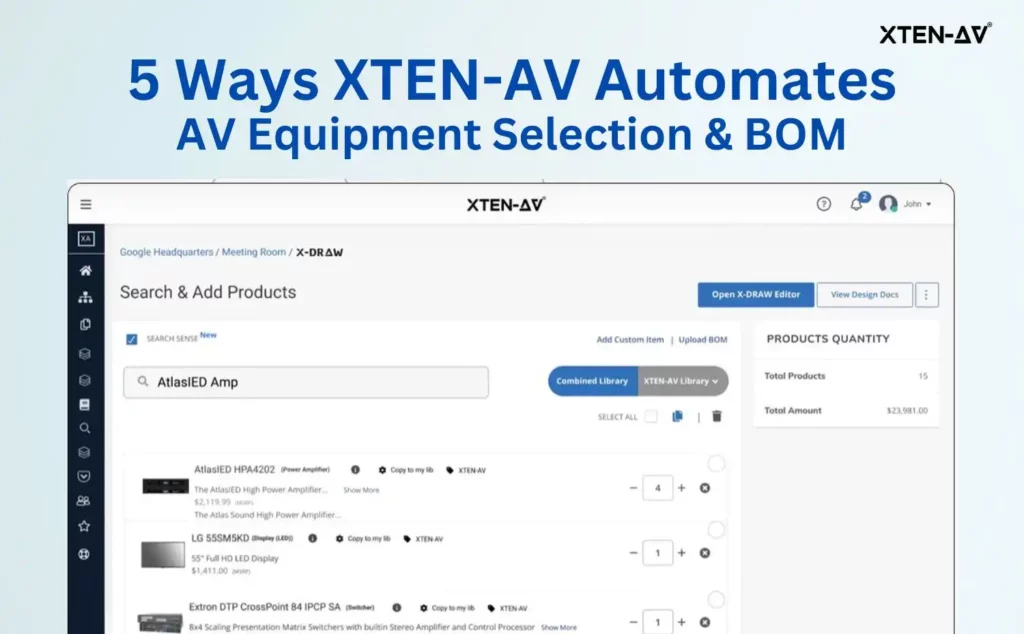
Boardroom AV design isn’t only about drawing layouts, it also involves creating schematics, signal flow, device placement and document generation to ensure proper coverage, sightlines and system integration. If you’re in the search of a trustworthy AV solution provider, your journey ends with XTEN-AV as it provides an integrated platform combining X-Draw, X-Doc and X-Pro to streamline design, documentation and execution.
X-Draw: Boardroom AV Design Software
It is used to design and engineer boardroom AV systems. It goes far beyond basic diagramming and acts as a complete AV design environment.
The designers can
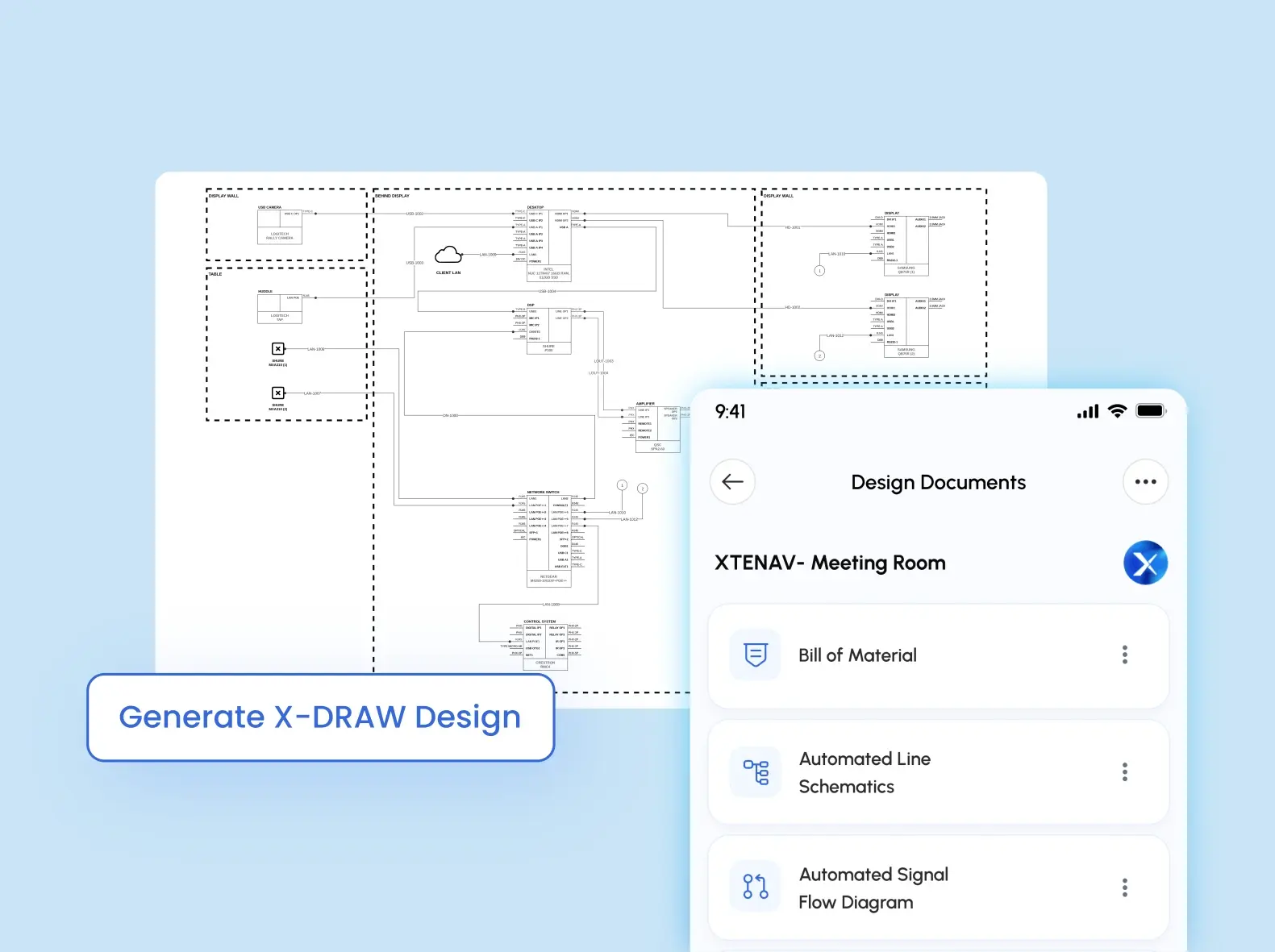
- Create AV schematics, signal flow diagrams, and cable diagrams with complete accuracy
- Build floor plans, rack layouts, ceiling speaker layouts, and elevations quickly and easily
- Automatically generate Bills of Materials (BOM), scope of work, and documentation
- Design and connect AV systems within a single, centralized platform
Hence, it can be said that with X-Draw, errors can be eliminated, duplicate work can be removed and you can ensure system correctness.
X-Doc: AV Proposal Software
It enables users to:
- Create professional proposals using 100+ pre-built templates within minutes
- Add legally binding digital signatures for faster approvals
- Track proposal activity on the go (e.g., when clients open or review documents)
- Customize content with flexible editing and styling features
X-Doc eliminates the need for multiple tools by combining proposal creation, and document management into a single streamlined workflow, helping AV professionals’ close deals sooner and maintain precision across projects.
X-Pro: AV Project Management Software
It enables teams to:
- Handle inventory, purchase requests, and billing to keep resources aligned with project needs
- Check costs, labor usage, and overall project profitability with real-time insights
- Monitor work hours through time-tracking feature for accurate workforce management
- Configure workflows with custom settings and templates for consistent project execution
X-Pro does a great job of bringing everything together. It gets rid of the need for a bunch of tools. It puts project management and resource planning and financial tracking all in one place. This makes it a lot easier for AV teams to get things done on time.
The all-in-one solution for your AV needs
Transform your audio-visual experience with XTEN-AV.
No Credit Card required
Audio Visual System Design Mastery + Winning Proposals = 10x Productivity!
- ✔ Automatic Cable Labeling & Styling
- ✔100+ Free Proposal Templates
- ✔ Upload & Create Floor Plans
- ✔1.5M Products from 5200 Brands
- ✔ AI-powered ‘Search Sense'
- ✔Legally Binding Digital Signatures

Conclusion
A perfect boardroom AV system design includes much more than just equipping yourself with the latest technology. It requires a complete understanding of your team’s needs, thoughtful planning and the right combination of professional AV solutions. When design for a hybrid meeting room is done correctly, the participants can have better collaboration and communication.
Don’t settle for outdated technology that can hinder your productivity and growth. Get in touch with XTEN-AV today to explore how AV technology in the boardroom can facilitate seamless communication and collaboration among teams in the same room and spread out across the globe.
FAQ's
Boardroom AV design integrates technologies aimed at fostering efficiency, supporting dynamic presentations and facilitating seamless communication, thereby transforming traditional meetings into dynamic interactive sessions.
At the heart of a successful meeting lies a well-integrated boardroom AV system that comprises high-resolution displays, integrated microphones and speakers, video cameras, centralized control interface and connectivity solutions. Moreover, digital signal processing, and acoustic optimization to create a more engaging and seamless boardroom experience.
Design a boardroom for hybrid meetings by planning around both in-house and remote participants so that everyone can get the same meeting experience. Start with understanding the needs, then opt for the right camera, microphone, speaker, sightlines, acoustics and controls so that discussion and collaboration can be done with ease.
Without clear communication, meaningful discussion is compromised. Tabletop or boundary microphones are best for small size rooms. Whereas, ceiling microphone suits medium to large spaces as this offers a wider coverage setup.
Standardizing boardroom AV across offices involves examining existing infrastructure to identify upgrade needs, creating predefined room templates for different meeting areas, and adopting a unified platform. Also, use standardized hardware that ensures simple one-touch usability, and partnering with a reliable AV integrator for consistent deployment and support.
Tools like X-Draw by XTEN-AV helps in streamlining boardroom AV design by enabling users to create detailed schematics, floor plan, signal flow diagrams, and rack layouts. Also, it uses automation to convert BOMs, ensuring a consistent and professional AV system.
Explore more by topic

AV Design Mastery + Winning Proposals = 10x Productivity!
- Automatic Cable Labeling & Styling
- 100+ Free Proposal Templates
- Upload & Create Floor Plans
- 1.5M Products from 5200 Brands
- AI-powered ‘Search Sense'
- Legally Binding Digital Signatures
No Credit Card Required
Related Blogs

-

- Posted by Sahil Dhingra

Audio Visual 7 Best Floor Plan Software for AV System Integrators Sahil...
-
- Posted by Sahil Dhingra
Audio Visual AV Cables Guide: Types, Connectors, Uses and Wiring Diagrams for...
-
- Posted by Sahil Dhingra
Audio Visual Courtroom Audio Visual (AV) Systems: A Complete Guide for Courts...