Classroom AV Equipment Guide: Essential Technology for Modern Learning Spaces

Sahil Dhingra
Published 29 SEPT 2026
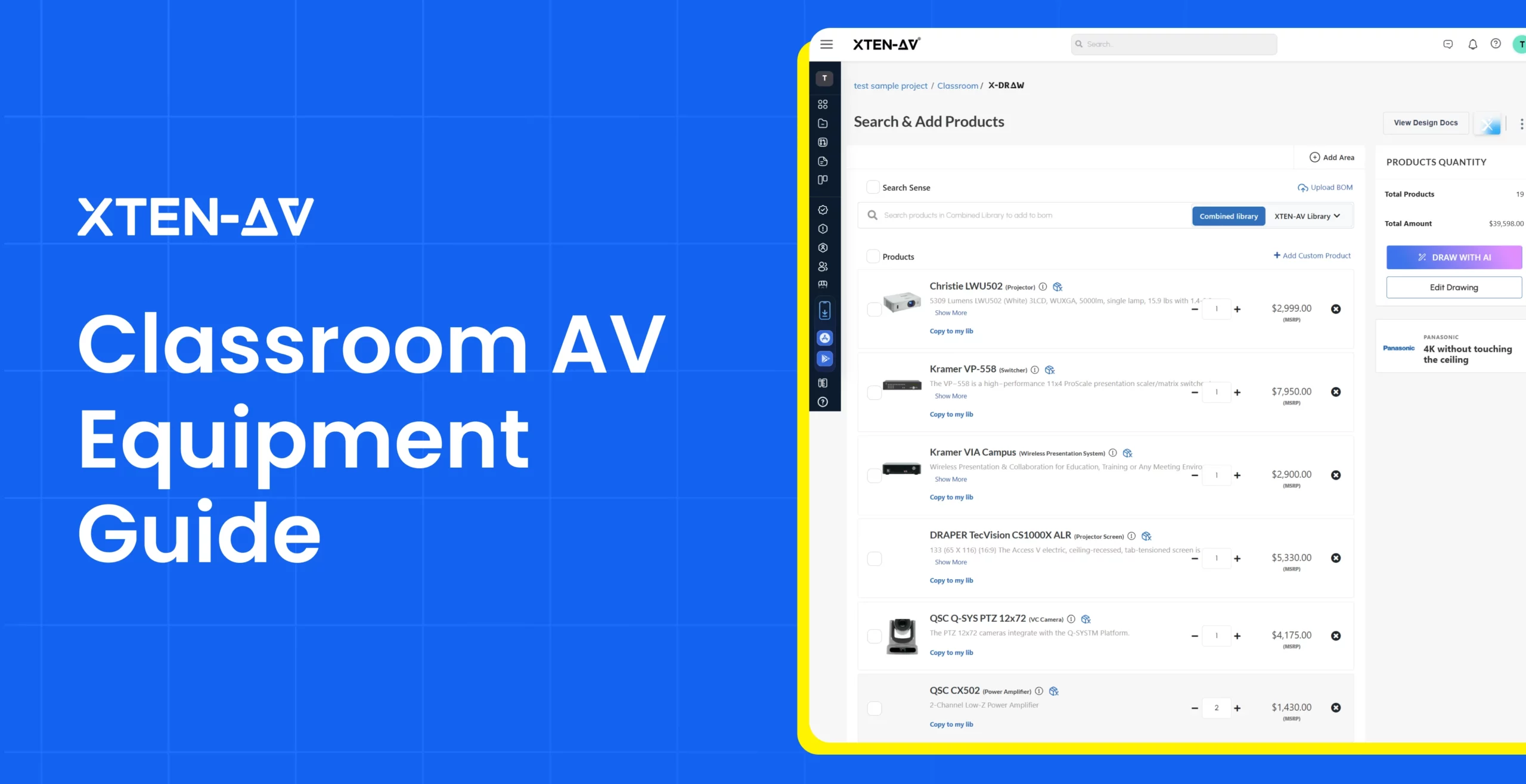
Designing AV systems for modern learning spaces requires professionals to manage room requirements, technical specifications, equipment compatibility and client expectations. As classrooms adopt interactive displays, collaboration technologies and advanced audio systems, coordinating every component becomes more complex.
Managing schematic design, proposals and technical documentation across disconnected tools can create gaps between schematic drawings, equipment data, procurement details, and installation needs. Manual updates to BOMs, layouts, and project documents can lead to inconsistencies, revisions, coordination issues and unexpected costs.
In this guide, we explore classroom AV equipment, essential technologies and key design considerations for teams working on Edtech projects. These factors influence equipment selection, AV control planning, documentation accuracy and successful project delivery.
“Educational AV design requires more than selecting equipment. Accurate planning, schematics, and documentation help ensure each technology works as part of the overall system.”— CTI
Key Takeaways
- Modern learning spaces combine visual displays, audio solutions, control systems, collaboration tools, and connectivity technologies to support effective instruction.
- Choosing suitable classroom AV equipment requires assessing room requirements, viewing conditions, audio coverage, device compatibility, and long-term scalability.
- Logitech reports that 77% of classroom technology issues are related to hardware malfunctions, highlighting the need for accurate AV planning, schematics, and proposals.
- Detailed schematics, signal flow diagrams, floor plans, rack elevations, and BOMs improve coordination between planning, procurement and installation teams.
- XTEN-AV (X-DRAW) and x.doc streamline schematic drawings, AV BOMs, proposals, and project documentation for education environments.
What Is Classroom AV System Design?
Planning an AV environment involves integrating audio, video, display, control and connectivity technologies for modern learning spaces. AV design engineers need to assess room layouts, equipment compatibility, signal paths and installation factors during classroom AV system design to create accurate project plans.
Key Elements of Classroom AV System Design:
- Room Assessment and Layout Planning
Evaluate classroom dimensions, seating arrangements, viewing angles and device placement. - Equipment Selection and Integration
Coordinate displays, speakers, microphones, cameras and control interfaces based on AV project needs. - Signal Flow and Connectivity
Define device connections, signal paths and infrastructure requirements for proper system integration. - Technical Documentation
Prepare schematics, AV BOMs, equipment schedules and CAD drawings for installation coordination. - Deployment Coordination
Finalize cable routing, device locations and technical details for implementation.
Essential Components of Classroom AV Systems and Integration Considerations for Modern Learning Spaces
Modern classroom AV systems combine displays, audio, control, collaboration and connectivity technologies into a centralized learning environment. AV professionals must align technology choices, system integration and project deliverables to create reliable installations across various learning spaces.
Following areas influence successful classroom AV implementation:
| Integration Area | Role in Classroom AV Implementation |
| Display Systems | Delivers visual content through interactive displays, projectors and large-format screens for effective instruction. |
| Audio Systems | Ensures clear speech, media playback through microphones, speakers, amplifiers and audio processing. |
| Control Systems | Enables centralized management of displays, sources, audio settings and room functions through a unified interface. |
| AV Design and Diagramming Platform | Enables design engineers, system integrators to create rack elevations, floor plans, signal flow diagrams and cable labels. |
| Collaboration Systems | Enables content sharing, interactive learning and hybrid teaching environments across connected spaces. |
| Standardized AV Systems for Higher Ed | Maintains consistent classroom configurations across campuses, lecture halls and institutional environments. |
| AV Project Documentation Platform | Enables AV pre-sales teams to create professional proposals with templates, pricing details, document styling, digital signatures and client-ready formats. |
How Do You Choose the Right Setup for Different Higher Education AV Spaces?
Higher education facilities require different AV approaches based on room purpose, audience size, teaching methods and collaboration needs. Selecting the right setup involves aligning displays, audio, control, connectivity and EdTech AV capabilities for each learning environment.
Different spaces require tailored AV planning:
- Classrooms and Active Learning Spaces
EdTech AV setups in classrooms focus on interactive teaching, content sharing, and flexible instruction. Interactive displays, wireless presentation, audio reinforcement, and simple controls support engaging sessions.
- Lecture Halls and Auditoriums
Large learning spaces require AV configurations designed for wide viewing areas and clear sound distribution. Projection systems, large-format displays, microphones, speakers, and lecture capture support effective communication.
- Collaboration and Training Spaces
These spaces require flexible AV technology for group interaction and hybrid participation. Video conferencing, wireless sharing, cameras, microphones, and room controls enable seamless collaboration.
- Specialized Learning Facilities
Research labs, simulation rooms and technical training spaces need customized AV configurations. Advanced visualization, recording capabilities, and integrated solutions support specialized learning requirements.
Planning an audiovisual project for colleges and universities? Explore our higher education guide for insights into campus technology, modern learning environments, hybrid classrooms, and the changing needs of educational institutions.
What Factors Matter When Planning a Modern Classroom AV Setup?
Planning effective AV solutions for education facilities and classrooms requires balancing space requirements, user experience, connectivity and future scalability. The right approach considers audio, video, control, integration, and documentation needed to create reliable instructional spaces.
Important factors that define a classroom AV setup include:
1. Space Design and Equipment Placement
Room size, seating arrangement, viewing distance, and device positioning influence the overall AV configuration. Proper planning ensures clear visibility, effective sound distribution and efficient use of available space.
2. Audio Coverage and Speech Intelligibility
Clear communication is essential for teaching environments. Speaker placement, microphone selection, and acoustic considerations help deliver balanced audio throughout the room.
3. Visual Display and Content Sharing
Display selection depends on room dimensions, viewing requirements, and teaching formats. Interactive displays, projection systems, and large-format screens support effective content presentation.
4. Connectivity and Collaboration Capabilities
Flexible connectivity supports wireless presentation, video conferencing, USB-C devices and BYOD requirements. Integrated solutions enable smooth content sharing across multiple devices.
5. Control Interface and Automation
A centralized control interface simplifies operation by connecting displays, audio sources, and room functions. Intuitive controls improve usability for instructors and facility teams.
6. AV Documentation and Future Scalability
Accurate system schematics, floor plans, BOMs, equipment details, and technical documents support implementation and future upgrades. Standardized documentation helps maintain consistency across multiple spaces.
Keeping classroom technology aligned across tools can be challenging. Explore the hidden cost of disconnected AV tools guide to uncover common coordination challenges.
How Does a Classroom AV Control System Simplify Daily Use?
A classroom AV control system connects displays, audio equipment, presentation sources and room automation through a centralized interface. Users can manage functions such as source selection, display settings, audio levels and connected devices from a single source.
With a streamlined control environment, modern learning spaces become easier to operate and maintain. It minimizes manual adjustments, supports reliable room usage and enables smooth transitions between presentations, collaborative sessions and hybrid learning activities.
What Are the Latest Classroom AV Technology Trends?
Educational facilities are adopting smarter AV infrastructure with advancements in automation, network connectivity, and collaboration technologies. As learning requirements evolve, classroom AV technology is incorporating AI-driven controls, hybrid learning capabilities and flexible integration approaches to support scalable, future-ready spaces.
Here are the latest AV trends shaping modern classrooms:
1. AI-Powered AV Automation
AI is becoming a key part of modern AV deployments through intelligent audio processing, automated camera tracking, and smart control features. 76% of AV professionals already use AI tools or are exploring AI applications in their daily work.
Source: AVIXA Market Intelligence
2. Networked AV Infrastructure Growth
Education facilities are shifting toward AV-over-IP architectures for better scalability and centralized management. The global pro AV industry is projected to reach $402 billion by 2030, reflecting continued investment in connected AV infrastructure.
Source: AVIXA’s Pro AV Market Forecast
3. Hybrid Learning AV Integration
Hybrid learning continues to drive demand for cameras, microphones, lecture capture, and collaboration tools. 54% of higher education rooms are capture-ready, showing the growing adoption of video-enabled learning spaces.
Source: Epiphan State of Video Technology in Higher Ed Report
Ready to Simplify Classroom AV Design and Documentation?
How Does XTEN-AV Streamline Classroom AV Design Drawings and Documentation?
Higher education projects require accurate schematics, BOMs, and client-ready documents for classrooms, lecture rooms and collaborative spaces. XTEN-AV brings drawing automation with proposal creation into one unified AV platform, enabling teams to create schematic drawings with X-DRAW while preparing professional AV proposals with x.doc.
Following are the key capabilities of X-DRAW and x.doc within the XTEN-AV Ecosystem :
Create Classroom AV Schematics and Technical Deliverables With X-DRAW
X-DRAW is a cloud-based AV schematic design and diagramming platform that enables teams to create accurate classroom layouts with automated line schematics, signal flow diagrams, rack elevations and floor plans. It supports the creation of AV submittals, scope of work documents, AV BOMs and installation-ready deliverables for higher education classrooms, lecture rooms and collaborative spaces.

Unique Capabilities of X-DRAW Include:
- Automated Cable Labeling and Styling
Create structured cable schedules with automated labeling, styling and AV connection details for accurate installation planning. - Floor Plan Upload and Creation
Import existing floor plans or create layouts to visualize device placement across classrooms, lecture rooms and campus facilities. - AI-Powered Search Sense
Find relevant equipment faster with intelligent search that adapts to product selections and design requirements. - 1.5M+ AV Product Library Across 5,200+ Brands
Access a comprehensive AV equipment database to build accurate configurations and BOMs using verified product details. - Cloud-Based Collaboration
Share AV designs, maintain centralized project information and collaborate with teams from a single cloud-based environment. - AVIXA-Standard Symbols
Create professional schematics using industry-recognized symbols for consistent AV representation.
Create Professional Higher Education AV Proposals With x.doc
x.doc is smart AV proposal software that converts project details into professional, client-ready proposals. It enables higher education AV projects with structured scope, equipment details, pricing, templates and approval-ready documents for classrooms, lecture rooms, and collaborative spaces.

Unique Capabilities of x.doc Include:
- 100+ Professional AV Proposal Templates
Create structured proposals for classrooms, lecture rooms and higher education AV projects using ready-to-customize formats. - Advanced Editing and Styling
Customize proposals with branded layouts, visuals, and professional formatting. - Cost and Labor Calculations
Add equipment pricing and labor details with built-in calculation methods for accurate estimates. - Proposal Tracking
Monitor document engagement through trackable links and understand client interactions. - Digital Signatures
Collect legally binding approvals directly within proposals without using separate signature tools. - Mobile Proposal Access
Allow stakeholders to review and approve documents from any device.
Creating a smart classroom proposal can feel time-consuming. Get a head start with our free smart classroom proposal template and create a professional audiovisual (AV) proposal faster.
Conclusion
Designing modern classroom AV environments requires accurate equipment planning, system coordination, and technical documentation to support reliable installations. Managing drawings, BOMs, proposals and project details across disconnected tools can create challenges for AV professionals. XTEN-AV brings schematic design, automation, proposals, project management, and service capabilities together in one centralized platform, enabling teams to create accurate deliverables and manage education projects more efficiently. Book a demo with XTEN-AV to explore a unified approach to AV planning and documentation.
Audio Visual System Design Mastery + Winning Proposals = 10x Productivity!
- ✔ Automatic Cable Labeling & Styling
- ✔ 100+ Free Proposal Templates
- ✔ Upload & Create Floor Plans
- ✔ 1.5M+ Products from 5200 Brands
- ✔ AI-powered 'Search Sense'
- ✔ Legally Binding Digital Signatures

FAQs
A classroom AV setup includes displays, speakers, microphones, cameras, control systems, and connectivity devices. The right classroom AV equipment depends on room size, teaching needs and system requirements.
A proper classroom AV system design considers room layout, audio coverage, display placement, signal flow and equipment compatibility to create a reliable learning environment.
An AV control system helps instructors manage displays, audio, cameras and connected devices from a centralized interface for efficient system control and simplified classroom use.
AV integrators evaluate room requirements, infrastructure and equipment compatibility to create scalable AV solutions for education facilities and classrooms.
Common challenges include device compatibility, cable planning, documentation accuracy, and coordinating multiple AV components during installation.
Proper audio design ensures clear speech and consistent coverage through correct speaker placement, microphone selection and acoustic planning.
Accurate schematics, AV BOMs and equipment layouts help teams coordinate design, procurement and installation with fewer errors.
XTEN-AV supports classroom AV planning through X-DRAW for AV schematics, rack designs, and BOM generation. x.doc enables proposal creation with professional AV documentation from one centralized platform.
Classroom AV system costs vary based on room size, display requirements, audio configuration, control systems and collaboration features. Factors such as equipment selection, installation complexity and system capabilities influence the overall investment.
Current classroom AV trends include AI-powered design, camera tracking, AV over IP networking and hybrid learning integration. According to AVIXA, 76% of AV professionals already use or are exploring AI tools.

Explore more by topic
Related Blogs
-

- Posted by Sahil Dhingra

Audio Visual Classroom AV Equipment Guide: Essential Technology for Modern Learning Spaces...
-
- Posted by Sahil Dhingra
Audio Visual How to Choose Town Hall AV Equipment: A Complete Guide...
-
- Posted by Sahil Dhingra
Audio Visual Overhead Paging System Guide: Components, Design & Best Practices for...