








How to Choose Town Hall AV Equipment: A Complete Guide for AV Integrators

Sahil Dhingra
Published 28 SEPT 2026
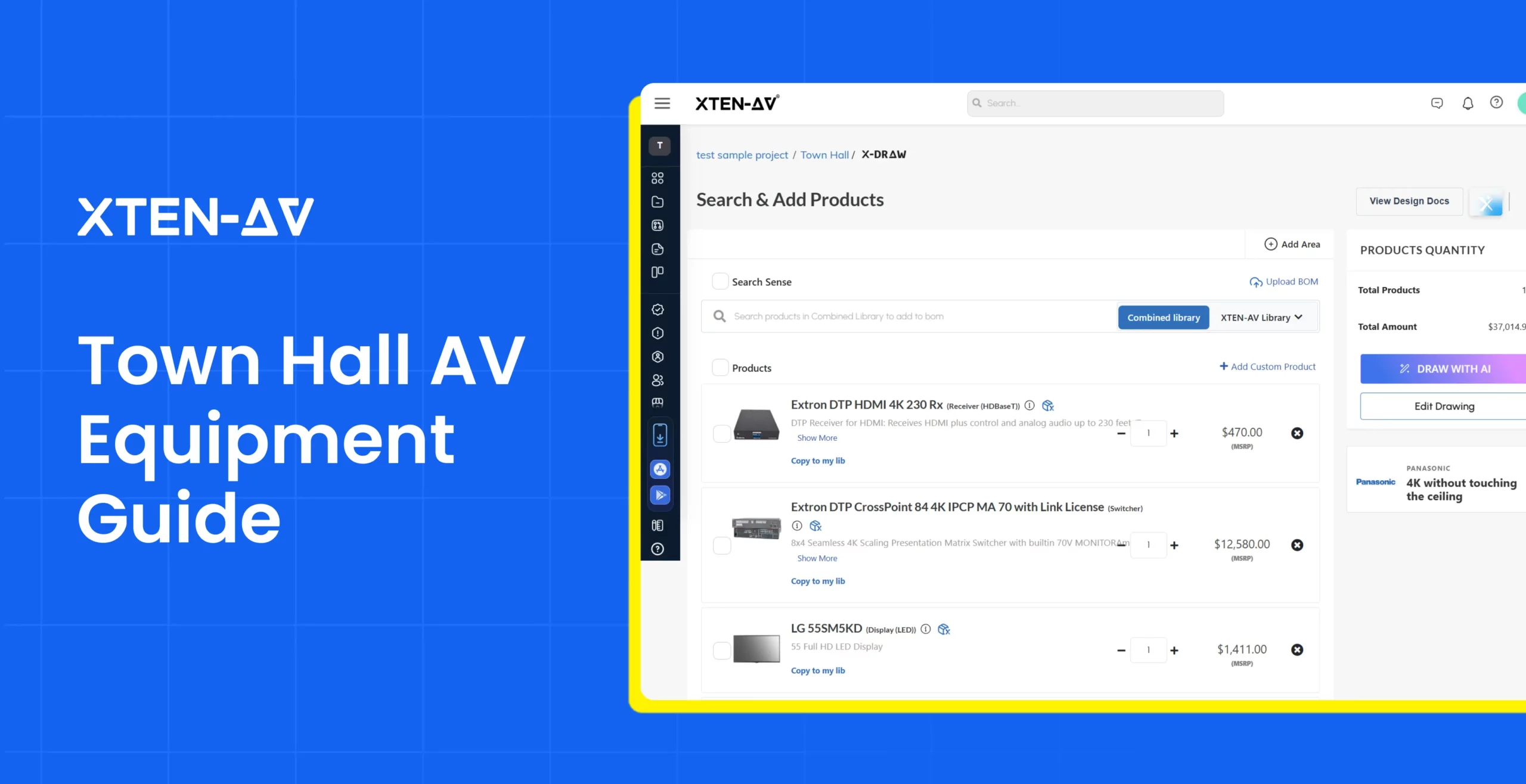
A town hall meeting is a company-wide gathering where leadership communicates updates, shares business strategies and creates space for open dialogue. These meetings involve large audiences, multiple presenters, hybrid participation and content sharing requirements, making reliable audio, video and collaboration technology crucial.
As per Appspace’s 2026 Workplace Trends & Insights Report, 55% of employees say their organizations struggle to connect the physical and digital workplace. This highlights the growing need for communication environments that support both in-room and remote participants.
To provide clear and consistent communication, organizations need the right town hall AV equipment designed around room dynamics, audience size and event requirements. A proper town hall setup involves multiple AV components working together, including microphones, speakers, displays, cameras, presentation systems and conferencing technology. Without proper planning, issues such as unclear audio, limited visibility, unreliable connectivity and inconsistent experiences for in-house and remote attendees.
Therefore, organizations should pay attention to selecting the right equipment and designing the AV system correctly to create a reliable setup that supports presentations, interaction and hybrid participation.
“Audio Visual Technology Changes How People Communicate and Experience the World.”– AVIXA
In this blog, we’ll cover the essential town hall AV equipment, planning considerations, common mistakes and how AV design software simplifies system planning.
Key Takeaways
- 55% of employees struggle to connect the physical and digital workplace, highlighting the need for well-designed town hall AV systems that support all participants.
- A complete town hall AV setup combines multiple AV equipment categories, including microphones, speakers, displays, cameras, presentation systems and conferencing solutions.
- Effective AV planning considers room dimensions, audience size, seating arrangement, viewing distance and hybrid participation requirements.
- A detailed town hall AV floor plan helps AV professionals visualize equipment placement, coverage areas and system requirements before implementation.
- AV design software such as X-DRAW allows AV integrators to create drawings, BOMs, schematics, rack layouts and documentation from a connected system design.
What Equipment Does a Town Hall Meeting Need?
A successful town hall AV setup requires integrating high-performance audio, video and control systems to support presenters, in-room audiences and remote participants. Unlike smaller meeting spaces, town hall environments need equipment that can support larger audiences, multiple presenters, qualitative content delivery and smooth communication.
Audio Equipment for Town Hall Meetings
Crystal-clear audio is critical in large gatherings. Even with high-quality visuals, poor sound coverage can make it difficult for participants to follow presentations, panel discussions and interactions with attendees.
A well-designed audio system includes:
Microphones
- Handheld microphones for moderators and audience Q&A. They can be passed easily around a room.
- Headset microphones for presenters giving dynamic sessions while minimizing background noise.
- Lavalier microphones give speakers hands-free movement, allowing them to move freely during presentations.
However, the right microphone selection depends on the number of speakers, interaction level and audience size.
Speakers and Loudspeaker Systems
Speaker placement in a large town hall requires directional sound systems so that audio can be projected uniformly while minimizing echoes in large, hard-surfaced rooms.
Common Components:
Loudspeakers: Distribute amplified audio evenly across the whole space to ensure clear speech intelligibility for all attendees.
Amplifiers: A dedicated amplifier matched to your speaker impedance to increase audio signal strength.
Digital Signal Processors: Process and optimize audio signals by managing equalization, mixing, feedback control and system tuning.
Audio Mixers: Combine and manage multiple audio sources in real time.
Displays and Visual Systems
Selecting the right visual display system plays a significant role in maximizing audience engagement in any meeting.
Common display options include:
LED Video Walls: LED walls are commonly used for large town halls because they deliver good brightness, seamless scalability and vibrant dynamic content.
Large Format Flat Panels: They are suitable for conference spaces, digital signage applications and environments requiring high clarity and crisp text readability.
Projectors: An ideal choice for flexible and cost-effective large-scale viewing in rooms with controlled ambient lighting.
Interactive Displays: Best for collaborative workspaces, brainstorming sessions and training rooms needing touch inputs and digital whiteboarding.
Presentation and Content Sharing Equipment
Town halls usually involve multiple content sources, including presentations, videos and live demonstrations.
A professional setup may include:
Presentation Switchers: Presentation switchers let AV integrators manage multiple input sources to one or more displays seamlessly.
Wireless Presentation System: Wireless sharing solutions enable presenters to share phone, tablet and laptop screens on a projector, TV or flat panel without complex cable setups.
Control and Connectivity Equipment
Control and connectivity equipment for a town hall AV setup covers centralized control systems and robust network infrastructure.
Key components include:
AV Control Processors: Central units for managing automation, device switching and user commands across the entire space.
Touch Panel Controllers: Provide an intuitive interface through touch panels, keypads, or mobile apps to manage the entire setup.
AV switches and Matrix Routing: Direct audio and video signals from inputs to specific output destinations.
Cameras and Video Capture Systems
Cameras capture presenters, panel discussions and audience interactions for remote participants, recordings and live streaming. Thus, the selection and placement should consider presenter positions, viewing angles, room size and the required level of image detail.
Common camera options include:
PTZ Cameras: Provide remote pan, tilt and zoom control, making them a suitable option for capturing presenters, panels and different areas of a town hall.
Fixed Cameras: For a consistent viewing angle for dedicated presenter or audience shots where remote control is not required.
Auto-Tracking Cameras: Automatically follow presenters or speakers as they move across a stage, eliminating the need for manual camera operation.
Why Is Professional Town Hall Audio Visual Planning Important?
A town hall meeting technology combines large displays, professional audio, PTZ cameras, hybrid conferencing platforms and control systems to create an inclusive experience for both in-person and remote attendees.
Professional town hall audio visual planning considers room dimensions, audience capacity and content needs before finalizing equipment decisions. This approach helps in creating systems that deliver consistent performance, support different event formats, remain easier to manage over time and create a scalable setup that can support future requirements.
Let’s understand how professional AV planning transforms town hall spaces:
Ensures Smooth Communication
The primary motive of a town hall is to foster effective communication and two-way dialogue between leadership and participants.
AV professionals need to evaluate:
- Optimal speaker placement based on room acoustics and coverage requirements.
- Display positioning requires aligning screen size, mounting height and viewing angles.
- Microphone selection depends on presenter movement and interaction with the audience.
- Camera placement for hybrid attendees and event recording.
Supports Hybrid Experiences
Hybrid town hall system design must provide a hassle-free experience to both remote and in-person audiences. When designing these systems, minimizing in-room audio/video challenges and eliminating communication delays for remote participants.
A complete AV approach may include:
- Video conferencing platforms
- Content sharing systems
- Streaming and recording solutions
- PTZ, fixed or tracking cameras for presenters and audience capture
When these technologies work together, attendees can have smooth communication between in-house participants and those joining remotely.
Improves System Reliability and Installation Planning
An organized town hall AV setup defines a clear blueprint for signal routing, device management and user control for seamless working and reliable performance.
A structured town hall AV setup defines:
- Equipment placement maps out the physical placement of hardware based on environmental needs, accessibility and cooling.
- Signal flow requirements define the precise sequential path an audio, video or data signal takes from source to destination.
- Connectivity needs to address the infrastructure, physical cables and network configuration required to tie the hardware together.
- The control system enables users to simply interact with complex hardware via easy-to-use interfaces.
- Technical documentation makes sure that the entire system is built correctly and can be maintained over time.
Enables Scalable AV System Design
Town hall AV system ensures the space adapts to larger audiences, new presentation formats and future tech cycles.
A scalable town hall audio visual solution considers future needs such as:
- New streaming needs.
- Additional displays or presentation sources.
- Technology upgrades.
- Expanded conferencing capabilities.
How Do You Design a Complete Town Hall AV Setup?
From global team hybrid meetings to product launches, employee celebrations and even seminars, these spaces can cover a multitude of uses. An appropriate audio visual installation is a critical factor that improves presentations, communication, panel discussions, live streaming and participation.
Let’s understand how professional AV planning transforms town hall spaces:
Analyze the Room and Audience Requirements
Every space presents different design considerations. This assessment helps AV integrators have a solid foundation for designing a town hall system.
Room dimensions and layout: Understand available space, placement limitations, and installation constraints.
Audience size and seating arrangement: Identify visibility requirements and audio coverage needs.
Event format: Consider leadership presentations, employee Q&A sessions, panel discussions, or hybrid events to determine AV requirements.
Create a Town Hall AV Floor Plan
A town hall floor plan translates the requirements into a visual representation that allows AV professionals to plan where each system component will be placed before commencing the installation work.
- Display or LED wall placement by considering correct height, matching viewing angles and adjusting brightness to ambient height ensures optimal visibility.
- Placing speakers symmetrically, elevating them to ear or head level helps in achieving balanced audio coverage.
- Proper cable pathway planning gives reliable network connectivity and room for future expansion.
- Camera positioning for presenters and remote participants mounted right above or below the main display screen creates natural eye contact.
Select Equipment Based on System Requirements
- Equipment selection requires understanding how each component supports the AV system design.
- The audio system involves selecting suitable microphones, speakers and mixing equipment on the basis of room characteristics and event format.
- Display technology should be aligned with audience size, viewing distance and content type.
- Modern town halls often require additional technology such as conferencing systems, content-sharing solutions and streaming equipment to support both in-person and remote participants.
Document the AV System Design
When it comes to documenting an AV system, it requires the right set of deliverables to make sure the system is built, wired and configured correctly.
- AV drawings to represent system layouts as well as equipment placement.
- Signal flow diagrams that map audio, video and control paths between source and destination.
- Rack elevations for front-and-rear layouts of equipment racks to define exact rack unit placement, thermal management and power distribution.
- Cable schedules for comprehensive listings of every cable run, identifying source, destination, signal type and cable tags.
- Equipment schedules ensure purchasing, project management and site engineering teams are working from a single source of truth.
Ready to simplify town hall AV system design and documentation?
What are the Common Town Hall AV Setup Mistakes?
| Common Mistake | Why It Creates Problems | Better Approach |
| Choosing Displays Without Considering Viewing Distance | Displays that are too small or poorly placed can make it difficult for participants to view presentations, videos and shared content clearly. | When it comes to selecting displays, room dimensions, seating layout, viewing distance and content requirements should be considered properly. |
| Treating Remote Attendees as Secondary | A town hall meeting may include remote participants as well who need good visibility and audio clarity so they don’t feel disconnected. Incorrect camera placement, weak audio capture or limited conferencing capabilities minimizes engagement. | Effective hybrid AV planning requires integrating cameras, conferencing systems, content-sharing technology and microphones. |
| Ignoring Audio Coverage | Inadequate acoustic planning, inappropriate microphone selection and incorrect speaker placement can make even the most expensive audio equipment sound muddy, echoey, or plagued. | Design an audio system by mapping room geometry, calculating sound pressure levels, placing speakers for uniform dispersion and putting acoustic treatments to control reverberation. |
| No AV Documentation Before Installation | Missing drawings, schematics, rack layouts and cable schedules can make installation more challenging and create difficulties when commencing any modifications or expansion later. | Preparing complete AV documentation before installation prevents costly wiring errors, project delays and equipment placement problems. |
How Can AV Design Software Help Plan Town Hall AV Systems?
Planning a large-scale town hall AV system is not just about selecting equipment. It requires a meticulous approach to documentation to bridge the gap between initial concept and a fully functional installation.
X-DRAW, cloud-based drawing and diagramming platform built specifically for AV integration firms that helps integrators create a connected design environment with layouts, equipment data, schematics and documentation from a single audio visual design. Instead of managing separate files for drawings, BOMs, rack layouts and schedules, integrators can create a complete AV design package that supports planning and implementation.
These features make every town hall experience engaging and meaningful:
Create Accurate AV Drawings and Floor Plans: AV drawing software helps system designers visualize the placement of displays, speakers, cameras and other crucial components within the town hall space. AV teams can upload existing AutoCAD or Visio floor plans and customize layouts to match project requirements.
BOM Documentation: X-DRAW generates BOMs with a complete equipment list with quantities, part numbers and pricing pulled directly from the drawing. This keeps product details, quantities and specifications aligned throughout the project.

Design AV Signal Flow and System Schematics: It creates detailed line schematics and signal flow diagrams that show device relationships, signal paths and cable routing so AV engineers can have a clear understanding of how audio, video and control systems connect within the town hall setup.

Generate Rack Layouts and Cable Schedules Automatically: AV designers can simplify rack planning by creating rack elevation diagrams that show U-space assignments and equipment positioning. Installation crews and cable pullers get a complete cable list with source, destination, cable type and label that can be automatically derived from signal routing.

Create Installation-Ready Documentation: AV documentation software helps generate a complete design package, including floor plans, schematics, rack layouts, cable schedules, equipment schedules and submittals. Generating multiple deliverables from one design keeps project information consistent across documentation.
Conclusion
A town hall AV setup covers understanding the space, planning system placement, opting suitable technologies and creating accurate documentation that connects every part of the AV design. Optimizing for audio coverage, display visibility, hybrid communication and accurate technical drawings ensure the room works great for everyone.
For AV professionals, managing multiple design documents and keeping layouts, equipment details, schematics and schedules aligned can become challenging as projects grow in complexity. X-DRAW by XTEN-AV helps integrators create complete AV designs with connected drawings, BOMs, schematics, rack layouts, cable schedules and documentation within a single platform.
Whether you are designing a town hall space, hybrid communication environment or large presentation venue, a well-defined AV design approach helps create systems that are easier to implement, maintain and scale as requirements evolve.
Book a demo with XTEN-AV to see how X-DRAW can help you design, document and deliver professional town hall AV systems with greater accuracy and efficiency.
Audio Visual System Design Mastery + Winning Proposals = 10x Productivity!
- ✔ Automatic Cable Labeling & Styling
- ✔ 100+ Free Proposal Templates
- ✔ Upload & Create Floor Plans
- ✔ 1.5M+ Products from 5200 Brands
- ✔ AI-powered 'Search Sense'
- ✔ Legally Binding Digital Signatures

FAQs
A town hall meeting requires microphones, speakers, displays, cameras, presentation systems, conferencing technology and AV control equipment.
Designing a town hall AV system involves analyzing room layout, understanding audience requirements, creating an AV floor plan, selecting suitable equipment and generating installation documentation.
Key factors include room size, audience capacity, viewing distance, content type, acoustic conditions, existing AV infrastructure and hybrid participation needs.
AV design software, X-DRAW, helps AV integrators create floor plans, generate AV drawings, build BOMs, create signal flow diagrams, plan rack layouts and generate AV installation documentation from a single design.

Explore more by topic
Related Blogs
-

- Posted by Sahil Dhingra

Audio Visual AV Cables Guide: Types, Connectors, Uses and Wiring Diagrams for...
-
- Posted by Sahil Dhingra
Audio Visual Courtroom Audio Visual (AV) Systems: A Complete Guide for Courts...

-
- Posted by Sahil Dhingra
Audio Visual 10 Best draw.io Alternatives for AV Professionals Sahil Dhingra Published...





