





The Anatomy Of An Installation-Ready AV Design
What your crew needs on the drawing before install day.
From signal flow diagrams and cable schedules to BOMs and rack elevations, discover the eight essential elements of an AV design package that helps crews install with confidence.
A Growing AV Market. Installation Challenges Persist.
Accurate estimates start with the design. BOMs, cable schedules and rack elevations define what gets priced, procured and installed.
Pro AV revenue
projected worldwide by 2030
Potential added cost
of a poor-quality AV installation
System integration projects
finish late or over budget
BOMs contain errors,
according to cross-industry research
The 8 Parts Of An Installation-Ready Design
Discover the eight essential AV design elements, their installation impact, and the teams that rely on them.
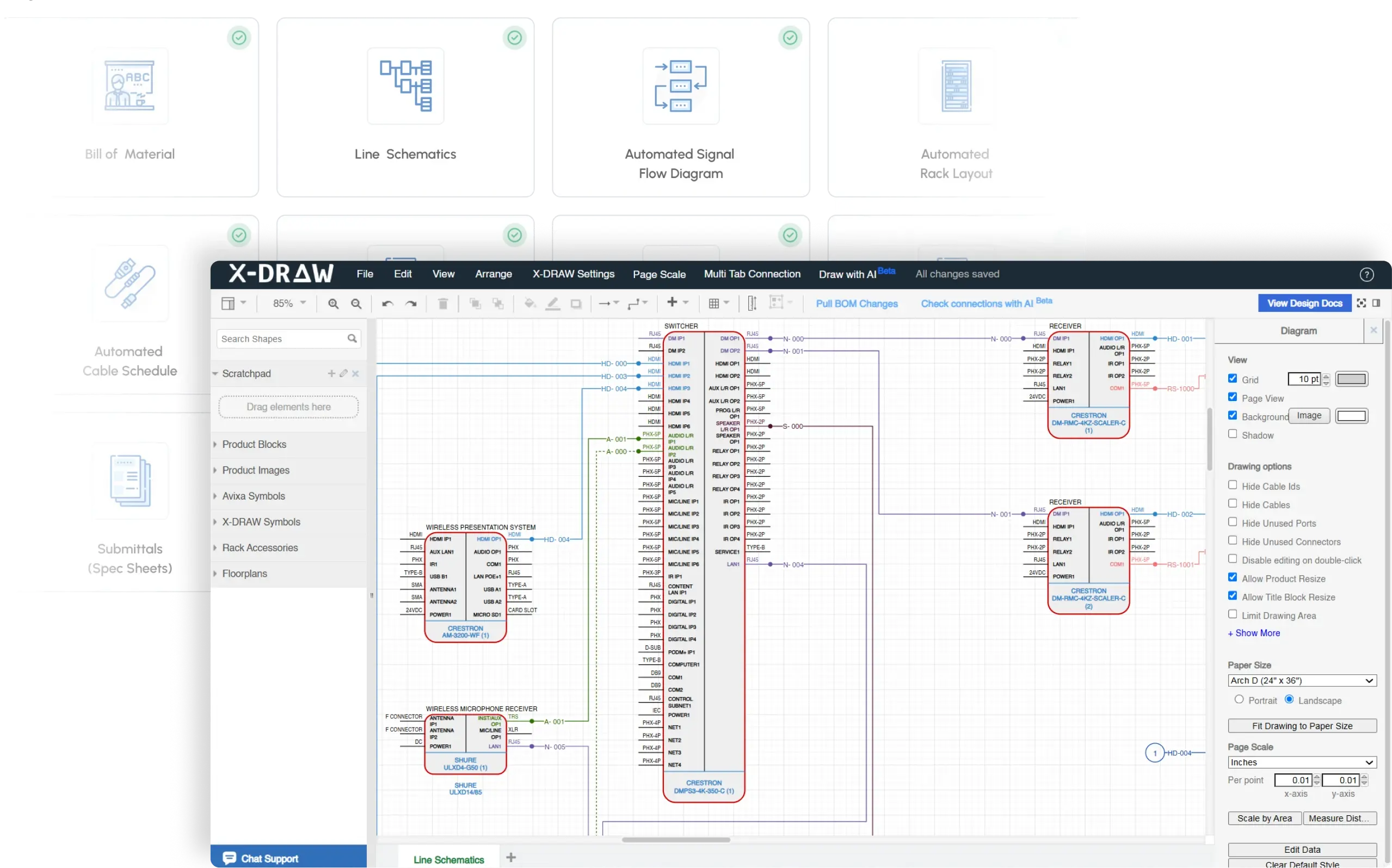
Signal Flow Diagram
Shows
Every source, path and endpoint is drawn and labeled. The crew can trace any signal.
Without it
Techs trace signals by hand, and the wrong input gets patched.
Who relies on it
Designers, Field techs
Cable Schedule
Shows
Each cable has an ID, a type and two ends. No guessing on site.
Without it
Crews guess lengths and labels. Service techs can’t trace a run later.
Who relies on it
Field techs, Service managers
Bill Of Materials
Shows
Equipment models, quantities, and required accessories align with the approved AV design.
Without it
Orders come up short or long, and gear shows up late.
Who relies on it
Procurement, Project managers
Rack Elevations
Shows
You can see where each device sits, how it gets power, and how it stays cool.
Without it
Builders move gear around on site and find no room for airflow.
Who relies on it
Field techs, Designers
Power And Network Needs
Shows
Circuits, ports and IP plans are set before day one.
Without it
Electricians and IT learn about a missing circuit or port too late.
Who relies on it
Project managers, Designers
Mounting And Room Details
Shows
Heights, sightlines and cutouts are marked. The wall or ceiling can hold the load.
Without it
Displays go up at the wrong height, and the wall can’t hold them.
Who relies on it
Designers, Field techs
Design Checks
Shows
Open ends, signal mismatches and unknown connectors get caught before install.
Without it
Errors surface at commissioning, with the crew already on site.
Who relies on it
Designers, Project managers
Revisions And As-Builts
Shows
One current version. Every change is logged.
Without it
The crew builds from an old drawing, and the as-builts don’t match the room.
Who relies on it
Project managers, Service managers
Spot The Issue Before Installation
A single loose connection can disrupt an AV installation. Here’s an example of an unconnected endpoint in a signal flow diagram.
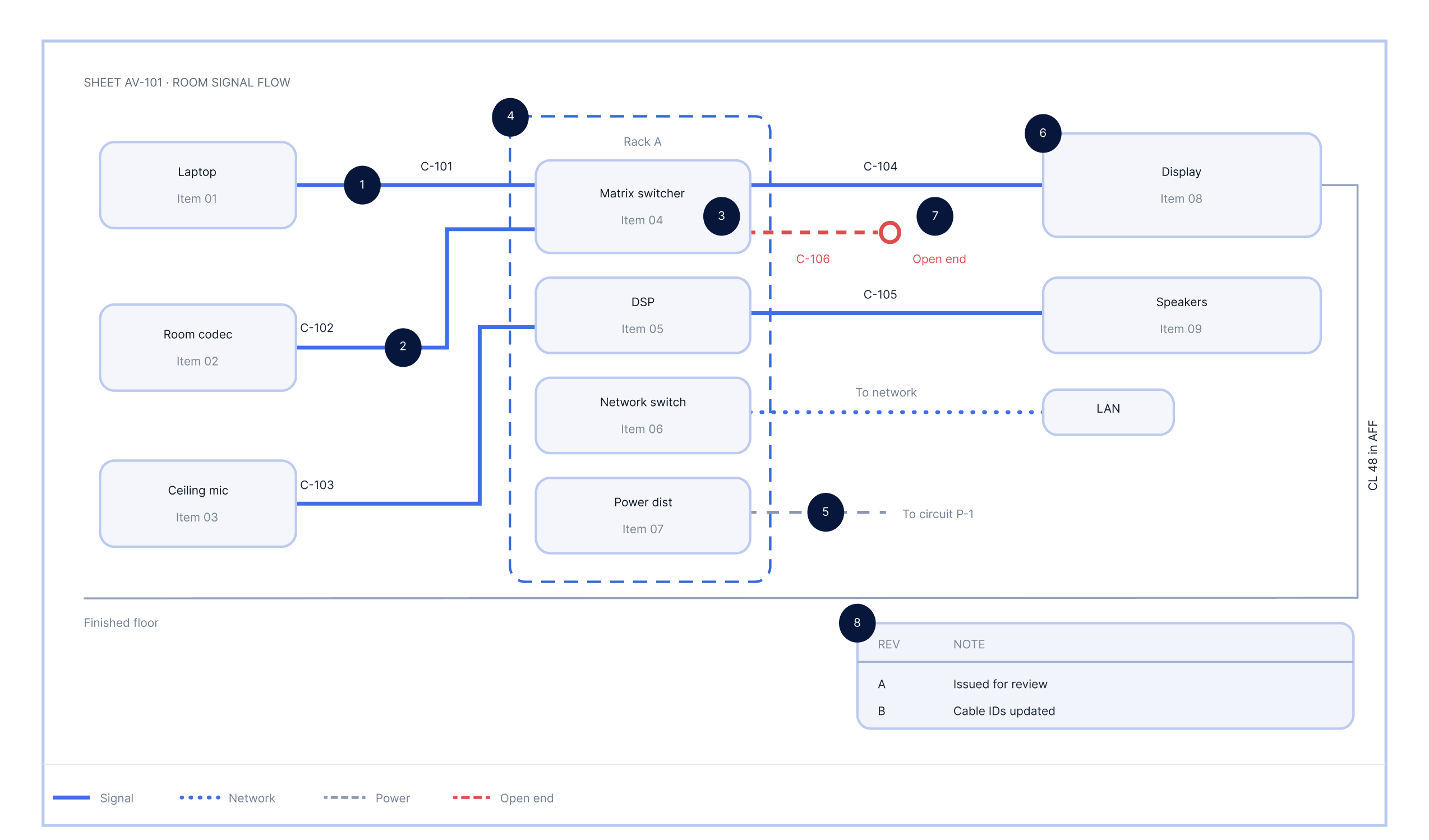
Loose connection detected: C-106
An unconnected cable endpoint flagged during design validation, before installation begins.
Validate Connections
Using AI With X-DRAW
One click scans the drawing for three kinds of issues. Every flag shows the cable ID and a plain-English reason.
Invalid
A signal mismatch between two connected ports.
Double check
The AI can’t predict the connection, or the connector pair is unknown.
Loose
One end of the cable is not connected, like C-106 above.
Build it right before the crew arrives
Explore installation-ready AV design practices or see X-DRAW in action.
For designers and project managers
Get the AV System Design Guide 2026
Use the eight essential components as a checklist for your next AV design package.
Download the free guide →For AV design engineers and integrators
Catch design issues before installation with X-DRAW
Watch X-DRAW flag Invalid, Double Check, and Loose connections with a single click.
Book a demo →Get Your Free AV System Design Guide 2026
Learn how to turn project needs into a clear AV system design. Cover room planning, equipment selection, and final design review.
Build the core AV drawings. See how to create floor plans, signal flow diagrams, rack elevations, cable schedules, and bills of materials (BOMs).
Spot common AV design mistakes. Find device compatibility issues, poor equipment placement, and missing connections early.
Check your design before the field. Review signal paths, network needs, rack layouts, and equipment details.
Use a ready AV design checklist. Review each stage and prepare installation-ready AV documentation.