






Top 5 Pro AV Software to Consider for System Integrators in the USA (2027)

Sahil Dhingra
Published 10 Nov 2026
Auditoriums, stadiums, clubs, concert halls, music venues and corporate events require accurate signal routing, loudspeaker coverage, video distribution and rack configurations. But disconnected CAD tools, frequent BOM revisions and missed project milestones can delay final AV deployments across live events, create design documentation inconsistencies and badly impact overall system performance.
According to a research report by AVIXA, 70% of professional audiovisual service providers use generative AI for their daily tasks. This data highlights the growing importance of intelligent AV tools for technical documentation, CAD design and project delivery.
In this guide, we will look at the best pro AV software available in the USA for 2027, examining their capabilities for automation, schematic drawing, AV proposals, project management and service.
“In professional AV projects, precise signal routing, accurate schematics and consistent documentation ensure reliable system performance. Pro AV software connects these elements for successful audiovisual deployments.”—AVIXA.
Key Takeaways
- The 5 best Pro AV software options for system integrators in 2027 include XTEN-AV, D-Tools, Jetbuilt, Vectorworks ConnectCAD and Portal.io.
- The right choice depends on your design requirements, project volume, integrations, budget and after-sales service needs.
- Professional audiovisual projects require accurate signal routing, equipment selection, cost estimation, technical drawings and installation planning.
- Specialized platforms support AV-specific requirements such as rack elevations, cable schedules, Bills of Materials (BOMs) and design revisions.
- D-Tools focuses on engineering and estimating, Jetbuilt supports quotations and project coordination, ConnectCAD specializes in AV drawings, while Portal.io simplifies purchasing.
- AV professionals may consider XTEN-AV for AI-powered automation, CAD design, documentation, proposals, project management and after-sales service in one centralized platform.
What Is Professional Audiovisual Software?
Pro AV (Professional audiovisual) software is a specialized digital platform which is made for teams to properly plan, design, estimate, document and manage commercial AV installation. It supports technical requirements such as cable schedules, signal flow diagrams, rack elevations, submittals, AV floor plans and BOM generation.
Unlike generic CAD tools, dedicated Professional AV platforms focus on addressing device connectivity, equipment pricing, manufacturer specifications and labor estimates. It is built to meet modern requirements of enterprise environments such as corporate boardrooms, live concerts, classroom lecture halls, arenas and stadiums. Additional capabilities include proposal automation, procurement tracking, simplified installation scheduling and streamlined service management to support consistent AV project documentation.
Designing audiovisual systems for concerts, stadiums, or corporate venues? Explore how to simplify pro AV projects with automation, CAD schematics, documentation, project management and service capabilities.
How Does Pro AV Integration Software Work?
Pro AV platforms connect technical requirements, CAD drawings, AV equipment data and cost calculations within a structured system. Here’s how pro AV integration software works across various stages of audiovisual projects:

1. Site Planning:
Capture proper room dimensions, acoustic zones, display positions and connectivity requirements.
2. Signal Flow Mapping:
Define audio, video and control connections between DSPs, switchers, amplifiers and displays.
Are your signal flow diagrams ready for installation? Learn how an AV connection check helps identify wiring errors before final deployment.
3. AV Device Configuration:
Verify necessary AV manufacturer specifications, rack spacing, I/O ports and cable labeling requirements.
4. Prepare Cost Estimates:
Calculate AV equipment quantities, dealer pricing, labor cost and projected profit margins precisely.
5. Design Revisions Management:
Track product substitutions, connection check capabilities and budget adjustments before final approval.
6. Installation and Handover:
Share AV drawing schematics, signal flow diagrams, rack elevations for installation and deployment.
Which Industries Benefit from Professional AV Platforms?
Professional audiovisual systems require high-quality sound, video distribution and centralized control across various requirements with a variety of technical requirements.
Here are the key industries mentioned below that get benefited from specialized AV software platforms:
- Hospitality
Hotels and event venues invest heavily in AV technology to deliver immersive guest experiences and seamless conferences.
- Corporate
Businesses leverage AV for video conferencing, collaboration and collaborative work environments.
- Healthcare
Hospitals prefer AV for training and telemedicine practices. This enhances communication and ensures proper patient care.
- Retail
Stores implement AV for interactive displays and digital signage scenarios to enhance overall customer experience. - Education
School and college campuses use AV to fulfill interactive learning and remote education needs.
Planning AV installations across multiple classrooms, lecture halls, or campus buildings? Explore how higher education AV software helps AV professionals manage system design, equipment specifications, and technical documentation for campus-wide projects.
- Entertainment
Theatres, auditoriums and concert venues use AV to deliver high-quality sound and visual experiences.
- Transportation
Airports and transit systems prefer AV for information displays and proper customer engagement. - Government
Public sector organizations use professional AV systems for meetings, conferences, presentations and sharing public information.
What Key Features Should You Look for in Professional AV Software?
Choosing the right professional AV platform requires evaluating diagramming capabilities, cost control, project management and service support. These features are especially valuable for businesses managing complex installations across commercial venues, studios and live-event environments.
Following are the key features to consider when choosing pro AV software for corporate events, conferences, performance halls and concert venues:
| Key Feature | Why It Matters for Pro AV Integrators |
| AI-Powered Automation | Speeds up equipment selection, BOM generation and technical documentation. |
| AV System Design & Schematics | Maps signal paths between microphones, DSPs, switchers, amplifiers and displays. |
| 2D/3D Layout Planning | Supports speaker placement, rack elevations and venue floor plans. |
| AV-over-IP Planning | Helps document networked devices, signal distribution and system connectivity. |
| AV BOM & Product Library | Maintains accurate equipment specifications, quantities and CAD design revisions. |
| Cost Estimation & Dealer Pricing | Calculates material costs, labor expenses, margins and project budgets. |
| Proposal Management | Creates branded AV quotations with pricing options, digital signatures and approvals. |
| Installation & Project Tracking | Monitors AV technician assignments, site activities and delivery milestones. |
| Service Management | Tracks maintenance requests, service agreements and equipment history. |
| Business Integrations | Connects CRM, accounting and distributor systems for better business coordination. |
Looking for Pro AV software that supports system design, project management, and service coordination? Explore our guide to the 6 best field service management software for AV integrators to compare service management options.
Top 5 Pro AV Software Options for AV Integrators in 2027
Explore five leading Pro AV software platforms designed for complex audiovisual projects. Compare their key capabilities, strengths and limitations to find the right fit for your business.
Here are the five professional AV software options covered in this comparison:
XTEN-AV
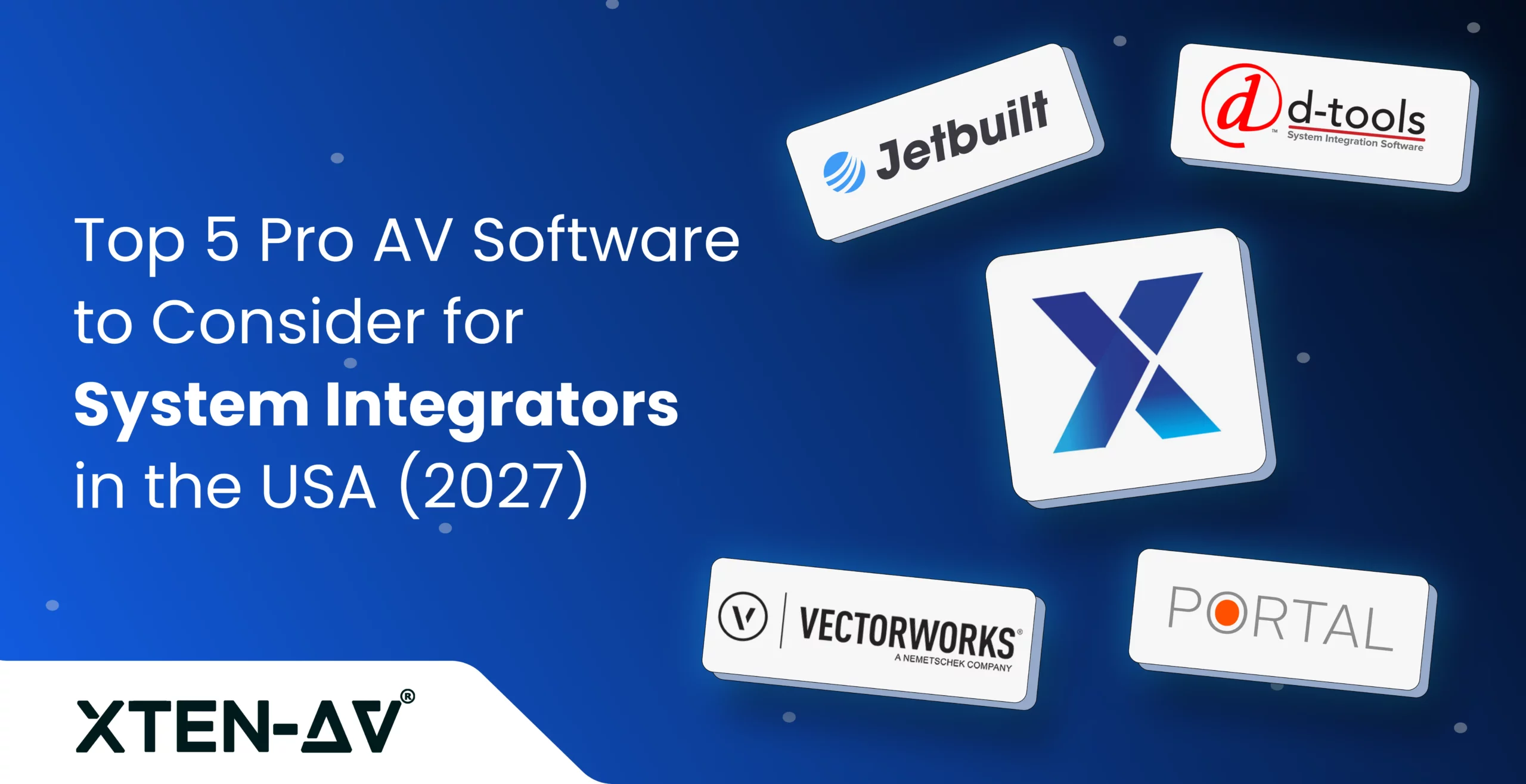
XTEN-AV is an AI-powered cloud-based pro AV platform that connects automation, schematic design, proposals, project management and after-sales service in one connected ecosystem. Designed for AV integrators, consultants and system designers, it offers XAVIA for AI-assisted automation, X-DRAW for AV design and diagramming, x.doc for proposal generation, X-PRO (Install) for project management and X-PRO (Service) for service management. The platform also centralizes equipment specifications, AV BOMs, CAD drawings and project records, helping businesses maintain accuracy across design revisions, cost estimates, installations and ongoing customer support.
Best For:
Pro AV professionals seeking a unified platform for an AV AI agent, CAD designs, proposals, project management and service management.

Key Features of XTEN-AV:
- XAVIA supports AI-driven equipment recommendations, BOM updates and project planning through voice or chat commands.
- AI-assisted reporting through XAVIA generates project summaries, performance insights and analytical reports.
- X-DRAW generates line schematics, signal flow diagrams, rack elevations, submittals and ceiling speaker layouts, with integrated AV BOM software capabilities.
- AI Search Sense simplifies equipment selection from 1.5M+ products across 5,200+ brands, while Site Survey supports onsite data collection.
- x.doc provides pro AV proposal software capabilities with customizable Done For You (DFY) templates for branded client documents.
- Proposal tracking through shareable URLs and digital signatures supports client engagement and approvals within x.doc.
- X-PRO (Install) provides pro AV project management software features for task assignments, event linking and installation progress tracking.
- Clock-in and clock-out functionality records technician hours for labor cost monitoring and project reporting.
- X-PRO (Service) extends XTEN-AV with pro AV service management software capabilities for tracking calls through Kanban boards.
- Technician assignment and scheduling features support field visits, work allocation and utilization monitoring.
Pros:
- Pre-designed room templates simplify planning for recurring and multi-site installations.
- Centralized collaboration keeps sales, engineering and field personnel aligned.
- Integrations with CRM, accounting and distributor applications connect key business processes.
- Mobile accessibility enables remote coordination and real-time project visibility.
- LiDAR-powered Site Survey is designed to convert room scans and onsite observations into editable, design-ready AV floor plans
Want to stay informed about new AV software features? Explore the latest XTEN-AV product updates, including feature releases, enhancements, and platform improvements.
Cons:
- First-time users may need time to become familiar with the extensive functionality.
Integration:
XTEN-AV integrates easily with many popular business apps, including HubSpot, QuickBooks, Salesforce, Zoho, Microsoft Dynamics and many others.
XTEN-AV Pricing Plans:
- Free Trial
XTEN-AV offers a 15-day free trial. - Basic
$104.25/user/month, billed annually. - Business
$111.75/user/month, billed annually. - Enterprise
$126.75/user/month, billed annually. - X-PRO Add-On
$16.88/user/month, billed annually. Available as an optional add-on.
Note:
XTEN-AV pricing and plans may change. Visit the official XTEN-AV website for the latest details.
Source and Verification Date:
- Source:
https://xtenav.com/
- Verification Date:
November 6, 2026
Still Managing Pro AV Projects Manually? Discover AI-Powered Automation.
D-Tools
D-Tools provides specialized software for planning, estimating and managing professional audiovisual systems. It offers two products designed for different integration business needs. D-Tools System Integrator (SI) focuses on detailed engineering, technical documentation and cost control. D-Tools Cloud supports proposal creation, procurement and field coordination through a web-based platform. Both applications help AV integrators maintain organized records, monitor budgets and oversee installations.
Best For:
System integrators managing complex Pro AV installations that require detailed engineering, cost estimation and project oversight.
Key Features of D-Tools:
- Integrates with AutoCAD and Visio to create AV schematics, wiring diagrams and rack elevations.
- Provides access to manufacturer specifications, product catalogs and dealer-specific pricing.
- Synchronizes Bills of Materials (BOMs) with drawings to keep equipment records accurate.
- Generates customized quotations with pricing breakdowns, optional packages and electronic approvals.
- Calculates material expenses, labor rates, markups and profit margins for cost estimation.
- Supports Gantt charts, task dependencies and resource scheduling for installation coordination.
- Handles purchase orders, inventory tracking and supplier transactions for procurement.
- Organizes maintenance agreements, technician dispatch and service histories for installed systems.
Pros:
- Suitable for Pro AV integrators handling complex commercial installations and multi-room deployments.
- Reusable project templates help maintain consistent standards across corporate, educational and large-venue AV systems.
- Offers desktop and cloud-based options to accommodate different business sizes and technical requirements.
- Specialized training resources support AV designers, estimators and project managers.
Cons:
- Some users report difficulties organizing installation notes, field tasks and technician schedules.
- Initial configuration and ongoing database maintenance may require additional administrative effort.
- Certain System Integrator reviewers have reported delayed technical support responses.
Integration:
Supports integration with QuickBooks, HubSpot and Xero. Also, enables seamless syncing between D-Tools SI and D-Tools Cloud.
D-Tools Pricing Plans:
D-Tools System Integrator (SI)
- Free Trial
D-Tools SI offers a 30-day free trial. - D-Tools System Integrator (SI)
Starting at $1,800 per user annually, with a minimum requirement of 5 users. - Professional Services
$200/hour for optional training and implementation.
D-Tools Cloud
- Single
$1,069/year (approximately $89/month, billed annually). - Duo
$1,933/year (approximately $161/month, billed annually). - Team
$3,769/year (approximately $314/month, billed annually). - Company
$7,009/year (approximately $584/month, billed annually). - Enterprise
$12,949/year (approximately $1,079/month, billed annually).
Evaluating software for complex Pro AV installations? Explore our D-Tools vs. XTEN-AV comparison to compare AV schematics, BOM generation, proposals, project management, and service capabilities.
Note:
D-Tools pricing and plans may change. Visit the official D-Tools website for the latest details.
Source and Verification Date:
- Source:
https://www.d-tools.com/
- Verification Date:
November 6, 2026
Jetbuilt
Jetbuilt is a cloud-based AV sales and project management platform designed for professionals handling commercial installations. It supports cost estimation, bid preparation and client proposals for Pro AV technology projects. The software combines manufacturer specifications, dealer pricing and labor calculations to help prepare accurate quotations. Its modular capabilities also cover AI-assisted drawings, procurement, installation coordination and after-sales support.
Best For:
AV estimators, sales managers and project managers seeking accurate quotations, streamlined bidding and coordinated project delivery.
Key Features of Jetbuilt:
- Provides an extensive AV equipment catalog with manufacturer specifications, dealer pricing and room-based estimates.
- Jetbot Drawings generates system schematics, rack elevations and floor plans from BOM data, with DWG export capabilities.
- Creates customized proposals and RFPs with optional packages, electronic signatures and client engagement tracking.
- Jetbot AI assists with scope-of-work generation, while Funnel organizes sales opportunities and follow-ups.
- Stock enables QR-based inventory tracking across warehouses, service vehicles and installation sites.
- The Install module coordinates technician assignments, task schedules, completion updates and labor records.
- Jetpay handles payment collection and recurring billing, while the Client Portal provides document access and progress updates.
- Jetbot Service Desk offers device-specific troubleshooting, QR-based support requests and case monitoring.
Pros:
- User-friendly interface simplifies adoption for AV estimators and sales professionals.
- Modular subscription options accommodate different business sizes and requirements.
- Cloud accessibility enables collaboration between office staff and remote stakeholders.
- Suitable for commercial audiovisual installations of varying scope and complexity.
Cons:
- Additional modules and user licenses can increase overall subscription costs.
- Some users report difficulties with QuickBooks integration and financial data synchronization.
- Advanced reporting and customization capabilities may not meet complex business requirements.
Integration:
Jetbuilt offers integration support with platforms such as HubSpot and Salesforce for better client management.
Jetbuilt Pricing Plans:
- Free Trial
Jetbuilt offers a 14-day free trial. - Lite
Starting at $69/user/month for the first 3 users, with additional users at $59/user/month. - Enterprise
Starting at $137/user/month for the first 5 users, with additional users at $127/user/month.
Optional Add-On Modules
- Jetbot Drawings
Pricing varies by company size and number of project users. - Funnel
$34/user/month. - Install
$34/user/month. - Service
$34/user/month. - Stock
Starting at $65/month, based on company size. - Client Portal
Starting at $25/month, based on the number of clients.
Comparing AV software options for your integration business? Check out our Jetbuilt pricing guide for a breakdown of plans, add-ons, and overall costs.
Note:
Jetbuilt pricing and plans may change. Visit the official Jetbuilt website for the latest details.
Source and Verification Date:
- Source:
https://jetbuilt.com/uk/
- Verification Date:
November 6, 2026
Vectorworks ConnectCAD
Vectorworks ConnectCAD is a CAD-based AV design tool for engineers, consultants and system integrators. It works with Vectorworks Spotlight and Design Suite to support complex installations. Its live sound system design software capabilities include signal flow diagrams, cable routing and rack elevations. Automated connection checks and reports help maintain precise technical documentation.
Best For:
AV design engineers and technical consultants planning complex connectivity across theaters, broadcast studios and large venues.
Key Features of Vectorworks ConnectCAD:
- Creates signal flow schematics connecting mixers, DSPs, amplifiers, switchers, displays and control devices.
- Supports 2D and 3D planning for speaker positions, control rooms, equipment racks and venue layouts.
- Calculates cable lengths, conduit sizes and material requirements based on physical routing paths.
- Generates rack elevations and custom panel layouts with accurate equipment placement.
- Produces riser diagrams showing cable pathways between floors, technical rooms and distribution points.
- Allows customization of device symbols, connectors and circuit graphics for specific system requirements.
- Automates cable labeling and connection checks to identify missing links or incompatible devices.
- Generates equipment lists, circuit reports and cable schedules for technical submittals and installation handovers.
Pros:
- Well-suited for detailed engineering in concert halls, theatres, auditoriums and broadcast facilities.
- Helps AV designers coordinate technical requirements with architectural and venue plans.
- Customizable drafting standards support consistency across multi-room and large-scale installations.
- Provides clear visual references for collaboration with contractors and installation personnel.
Cons:
- Advanced CAD functionality may require additional training for beginners.
- Custom equipment libraries and drawing templates can take time to configure.
- Requires Vectorworks Spotlight or Design Suite, adding to software costs.
- It does not offer the same breadth of sales, procurement and service management as business-focused AV platforms.
Integration:
Vectorworks ConnectCAD integrates with Spotlight and Design Suite and supports DWG/DXF and IFC formats for CAD and BIM collaboration.
Vectorworks ConnectCAD Pricing Plans:
- Free Trial
Pricing: Available
Try ConnectCAD features before choosing a subscription. The trial lets users explore AV system design, schematic creation and documentation capabilities. - ConnectCAD with Spotlight
Pricing: $204/month
Get ConnectCAD included with Vectorworks Spotlight for creating AV system designs, signal flow diagrams and documentation. - ConnectCAD with Design Suite
Pricing: Contact Vectorworks for pricing
Use ConnectCAD with Vectorworks Design Suite for expanded design capabilities and advanced documentation needs.
Note:
- ConnectCAD is an AV system design module available with Vectorworks Spotlight or Design Suite and is not sold as a standalone product.
- ConnectCAD pricing is subject to change. Visit the official Vectorworks website for the latest details.
Source and Verification Date:
- Verification Date:
November 6, 2026
Portal.io
Portal.io is a cloud-based sales platform that helps AV integration businesses manage estimates, quotations and purchasing. Teams can source Pro AV equipment through manufacturer catalogs, access dealer pricing and prepare detailed bids for commercial installations. Its AI-assisted proposal builder, digital approvals and payment features simplify customer transactions.
Best For:
Small to mid-sized AV integrators seeking quick estimates, accurate dealer pricing and simplified client approvals.
Pros:
- User-friendly interface makes the platform easy to learn and navigate.
- Quick setup suits small and growing AV integration businesses.
- Mobile accessibility supports client discussions and onsite quoting.
- Live chat assistance is available across all subscription plans.
Cons:
- Lacks native tools for advanced AV line schematics, signal flow diagrams and rack elevations.
- Does not include dedicated technician scheduling or detailed AV installation task management.
- Limited functionality for warehouse inventory control and equipment tracking.
Integration:
Portal.io supports QuickBooks, Stripe, Square, Zapier, D-Tools SI, iPoint and ProjX360 for accounting, payments, automation and project management.
Portal.io Pricing Plans:
- Free Trial
Portal.io offers a 14-day free trial with no credit card required. - Lite
$29/month, includes 1 user. - Pro
$89/month, includes 2 users. - Premium
$179/month, includes 5 users. - Unlimited
$349/month, includes unlimited users.
Looking for more options to estimate Pro AV project costs? Explore our guide to top AV project cost-estimating software and compare tools for equipment pricing, labor costing, and budget planning.
Note:
Portal.io pricing and plans may change. Visit the official Portal.io website for the latest details.
Source and Verification Date:
- Source:
https://portal.io/ - Verification Date:
November 6, 2026
How to Evaluate and Select the Right Platform for Your Pro AV Business?
Managing professional AV systems requires software that matches your technical needs, project complexity and business priorities. The following comparison highlights where each platform stands out and what to consider before making a decision:
| Software | Best For | Key Capabilities | What to Consider |
| XTEN-AV | Businesses seeking one centralized Pro AV ecosystem. | AI-powered automation, system design, AV documentation, proposals, project management and service. | Onboarding, module selection, business integrations. |
| D-Tools | AV companies require detailed engineering, accurate estimates or cloud-based project coordination. | CAD drawings, BOM management, cost estimation, proposals, procurement and scheduling. | Differences between System Integrator (SI) and Cloud implementation requirements. |
| Jetbuilt | Estimators and project managers handling commercial installations. | Dealer pricing, bid preparation, AI-assisted drawings, purchasing and field coordination. | Optional modules, reporting flexibility, financial integrations. |
| Vectorworks ConnectCAD | Engineers designing complex signal networks, equipment layouts or venue infrastructure. | 2D/3D drafting, cable calculations, rack elevations, circuit verification. | CAD expertise, Vectorworks licensing, technical design requirements. |
| Portal.io | Small to mid-sized AV businesses focused on quotations and purchasing. | Manufacturer catalogs, room-based estimates, digital approvals, purchase orders. | Advanced engineering limitations, field management requirements. |
XTEN-AV is worth considering for Pro AV professionals who want AI-powered automation, schematic drawings, proposals, project management and service in one unified platform. Compare each option based on your technical requirements, existing applications and long-term business goals.
Conclusion
Modern Pro AV projects demand greater accuracy, faster execution and better coordination. While D-Tools, Jetbuilt, Vectorworks ConnectCAD and Portal.io address specific business needs, XTEN-AV enables AI-powered automation, system drawings, AV documentation, project management and service in one centralized platform. Start your XTEN-AV 15-day free trial to explore its modern capabilities.
Audio Visual System Design Mastery + Winning Proposals = 10x Productivity!
- ✔ Automatic Cable Labeling & Styling
- ✔ 100+ Free Proposal Templates
- ✔ Upload & Create Floor Plans
- ✔ 1.5M+ Products from 5200 Brands
- ✔ AI-powered 'Search Sense'
- ✔ Legally Binding Digital Signatures
FAQs
The best pro AV software depends on your business requirements. XTEN-AV supports automation, CAD drawings, proposals, project management and service. D-Tools focuses on engineering and estimation, Jetbuilt on quoting and project coordination, ConnectCAD on technical drawings and Portal.io on AV sales and purchasing.
Yes, AV BOM software can generate equipment lists from project data. Tools like XTEN-AV and Jetbuilt also support automated design schematics and rack elevations. These capabilities help maintain consistent AV documentation when equipment specifications or quantities change.
AV integrators can use specialized proposal tools to access dealer pricing and calculate equipment costs, labor charges and profit margins. These applications also support itemized quotations, branded documents and digital approvals.
Yes, Pro AV project management software helps schedule installations, assign technicians and record working hours. It also provides task updates and cost visibility, allowing AV project managers to monitor budgets and completion milestones.
Yes, AV Platforms with service management capabilities help schedule technician visits, track support requests and maintain service records. Some also support maintenance agreements, contract renewals and service performance reporting.
CAD software handles technical drawings, cable routing and equipment layouts. However, it may not cover cost estimation, proposals, project tracking or service management. AV Integrators often need additional applications to manage these business requirements.
Pro AV software pricing in the USA typically ranges between $50 and $200 per user per month, with some plans costing more. Pricing varies based on features, team size, subscription type and additional capabilities.
AV design software focuses on creating technical drawings, signal flow diagrams and BOMs, while AV project management software handles scheduling, task assignments, installation tracking and project coordination.
Note:
Product details, pricing and user feedback are based on official websites, G2, Capterra and Reddit. Prices may vary by region or change over time. All trademarks belong to their respective owners.

Explore more by topic
Related Blogs
-

- Posted by Sahil Dhingra

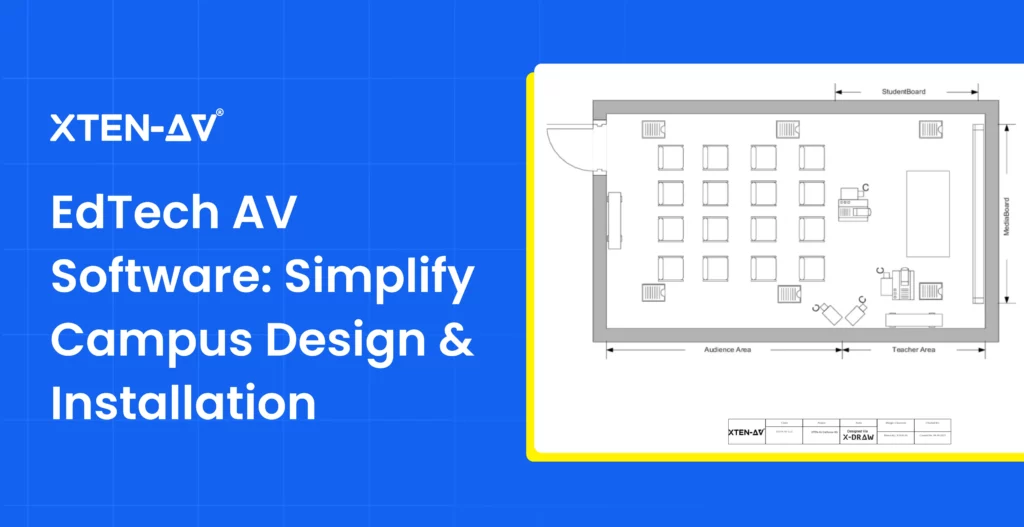
Audio Visual Transform Campus Learning Spaces with EdTech AV Software Sahil Dhingra...
-
- Posted by Sahil Dhingra
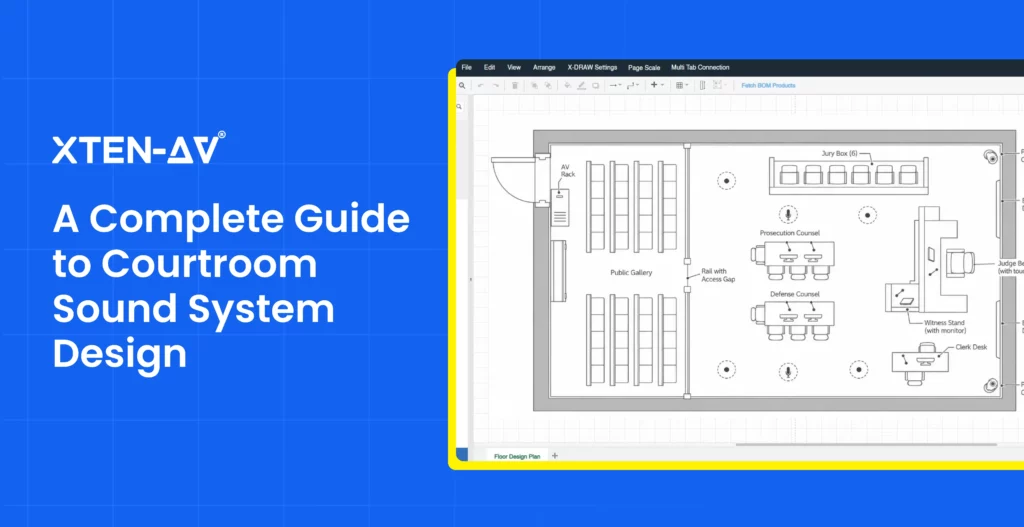
Audio Visual Courtroom Sound Systems: Design, Components and Speech Clarity Explained Sahil...
-
- Posted by Sahil Dhingra
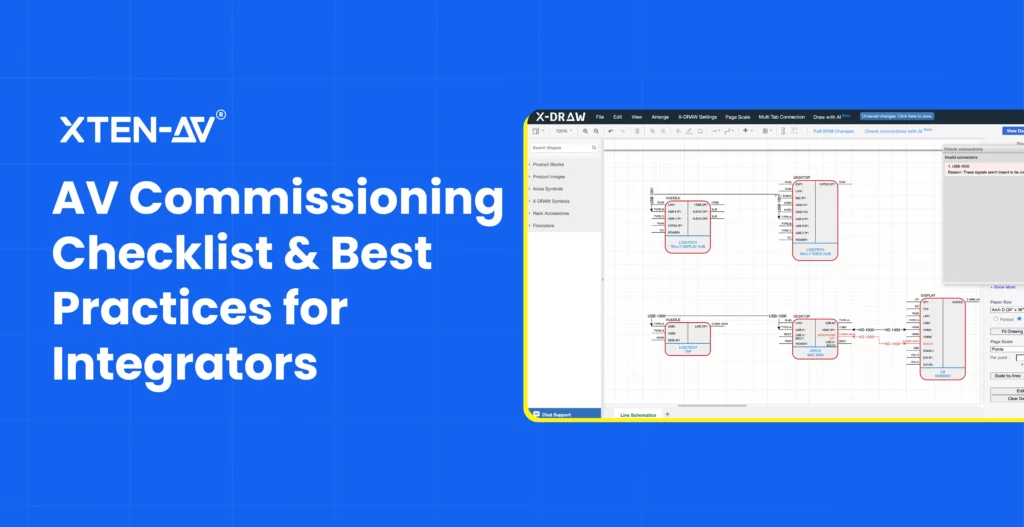
Audio Visual AV Commissioning Checklist & Best Practices for Integrators Sahil Dhingra...
AV Design Mastery + Winning Proposals = 10x Productivity!
- Automatic Cable Labeling & Styling
- 100+ Free Proposal Templates
- Upload & Create Floor Plans
- 1.5M Products from 5200 Brands
- AI-powered ‘Search Sense'
- Legally Binding Digital Signatures
No Credit Card Required