






Why Commercial AV Projects Run Over Budget and How to Prevent It

Sahil Dhingra
Published 12 Nov 2026

Commercial AV projects often run over budget due to poor planning, incorrect quantities, increased equipment costs, extra installation and missing documentation.
A good commercial AV project will have a clear alignment between your project scope, system design, BOM, purchase orders, labour and documentation. When there is a mismatch between these items then your well planned project can quickly cause delays and increase your costs.
Imagine you’ve gone through the process of getting your client to sign off on your proposal and everything looks good with your budget. But then halfway through the project you discover your client wants a larger screen, there are no cable routes or your installers require extra time on site. With every change to your project comes an increase in cost. If you don’t pick up on these issues early on your profits will start to reduce.
Within this guide we’ll look at 5 common reasons that commercial AV projects can go over budget and how you can control these costs.
Key Takeaways
- Planning: Rushed site surveys and incomplete scopes can lead to unexpected equipment and installation costs.
- Design: Incorrect or out-of-date BOMs can cause pricing and procurement issues.
- Procurement: Substitute equipment, price changes and purchasing discrepancies can impact the original project estimate.
- Installation: Inaccurate labor estimates, site delays, and unapproved changes can increase execution costs.
- Handover: Missing or outdated drawings, equipment lists and project records can create additional work after installation.
- Cost control: Reviewing budgets, documenting changes and maintaining accurate project information throughout the project helps protect profitability.
Why Commercial AV Projects Go Over Budget
Some of the most common commercial AV Projects challenges that AV integrators experience are due to project information being split across multiple sources and out of date.
Commercial AV projects involve a wide range of people, suppliers and elements. Changing the design of your project can cause you to have to purchase additional items whilst delays on site can cause extra labour hours and prolong the project.
The issue comes when these changes are not included in your original costings.
For example, if your client has approved your proposal and then wants to add two more displays. You will now need to purchase additional equipment, cabling and spend more time installing. The designer will update the drawing but there will be no changes to your BOM or budget. Your project will now be more expensive.
Many AV integrators don’t have much room for extra costs. A 2024 survey conducted by Commercial Integrator and NSCA found that 36% of respondents had margins of 20% or less on their hardware. This isn’t true for all AV businesses but indicates how little changes in cost can impact your profit.
Changes to the scope of your project can cause extra costs. PMI’s research in 2018 found that 52% of projects experienced scope creep.
Whilst it is not possible to avoid changes to your project completely as your client may want to add a new kit or make design changes. It is important to know how much each change will cost and keep a record of what changes have been made. This will help to update your project plan and budget.
To understand where things can go wrong we will look at the 5 stages where commercial AV project costs can often go wrong.
The Five-Stage AV Project Cost-Overrun Framework
Understanding where AV project cost overruns begin is essential for maintaining profitability. They don’t always become visible when the money is spent. Sometimes the problem starts much earlier. When an assumption is made during planning or an equipment change isn’t reflected in the design.
The following five-stage framework helps AV integrators identify where those gaps occur and what to review before moving to the next stage.

The table below summarises where costs typically start to slip at each stage and what to check before moving forward.
| Stage | Common Cost Risk | Early Warning Signs | What to Review Before Moving On | Who Should Be Involved |
| 1. Planning | Scope gaps | Unclear exclusions, rushed site survey, undefined client or contractor responsibilities | Documented scope and exclusions, site survey findings (ceilings, cable routes, rack space, power, network), change approval process | Sales, project manager, client |
| 2. Design | Inaccurate BOMs | Drawings and BOM held in separate tools, missing accessories, outdated model numbers | Device quantities, model numbers, mounts, cables and accessories against the latest approved design | Designer, sales, project manager |
| 3. Procurement | Cost discrepancies | Expired supplier quotes, backordered products, substitutions made without review | Stock availability, current pricing, compatibility of any substitute, updated budget and existing POs | Purchasing, designer, project manager |
| 4. Installation | Labour overruns | Site not ready, outdated drawings on site, unapproved extra work | Actual vs. estimated hours by activity (mounting, cabling, rack build, programming, commissioning) | Project manager, field team, general contractor |
| 5. Handover | Documentation gaps | As-built changes not recorded, drawings showing the original design | Final drawings, updated BOM, cable schedules, test records, warranty details and approved change records | Project manager, designer, field team, client |
Each stage has its own risks, but the information needs to remain connected throughout the project. Let’s look at what that means in practice.
Planning – Scope Gaps
In order to plan your commercial AV project, you need to know what the client requires and complete the site survey. This should be completed before the client approves your project to avoid any additional costs.
If you do not know what the scope of the project is, you may not be able to accurately plan some parts of the project and incur costs.
For example, if you are planning a video conferencing system but do not specify who will supply the codec, install and troubleshoot other devices within the proposal. This could mean that your team has to do extra work that was not planned for in their budget.
The same goes for the site survey.
If you do not take your time to complete the site survey, you may miss out on issues such as blocked cabling routes, full racks or different ceiling mounts. This can cause you to purchase extra kit or extra hours on site.
Before sending your proposal, ensure you have clear answers to the following questions:
- Has the scope been documented? Including what is not included and what needs to be supplied by the client.
- Have you checked the ceiling types, cabling routes, rack space, power and network requirements?
- Have you included all the necessary devices, mounts, accessories and connections?
- Have you broken down the installation, programming, commissioning and testing into hours?
- Have you clearly defined the roles and responsibilities of the general contractor, electrician and IT team?
- Are there processes in place to review and approve changes?
Having a clearly defined scope helps the project team to have a reference point if requirements change. This makes it easier to determine what was included in the original project and what was an additional request.
What to do: Ensure that you complete the scope and site survey findings before estimating. If there are any assumptions left, make sure they are documented.
Design – Inaccurate BOMs
Once you have set your project scope, creating AV drawings and a Bill of Materials will help you understand your budget and what you will need to buy.
A Bill of Materials is an important part of your project. It can be used across many departments within your company. Sales can use it to understand your pricing, Purchasing can use it to order your equipment and Installers can use it to understand what they will take onsite.
If there are differences between your BOM and your approved design, you could run into problems with small mistakes.
For example,
You have quoted $10,000 for your display package. The equipment cost you $8,000 so you have a $2,000 gross profit. This means you have a 20% profit margin.
However, when ordering your equipment, the display has sold out. You find an alternative model which is 10% more expensive. Your equipment now costs $8,800.
If you don’t increase your selling price then your gross profit will drop to $1,200. This reduces your margin to 12%. You have lost 40% of your gross profit due to the change of equipment. Not including any extra labour or delivery costs.
This is why it is important your AV drawings match your BOM.

If they are in different tools then you will need to update them both. It is easy to miss model numbers, forget to add accessories or order the wrong amount of equipment.
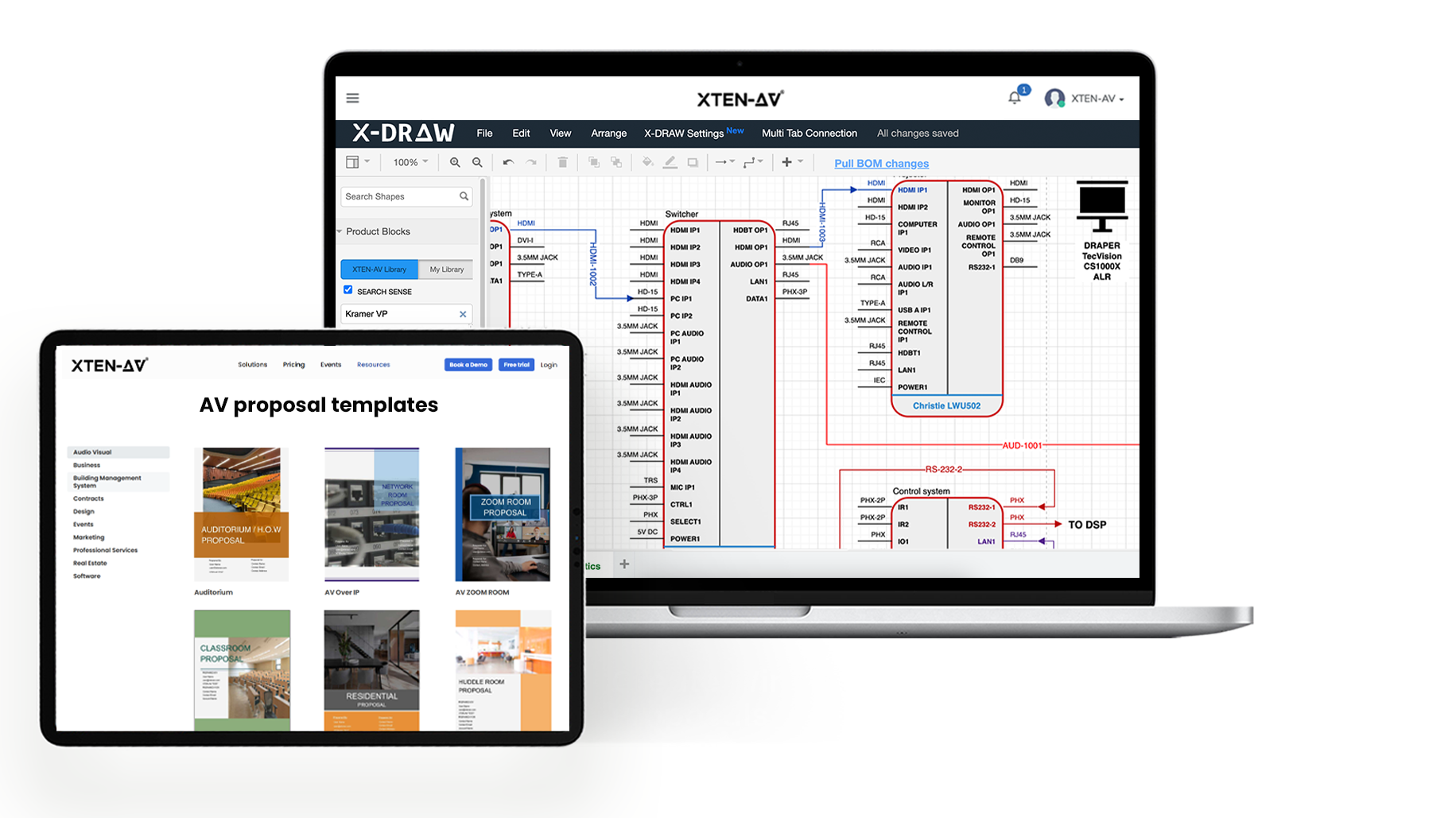
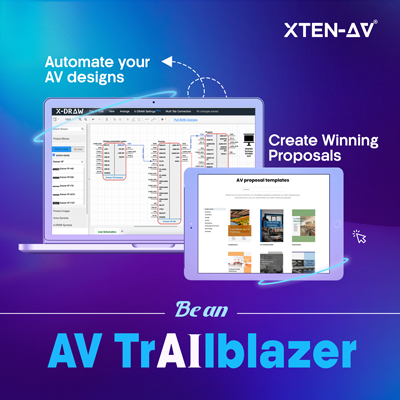
With X-DRAW, any new equipment added to your AV design will automatically appear on your BOM.
Before installation, it is always good to check your design for any errors. With the XTEN-AV Check Connections with AI feature, it will show you if there are any connection issues on your AV designs. This will show with Invalid, Double Check or Loose. The cable ID and reason for the issue will also show.
Always check your BOM matches the latest AV design. Check the amount of devices, model numbers, mounts, cables and any other accessories. Don’t assume your previous equipment list is correct.
Want to know how small mistakes on your proposal can affect your profit? Read our guide on how missing out on your proposal can reduce your project margins.
Procurement – Cost Discrepancies
Even a well-planned AV project can face unexpected costs once purchasing begins.
Equipment availability changes. Supplier quotes expire. A specified product may go on backorder, forcing the team to consider an alternative. Sometimes the replacement has a different price, specification or accessory requirement.
The challenge is making sure those differences are accounted for before an order is placed.
Imagine an integrator has approved a BOM based on a particular display model. By the time procurement contacts the distributor, the product is unavailable. The supplier recommends another model at a higher price.
If the purchasing team orders a replacement without telling the project manager, the equipment may end up costing more than planned.
And the cost of the new product may not be the only issue. A different display might need a new mount, other cables, or more time to install. All of this can add to the project cost.
To avoid these problems, the purchasing team should follow a few simple steps:
- Check if the equipment is in stock before placing an order.
- Check supplier quotes to make sure the prices and terms haven’t changed.
- Find out if the new equipment needs extra cables, mounts, or other parts.
- Update the project budget if the equipment costs more than planned.
- Review existing purchase orders if a design change affects the number of items needed.
There’s also a big difference between using an approved replacement and choosing one without checking with the team.
For example, if a display is out of stock, the purchasing team shouldn’t just order another model. The designer or project manager needs to check if it will work with the rest of the AV system.
What to do: Check supplier quotes and purchase orders against the latest approved BOM. If a product’s price or specs change, make sure the right people review it before placing the order.
Installation – Labor Overruns
Once equipment reaches the site, labor becomes one of the biggest factors affecting the final project cost.
An installation that takes longer than estimated can reduce profitability even when equipment costs remain within budget.
The reasons aren’t always related to the installation team’s productivity. Sometimes the site isn’t ready. Cable pathways aren’t accessible, network connections are delayed, or another contractor hasn’t completed the required work.
Design changes can also increase installation time. An additional camera or display may require more cabling, mounting work, programming and testing than the original estimate allowed.
For this reason, installation labor shouldn’t be treated as one general number.
Project managers should account for different activities separately:
- Equipment mounting and installation.
- Cable pulling and termination.
- Rack assembly and configuration.
- System programming.
- Commissioning and testing.
- Troubleshooting and final adjustments.
Tracking hours by activity helps identify where the project is taking longer than expected.
Communication also matters. If the installation crew receives an outdated drawing, they may complete work that needs to be changed later. A second site visit or additional configuration work can quickly add to the labor bill.
Regular coordination between the project manager, designer and field team helps reduce these situations.
What to do: Compare actual labor hours with the original estimate throughout installation. Make sure technicians have access to approved drawings and document additional work before it becomes an unplanned expense.
Handover – Documentation Gaps
Handover is often treated as the final administrative step of an AV project. But incomplete documentation can create problems long after installation is finished.
Imagine that during the installation of the project, there were several changes to the system. Components have been replaced, wiring has been changed, and extra components fitted. However, the drawing provided will show the original design.
The client receives a system that works, but the documentation doesn’t accurately describe what was installed.
This creates difficulties when the client needs maintenance, troubleshooting or future upgrades. Service technicians may have to spend additional time identifying equipment, tracing connections or confirming the actual system configuration.
Missing documentation can also affect project closeout and create unnecessary back-and-forth with the client.
A complete handover package should include:
- Final approved AV drawings and schematics.
- Updated equipment lists and BOMs.
- Rack elevations and cable schedules, where applicable.
- Equipment submittals and relevant specifications.
- Programming and configuration records, where required.
- Testing and commissioning information.
- Warranty and support details.
- Records of approved design changes.
The final documents should reflect the installed system, not simply the version that was approved at the beginning.
Standardized documentation makes this process easier because teams don’t have to rebuild every handover package from scratch.
What to do: Make final documentation part of the project workflow rather than leaving it until the last day. Review the installed equipment against the final drawings and make sure the client receives accurate records.
How Commercial AV Project Management Software Helps Prevent Overruns
Managing all 5 stages of your project can become complicated.
If the client requests design changes, you may need to update your BOM, orders, labour and project documentation. If everyone is communicating these changes via email or phone, it can be easy to miss details.
This is where commercial AV project management tools come in.
However, not all project management tools will be specific to AV projects. So whilst you may be able to identify that you need to replace a DSP in a basic tool, you may not be able to identify how this affects your signal flow diagram, BOM and cable schedule.
AV Specific tools will help you manage all the details.
XTEN-AV will help you manage your AV designs, project management and documentation with X-DRAW, X-PRO and x.doc.
X-DRAW: Manage AV Design and BOMs
X-DRAW will help your AV integrator create schematics, signal flow and rack elevations. As you add equipment to your drawing you will also be adding it to your BOM. Helping ensure you have the right amount of equipment.
X-DRAW also has an AI Connection Check tool to help designers identify any potential connection issues. If you change any equipment, you can use the Resync Submittals feature to update your submittal documents.
X-PRO: Keep AV Projects on Track
X-PRO will help your AV integrator manage tasks, timelines, labour and progress. Your project manager can identify what tasks need completing, who is doing them and how the project is progressing.
It will also help you manage labour. If there is an issue with the time it is taking to complete an installation task, your project manager can identify the issue and what is causing the delay.
This means your team will have a better understanding of what work is being completed and you can keep labour costs down.
x.doc: Keep Project Documents Organized
x.doc will help your AV integrator create proposals, project documentation and equipment submittals. You can use templates to create your proposals and submittals. You can also use the project details to help with your documentation.
When it comes to handing over your project, having things organised will make it easier for your client and service team to find what they need.
How X-DRAW, X-PRO, and x.doc Work Together
Let’s say you are working on a corporate office project and the client wants to add more displays in 2 huddle rooms. Your designer will update the drawings in X-DRAW and check the BOM to see what new equipment is required.
Your project manager will then use X-PRO to plan the extra work, assign tasks and labour hours. x.doc will help you create your updated proposal. Each tool will help with a different aspect of your project.
The aim of these tools is to ensure that everyone knows what needs updating when the client requests a change. This means you won’t have a small change turn into a costly mistake.

Want to see how a connected workflow could help your team?
What to Look for in Commercial AV Software
There are plenty of factors to consider when choosing good AV integration software. This should support your workflow for commercial AV project management from design to estimation, purchasing, installation and handover.
Things to consider:
- Design & BOM Management: Can quantities and specs be maintained throughout multiple versions?
- Estimating & Proposal: Can proposals be quickly created with accurate information and up-to-date costing?
- Project Management: Can tasks be easily assigned to team members, and do you have good visibility of where things stand?
- Cost & Labor Forecasting: Can you forecast profit based on any additional costs and labor?
- Documentation Management: Can you keep everything consistent with tools to manage all your submissions, drawings and turnover documents?
- Purchasing: Is the team notified of any design changes that impact existing POs?
- Service Ready: How much help do the drawings and equipment provide to your technicians for future service?
- Usability, ease of onboarding, customer service and integration with existing systems will also be a factor.
A great way to see if AV system integrator software is good is to run through a real project with a late design change. Run through the changes made to the original drawing to ensure they are reflected in the BOM, purchasing requirements, project activities and final documentation.
This will help you understand how the platform supports common issues faced on projects.
Conclusion
Cost overruns on commercial AV projects can result from poor planning, inaccurate BOMs, procurement discrepancies, additional installation work and incomplete documentation.
Effective Commercial AV project management requires teams to identify these risks across all five stages of the project lifecycle. Keeping the scope, design, equipment lists, purchase orders, labor estimates and final documentation aligned helps integrators maintain better cost visibility and protect project profitability.
It is very important that you keep all your project information updated. Your Scope, Design, Equipment List, Purchase Orders, Labor Estimations & Final documentation should all match the approved requirements.
XTEN-AV can help streamline the process by using X-DRAW for your AV Design, X-PRO for project management and x.doc for proposals and documentation.
If you still have to manually match your drawings, BoM and project documentation, it might be worth looking at a more integrated solution.
Book a demo with XTEN-AV and see how your team can manage AV projects with better visibility and fewer manual handoffs.
Audio Visual System Design Mastery + Winning Proposals = 10x Productivity!
- ✔ Automatic Cable Labeling & Styling
- ✔ 100+ Free Proposal Templates
- ✔ Upload & Create Floor Plans
- ✔ 1.5M+ Products from 5200 Brands
- ✔ AI-powered 'Search Sense'
- ✔ Legally Binding Digital Signatures
FAQs
Commercial AV projects often go over budget because of incomplete scopes, inaccurate equipment estimates, unexpected purchasing costs and underestimated installation labor. Design changes and poor communication can make these problems worse, particularly when the project documents aren’t updated to reflect the latest requirements.
Planning, Design, Procurement, Installation and Handover. Poor planning can cause unexpected extra work. Inaccurate BOM’s can affect equipment costing. Cost differences can be caused by Procurement. Extra labor costs will happen during installation. Handover documents may also lack information, causing extra work.
Understanding the project requirements, doing an extensive site survey, ensuring your BOM matches the design, and reviewing the cost of individual pieces of equipment. Tracking how much labor you are putting in and noting any approved changes will help avoid unexpected costs.
Incorrect BOMs will cause incorrect pricing of equipment. Not having the correct parts and delays during installation. Sales, purchasing and field teams all use the same equipment list. If the BOM is not up to date incorrect products could be ordered. This will cause extra costs.
Labour tracking will allow project managers to identify how much time is spent on each stage of the project. Installation, programming, testing and AV system set up. By comparing planned hours with actual hours, project managers can identify where they are spending more time than expected. This helps to control labour costs.
AV project management software will help you to track tasks, schedules, labour hours and progress. If the software links into the latest AV design and BOM, project managers can see what is happening and identify any cost issues. This will help keep the project within budget.
Final Drawings, wiring diagrams, equipment lists, updated BOMs, rack layouts, cable schedules, approved submittals, test records and warranty information should all be included. All documentation should match what was installed on site and any changes made during the project.
AV integrators should be looking for software that can assist with designing their systems, BOMs, proposals, project timelines, labour tracking and documentation. The software should also be able to link all these together so everyone has access to the latest project information. This will help the team manage any design changes, track costs and keep projects on track.

Explore more by topic
Related Blogs

-

- Posted by Sahil Dhingra

Audio Visual Top 5 Pro AV Software to Consider for System Integrators...
-
- Posted by Sahil Dhingra
Audio Visual Transform Campus Learning Spaces with EdTech AV Software Sahil Dhingra...
-
- Posted by Sahil Dhingra
Audio Visual Courtroom Sound Systems: Design, Components and Speech Clarity Explained Sahil...
AV Design Mastery + Winning Proposals = 10x Productivity!
- Automatic Cable Labeling & Styling
- 100+ Free Proposal Templates
- Upload & Create Floor Plans
- 1.5M Products from 5200 Brands
- AI-powered ‘Search Sense'
- Legally Binding Digital Signatures
No Credit Card Required