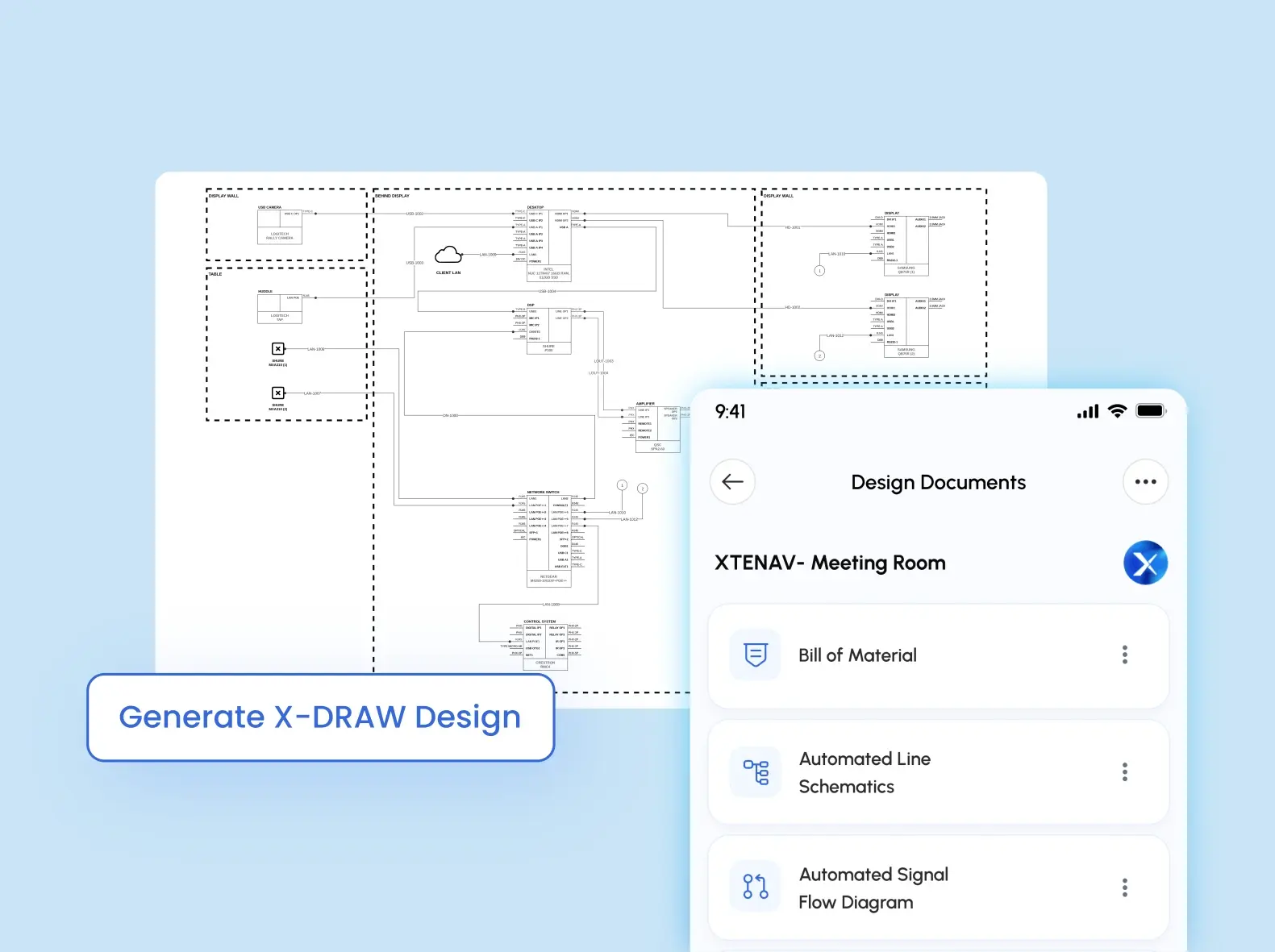
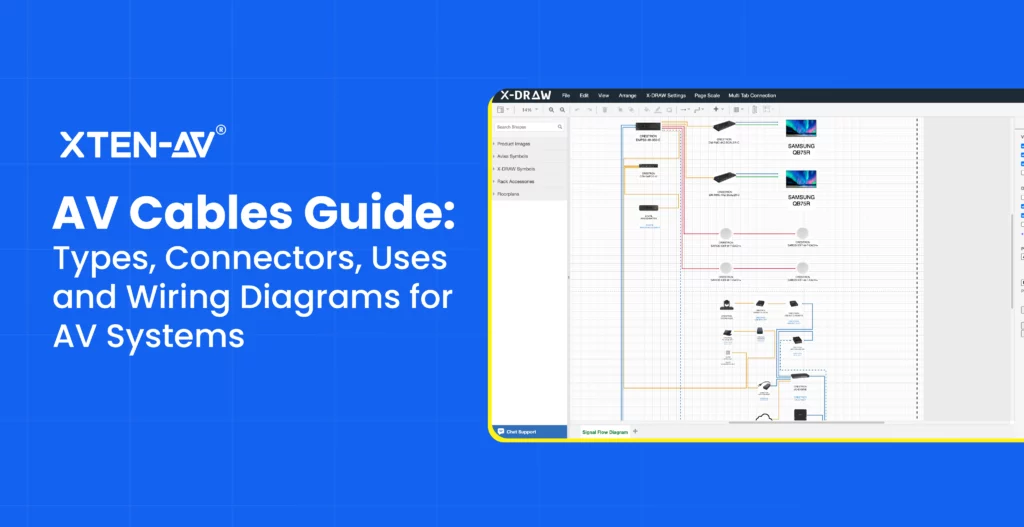
AV Teams rely on generic CAD drawing tools to plan instructor-led spaces, enabling quick project cost estimation, structured budgeting workflows and early system design. This approach works for standard room setups with predictable requirements.
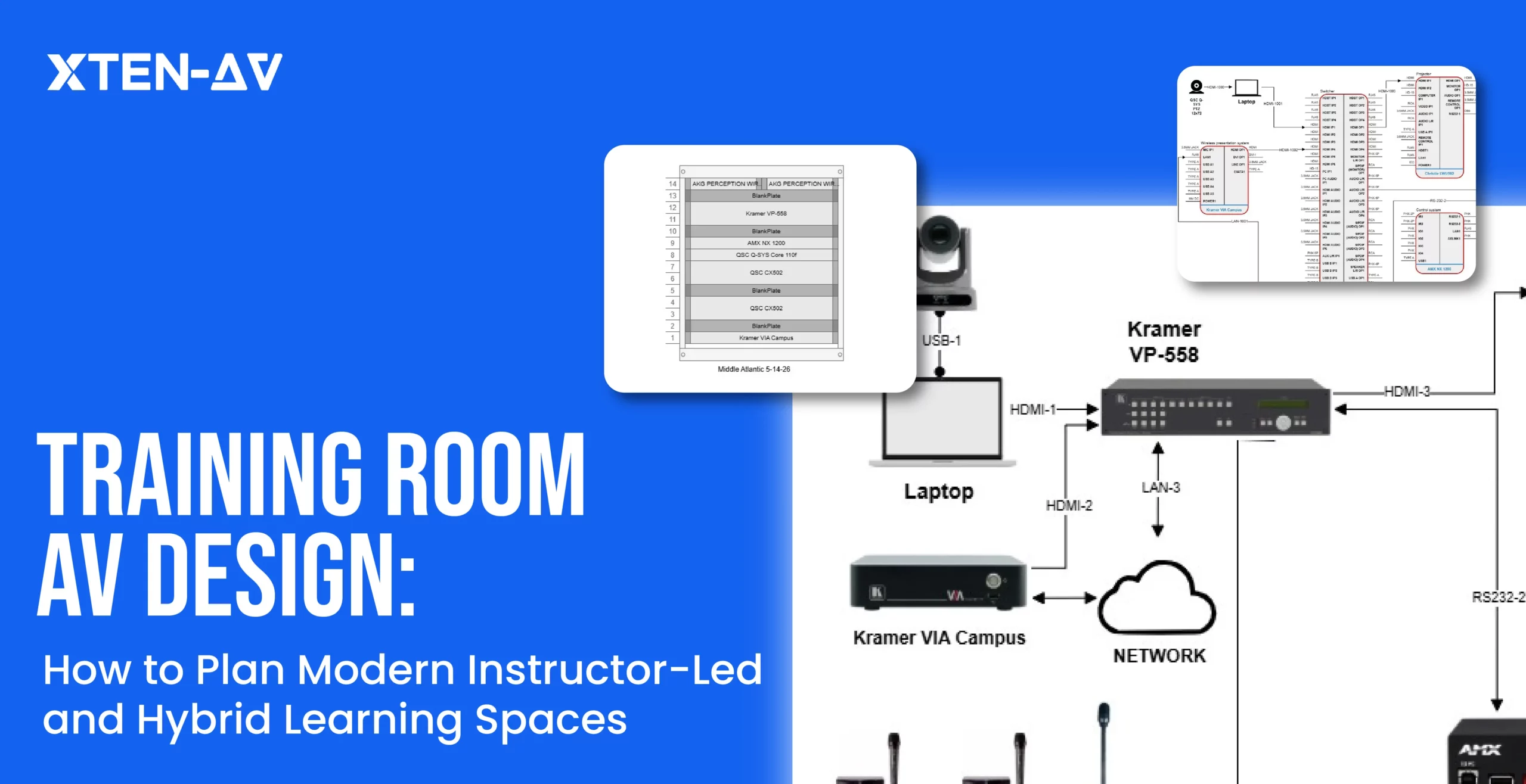
Hybrid learning introduces new design demands. AV schematic drawings must clearly define signal flow, switching logic, camera framing and microphone coverage. When procurement inputs, labor costing and schematics remain disconnected, coordination gaps emerge, causing unclear documentation and installation-level errors.
System Integrators managing hybrid training environments need more connected workflows. In this blog, we explore training room AV design, focusing on how these gaps affect system performance and project outcomes.
Key Takeaways
Training room AV design relies on structured planning of displays, audio, cameras, and signal flow for both instructor-led and hybrid learning.
Hybrid setups depend on clear system logic, including routing, switching behavior and UC platform integration for stable communication.
AV signal flow diagrams and schematics reduce gaps between design intent, procurement and installation execution.
Standardized AV system design improves consistency and supports scalable deployment across multiple training rooms.
Clear system visualization helps reduce integration issues and onsite rework during installation.
Cloud-based AV design and diagramming tools like X-DRAW by XTEN-AV enable faster layout creation and clearer signal-flow planning for training-room projects.
The all-in-one solution for your Audio Visual (AV) Project Design & Documentation needs
Transform your audio-visual experience with XTEN-AV.
No Credit Card required
Essential AV Systems Required for an Optimal Training Room Setup
As per AV Interactive, 65% of companies say their workspaces are still not optimized for hybrid working, making reliable collaboration technology essential for modern training environments. A well-designed training room combines audio, display, control and connectivity systems to create a smoother learning experience. Early AV planning also improves deployment accuracy, reduces onsite changes and helps avoid installation issues.
Here are the essential AV systems required for an optimal training room setup:
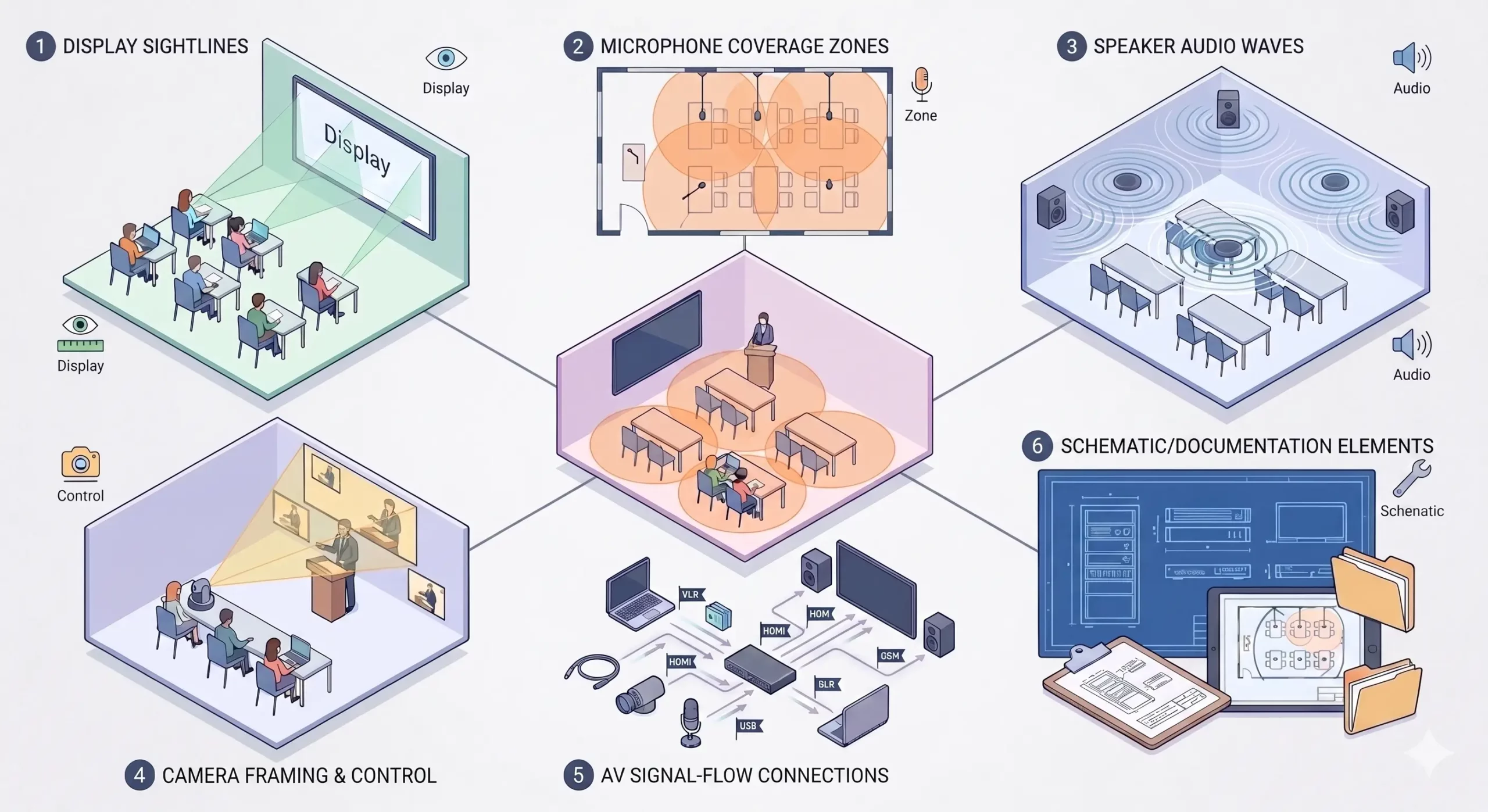
1. Display Placement and Viewing Angles
Room dimensions and user ergonomics should determine display positioning. Alignment with the seating layout ensures uniform sightlines and consistent visibility of content for all participants. In larger spaces, projection systems maintain stable luminance and image readability over extended viewing distances, reducing post-installation correction cycles.
2. Audio Capture and Coverage
Audio performance is defined by spatial speech behavior and acoustic response. Training room microphone placement should follow structured talk zones to ensure consistent capture across all participants. When paired with controlled acoustic design, this reduces reverberation, stabilizes gain behavior and eliminates uneven coverage across the room.
3. Camera Coverage and Framing
In hybrid environments, camera logic directly impacts engagement quality. Positioning should ensure clear instructor visibility while capturing participant interaction without spatial distortion or blind zones. Proper framing preserves depth and context, enabling a more natural remote collaboration experience aligned with in-room dynamics.
4. Signal Routing and Control Logic
System reliability depends on deterministic signal architecture. A structured training room signal flow diagram defines how video, audio, control and conferencing systems interact across endpoints. This enables predictable switching behavior, reduces integration conflicts, and ensures stable performance during live delivery scenarios.
5. Drawings and Installation documentation
Execution quality is driven by documentation precision. AV schematic drawings define system interconnectivity at a logical level, while installation documentation translates it into physical deployment details such as placement, cabling topology and configuration standards. Together, they provide installers with a single source of truth, minimizing ambiguity and field rework.
6. Design Consistency Across Rooms
Scalability is achieved through Audio visual (AV) standardization. A repeatable training room AV system design framework ensures consistent system behavior across multiple deployments, reduces engineering effort, and accelerates rollout cycles. This becomes critical in corporate training room design, where uniform user experience, operational efficiency, and deployment speed directly impact training outcomes.
How a 30 × 30 ft Hybrid Training Room AV System Is Typically Planned for Corporate Learning ?
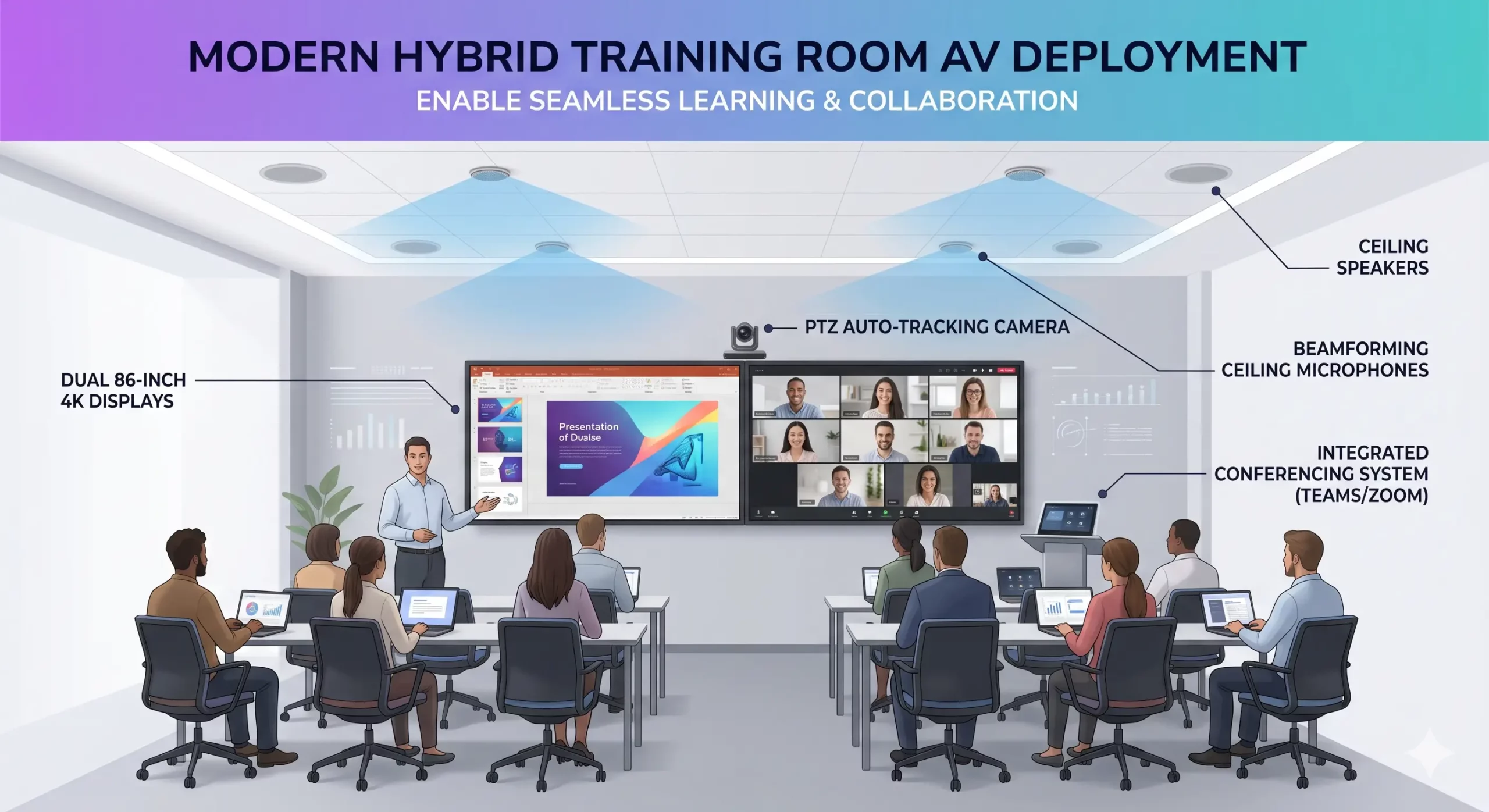
Through a real-life example of a 30 ft × 30 ft (900 sq. ft.) training room, we will understand how a standard hybrid AV setup is typically deployed in corporate environments for instructor-led and remote learning sessions.
AV System | Typical Setup | Purpose |
Display System | 2 × 86” 4K displays | One screen for training content and one for hybrid participants. |
Ceiling Microphones | 4 beamforming units | Captures voice clearly across the entire room. |
Ceiling Speakers | 6 ceiling speakers | Provides uniform audio coverage across seating areas. |
PTZ Camera | 1 auto-tracking camera | Tracks instructor movement for remote learners. |
Video Conferencing Bar | 1 UC-enabled Teams/Zoom device | Enables a single-point hybrid conferencing setup. |
In this scenario, dual displays separate content and participant views, while the PTZ camera and ceiling microphones ensure smooth interaction between in-room and remote users. Ceiling speakers deliver even audio coverage across the 900 sq ft space, supporting clear communication and a consistent hybrid training experience.
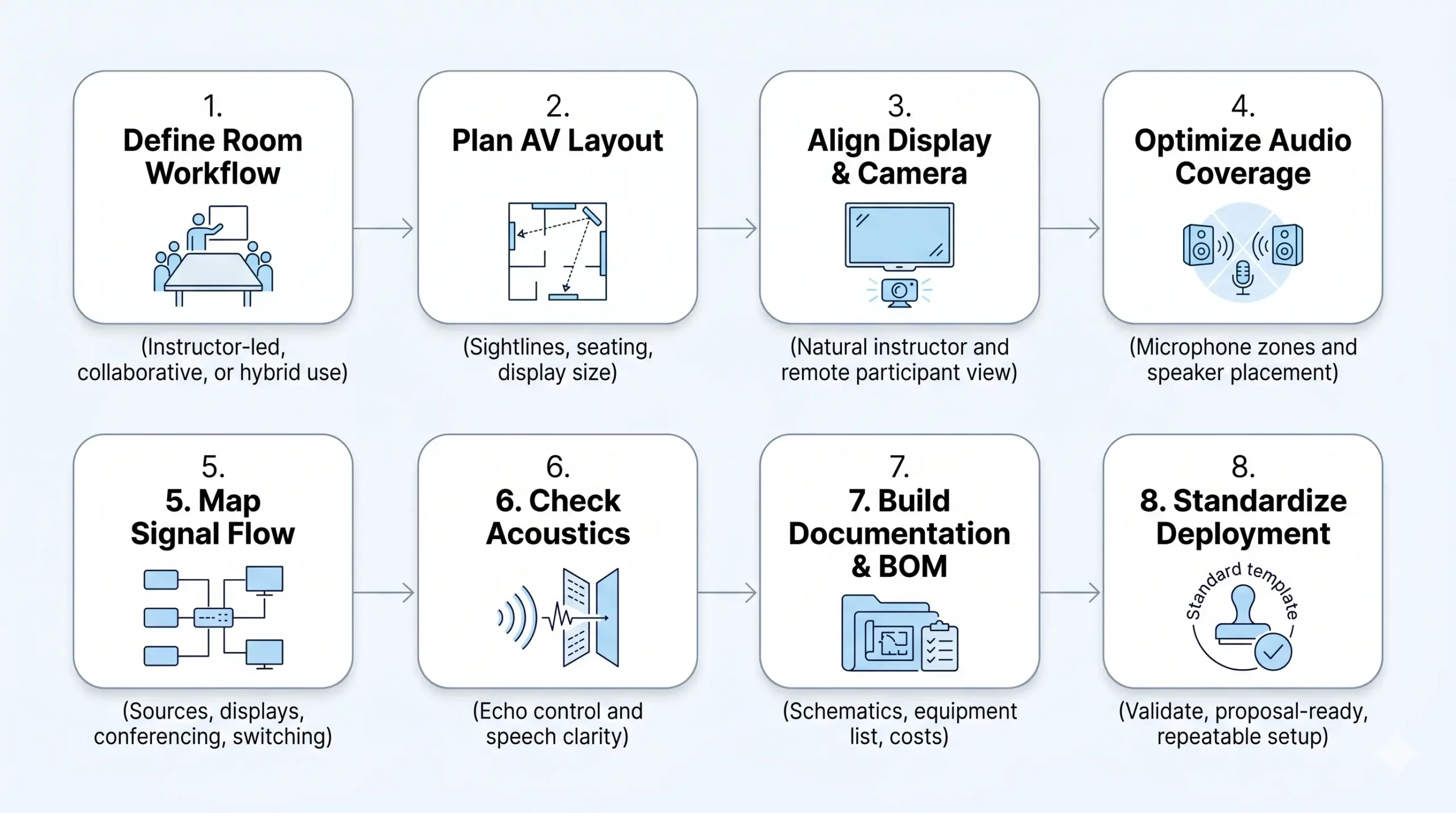
8 AV Design Steps for Reliable Instructor-Led and Hybrid Training Room Systems
Designing a modern training room AV system design involves a structured approach. The combination of layout planning, technology and cost alignment is implemented to support both instructor-led and hybrid learning environments.
The following are the steps mentioned below, which can be used to design and deploy training rooms efficiently:
Step 1: Define how the training room will operate
Start by mapping how the training room will operate, which is a presentation-led, collaborative or hybrid mode. Finalize the conferencing platform early (e.g., Google Meet, Microsoft Teams, Zoom Meeting) as it defines AV device compatibility, control flow and overall user experience.
Step 2: Plan AV layout for clear visibility
Design the training room AV layout by ensuring viewing angles, display height and distance.
For example, in a 30-ft room, undersized displays or incorrect mounting can reduce content readability and engagement.
Still struggling to choose the right meeting room screen size or placement? Explore how to select the best option for clearer presentations.
Step 3: Position the display and camera together
Align display placement and camera positioning with the instructor’s flow to support natural interaction for both in-room and remote participants.
Step 4: Optimize Audio Coverage for Balanced Sound in Training Rooms
Plan audio as a coverage strategy, not just device selection. Define microphone pickup zones across the room and align speaker placement to maintain even sound levels without drop zones.
Step 5: Define AV signal flow and system logic
Map how sources, displays and conferencing systems connect. A clear training room signal flow diagram ensures smooth switching between content sharing and hybrid sessions without conflicts or delays.
Not sure which AV single-line diagram software to use for building accurate system flows? Explore the best tools to simplify your design workflow.
Step 6: Address acoustics and finalize system readiness
Control echo and reflections to improve speech clarity. Complete AV documentation, validate costs and standardize the setup for consistent deployment.
Step 7: Develop AV documentation and BOM
Create detailed training room AV documentation with schematics and an accurate BOM. This ensures accurate estimation and smooth installation.
Step 8: Validate design and standardize deployment
Align the design with cost and finalize the training room AV proposal. Standardizing the setup improves consistency across multiple training room deployments.
How X-Draw Helps AV Integrators Design, Estimate and Manage Training Room Systems?
Training room AV projects often slow down when requirements change, device ecosystems expand, and coordination across teams becomes complex. X-DRAW by XTEN-AV is a cloud-based AV CAD design platform that simplifies system layout and planning. It is supported by a 1.6M+ product library across 5200+ brands and AVIXA-aligned standards. Integrated with XAVIA, an AI assistant that works through chat and prompts, it allows integrators to make faster decisions, improve accuracy and keep execution on track.
The following are the key capabilities that streamline the AV workflow:
Eliminate AV Design Rework:
Training room projects often involve layout revisions, seating changes and updates for remote participation requirements. This leads to repeated redraws and inconsistencies in training room AV design workflows.
X-DRAW offers ready-to-use AV-design templates for early-stage planning. It reduces repetitive redesign and maintains consistency across project revisions.
AI-Based Search for AV Component Selection:
AV design workflows often involve cross-checking multiple vendor specifications, which slows component selection and increases the risk of mismatches in modern training projects.
With AI-powered Search Sense, compatible AV devices are identified quickly, keeping design outputs aligned as requirements evolve.
Turn Site Surveys into Accurate AV Floor Plans:
Site data is often captured accurately but manually converted into drawings, which can lead to missing details or interpretation errors during execution. X-DRAW converts site inputs directly into structured floor plan, improving accuracy in AV system planning and reducing installation issues.
Automated Rack Layouts and Cable Labeling:
Manual rack planning and cable labeling often lead to inconsistencies during installation, especially in complex AV environments with multiple system connections.
With X-DRAW, rack elevation and labeling are automated. This improves documentation clarity and reduces installation errors.
Heat and Ventilation Built into AV Rack Design:
Thermal issues are often discovered late in traditional workflows, either after installation or during testing.
X-DRAW integrates heat and airflow logic into rack planning, improving system reliability and supporting stable performance in high-density AV environments.
BOM Product Recommendation:
AV BOM creation is often manual, spreadsheet-driven, and prone to errors in estimation, compatibility and pricing. Within X-DRAW, XAVIA works as an AV AI agent through chat or prompts like “Design a 6-seater training room with Epson projector, PTZ camera, ceiling mic array, speakers and video conferencing codec.” It generates an accurate generative AI Audiovisual (AV) BOM instantly and keeps it up to date as the design evolves. This reduces manual effort, improves accuracy, and ensures consistency from planning through execution.
AV Design Automation:
AV design work slows down when schematics, layouts, and rack drawings are created separately and manually updated. Inside X-DRAW, XAVIA acts as an AI agent that understands AV project intent through chat-based inputs. It produces complete system design outputs in one flow and reflects changes instantly as the project evolves. This reduces design fragmentation and keeps documentation aligned with real project requirements.
The all-in-one solution for your AV needs
Transform your audio-visual experience with XTEN-AV.
No Credit Card required
Audio Visual System Design Mastery + Winning Proposals = 10x Productivity!
- ✔ Automatic Cable Labeling & Styling
- ✔100+ Free Proposal Templates
- ✔ Upload & Create Floor Plans
- ✔1.5M Products from 5200 Brands
- ✔ AI-powered ‘Search Sense'
- ✔Legally Binding Digital Signatures

Conclusion
Training room projects often rely on accurate drawings and clear schematic diagrams for reliable execution. In training-room AV design software, even small errors can affect coordination and installation quality. Choosing platforms like X-DRAW improves precision, enhances system clarity and reduces rework across projects.
Explore how modern AV teams simplify training-room design and schematic drawings with XTEN-AV!
Schedule a Demo!
FAQ's
Based on viewing distance, room size and seating layout. Every seat must clearly read content, often requiring large displays or LED walls.
Displays, microphones, speakers, cameras, AV control system, DSP and video conferencing tools for hybrid learning.
Key factors include room size, seating layout, acoustics, lighting conditions, and ceiling height. These directly impact audio clarity, video quality and overall AV system performance.
Displays, microphones, speakers, DSP, cameras, AV control system, cabling, racks, rack layouts and mounting hardware for complete system deployment.
By using modern AV design software like XTEN-AV (X-DRAW), D-Tools, AVSnap, AutoCAD or Visio to create layouts, schematics and signal flow diagrams.
By tracking key milestones like design approval, procurement, installation and commissioning. Progress is managed using structured schedules and checklists.
Explore more by topic
AV Design Mastery + Winning Proposals = 10x Productivity!
- Automatic Cable Labeling & Styling
- 100+ Free Proposal Templates
- Upload & Create Floor Plans
- 1.5M Products from 5200 Brands
- AI-powered ‘Search Sense'
- Legally Binding Digital Signatures
No Credit Card Required
Related Blogs
-
- Posted by Sahil Dhingra
Audio Visual Training Room AV Design Guide for Hybrid Learning Sahil Dhingra...
-
- Posted by Sahil Dhingra
Audio Visual Boardroom AV Design Guide for Hybrid Meeting Rooms Sahil Dhingra...
-
- Posted by Sahil Dhingra
Audio Visual AV Project Budget Tracking: Prevent Overruns & Protect Margin Sahil...