








Courtroom Audio Visual (AV) Systems: A Complete Guide for Courts and Justice Agencies

Sahil Dhingra
Published 15 OCT 2026
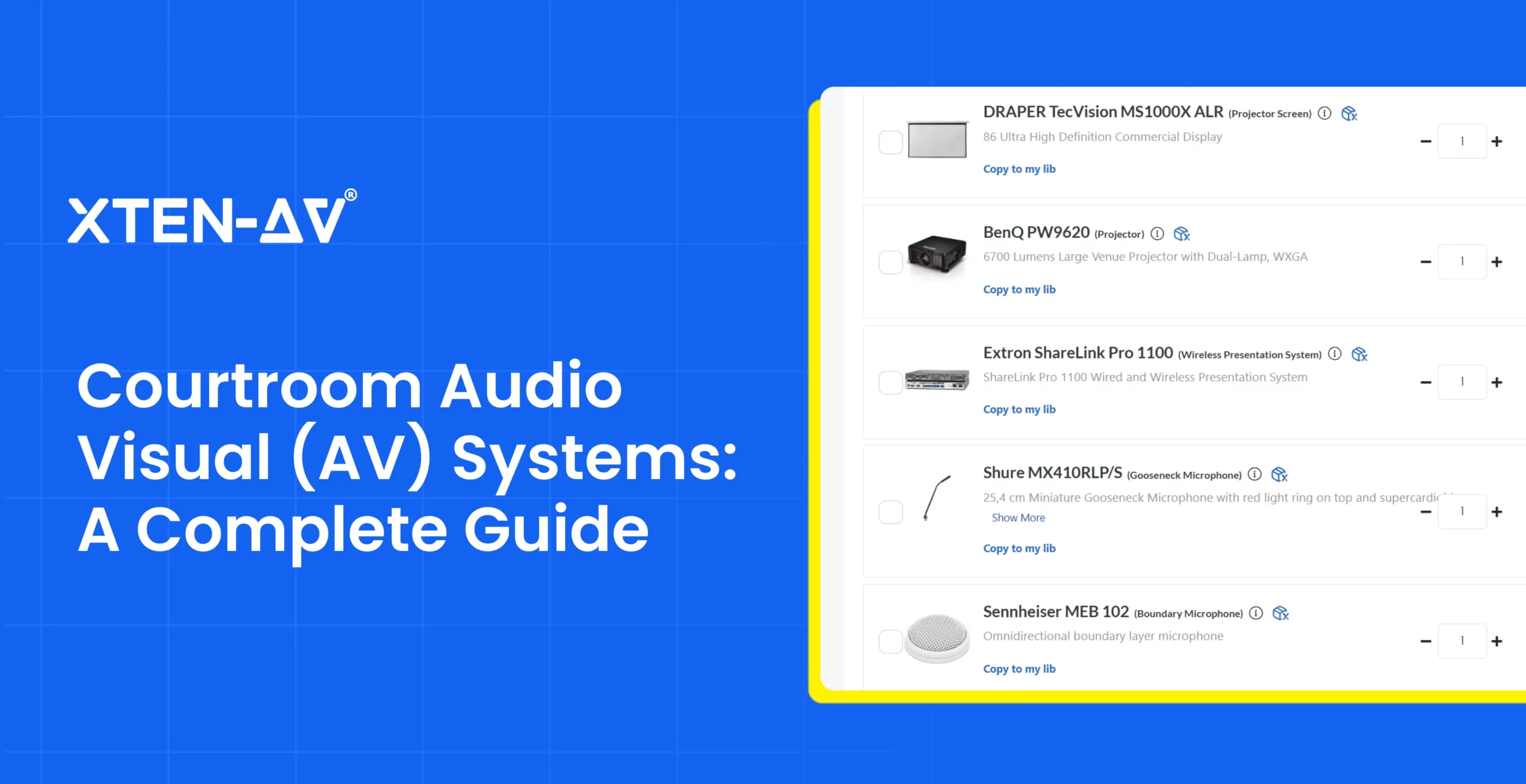
Unclear witness testimony, incomplete court recordings or evidence appearing on the wrong display can disrupt judicial proceedings. Modern courtrooms rely on microphones, DSPs, speakers, cameras and conferencing equipment to support clear communication, secure information sharing and remote participation.
However, aging infrastructure, poor acoustic coverage or complex signal routing can complicate courthouse upgrades. AV integrators must address equipment compatibility, security policies and accessibility requirements. They also need accurate schematics, cable schedules, AV BOMs and client proposals. Device changes can affect cost estimates, purchase orders or commissioning plans.
In this guide, we will explore how courtroom audio visual systems work, essential technologies and requirements across judicial settings. We will also examine speech intelligibility, evidence presentation, modernization priorities, technical design considerations and audiovisual (AV) documentation challenges.
“In a courtroom, clear audio protects testimony, precise video routing ensures evidence reaches the right audience and reliable recording preserves every critical detail. Effective AV schematic design connects these technologies to support uninterrupted judicial proceedings.”— For The Record
Key Takeaways
- Courtroom audio visual (AV) systems combine sound reinforcement, digital recording, evidence presentation and video conferencing for modern judicial proceedings.
- Core courthouse equipment includes microphones, DSPs, speakers, displays, cameras, video switchers, and assistive listening devices for clear communication.
- As per a Thomson Reuters survey, 80% of respondents reported virtual hearings in their courts, highlighting the need for reliable AV infrastructure and video conferencing.
- Judicial AV modernization requires careful assessment of room acoustics, legacy infrastructure, signal routing, equipment compatibility, and commissioning standards across different court settings.
- XTEN-AV (X-DRAW) streamlines courtroom schematic drawings and AV BOMs. Meanwhile, x.doc simplifies professional proposal creation, cost estimates, and technical documentation for judicial projects.
What Are Courtroom AV Systems and Why Do They Matter?
Courtroom AV systems combine audio, video, recording, and control technologies to support judicial proceedings. Microphones capture testimony, DSPs process audio and display present digital evidence. Video conferencing connects remote participants, while centralized controls allow operators to manage equipment from a single interface.
Unlike corporate AV systems, which primarily support business meetings, courtroom technology must meet specific requirements for speech clarity, security, and accessibility. Accurate audio capture preserves testimony for official records, while controlled signal routing restricts access to sensitive information. Reliable integration ensures smooth hearings, secure evidence presentation, and effective communication among judicial participants.
Designing AV systems beyond courtrooms? Explore how to simplify commercial AV projects, from system design and proposals to project delivery and service.
What Equipment Is Used in Modern Courthouse AV Systems?
Modern courthouse AV systems require specialized equipment for speech reinforcement, evidence presentation, digital recording and remote hearings. AV integrators select components based on room acoustics, seating arrangements, security requirements and judicial procedures.
The table below highlights essential devices and their courtroom applications:
| AV Equipments | Technical Functions | Courtroom Applications |
| Microphones | Capture speech using gooseneck, boundary or wireless models. | Judge’s bench, witness stand and counsel tables. |
| DSPs and audio mixers | Process, mix and route audio signals. | Sound reinforcement and recording feeds. |
| Speakers and amplifiers | Distribute sound across designated listening zones. | Jury box, public gallery and hearing areas. |
| Digital recording systems | Capture and store audio for authorized playback. | Official court records and transcription. |
| Document cameras | Capture physical documents and objects for display. | Presenting paper exhibits and physical evidence. |
| Video switchers and scalers | Select, route and format video signals. | Directing evidence sources to authorized screens. |
| Displays and monitors | Show digital exhibits and visual content. | Judge’s bench, witness stand and jury viewing areas. |
| PTZ cameras and conferencing endpoints | Capture video and connect remote participants. | Virtual testimony and hybrid hearings. |
| Assistive listening systems | Transmit audio to compatible receivers. | Accessibility for participants with hearing loss. |
| AV control systems | Manage source selection and equipment settings. | Centralized management of courtroom AV equipment. |
Beyond the courtroom, jury assembly rooms may use digital signage for announcements, while jury deliberation rooms may need secure displays to review admitted evidence.
Not sure which tool to use for mapping courtroom equipment connections? Explore schematic drawing software options to find the right fit for your project.
How Does Courtroom Audiovisual (AV) Technology Work During Hearings and Judicial Proceedings?

Courtroom AV technology captures, processes and routes signals between connected devices. During hearings, courtroom audiovisual infrastructure manages testimony recording, evidence presentation, sound distribution and remote communication.
Here’s how courtroom technology works during judicial proceedings:
Step 1: Capture Witness Testimony
Microphones pick up speech at the judge’s bench, witness stand and counsel tables. The captured signals reach a digital signal processor (DSP) for processing.
Step 2: Process and Route Audio Signals
The DSP balances sound levels, applies microphone mixing and directs signals to designated outputs. Separate feeds serve courtroom speakers, recording equipment and conferencing connections.
Step 3: Record Court Proceedings
Digital recorders capture assigned microphone channels for transcription and official records. Authorized personnel monitor recording status to detect interruptions or missing inputs.
Step 4: Display Digital Evidence
Video switching equipment selects approved exhibits and routes them to designated monitors. Display permissions determine what judges, attorneys, witnesses or jurors can view.
Step 5: Connect Remote Participants
Video conferencing endpoints exchange live sound and visuals with remote witnesses or attorneys. Acoustic echo cancellation (AEC) limits unwanted echoes during two-way communication.
Step 6: Manage AV Controls
An AV control panel allows authorized operators to adjust microphone settings, select video sources, route content to designated displays and activate camera presets during hearings.
How Do AV Requirements Differ Across Courts and Judicial Settings?
AV requirements vary by room layout, hearing procedures, privacy rules and participant needs. The key considerations for each judicial setting include:
- Trial Courts and Hearing Rooms
Trial courts require proper witness audio, accurate recording and controlled evidence viewing. Smaller hearing rooms may use simpler AV configurations based on seating capacity and hearing requirements.
- Appellate Courts and Judicial Chambers
Appellate courts prioritize multi-judge microphone coverage and oral argument recording. Judicial chambers require secure conferencing, confidential discussions and restricted document access.
- Jury Rooms and Witness Testimony Areas
Jury deliberation rooms require private communication and secure exhibit access. Witness areas need clear microphone pickup and accessible displays. Integrators planning justice AV solutions must address these distinct requirements.
- Remote and Hybrid Court Hearings
Hybrid hearings depend on stable connectivity, appropriate camera coverage and secure participant access. Court IT managers must also plan for language interpretation, confidential consultations and AV connection failures.
Why create every AV CAD drawing from scratch? Explore predesigned AV design templates for classrooms, auditoriums, meeting rooms and more.
6 Best Practices to Ensure Speech Clarity and Video Quality in Courtrooms
Reliable courtroom sound systems depend on acoustic planning, precise calibration, and performance testing. AV system integrators must also verify evidence visibility and video transmission before commissioning.
Following six best practices support consistent audiovisual performance during judicial proceedings:
1. Evaluate Room Acoustics
Assess reverberation, HVAC noise and reflective surfaces before finalizing speaker placement. Acoustic treatment minimizes unwanted echoes and maintains speech intelligibility.
2. Optimize Microphone Placement
Select suitable pickup patterns based on seating positions and speaking distances. Adjust input gain to capture testimony clearly while limiting background interference.
3. Configure DSP and Speaker Performance
Calibrate equalization, automatic mixing, and output levels for balanced sound distribution. Verify connections against AV schematics to prevent feedback and routing errors.
4. Verify Court Recording Accuracy
Test the court audio recording system for correct channel assignments, consistent input levels, and uninterrupted capture. Review playback to identify distortion or missing testimony.
5. Calibrate Evidence Displays
Adjust resolution, brightness, contrast and image scaling to maintain exhibit readability. Check viewing angles to ensure legal documents and photographs remain clearly visible.
6. Optimize Camera and Video Transmission
Set camera framing, focus, and exposure for accurate participant visibility. Validate network bandwidth, latency and audio-video synchronization to prevent disruptions during hearings.
What makes every announcement clear and easy to hear? Explore our overhead paging system guide for speaker placement, audio coverage, and design best practices.
What Should Courts Consider When Upgrading Commercial Audio Visual Systems for Judicial Use?
Planning commercial audio visual systems for judicial facilities starts with an infrastructure assessment. Court facility directors and AV consultants must inspect equipment racks, electrical capacity, network connectivity and conduit pathways. Federal courthouse projects must also consider connections at the judge’s bench, clerk’s station, witness stand and jury box.
Each judicial space has distinct technical needs. Judge’s chambers require confidential conferencing, counsel tables need controlled evidence presentation and holding areas may support authorized video arraignments. Court technology specialists must evaluate ceiling speaker layouts, acoustic coverage, AV signal routing and access permissions to maintain reliable communication.
Accurate line schematics, BOMs, AV project proposals and scope of work (SOW) documents help define technical specifications, budgets and contractor responsibilities. Proper cable labeling supports equipment identification, troubleshooting, and future maintenance. Before handover, acceptance testing should verify recording integrity, source switching and control functionality.
How do AV equipment needs differ between courtrooms and classrooms? Explore the classroom AV equipment guide for essential technology in modern learning spaces.
What Technical Challenges Affect Courthouse AV Schematic Drawings and Proposals?
Designing courtroom AV projects requires accurate technical drawings, detailed cost estimates and coordination between designers, estimators, and vendors. Missing equipment details, inconsistent AV documentation, and disconnected business applications can affect bid accuracy, approval timelines and courthouse project management.
Here are the key challenges in preparing judicial AV designs, technical documents, and proposals:
| Technical Challenges | Impact on Judicial AV Projects | Key Considerations |
| AV Line Schematic Accuracy | Incorrect connections between witness microphones, DSPs, and court recording devices can affect testimony capture. | Port assignments, signal flow diagrams, and cable schedules. |
| Evidence Display Routing | Incorrect source mapping may expose restricted exhibits on jury monitors or public gallery displays. | Video matrix switching, output mapping and access permissions. |
| Multi-Room AV Drawings | Coordinating layouts across hearing rooms, the judge’s chambers, and jury areas can create equipment placement errors. | AV floor plans, rack elevations, and ceiling speaker layouts. |
| Design Documentation Accuracy | Missing cable IDs, device locations, or connection details can delay courthouse equipment setup. | Cable labeling, device schedules, rack diagrams, and drawing revisions. |
| AV Proposal and Scope Accuracy | Incomplete labor estimates, missing deliverables, or unclear responsibilities can affect judicial project bids. | Technical proposals, scope of work (SOW), labor costs, and project exclusions. |
| Vendor Pricing and BOM Management | Outdated supplier quotations or incorrect equipment quantities can affect procurement budgets. | Bills of materials (BOMs), distributor pricing and product specifications. |
| Legacy Technology Integration | Existing judicial recording devices may face compatibility issues with newer conferencing and control equipment. | DSP interfaces, AV-over-IP connectivity and protocol compatibility. |
| CRM and Financial Integration | Disconnected Salesforce, HubSpot, Zoho, or QuickBooks records can create inconsistencies between approved bids and purchasing data. | Client records, proposal status, purchase orders and invoice tracking. |
| Submittal and Approval Management | Outdated manufacturer specifications or unapproved substitutions can delay courthouse procurement. | Equipment submittals, specification sheets, approval records and version control. |
Ready to Simplify Courtroom AV Schematics and Proposals?
How Can XTEN-AV Support Courtroom CAD Design and AV Proposals?
Designing a courtroom sound system requires accurate equipment layouts, Bills of Materials (BOMs) and procurement-ready documentation. The XTEN-AV ecosystem lets AV designers, integrators and consultants create AV schematic drawings in X-DRAW and prepare professional AV proposals and documentation in x.doc.
Explore the key capabilities of X-DRAW and x.doc for judicial AV projects:
Automate Courthouse AV System Design and Diagrams With X-DRAW
X-DRAW is cloud-based courthouse CAD design software built for audiovisual (AV) designers and engineers. With a product library of 1.5M + AV products from 5,200+ brands and AVIXA-approved CAD symbols, it supports precise equipment selection and drawing automation capabilities. AV Professionals can design a courtroom sound system, map microphone and DSP connections and generate floor plans, AV line schematics, rack elevations, BOMs and signal flow diagrams.

Unique Features of X-DRAW include:
- Automated Cable Labeling and Styling: Generate structured cable schedules with consistent labels, signal routing details, and device connections for courthouse AV installations.
- Courtroom AV Floor Plans: Import existing AutoCAD or Visio floor plans, customize layouts, and map AV equipment placement across hearing rooms or judicial facilities.
- AI-Powered Search Sense: Find suitable microphones, DSPs, evidence displays or conferencing equipment through intelligent searches that adapt to product selections.
- 1.5M+ AV Product Library Across 5,200+ Brands: Access manufacturer specifications to select compatible hardware for court recording, communication and presentation systems.
- Cloud-Based Collaboration: Share technical CAD drawings with AV consultants, engineers, or installers through a centralized platform for better project coordination.
- AVIXA-Standard Symbols: Create professional line schematics using industry-recognized AVIXA CAD symbols for consistent representation of audio-video connections.
- Custom Dealer Pricing: Upload negotiated supplier rates through Excel or CSV files to maintain accurate equipment costs in judicial AV BOMs and proposals.
- AI Connection Check: Identify invalid connections, incompatible port pairings or open cable ends before finalizing AV system diagrams.
Prepare Professional Judicial AV Proposals With x.doc
x.doc is courtroom audio-visual (AV) proposal software for pre-sales professionals and consultants serving courts, justice agencies and law firms. It uses equipment pricing, labor estimates and scope of work (SOW) to generate accurate, client-ready bid documents. Done-for-You (DFY) templates simplify drafting, while proposal tracking provides visibility into stakeholder engagement. Revision control keeps changes organized. Digital signatures streamline approvals across various project stages.

Unique Features of x.doc Include:
- Professional Courtroom AV Proposal Templates: Use ready-made formats for courthouse bids featuring equipment lists, pricing breakdowns, scope of work (SOW), and system drawings.
- Advanced Editing and Styling: Customize hearing room submissions with branded layouts, system visuals, and clearly formatted technical specifications.
- Cost and Labor Calculations: Estimate hardware expenses plus labor charges for microphones, DSPs, evidence displays, and video conferencing equipment.
- Proposal Tracking for Judicial Procurement: Monitor when purchasing officials open shared quotations through trackable URLs. Automated reminders support timely follow-ups.
- Revision Control: Maintain updated versions as equipment selections, pricing, or project scope changes.
- Digital Signatures: Collect legally binding electronic signatures for judicial AV contracts without requiring separate e-signature tools.
- Mobile Proposal Access: Allow court administrators to review and approve bid documents from any device.
Conclusion
Modern courtroom audio visual systems require precise equipment selection, clear speech coverage, secure evidence presentation, and reliable recording. Managing drawings, cost estimates, and procurement details across disconnected tools can complicate judicial projects. XTEN-AV integrates system design, proposal creation and documentation into one centralized platform. X-DRAW simplifies schematics, floor plans and AVBOMs, while x.doc enables professional bids, labor calculations and scopes of work. Book a Demo with XTEN-AV to explore a simpler approach to courthouse technology upgrades.
Audio Visual System Design Mastery + Winning Proposals = 10x Productivity!
- ✔ Automatic Cable Labeling & Styling
- ✔ 100+ Free Proposal Templates
- ✔ Upload & Create Floor Plans
- ✔ 1.5M+ Products from 5200 Brands
- ✔ AI-powered 'Search Sense'
- ✔ Legally Binding Digital Signatures

FAQs
Courtroom audio visual systems capture testimony, process sound, display evidence, and record proceedings through connected audio, video and control equipment.
Essential devices include microphones, DSPs, speakers, amplifiers, evidence displays, video switchers, digital recorders, cameras and assistive listening equipment.
Proper microphone placement, acoustic treatment and DSP calibration improve intelligibility. Digital recorders capture designated audio channels for transcription and official records.
Document cameras, video switchers, and monitors display exhibits. Controlled signal routing directs approved content to the judge, attorneys, witnesses or jury.
Video conferencing endpoints, cameras, microphones, DSPs and acoustic echo cancellation enable two-way communication between onsite and remote participants.
Requirements include authorized evidence access, confidential communications, assistive listening provisions and compliance with applicable accessibility regulations and court security policies.
Assess room acoustics, network bandwidth, cable infrastructure, equipment compatibility, security controls, power capacity, and commissioning requirements before upgrading.
XTEN-AV (X-DRAW) creates schematics, floor plans and BOMs for courtroom AV solutions. x.doc simplifies proposals, labor estimates and scopes of work.

Explore more by topic
Related Blogs
-

- Posted by Sahil Dhingra

Audio Visual Courtroom Audio Visual (AV) Systems: A Complete Guide for Courts...

-
- Posted by Sahil Dhingra
Audio Visual 10 Best draw.io Alternatives for AV Professionals Sahil Dhingra Published...
-
- Posted by Sahil Dhingra
Audio Visual 7 Best Schematic Drawing Software for AV System Integrators Sahil...
AV Design Mastery + Winning Proposals = 10x Productivity!
- Automatic Cable Labeling & Styling
- 100+ Free Proposal Templates
- Upload & Create Floor Plans
- 1.5M Products from 5200 Brands
- AI-powered ‘Search Sense'
- Legally Binding Digital Signatures
No Credit Card Required





