







Auditorium Sound System Design: Complete Guide to Acoustics, Speakers & Installation

Sahil Dhingra
Published 08 OCT 2026
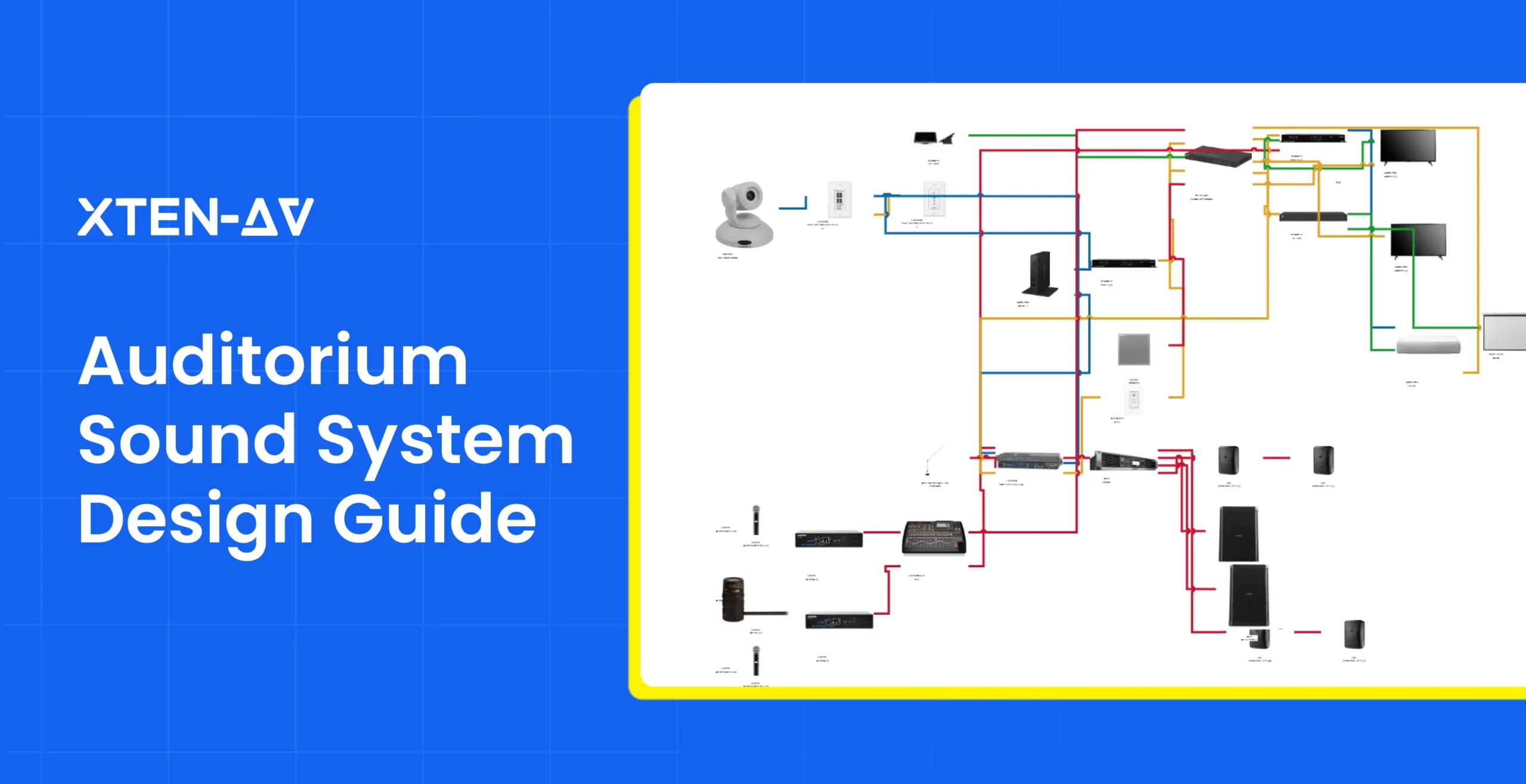
Auditorium sound system design is the process of strategically selecting, positioning and configuring loudspeakers, microphones, DSP, amplification and signal routing to deliver clear, consistent and intelligible audio across the audience area. Unlike smaller meeting spaces, auditoriums require careful coordination of room acoustics, seating geometry, audience capacity, speaker coverage and event requirements.
High ceilings, hard flooring, concrete walls, glass surfaces and deep seating areas can create strong reflections, excessive reverberation and uneven sound levels. Without proper acoustic and system planning, speech may lose intelligibility, music can sound unfocused and audio energy will be distributed unevenly across a room.
Good auditorium sound system design addresses these issues by matching the loudspeakers, processing and room acoustics to the way the space is actually used. AV integrators need to evaluate room geometry, audience capacity, speaker coverage, microphone requirements, processing, signal routing and acoustic behavior as one coordinated design.
In an auditorium installation highlighted by AVNetwork, Thomas DePace of Advance Sound Company emphasized the importance of achieving consistent audio coverage and intelligibility, stating, “The goal was to deliver consistent audio coverage and intelligibility to every seat in the auditorium.” – AVNetwork
In this blog, we’ll cover the key considerations for auditorium sound system design, from acoustics and speaker selection to system planning, installation and AV documentation.
Key Takeaways
- Room acoustics shape speech performance. In speech-oriented auditoriums, an RT60 of around 0.6 to 1.0 seconds is commonly used as a planning reference to support intelligibility.
- Coverage should stay even across the audience area. A well-planned system typically aims to limit sound-level variation to approximately ±3 dB across seating zones.
- Speech clarity can be measured. An STI of 0.60 or above generally indicates good intelligibility, while values above 0.75 are considered excellent under IEC 60268-16.
- AV design software strengthens pre-installation planning. It helps professionals create layouts, BOMs and signal flow diagrams early, making it easier to identify connection or equipment issues before deployment.
What Is an Auditorium Sound System?
An auditorium sound system is a professionally designed audio setup, including microphones, mixers, DSP, amplifiers and loudspeakers that delivers clear, balanced and intelligible sound in big reflective rooms with high ceilings. Unlike a small room setup, auditorium sound systems need to account for large seating areas, multiple audio sources, complex room acoustics and different event formats.
Auditorium Sound System Components
Audio Sources: Microphones, wireless lavaliers, media players and instruments that capture or generate the raw electrical signals fed into a sound system. Each source needs a correct input, level and routing.
Amplifiers: Amplifiers provide the electrical power required by the loudspeaker system. Amplifier selection depends on speaker impedance, or on 70V/100V distributed line for ceiling and fill zones.
Mixers and DSP Processors: Audio mixers combine and control multiple sources, while DSP applies equalization, filtering, compression, feedback suppression, delay and zone routing.
Control Systems: Centralized AV control systems allow operators to manage source selection, microphone levels, DSP presets from a single interface. For multipurpose auditoriums, preset-based control can make it easier to move between lectures, performances, panel discussions and ceremonies.
Loudspeakers: The right loudspeaker selection and placement have a direct impact on coverage, level uniformity and intelligibility. It must be matched to the room rather than selected only on output power.
Auditorium Sound System Signal Flow
A typical auditorium audio path can be represented as:

Step 1. Microphones / Playback / Instruments
These are the primary audio sources, including wired or wireless microphones, laptops, media players and musical instruments.
Step 2. Stage I/O
Stage boxes or I/O panels collect audio signals from the stage and route them to the main audio system.
Step 3. Digital Mixer
The mixer controls input levels, channel routing, EQ, effects and the overall mix sent to the audience.
Step 4. DSP
The digital signal processor handles system-level processing such as equalization, crossover, delay, limiting and loudspeaker tuning.
Step 5. Audio Network / Distribution
Processed audio is distributed to different parts of the auditorium using analog connections or networked audio such as Dante or AES67.
Step 6. Amplifiers
Amplifiers increase the processed signal to the power level required by passive loudspeakers.
Step 7. Main / Fill / Delay / Subwoofer Speakers
The final signal reaches the loudspeakers positioned to provide balanced coverage, speech intelligibility and low-frequency support throughout the auditorium.
Separate outputs from the mixer or DSP can also send dedicated audio feeds to recording and streaming systems, assistive listening systems, backstage monitoring, lobby speakers and other audio zones.
Auditorium Speaker Systems and PA Systems
The speaker system affects coverage and intelligibility. The right type depends on room size, shape and use.
| Speaker Type | Best For | Strengths | Limitations |
| Point-Source Speakers | Small to mid-size auditoriums and speech-led spaces. | Simple, coherent sound from the stage. | Coverage can drop off in wide or deep rooms. |
| Line Arrays | Large, deep or performance oriented halls. | Controlled vertical dispersion and long-distance coverage. | Higher cost, requires accurate modeling, rigging and aiming. |
| Distributed Ceiling Speakers | Lecture halls and spaces with lower ceilings. | Even coverage, low SPL per speaker. | Audio localization may feel disconnected from the stage. |
| Delay/fill speakers | Rear seating, balconies and acoustic shadow zones. | Restore level and clarity in shadow zones. | Timing must be aligned with the main loudspeaker system. |
Delay speakers are time-aligned to the main system so listeners perceive the sound as arriving from the stage. Sound travels at approximately 343 meters per second, which means roughly 0.343 meters of distance corresponds to 1 millisecond of travel time. Delay values should be calculated and commissioned carefully so that the audience does not perceive the secondary loudspeaker as a separate source.
An auditorium PA system distributes amplified audio for announcements, presentations and emergency communication. AV designers must follow the relevant local codes and standards such as NFPA 72 or EN 54-16.
Microphones, Amplifiers and Audio Processing
A complete audio chain starts with the right microphone for each job.
Different applications may require different microphone designs
- Lectern gooseneck microphones for fixed presenters.
- Lavalier microphones for speakers who need hands-free movement.
- Wireless handheld microphones for audience interaction.
- Headset microphones for presenters or performers.
- Boundary or ceiling microphones for panel discussions.
- Instrument microphones for live performances.
Amplifiers and DSP then manage gain structure, headroom and tone. Feedback is controlled mainly by mic placement, speaker aim and gain-before-feedback margin, with DSP filters as a backup, not the primary fix.
Auditorium AV Equipment
Modern auditoriums combine audio with displays, projection systems, lighting, cameras, recording platforms and streaming technology. Networked audio such as Dante, AES67 and AVB help route signals efficiently between the stage, control room and other connected spaces. For hybrid events, the system may also need a dedicated program or mix-minus feeds. Assistive listening technologies such as induction loop, FM or infrared systems can also be included to support accessibility requirements based on venue capacity and local regulations.
Common Applications and Use Cases
Auditorium audio systems are designed to support a variety of applications, including:
Educational lectures and presentations: This needs a lectern mic, a wireless lavalier or handheld, laptop audio input and a streaming feed for content capture.
Corporate events and conferences: Need multiple wireless mics for panels, speech-optimized processing and program feeds for streaming.
Performance and Cultural Events: Needs to provide balanced audio for live music, theatre and cultural events which means wider frequency response, subwoofers, stage monitoring and more mixer inputs.
Public Announcements and Ceremonies: Need high intelligibility, paging or zone control and reliable emergency-message priority.
Why Is Auditorium Sound System Design Important?
A well-planned sound system design ensures clear and consistent sound across the entire space, regardless of seating position or event type. Larger auditoriums often include complex layouts, varying audience capacities and several acoustic conditions, making proper system planning essential for clear, balanced and intelligible audio that reaches every seat.
Top 5 Reasons Sound System Design Matters
Ensuring Clear and Consistent Audio Coverage
One of the primary objectives of an auditorium speaker system is to provide uniform sound coverage in every part of the room. If the speakers are placed badly then it might create areas with excessive volume, weak audio levels or uneven frequency response. For professional auditorium sound system installation factors such as room dimensions, seating layout, speaker positioning and acoustic characteristics should be considered to attain balanced audio distribution. A good system might use line array speakers, ceiling speakers, subwoofers, amplifiers and digital signal processors (DSPs) for better sound levels across different audience zones. This approach makes sure that presentations, performances and announcements are delivered with clarity.
Enhancing Speech Clarity
Clear speech intelligibility is a crucial part in any auditorium setting. With proper auditorium acoustics and audio system calibration, issues like echo, feedback and excessive reverberation can be minimized, and a tuned signal chain of microphones, amplifiers and speakers work together to deliver natural and intelligible voice reproduction. Target an STI of 0.60 or higher across seating areas as it is commonly associated with good intelligibility, while higher values indicate stronger speech transmission.
Supporting Different Auditorium Events
Auditoriums host diverse events ranging from theatrical performances to academic conferences and each setup may need different mic counts, playback sources and monitoring. A scalable design with flexible inputs, saved DSP presets and simple control enables it to switch between events without changing equipment.
Integrating Audio with Other AV Systems
Modern auditoriums rely on connected technology instead of just standalone audio solutions. To create a unified AV environment, a professional sound system should be designed for seamless interoperability across your entire technology stack. Therefore, proper planning of signal routing, control interfaces, equipment compatibility from the start is essential so audio works smoothly with displays, lighting, video and streaming. Good integration also makes maintenance and troubleshooting hassle-free.
Creating a Better Audience Experience
Excellent audio quality leads to a successful audience engagement. When an event or piece of content has balanced audio levels, clear speech and consistent coverage, it eliminates distractions like echo, dead zones or muffled audio. The audience can understand the message effortlessly, which means they can fully engage with the presentation, performance or lecture. A well-designed auditorium sound system can provide reliable audio quality while supporting future upgrades.
How Auditorium Acoustics Affect Sound System Design?
Auditorium acoustics play a major role in determining how the audio system performs inside large enclosed spaces. Acoustic planning focuses on:
- Controlling echo and reverberation.
- Improving speech intelligibility.
- Enhancing music clarity and depth.
- Ensuring uniform sound distribution.
- Reducing external and internal noise.
Even the most advanced auditorium sound system can give poor results if the acoustic characteristics are overlooked during the design stage. While a well-designed acoustic environment helps ensure consistent sound quality across the audience area.
Top 4 Acoustic Factors That Affect Commercial Sound System Design
Reverberation and Sound Reflection
Reflective surfaces such as concrete, glass and hard flooring bounce sound back after the direct signal, creating late reflections. These reflections can mask consonants, cause phase cancellation and reduce speech intelligibility, resulting in a muddy-sounding mix. Reverberation time (RT60) is the standard measure used to quantify how quickly sound decays within a space. For speech-focused rooms, a typical target is approximately 0.6–1.0 seconds, while music-oriented halls generally benefit from longer reverberation times to enhance warmth and spaciousness. In commercial sound system design, AV designers look closely at the room dimensions and acoustic behavior to determine strategic placement of speakers, delay settings and system configuration.
Speech Intelligibility
Clear speech reproduction is the most critical factor when designing acoustics for auditoriums used for lectures, conferences, educational sessions and presentations. Excessive reverberation and noise can blur the boundaries between words and syllables, making it tough for listeners to follow the speaker clearly. Speech intelligibility depends on speaker placement, directivity, microphone choice, room acoustics and processing working together. Use STI or STIPA measurements to confirm speech intelligibility at multiple seats rather than relying on listening alone.
Acoustic Treatment Considerations
Acoustic treatment controls how reflected sound behaves inside the room. Absorptive panels absorb part of the reflected energy and can lower excessive reverberation. Bass traps and other low-frequency absorbers can address excessive energy buildup at lower frequencies. For commercial sound system design, effective treatment can improve loudspeaker coverage, minimize excessive DSP correction and support more consistent sound levels throughout the space. Treatment locations should therefore be considered alongside speaker placement rather than as a separate design decision.
Echo and Noise Control
In commercial spaces such as auditoriums, HVAC systems, outside traffic and equipment noise can degrade the listening experience and interfere with speech clarity. Auditoriums should typically target background noise of NC-25-30 or lower. Address it through architectural isolation, quiet HVAC design, equipment isolation and system tuning at the early planning stage.
What Are the Common Auditorium Sound System Challenges?
| Challenge | Why It Happens | How Proper Design Helps |
| Poor Speech Clarity During Presentations | Excessive reverberation, background noise, improper microphone selection or poor system tuning. | Proper acoustic planning, DSP configuration, microphone selection and speaker calibration, verify with STI measurement. |
| Uneven Sound Coverage Across Seating Areas | Incorrect speaker placement or insufficient audio levels. | Accurate speaker aiming and properly configured delay zones for consistent sound levels within approximately ±3 dB. |
| Audio Feedback and Microphone Issues | Microphone picks up sound from a loudspeaker and sends it back through the system in an endless loop. | Careful microphone placement, speaker positioning, gain structure and DSP feedback suppression. |
| Poor Speaker Placement | Design does not account for room dimensions, seating layout and room acoustics. | Coverage modeling and detailed speaker layout drawings before deployment. |
| Supporting Different Events | Different programs may require different mic setups, playback sources and audio configurations. | Flexible inputs, DSP preset and scalable sound system design. |
How to Design and Install an Auditorium Sound System?
Designing and installing a sound system requires a structured approach that combines space analysis, equipment planning, technical documentation and system optimization.
7 Key Considerations for Auditorium Sound System Design
Assess Room Size, Layout and Seating
This is the first step in professional audio system design. Properly assessing physical parameters such as room dimensions, seating layout, stage position and audience capacity ensures every seat has optimal sightlines and balanced sound coverage. These factors also influence decisions related to speaker selection, equipment positioning and system configuration.
Define Performance Targets
Set measurable goals before finalizing equipment such as STI of 0.60 or higher, SPL variation within about ±3 dB, RT60 suitable for the intended use and background noise at or below the room’s NC target.
Select Speakers and Determine Coverage
Based on the room measurements and model coverage patterns, choose point-source, line array, ceiling or delay speakers. Detailed layouts and schematics let AV designers visualize speaker positions, signal paths and connections before installation begins.
Select and Configure Audio Components
AV integrators select components based on performance requirements, room size and project specifications. A typical system may include:
- Audio mixers and control interfaces.
- Microphones for presenters and performers.
- Amplifiers and DSP processors for signal management.
- Main speakers and subwoofers for sound reinforcement.
- Networked audio devices for advanced installations.
Proper equipment selection ensures compatibility and reliable working during installation.
Plan Cable Routing and Connections
A detailed connection plan is a critical factor for any successful audio installation. AV engineers prepare signal flow documentation, cable schedules and equipment layouts to define connections between microphones, processors, control interface, speakers and amplifiers. Organized cable routing and proper labelling help maintain clear installations and simplify troubleshooting.

Install, Test and Commission the System
During the installation process, technicians mount speakers, complete cable connections, configure audio processors and test system performance. Commissioning the system includes level setting, equalization, delay alignment, coverage verification, feedback testing and STI measurement using tools such as Smaart or a STIPA meter.
Prepare for Future Expansion and Integration
Designing a sound system for modern auditoriums should be done by keeping scalability in mind. Providing spare inputs, amplifier channels, conduit and network capacity allows for future upgrades without requiring a complete system replacement.
How AV Design Software Helps Plan Auditorium Sound Systems?
Planning an auditorium sound system setup requires system engineers to coordinate multiple components, including speaker layouts, signal paths, cable planning, auditorium AV equipment selection and technical documentation. For AV designers and engineers, AV design software provides a structured environment to create system drawings, manage AV-specific components and generate handoff documents.
Create Accurate Audio System Layouts
With AV system design software, designers can create ceiling speaker layouts, rack layouts, floor plans and front elevations. Unlike traditional CAD design software, which is a generic tool and not AV-native, purpose-built AV drawing software like X-DRAW by XTEN-AV is built around the requirements of AV professionals. It provides AV room templates, real AV product data and automated drawing features for installation-ready designs.
For example, for a 500-seat auditorium, a designer can draw the system once and generate the BOM, rack layout and signal flow diagram from the same drawing.

Generate Automated BOMs and Documentation
When designing high-stakes environments like large auditoriums, detailed documentation for procurement, installation and project handoff is required. Design software converts completed designs into BOMs, line schematics, rack layouts, signal flow diagrams and cable schedules without re-entering data across documents, ensuring consistent information across all documents and minimizing manual re-entry.

Validate System Connections Before Installation
Auditorium audio systems include multiple connections between sound sources, amplifiers, processors and speakers. Ensuring these connections are correctly planned during the design stage can avoid costly delays during an auditorium installation. AI connection check in X-DRAW helps signal flow engineers review system connections directly within the design. One click on the Check Connections with AI button scans the entire drawing and identifies issues such as valid connections, unknown connector pairs and loose cables. Each flagged item includes the cable ID and a clear reason that lets system engineers know what to fix.

Collaborate Using Centralized System Designs
AV projects often involve multiple members, including AV consultants, design engineers, project managers and installation teams. Hence, managing different versions of drawings and documents leads to a lot of challenges. A cloud-based platform keeps one shared version of designs and equipment data, eliminating version conflicts.
Ready to Build Better Auditorium Sound System Designs?
Conclusion
A successful auditorium sound system starts with the room, not the equipment. By evaluating acoustics, seating geometry, coverage requirements, speech intelligibility, speaker placement and system commissioning before installation, AV professionals can build systems that perform consistently across the audience area.
AV design software can further simplify speaker layouts, signal-flow planning, BOM generation and technical documentation. If you’re planning a complex auditorium AV project, explore how XTEN-AV can support the design and documentation process, or schedule a demo with our experts, who will guide you through every stage, from initial design and speaker layout to commissioning and final AV documentation.
Audio Visual System Design Mastery + Winning Proposals = 10x Productivity!
- ✔ Automatic Cable Labeling & Styling
- ✔ 100+ Free Proposal Templates
- ✔ Upload & Create Floor Plans
- ✔ 1.5M+ Products from 5200 Brands
- ✔ AI-powered 'Search Sense'
- ✔ Legally Binding Digital Signatures

FAQs
Assess room size and shape, seating layout, ceiling height, acoustics (RT60 and background noise), speaker type and coverage, microphone needs, assistive listening, emergency integration, budget and documentation. Define targets such as an STI of 0.60 or higher and level variation within about ±3 dB before choosing equipment.
Auditorium acoustics directly affect speech clarity. Excessive reverberation and background noise can make speech harder to understand. For speech-focused spaces, an RT60 of about 0.6 to 1.0 seconds is a common reference range.
There is no fixed number of speakers for an auditorium. The required number depends on room dimensions, seating layout, ceiling height, speaker directivity, coverage requirements and the use of the space.
Speaker selection depends on the size, acoustics and purpose of the space. Point-source speakers can work well in small to mid-sized auditoriums, while line arrays are better suited to larger halls or performance-focused venues. Ceiling and delay speakers are often used to support low ceilings, balconies and rear seating areas.
Echo can be controlled through acoustic panels, diffusers and properly directed loudspeakers. Speakers should focus sound toward the audience rather than reflective walls or ceilings. RT60 and STI measurements can then be used to evaluate the acoustic performance.
Under IEC 60268-16, an STI of 0.60 to 0.75 generally indicates good speech intelligibility. For speech-focused auditoriums, aim for 0.60 or higher at all seating positions, and confirm with STIPA measurements during commissioning.
AV design software helps professionals plan equipment layouts, create BOMs and signal flow diagrams, organize AV components and check system connections before deployment. It also keeps design and technical documentation aligned throughout the project.
Yes. A flexible system with multiple inputs, DSP presets and simple controls can support presentations, conferences, performances, lectures and hybrid events without changing the core equipment.
Note: Technical figures in this guide are intended as general design references. Actual values may vary depending on room acoustics, system configuration, equipment specifications, project requirements and applicable standards.

Explore more by topic
Related Blogs

-

- Posted by Sahil Dhingra

Audio Visual AV Commissioning Checklist & Best Practices for Integrators Sahil Dhingra...

-
- Posted by Sahil Dhingra
Audio Visual AV Cybersecurity Best Practices: Securing Networked Audiovisual Systems Sahil Dhingra...

-
- Posted by Sahil Dhingra
Audio Visual 7 Best Floor Plan Software for AV System Integrators Sahil...





