








5 Best BOM Management Platforms for AV System Integration

Sahil Dhingra
Published 10 SEPT 2026

During the AV installation process, teams often discover that the approved equipment list does not match the final system requirements. This can include missing equipment, incorrect device quantities and outdated manufacturer part numbers in an AV BOM. These issues can further cause procurement delays and lead to unexpected changes during the deployment stage.
According to AVIXA’s Industry Outlook and Trends Analysis (IOTA), the global Pro AV market is projected to reach $402 billion by 2030. This growth highlights the rising demand for complex technology deployments, making accurate design data, documentation and component tracking increasingly important for AV professionals
In this guide, we will discover how BOM management software allows AV integrators to simplify equipment planning, maintain proper equipment lists and compare the best platforms available for handling modern AV projects.
Accurate BOM management is essential for complex AV projects. Maintaining updated equipment details, manufacturer specifications and material lists ensures precise system planning and streamlined procurement coordination. — AVIXA
Key Takeaways
- The leading BOM management software options for AV integrators in 2026 include XTEN-AV (X-DRAW), D-Tools, Jetbuilt, Specifi and ProjX360, each covering different needs across AV design, estimation, purchasing, product data and inventory.
- Design-linked BOM generation keeps device quantities, equipment model numbers, and specifications aligned with line schematics, signal flow diagrams, rack layouts and other system changes.
- System integrators must evaluate AV product libraries, dealer pricing, custom device support, cable schedules, room-based design capabilities, and procurement features when choosing an AV platform.
- The right BOM software depends on project needs with AV designers focusing on equipment planning and teams prioritizing costing, purchasing and material tracking.
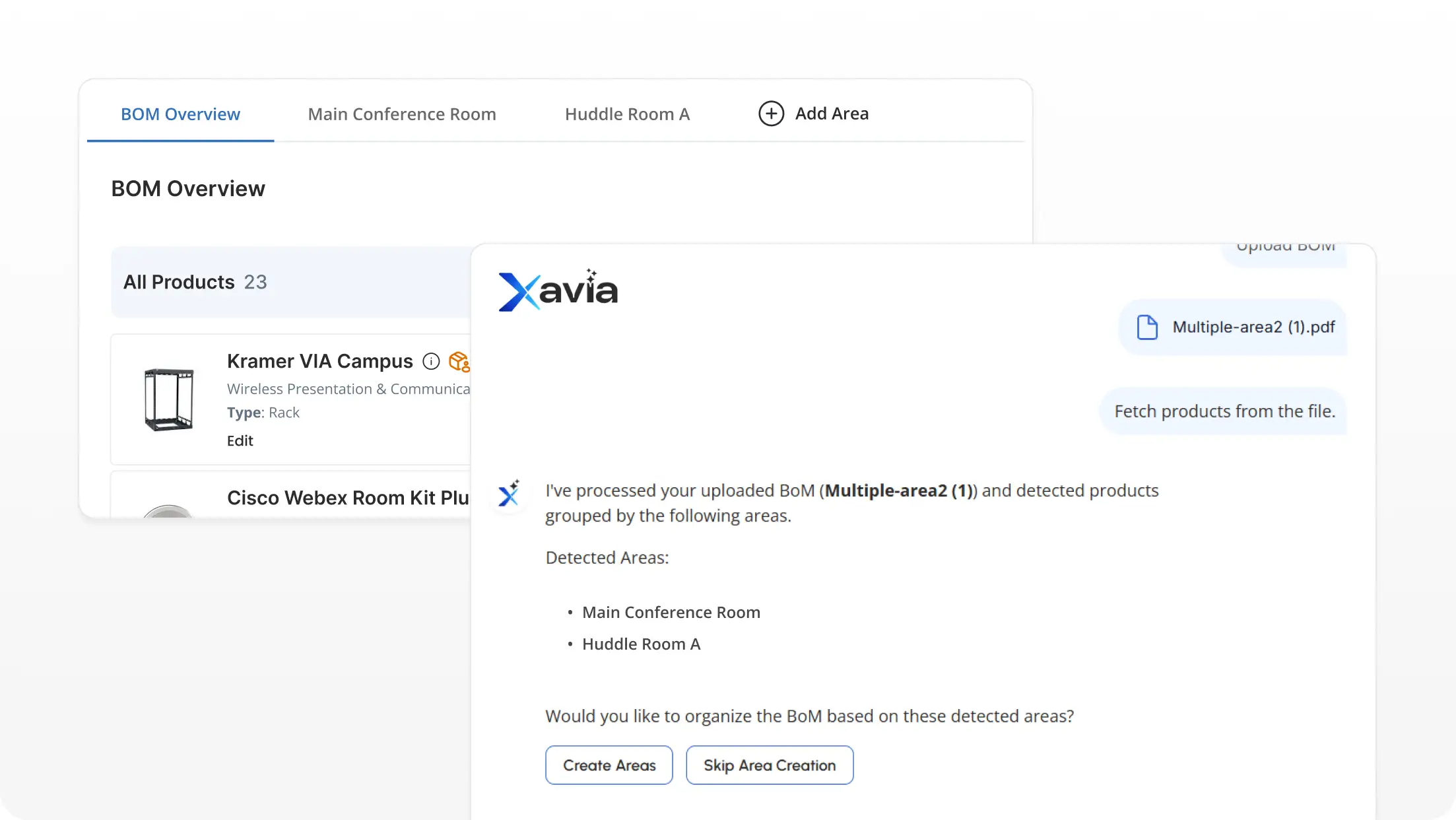
- AI-assisted BOM tools extract equipment data from PDFs, spreadsheets and legacy schedules to create structured equipment lists for complex AV systems.
What Is BOM Management Software for AV Projects?
A platform designed to manage product details, equipment quantities, specifications and component requirements for AV installations is known as bill of materials management software. It enables AV professionals to organize material records, track revisions, maintain updated manufacturer details and align purchasing requirements with changing CAD design needs.
For AV design engineers and project managers, these platforms offer better visibility into device selections, accessories and technical documentation. It organizes equipment lists, supports procurement planning and keeps project details aligned across schematic design, purchasing and installation teams.
How Does BOM Automation Improve AV Design and Documentation?
Maintaining alignment between CAD drawings, product details and technical AV deliverables becomes difficult as system requirements evolve. BOM management tools automate data organization, keep specifications consistent and support the creation of detailed design documents such as floor plans, signal flow diagrams, rack layouts, cable schedules and scope of work documents.
The table below highlights key automation capabilities that improve overall AV design accuracy and documentation quality:
BOM Automation Capability | How It Supports AV Design & Documentation |
Automated Equipment Lists | Generates organized equipment lists with device names, quantities, manufacturer model numbers and specifications to keep selections organized. |
Centralized Product Information | Maintains manufacturer details, technical specifications and component data for proper equipment planning. |
Design-to-BOM Synchronization | Connects AV drawings with material information so design updates remain aligned with related documents. |
Automated Technical Deliverables | Supports the creation of AV design documents, including schematics, rack elevations, cable schedules and equipment reports from design data. |
Procurement-Ready Information | Organizes purchasing details required for vendor coordination, ordering and project handoff. |
Component Validation & Tracking | Helps in detecting missing equipment, incorrect quantities and component mismatches before final AV deployment. |
If inaccurate equipment lists and outdated product details are slowing your AV project planning, explore our guide on AI BOM automation to see how system designers create accurate material lists faster.
7 Key Features to Look for in a BOM Management Platform
A reliable BOM recommendation should focus on capabilities that enhance AV system planning, product data accuracy and technical documentation. The right platform should connect equipment information with AV CAD design requirements while maintaining consistency across project deliverables.
Here are the key features that define an effective BOM platform for modern AV design and installation projects:
- Automated BOM Generation
Creates accurate material lists with product names, quantities, manufacturer part numbers and specifications directly from AV design data.
- AV Product Database Integration
Provides AV manufacturer details, technical specifications and product data to support accurate equipment selection and system planning.
- Design Data Synchronization
Keeps AV BOM information aligned with AV drawings, system configurations, and design updates for consistent project documentation.
- AV Documentation Generation
Creates essential AV design documents such as AV line schematics, signal flow diagrams, floor plans, ceiling speaker layouts, submittals and scope of work.
- Pricing and Cost Data Management
Maintains dealer pricing, cost details and estimates to support procurement planning and accurate budgeting.
- Custom Product Library
Stores preferred devices, custom components and frequently used products to maintain consistency across AV system designs.
- Cloud-Based Collaboration
Provides centralized access to project information for integrators, designers and AV engineers working on complex deployments.
Ready to Transform Your BOMs Into Project Ready Deliverables?
5 Leading BOM Management Platforms for AV Integrators
System integrators need accurate equipment data, quantities, pricing and manufacturer details to keep material planning reliable. The best BOM software must support these requirements without adding complexity to design, estimating or purchasing.
Here are five leading AV platforms to compare based on BOM automation, product data, system design capabilities, estimating and procurement support:
XTEN-AV (X-DRAW)
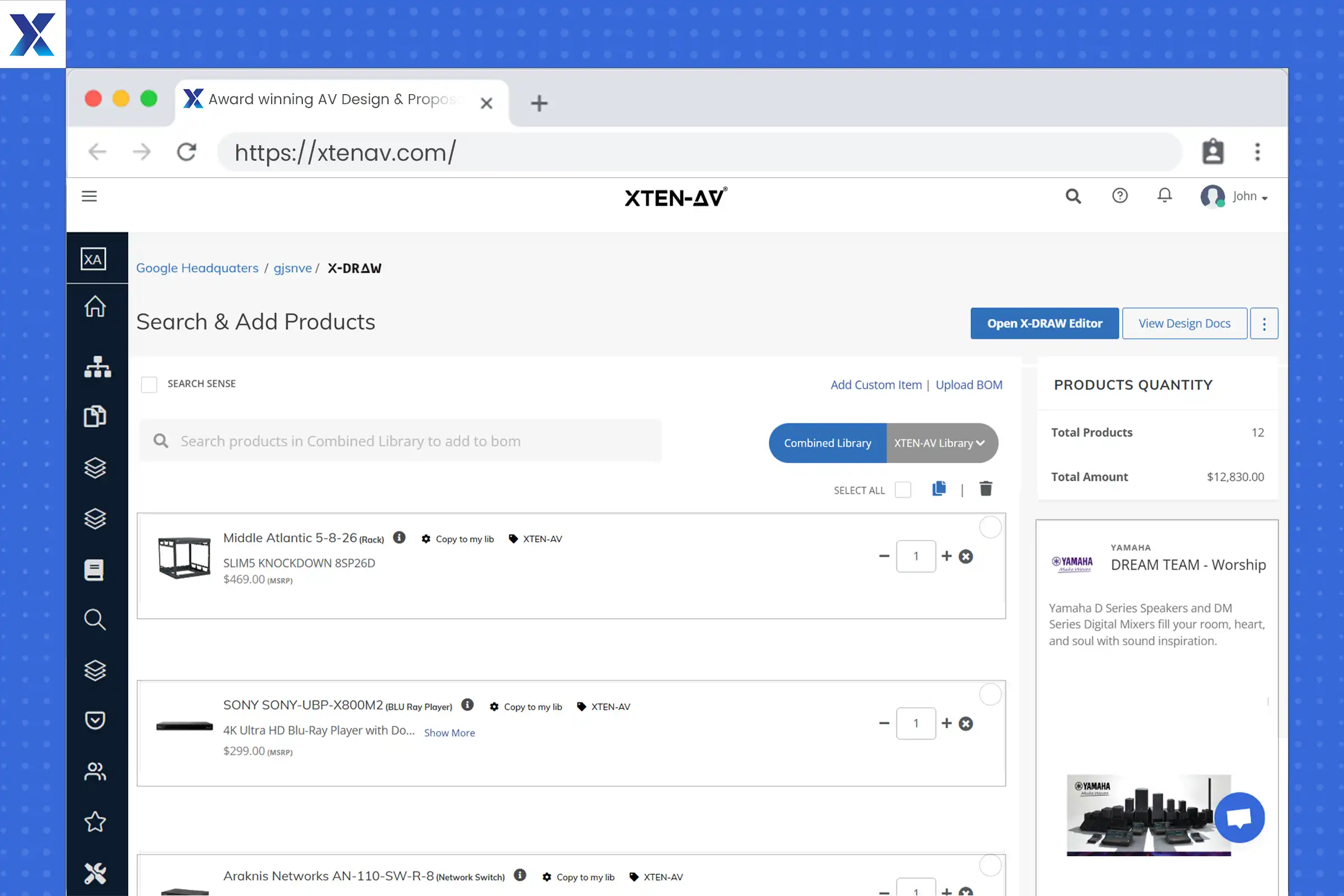
Built for AV integrators and design engineers, XTEN-AV (X-DRAW) is cloud-based BOM automation software that brings AV CAD design and diagramming capabilities into one unified platform. It connects schematic drawings, device selections and manufacturer specifications to generate accurate BOMs, line schematics and installation-ready deliverables. With a 1.5M+ product library from more than 5,200+ AV brands, X-DRAW enables teams to create precise AV layouts while maintaining consistent equipment details across project deliverables.
Best For:
AV designers and integrators needing automated BOM generation, product data management and cloud-based AV CAD drawing capabilities.
Unique Features:
- Automated AV BOM generation directly from system designs.
- Supports BOM creation through XAVIA AI Agent using chat and voice commands.
- Pre-designed AV templates for faster room and system planning.
- AV line schematics and signal flow diagram creation.
- Automated cable labeling and cable schedule generation.
- AVIXA-standard device blocks with accurate equipment dimensions.
- Rack elevation and floor plan-based AV layouts.
- Custom product library for preferred devices and components.
- Custom dealer pricing to maintain accurate project costs.
- AI-powered Search Sense for streamlined equipment discovery.
- Cloud-based collaboration for shared access to AV projects.
Pros:
- Connects AV drawings, equipment selection and material planning in one environment.
- Supports rapid system planning with reusable templates and AI assistance.
- Improves cost accuracy with customized dealer pricing.
- Simplifies complex AV projects with structured design data.
- Supports standardized outputs for engineering and installation teams.
Cons:
- New users may need a short learning period to get familiar with advanced AV design features and automated BOM processes.
Integration:
XTEN-AV supports integrations with HubSpot, Salesforce, Zoho, Microsoft Dynamics, and QuickBooks, enabling seamless data flow across CRM, pricing and accounting systems.
XTEN-AV Pricing Plans:
- Free Trial
XTEN-AV offers a 15-day free trial.
- Basic
$104.25/user/month, billed annually.
- Business
$111.75/user/month, billed annually.
- Enterprise
$126.75/user/month, billed annually. - X-PRO Add-On
$16.88/user/month, billed annually. Available as an optional add-on.
D-Tools
Designed for AV design consultants, engineering teams, estimators and contractors, D-Tools provides a structured BOM management system that connects equipment selection, system design, estimation and project execution. The platform supports AV companies with manufacturer product libraries, engineering drawings, rack elevations, schematics and BOM synchronization to maintain accurate project data across design, estimating, purchasing and installation stages.
Best For:
AV design consultants, engineering teams, estimators and contractors managing detailed AV installations with structured planning and estimation requirements.
Unique Features:
- Integrated product library with manufacturer specifications and pricing.
- BOM generation directly from system drawings.
- AV BOM and drawing synchronization.
- AV engineering drawings including line diagrams, rack elevations, and schematics.
- Industry-standard symbols and AutoCAD/Visio integration.
- Equipment pricing and estimation tools.
- Purchase order and receiving management.
- Project tracking and resource management.
- Reporting and business insights.
Pros:
- Maintains alignment between AV drawings and material requirements.
- Supports detailed engineering processes for complex installations.
- Provides structured product information for estimating accuracy.
- Enables better visibility across design, purchasing and project stages.
- Suitable for organizations handling large-scale AV deployments.
Cons:
- New users may require training to understand the platform’s extensive feature set.
- Initial configuration can take time for catalogs, pricing and company standards.
- Some users may find advanced modules complex without proper onboarding.
Integrations:
D-Tools integrates with accounting and business applications such as QuickBooks, NetSuite, Sage 100 and Solutions360 to support connected purchasing and invoicing.
D-Tools Pricing Plans:
- Free Trial / Demo
D-Tools offers a free demo, while trial options vary by plan.
- D-Tools Cloud – Single
Plan starts at $89/month, billed annually.
- D-Tools Cloud – Duo
Plan starts at $161/month, billed annually.
- D-Tools Cloud – Team
Plan starts at $314/month, billed annually.
- D-Tools Cloud – Company
Plan starts at $584/month, billed annually.
- D-Tools Cloud – Enterprise
Plan starts at $1,079/month, billed annually.
- System Integrator (D-Tools SI)
Starts at $1,800/user/year with a minimum of 5 users. Available as a hosted or on-premises solution.
Not sure which AV platform fits your CAD design requirements? Compare D-Tools vs XTEN-AV to understand major differences in BOM creation, product details and AV diagramming capabilities.
Jetbuilt
For AV estimators, sales engineers and contractors, Jetbuilt provides BOM workflow automation software for equipment planning, pricing, and estimate preparation. The platform organizes product selections, vendor information, and project costs, enabling users to build structured material lists and client-ready estimates for AV system deployments.
Best For:
AV estimators, sales engineers and contractors managing equipment planning, pricing and project estimates.
Unique Features:
- AV product catalog management.
- Equipment selection and material list creation.
- Vendor pricing and cost tracking.
- Reusable equipment packages.
- Estimate and quote generation.
- Custom product configurations.
- Project-based pricing management.
- Offers cloud-based access.
Pros:
- Organizes equipment requirements to speed up estimate preparation.
- Maintains pricing visibility across AV project proposals.
- Supports repeatable estimating processes for similar installations.
- Simplifies collaboration between sales and estimating teams.
- Provides structured project cost information.
Cons:
- Users needing advanced AV drawing capabilities may require additional design tools.
- Some teams may need time to configure catalogs and pricing structures.
- Larger organizations may require additional customization for complex processes.
Integrations:
Jetbuilt supports integrations with business applications to keep customer, pricing and project details connected.
Jetbuilt Pricing Plans:
- Free Trial
Jetbuilt offers a free 2-week trial.
- Lite Plan
~$69/user/month
- Enterprise Plan
~$137/user/month
- Annual Billing
Discount available when billed annually. - Add-Ons
Optional add-ons are available at an additional cost.
Evaluating AV platforms for your business? Explore Jetbuilt alternatives to compare system design capabilities, BOM management, proposal creation and project documentation features across leading AV platforms.
Specifi
Focused on product intelligence and AV project preparation, Specifi provides tools for managing manufacturer catalogs, supplier pricing, proposals and project information. The platform fits AV companies looking for AV BOM software that combines product selection, live pricing and specification details to create accurate project requirements.
Best For:
AV consultants, applications engineers, estimators and sales teams managing product selection, specifications and client proposals.
Unique Features:
- Manufacturer and supplier product catalogs.
- Product specification management.
- Supplier pricing and margin tracking.
- Room-based proposal creation.
- Equipment configuration tools.
- Branded proposal templates.
- Purchasing and inventory tracking.
- Digital approvals and e-signatures.
- AI-assisted proposal creation.
Pros:
- Keeps manufacturer information and pricing organized.
- Supports faster preparation of detailed proposals.
- Improves visibility into product costs and margins.
- Simplifies management of large equipment selections.
- Maintains consistency across client-facing documents.
Cons:
- Companies requiring advanced AV diagramming may need additional design tools.
- Initial setup may be required for supplier catalogs and pricing data.
- Some users may need time to adapt to the wider feature set.
Integrations:
Specifi supports integrations that connect supplier data, invoicing, inventory and business processes within an AV company.
Specifi Pricing Plans
- Individual: $149/month or $134/month billed annually. Includes 1 Office User and 2 Field Users. Onboarding costs $299.
- Team: $349/month or $314/month billed annually. Includes 3 Office Users and 5 Field Users. Onboarding costs $699.
- Company: $699/month or $629/month billed annually. Includes 7 Office Users and 10 Field Users. Onboarding costs $1,399.
Accurate equipment selection is essential for complex AV projects. Read our guide on AV equipment selection and BOM creation to explore better ways to organize products, specifications and project requirements.
ProjX360
ProjX360 focuses on inventory, purchasing, and project tracking for AV integration companies managing multiple installations. As a BOM management platform, it helps organize equipment records, purchase orders and project costs throughout the deployment process.
Best For:
AV contractors, project managers and integration companies managing inventory, purchasing and installation activities.
Unique Features:
- Product database management.
- Inventory tracking and allocation.
- Purchase order management.
- Equipment request tracking.
- Estimating and proposals.
- Labor and budget tracking.
- Project scheduling.
- QuickBooks integration.
- Cloud-based project records.
Pros:
- Improves visibility into inventory and purchasing status.
- Keeps project-related information organized.
- Supports better tracking of materials across installations.
- Provides clearer cost visibility for project managers.
- Helps manage multiple AV projects from one system.
Cons:
- Teams looking for advanced AV drawing capabilities may require dedicated design software.
- New users may need onboarding to understand the complete feature set.
- Larger organizations may require configuration for internal processes.
Integrations:
ProjX360 offers integration with QuickBooks and other business tools to keep financial and project details connected.
ProjX360 Pricing Plans:
- Starter Plan
$229/month
Includes 2 Full Users + 3 Tech Users. One-time setup: $445.
- Growth Plan
$449/month
Includes 4 Full Users + 6 Tech Users. One-time setup: $695.
- Professional Plan
$789/month
Includes 8 Full Users + 12 Tech Users. One-time setup: $1,395.
- Enterprise Plan
$1,199/month
Includes 16 Full Users + 24 Tech Users. One-time setup: $1,995.
Annual billing offers 10% savings. Additional users can be added separately.
Ready to Transform Your BOMs Into Project Ready Deliverables?
How to Choose the Right Bill of Materials Software for Your AV Business?
Accurate equipment planning, pricing and material tracking are critical for complex AV projects. An AV BOM management platform should support structured product information, reliable material lists and room-based requirements across single-room and multi-room installations.
The table below compares leading platforms based on their primary use cases and core BOM capabilities:
| Platform | Best For | Core BOM Capabilities |
| XTEN-AV (X-DRAW) | Complete cloud-based AV design and BOM automation. | Automated BOM generation from AV designs, multi-room planning, pre-designed templates, line schematics, rack layouts, cable schedules, and a 1.5M+ product library from 5,200+ brands. |
| D-Tools | AV engineering and system design. | BOM creation, drawing synchronization, product catalogs, estimating, rack elevations, and purchasing. |
| Jetbuilt | AV estimating and project costing. | Material lists, dealer pricing, equipment packages, cost calculations, quoting, and purchasing. |
| Specifi | Product specification and proposal preparation. | Product catalogs, supplier pricing, equipment specifications, configurations and material planning. |
| ProjX360 | Inventory and purchasing for AV projects. | Product tracking, inventory allocation, purchase orders, project costing and installation management. |
Managing complex AV spaces with multiple rooms and zones? Read our guide to simplify multi-room AV designs with organized BOM creation, room-based planning and system documentation.
Manual vs AI-Driven BOM Creation for AV Projects: Which Is Better?
With more equipment, rooms and design revisions to manage, maintaining accurate material data becomes increasingly difficult. Automated methods keep product details aligned with system changes, while AI adds faster recognition, extraction and structuring of equipment data from source documents.
Following are the key differences between conventional, automated and AI-assisted approaches:
- Equipment Data Capture
Spreadsheet-based entry requires each device, quantity, and part number to be added separately. Automated methods pull structured product information directly from design data. - Revision Management
Traditional lists need repeated edits when specifications change. Design-linked automation keeps equipment requirements aligned with updated drawings. - Product Identification
Standard methods rely on individual catalog searches. Intelligent recognition can identify models, manufacturer details, and technical specifications from source files. - BOM Extraction
Re-entering information from PDFs, spreadsheets or other AV project documents adds extra effort. AI-assisted extraction converts source data into structured equipment records for faster review.
- Complex AV Planning
Conventional entry may suit smaller systems with limited changes. Automated creation is better suited to multi-room designs, larger equipment sets, and projects with frequent revisions.
Struggling to organize equipment details from AV documents? See how AI BOM extraction simplifies product identification and BOM generation for efficient AV planning.
Conclusion
Managing BOM data across complex AV projects becomes challenging when equipment records, product details, and technical documents are disconnected. BOM automation software helps AV designers maintain accurate equipment lists and connect them with signal flows, rack elevations, cable schedules, and submittals. XTEN-AV (X-DRAW) brings AV design and AI-powered BOM generation together, making it a practical option for teams seeking a more connected approach. Book a Demo Today to see it in action.
Audio Visual System Design Mastery + Winning Proposals = 10x Productivity!
- ✔ Automatic Cable Labeling & Styling
- ✔ 100+ Free Proposal Templates
- ✔ Upload & Create Floor Plans
- ✔ 1.5M+ Products from 5200 Brands
- ✔ AI-powered 'Search Sense'
- ✔ Legally Binding Digital Signatures

FAQ’s
Top AV platforms include XTEN-AV (X-DRAW), D-Tools, Jetbuilt, Specifi and ProjX360. These tools support AV design, equipment planning, documentation, estimation and procurement requirements.
AV engineers organize device selections, quantities, specifications and manufacturer details to create accurate equipment records for AV CAD design and installation planning.
Key features include product libraries, revision tracking, pricing data, equipment schedules, manufacturer specifications and integration with AV schematic drawings.
Yes, Many AV platforms can generate equipment lists from design data, keeping device quantities, product details and technical documentation aligned.
AV BOM automation provides accurate quantities, part numbers and product details, allowing procurement teams to order the correct equipment for installations.
Note:
The content in this blog is based on publicly available information and user feedback from sources such as G2, Capterra and Reddit. All product names and trademarks are the property of their respective owners.

Explore more by topic
Related Blogs
-

- Posted by Sahil Dhingra

Audio Visual 7 Best Floor Plan Software for AV System Integrators Sahil...
-
- Posted by Sahil Dhingra
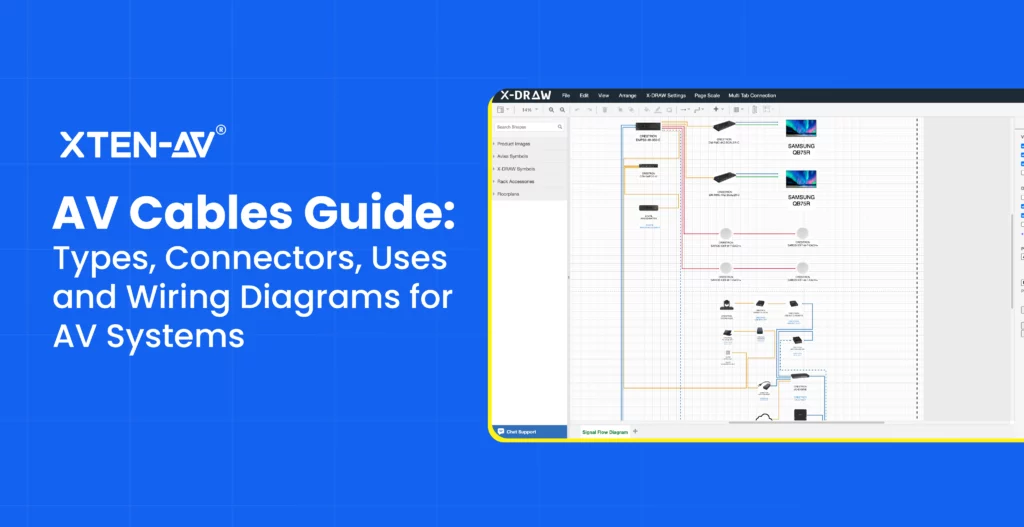
Audio Visual AV Cables Guide: Types, Connectors, Uses and Wiring Diagrams for...
-
- Posted by Sahil Dhingra
Audio Visual Courtroom Audio Visual (AV) Systems: A Complete Guide for Courts...





