




Transform Campus Learning Spaces with EdTech AV Software
Sahil Dhingra
Published 06 NOV 2026
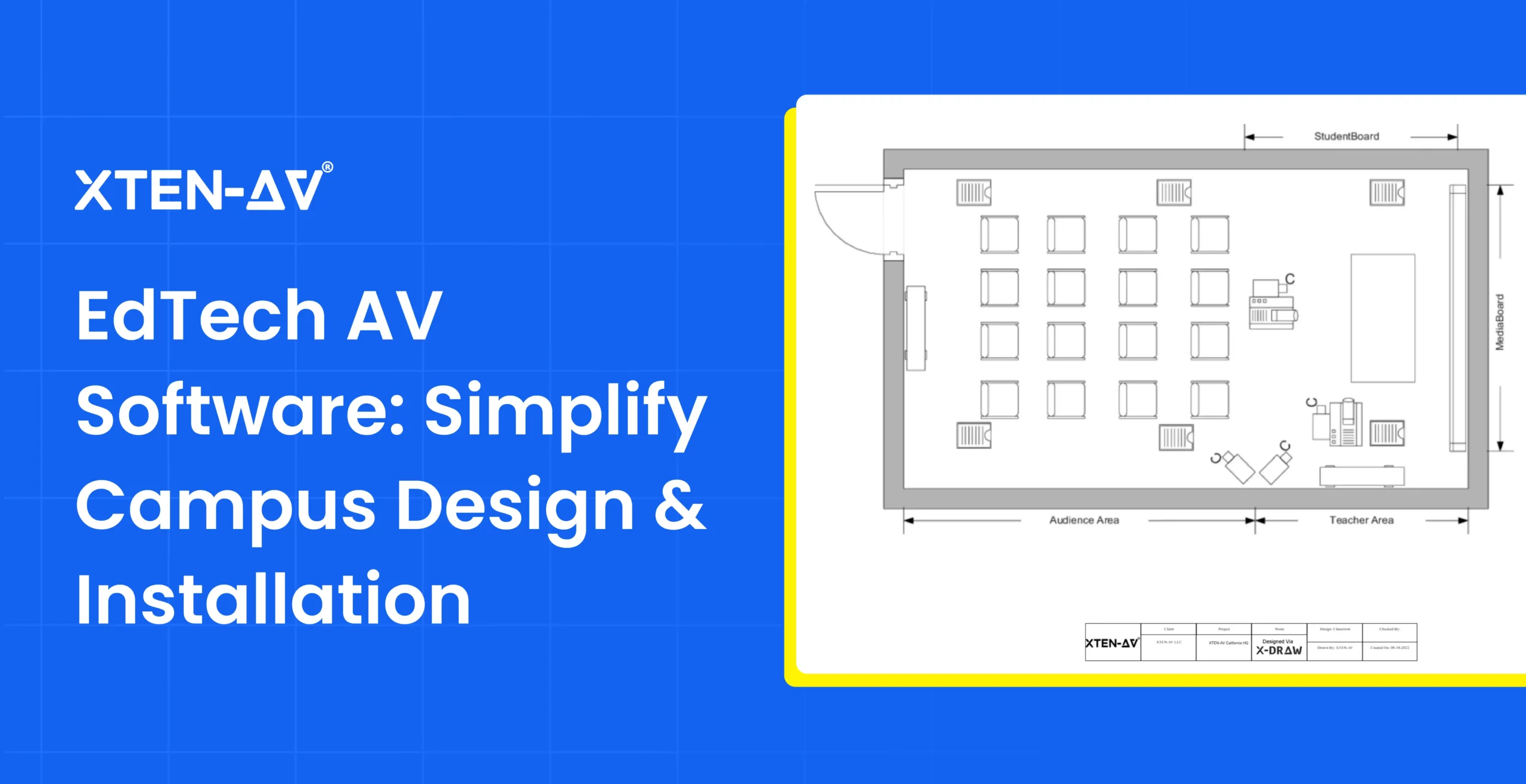
Modern universities are investing in interactive displays, hybrid lecture halls and collaborative learning spaces. As AV campus technology expands, AV integrators need a structured approach to maintain consistent classroom AV systems, coordinate installations and support future technology upgrades.
However, designing and implementing audiovisual (AV) systems across multiple classrooms and campus buildings comes with several challenges. Different room requirements, equipment configurations, technical documentation, and installation schedules can make managing large-scale AV projects complex.
EdTech AV software helps AV integrators design, document and manage audiovisual systems across colleges and universities. It brings floor plans, line schematics, signal flow diagrams, equipment specifications and BOMs into a structured process. This helps integrators maintain consistent designs, coordinate multi-room installations and prepare technical documentation for campus AV departments.
In this guide, we will explore how EdTech AV software supports modern campus learning environments, its key features, practical applications and how XTEN-AV helps AV integrators manage higher education AV projects.
Key Takeaways
- EdTech AV software helps AV integrators plan, design, document and manage AV installations across classrooms, lecture halls and other learning environments.
- Standardizing line schematics, signal flow diagrams, equipment specifications and BOMs ensure consistency across campus AV installations.
- Centralized project tracking helps integrators manage complex campus deployments by coordinating installation schedules, technician assignments and equipment needs across multiple campus buildings.
- XTEN-AV combines AV design, proposal creation, project management and service capabilities to support maintenance and future technology upgrades.
What Is EdTech AV Software and How Does It Work?
EdTech AV software refers to specialized audiovisual design, documentation and project management tools used by AV integrators, consultants and campus AV/IT departments. It helps professionals plan classroom AV systems, prepare technical drawings, organize equipment requirements and coordinate installations across higher education institutions.
How does EdTech AV Software Work?
The software supports several stages of EdTech AV projects, from initial room planning to installation and handover.
Assess AV Requirements: AV designers evaluate room dimensions, seating layouts, acoustic conditions, connectivity requirements and display visibility to determine equipment configuration. This assessment ensures that the selected equipment perfectly matches the requirements of each campus learning space.
Design AV System: AV engineers create floor plans, signal flow diagrams, line schematics and rack elevations to document equipment placement, audiovisual connections and system configurations.
Prepare Equipment Lists and Project Documents: Centralized product libraries and integrated BOM unify equipment specs, quantities, pricing and proposals to streamline procurement approvals.
Coordinate Installation Activities: AV project management software coordinate technician assignments, installation schedules, project tasks and documentation across multiple campus buildings.
Why Is Modernizing Campus AV Systems Becoming Essential?
Modernizing campus audiovisual (AV) systems helps universities support hybrid learning, interactive teaching and consistent technology experiences across classrooms. As educational requirements evolve, institutions need AV infrastructure that supports transition between in-person lectures, remote learning and collaborative group work.
Here are the key factors driving AV modernization in higher education:
Growing Demand for Hybrid and Collaborative Learning
Universities are modernizing physical and digital classrooms by adopting lecture capture systems, interactive displays, wireless presentation tools and video conferencing cameras. These technologies require properly designed audio routing, microphone coverage, device connectivity and video distribution for a reliable classroom experience.
Increasing Complexity of Campus-Wide AV Installations
To manage complex classroom AV systems across lecture halls, laboratories and collaborative spaces, integrators must shift from isolated designs to a unified, network-centric approach. System integrators need a structured approach to coordinate system designs, maintain technical documentation and manage multiple installations without inconsistencies. Following AV standardization guide helps integrators maintain consistent equipment configurations, technical drawings and documentation across multiple university buildings.
Integration With Campus IT Networks
To integrate modern AV systems into campus networks, integrators must shift from standalone deployments to collaborative IT-centric architecture. AV integrators must coordinate network bandwidth, device connectivity, switching infrastructure and security requirements with campus IT departments to ensure compatibility and reliable performance.
Planning for Future Technology Upgrades
Modern higher education demands agile, scalable and user-centric AV infrastructure that seamlessly bridges physical and digital learning environments. By leveraging AV design software and structured equipment documentation, integrators can create a highly scalable infrastructure that streamlines future upgrades without redesigning the entire installation.
How Does EdTech AV Software Simplify Campus System Design and Installation?
EdTech audiovisual (AV) software simplifies campus system design, from initial space mapping and equipment selection to schematics and installation coordination. For AV integrators managing multiple classrooms, lecture halls and university buildings, it helps maintain accurate technical documentation, consistent system configurations and better visibility into every stage of installation.
The table below explains how EdTech AV software supports different stages of campus projects:
| Stages | How EdTech AV Software Helps | Benefits for Campus AV Projects |
| Campus AV Requirements and Site Planning | Evaluate room dimensions, display positions, seating layouts, connectivity requirements and microphone coverage using AV design software. | Supports accurate equipment placement and room-specific designs for learning environments. |
| AV System Design Documentation | Supports the automation of technical documents like line schematics, signal flow diagrams, floor plans, rack elevations and cable schedules. | Helps maintain consistent technical drawings across multiple campus buildings. |
| Equipment Selection, BOMs and Cost Estimation | Uses product libraries and BOM management capability to organize manufacturer specifications, equipment quantities, dealer pricing and installation costs. | Helps prepare correct equipment lists, cost estimates for campus AV installations. |
| Installation and Project Coordination | Organize technician assignments, installation schedules, project tasks and design revisions. | Multi-room installation tracking becomes easier and helps coordinate project activities. |
| System Testing, Commissioning and Handover | Supports AV commissioning checklist, issue tracking and maintenance records. | Technicians can check installed systems and provide IT staff with references for troubleshooting and future upgrades. |
Key Features of EdTech AV Software for Higher Education
Selecting the right EdTech AV software is crucial for AV system designers handling complex higher education projects. From designing classroom AV systems to coordinating multi-building deployments, the software should support accurate equipment planning, technical documentation and project execution.
Here are the key features to consider when choosing EdTech AV software to manage AV installations for higher education projects:
Automated AV System Design and Documentation
Modern campus installations rely heavily on precise engineering documentation and detailed technical drawings to ensure proper equipment placement, signal distribution and connectivity. Modern professional AV diagram software minimizes the gap between generic CAD tools and intelligent system planning by automating signal flow diagram, line schematics, floor plans, layouts and documentation. These capabilities help AV engineers document display locations, microphone coverage, speaker placement and connection between devices.
Centralized AV Product Libraries and BOM Management
EdTech projects often include hundreds of AV devices across lecture halls, classrooms and campus facilities. A centralized product library consolidates device specifications and interoperability data into a single repository for integrators. This speeds up the designing process and ensures the right AV equipment is selected for different learning environments. Integrated BOM management organizes equipment quantities, manufacturer details and pricing while syncing with system drawings to reflect design changes. This enables project managers to help maintain accurate equipment lists for procurement and installation.
AV Project Management and Installation Tracking
Multi-building AV deployments require coordination between design engineers, project managers, installation technicians and university facilities departments. Managing equipment deliveries, installation schedules and technician assignments becomes more complex when several buildings are involved. Centralized AV project management software tracks project status, assigns tasks and organizes installation data. Project managers monitor progress across individual spaces, coordinate installation activities and keep technical documentation accessible to field technicians.
Integration With CRM, Pricing and Accounting Systems
AV integration companies often use separate business applications to manage customer information, dealer pricing, quotations and financial records. Software that integrates with CRM, pricing and accounting systems helps maintain consistency between project information and commercial documentation. For higher education installations, these integrations can support dealer pricing updates in BOMs, purchase order preparation, invoice management and financial tracking.
Real-World Applications Across University Campuses
Reliable EdTech AV software supports the planning, design and installation of audiovisual systems across different university environments. From hybrid lecture halls to large auditoriums, each learning space requires specific equipment configurations, technical documentation and signal routing.
The table outlines the AV system requirements across different campus environments and the role of EdTech AV software:
| Campus Environment | AV System Requirements | Role of EdTech AV Software |
| Smart Classrooms | Wireless presentation systems, interactive displays, control panels and ceiling speakers. | Supports AV floor plans, and system schematics. |
| Hybrid Lecture Halls | Lecture capture systems, PTZ cameras, video conferencing systems and microphones. | Plan camera positioning, device connectivity and audio routing. |
| University Auditoriums | Microphones, amplifiers, control systems, DSPs and large-scale projection systems. | Create signal flow diagrams, equipment bill of materials and rack elevation diagrams. |
| Collaborative Learning Spaces | Wireless sharing devices, interactive displays and distributed audio systems. | Supports equipment integration and flexible AV layouts. |
| Research Laboratories | Cameras, specialized displays, networked AV devices and recording systems. | Supports equipment compatibility planning and technical documentation. |
How Does XTEN-AV Support Campus AV Projects?
XTEN-AV is an AI-powered, cloud-based platform that enables integrators to design, document, propose, manage and service AV systems across higher education campuses. From single classrooms to multi-building installations, it connects room planning, schematic drawings, BOMs, proposals and crucial project details within one platform.
Here is how XTEN-AV supports different requirements of campus AV projects:
Automated Classroom AV Design
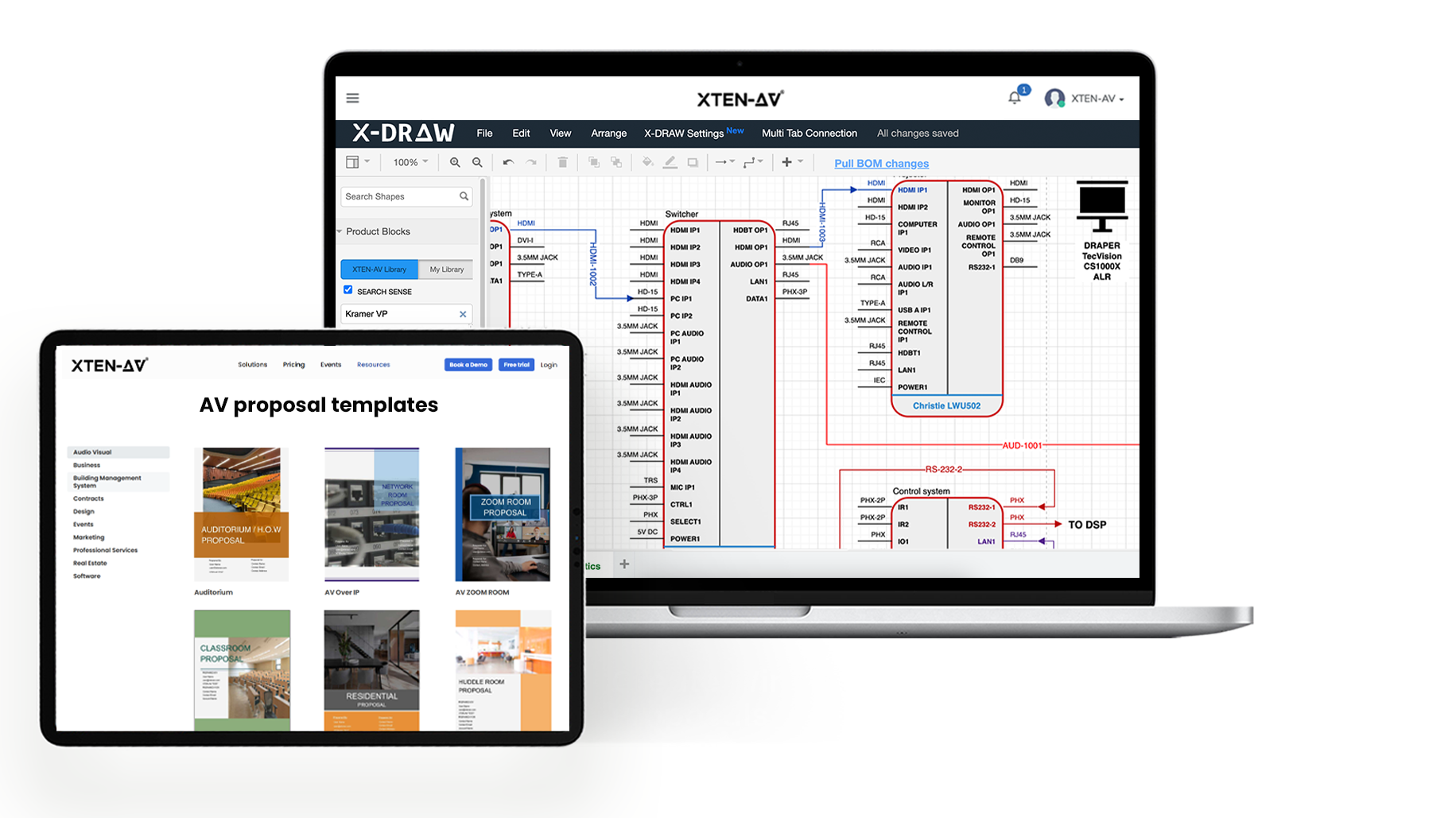
X-DRAW, cloud-based drawing and diagramming platform simplifies AV system design for higher education projects with an extensive library of 1.5 million AV products from over 5,200 brands, allowing designers to select relevant equipment and prepare accurate BOMs. By leveraging specialized classroom and auditorium design templates alongside automated cable labeling, integrators can rapidly standardize technical layouts and maintain consistent documentation across hundreds of identical learning spaces.
University AV Proposals and Approvals
x.doc, a proposal creation software that enables teams to create professional proposals for classrooms, complex lecture hall installations and multi-building campus modernization projects. Backed by over 100 customizable templates, equipment and labor cost calculations and proposal tracking capabilities, it allows integrators to present detailed equipment specifications, explicit project costs and clear installation scopes that align directly with the rigid compliance and evaluation standards of university procurement departments.
Multi-Building Project Management
X-PRO Install, a purpose-built AV project management software, helps project managers coordinate tasks, technician assignments, installation schedules and equipment inventory management. Field technicians can access drawings, task details and installation documents via mobile app, while project managers can monitor progress, labor costs and project performance.
Campus AV Maintenance and Support
X-PRO Service brings complete after-sales service management into the same unified platform that helps AV integrators manage post-installation support through service calls, service agreements, maintenance contracts and service analytics. Technicians can access project documentation, record issues, update service activities and track completed visits. Service managers can monitor technician utilization, scheduled calls and maintenance agreements to organize ongoing support for installed classroom AV systems.
Ready to simplify your next campus AV project?
Conclusion
Managing AV installations of learning spaces requires accurate system design, consistent documentation and coordinated project execution. EdTech AV software enables AV integrators to handle all these requirements by bringing equipment planning, technical drawings, BOM management and system installation into a single connected platform.
For large-scale campus projects, XTEN-AV helps system integrators plan and execute campus installations more efficiently while keeping details accurate and accessible as project requirements evolve. Book a demo to explore how it can support your upcoming campus AV projects. With organized project documentation, AV professionals can also plan future system upgrades and ongoing maintenance more effectively.
Audio Visual System Design Mastery + Winning Proposals = 10x Productivity!
- ✔ Automatic Cable Labeling & Styling
- ✔ 100+ Free Proposal Templates
- ✔ Upload & Create Floor Plans
- ✔ 1.5M+ Products from 5200 Brands
- ✔ AI-powered 'Search Sense'
- ✔ Legally Binding Digital Signatures
FAQs
Universities can standardize classroom AV systems through reusable design templates, consistent equipment configurations and centralized technical documentation.
EdTech AV software helps integrators plan camera placement, microphone coverage, video conferencing connections and audio routing for hybrid classrooms.
Integrators should evaluate network bandwidth, device compatibility, switch capacity and signal distribution using AV integration software.
EdTech AV software supports system design, equipment planning and installation management for educational spaces, while traditional AV design software primarily focuses on technical drawings and system layouts.
Explore more by topic
Related Blogs
-
- Posted by Sahil Dhingra
Audio Visual Courtroom Sound Systems: Design, Components and Speech Clarity Explained Sahil...
-
- Posted by Sahil Dhingra
Audio Visual AV Commissioning Checklist & Best Practices for Integrators Sahil Dhingra...
-
- Posted by Sahil Dhingra
Audio Visual AV Cybersecurity Best Practices: Securing Networked Audiovisual Systems Sahil Dhingra...
AV Design Mastery + Winning Proposals = 10x Productivity!
- Automatic Cable Labeling & Styling
- 100+ Free Proposal Templates
- Upload & Create Floor Plans
- 1.5M Products from 5200 Brands
- AI-powered ‘Search Sense'
- Legally Binding Digital Signatures
No Credit Card Required