







AV Cybersecurity Best Practices: Securing Networked Audiovisual Systems

Sahil Dhingra
Published 26 OCT 2026
A hybrid video conferencing meeting may provide clear video and audio while still posing cybersecurity risks. During AV setup commissioning, signal flow and AV equipment performance may be verified, but exposed management interfaces or weak access controls can go unnoticed. These vulnerabilities and security gaps can expose confidential meeting documents and allow unauthorized control of equipment.
According to a research report by Check Point Research, attackers exploited a high-severity vulnerability (CVSS 7.8) in TrueConf video conferencing software in the year 2026.By compromising an on-premises conferencing server. They distributed malware through manipulated software updates to users across government agencies in Southeast Asia. This incident highlights the importance of endpoint protection and proper vulnerability management in enterprise AV environments.
In this guide, we will look at audiovisual (AV) cybersecurity best practices, including common security threats, discover about network segmentation, essential security measures and industry standards for protecting connected AV systems.
“One unsecured AV device can put an entire network at risk. Weak passwords and outdated firmware can turn conferencing systems and AV controllers into entry points for cyberattacks.” — AVIXA
Key Takeaways
- AV cybersecurity best practices include strong authentication, firmware updates, network segmentation, encryption and regular monitoring to protect connected audiovisual systems.
- Common cyberthreats include phishing and credential attacks. Weak passwords, outdated firmware or exposed interfaces can compromise sensitive meeting data.
- AV network segmentation uses VLANs, firewalls and access control lists (ACLs) to isolate devices and restrict unauthorized traffic.
- Secure system planning requires early risk assessments, accurate technical documentation, controlled remote access and coordination with enterprise IT departments.
- AVIXA guidelines, NIST CSF 2.0 and ISO/IEC 27001 support cybersecurity risk assessments, security reviews and ongoing maintenance.
- XTEN-AV is worth considering for project data protection through two-factor authentication (2FA), role-based access control (RBAC), cloud sharing permissions, and XAVIA data encryption.
What Is AV Cybersecurity and Why Is It Important?
AV cybersecurity is the practice of protecting audiovisual systems and their networks from unauthorized access, cyberthreats, phishing attacks and data breaches. It aims to secure connected AV equipments including conferencing systems, DSPs, cameras, control processors and AV-over-IP devices.
Weak AV network security can expose confidential meeting data, heavily impact audiovisual services and compromise the corporate network. For AV system integrators and network administrators addressing this risk is necessary to maintain system reliability, protect sensitive data and meet modern enterprise IT security requirements.
AV systems face risks from outdated firmware and weak access controls. Discover how an AI-Powered Platform for AV Manufacturers streamlines product data management and AV system design.
Why Do AV Systems Face Unique Cybersecurity Risks?
AV equipment, including control processors, DSPs, conferencing endpoints and digital signage, may not receive the same security oversight as core IT infrastructure. This can leave major security vulnerabilities unnoticed during routine system maintenance. AVIXA RP-C303.01:2018 provides recommended practices for identifying security risks and planning mitigation measures as part of an organization’s broader risk management program.
Let’s look at some common challenges in audiovisual environments:
- Separate System Ownership: AV professionals may manage equipment independently of IT departments, leaving device security responsibilities unclear.
- Outdated Firmware: Long equipment lifecycles or delayed security patches can expose connected AV devices to known vulnerabilities.
- Exposed Configuration Interfaces: Unsecured web-based setup pages, open ports or default credentials can allow unauthorized access.
- Limited Network Visibility: Proprietary AV control protocols may not be fully supported by conventional IT monitoring tools, making suspicious activity difficult to detect.
- System Disruption or Data Exposure: Compromised conferencing endpoints, media streams or control processors can impact meeting confidentiality, system availability or overall audiovisual performance.
Struggling to plan AV systems for secure, specialized environments? Explore this courtroom AV systems guide for insights into equipment selection, courthouse CAD drawings and reliable audiovisual performance.
What Are the Most Common AV System Vulnerabilities and Cyber Threats?
The most common AV system vulnerabilities include weak device authentication, outdated firmware, exposed management interfaces and insecure network configurations. These security weaknesses can affect conferencing codecs, digital signal processors (DSPs), AV control processors, IP cameras, and AV-over-IP encoders or decoders. Attackers can exploit these gaps through phishing, malware, credential attacks or network intrusion. Such threats may expose confidential meeting content, compromise equipment settings or disrupt audiovisual services across commercial installations.
The table below highlights common cyberattack vectors, associated security weaknesses, and their potential impact on AV systems:
| Cybersecurity Attack Vectors | AV System Vulnerabilities | Potential Security Impacts |
| Phishing and Smishing | Fake conferencing invitations, vendor emails or SMS alerts target AV technicians and administrators. | Stolen credentials, compromised conferencing accounts or malware downloads. |
| Brute-Force Attack | Weak or default passwords on DSPs, conferencing codecs and control processors. | Unauthorized access to device configurations or AV control functions. |
| Firmware Exploitation | Unpatched security flaws in AV-over-IP encoders, decoders or digital signage players. | Equipment compromise, altered playback, or service interruptions. |
| Web Interface Attacks | Exposed web management consoles, insecure HTTP interfaces, or Telnet services on AV controllers. | Unauthorized configuration changes or remote equipment manipulation. |
| Man-in-the-Middle (MitM) Attacks | Unencrypted media streams or control traffic transmitted over accessible networks. | Interception of confidential audio, video or device commands. |
| Network Intrusion and Lateral Movement | Poor network segmentation allows unrestricted communication between AV endpoints and corporate infrastructure. | Attackers may reach additional systems through a compromised device. |
| Conference Hijacking | Exposed meeting links, compromised host credentials, or unrestricted participant access. | Unauthorized participation, exposed shared content, or session disruption. |
| Malware and Ransomware | Vulnerable AV management computers, media servers or recording systems. | Unauthorized participation, exposed shared content, or session disruption. |
| Physical Tampering | Unsecured AV equipment racks, network ports or accessible control hardware. | Unauthorized device connections, altered settings or equipment compromise. |
What Are the Essential AV Cybersecurity Best Practices?
Securing networked AV systems requires strong authentication, updated firmware, controlled network access and continuous monitoring. AV engineers and IT administrators should apply these measures to conferencing equipment, control processors, digital signal processors (DSPs) and connected infrastructure to prevent cyber threats without affecting system performance.

Here are eight essential AV cybersecurity best practices to protect networked AV systems, address security vulnerabilities and prevent unauthorized access:
1. Strengthen Device Authentication:
Enforce unique credentials, multi-factor authentication (MFA) and role-based access controls (RBAC) where supported.
2. Maintain Firmware Security:
Apply verified security patches to DSPs, control processors, and conferencing endpoints to address known vulnerabilities.
3. Segment AV Network Traffic:
Use virtual local area networks (VLANs) and access control lists (ACLs) to isolate AV-over-IP devices and restrict unauthorized communication.
4. Secure Device Ports & Protocols:
Disable unused ports and insecure services. Prioritize encrypted management protocols such as HTTPS and SSH.
5. Encrypt Media & Control Data:
Protect audiovisual streams, control signals and sensitive communications using supported encryption standards.
6. Monitor Endpoint Activity:
Track authentication failures, unusual network traffic, and unauthorized configuration changes to identify potential threats.
7. Restrict Remote Maintenance:
Require secure remote connections and time-limited permissions for vendors and service personnel.
8. Validate Deployment Security:
Assess equipment configurations, document identified risks and verify compliance with organizational IT security requirements before handover.
Still deciding which technologies suit higher education? Explore these classroom AV essentials for insights into equipment that supports interactive teaching and campus-wide collaboration.
How Can Network Segmentation Protect AV-over-IP Infrastructure?
AV network segmentation protects AV-over-IP infrastructure by isolating audiovisual devices from corporate IT systems. Dedicated Virtual Local Area Networks (VLANs) or subnets restrict unauthorized access to DSPs, encoders, decoders and control processors. This also limits the spread of cyberthreats if an endpoint is compromised.
Firewalls and access control lists (ACLs) enforce traffic restrictions between network segments. Security policies must permit essential media streams, device discovery and clock synchronization while blocking unnecessary communication to maintain reliable system performance.
How Can Integrators Plan Secure AV Systems and Prepare for IT Reviews?
Enterprise AV projects require cybersecurity considerations from the initial planning stage. Addressing AV over IP security early helps align technical specifications, infrastructure dependencies and corporate IT policies. Accurate CAD designs, AV proposals, and project documentation also support smoother security reviews and installation approvals.
Key considerations for secure AV planning and IT readiness include:
- Assess Project-Specific Risks: Evaluate room functionality, conferencing needs, data sensitivity and infrastructure limitations before selecting audiovisual equipment.
- Develop Accurate CAD Designs: Create floor plans, rack elevations, and signal flow diagrams that identify device locations, physical connections, and system architecture.
- Define Media Transport Specifications: Establish bandwidth, multicast routing, Quality of Service (QoS), latency requirements for reliable audio and video distribution.
- Review Third-Party Integrations: Identify connectivity dependencies involving Microsoft Teams Rooms, Zoom Rooms, building automation platforms, and cloud services.
- Prepare Detailed AV Proposals: Include bills of materials (BOMs), equipment specifications, connection schedules, and technical scope to support IT evaluation and client approvals.
- Coordinate Project Management and AV Automation: Use centralized project records and automated documentation updates to track technical changes, pending IT approvals and installation readiness.
Planning reliable paging coverage for commercial spaces? Explore these overhead paging system design tips to understand equipment placement, audio coverage and AV installation considerations.
Which Standards and Frameworks Guide AV Cybersecurity Risk Assessments and Maintenance?
AVIXA standards address cybersecurity risks, technical documentation and performance verification in audiovisual systems. NIST CSF 2.0 provides a framework for threat assessment and incident response. ISO/IEC 27001 defines requirements for ongoing information security management.
Here are the necessary AV cybersecurity standards and frameworks for risk assessment and ongoing maintenance mentioned below:
| Cybersecurity Attack Vectors | Relevance to AV Cybersecurity |
| AVIXA RP-C303.01:2018 | Recommends practices for assessing vulnerabilities and mitigating security risks in networked AV systems. |
| ANSI/AVIXA D401.01:2023 | Defines documentation requirements for AV equipment records, system changes and future security reviews. |
| ANSI/AVIXA D402.02:2013 (R2024) | Establishes procedures for verifying audio, video and control performance after configuration changes. |
| NIST Cybersecurity Framework 2.0 | Covers cyber risk management, threat detection, incident response and recovery planning. |
| ISO/IEC 27001:2022 | Defines information security management requirements for access control, risk assessment and ongoing reviews. |
Ready to Take Control of Your AV Project Data and Design Smarter?
How Does XTEN-AV Protect Data Privacy and Platform Security?
XTEN-AV is a cloud-based AV platform that brings automation, system design, proposals, project management and post-installation service into one connected AV ecosystem. It holds a utility patent from the United States Patent and Trademark Office (USPTO) for its drawing automation technology and supports AVIXA standard symbols for accurate design documentation. To ensure secure AV system design, the platform offers two-factor authentication (2FA) and role-based access controls to protect sensitive project data and client details.
Following measures highlight XTEN-AV’s approach to cloud security, user authentication and the protection of schematic designs, AV documentation and client information:
AWS Cloud Infrastructure:
XTEN-AV is hosted on Amazon Web Services (AWS), providing centralized cloud storage for AV CAD drawings, bills of materials (BOMs), proposals and project records.
Two-Factor Authentication (2FA):
Adds a login verification step through one-time passwords (OTPs) sent via email or SMS. Once enabled, users must verify their identity at every sign-in.

Role-Based Access Control (RBAC):
Allows administrators to assign user roles with defined permissions. Admin users manage groups, technical users access their own projects, sales users design with specific brands, while general users have view-only access to shared projects.

XAVIA Data Encryption:
Uses AES-256 encryption to protect stored XAVIA data. Transport Layer Security (TLS) 1.2 or higher secures information during transmission.
Okta Single Sign-On (SSO):
Supports enterprise authentication through Okta using Security Assertion Markup Language (SAML) 2.0, enabling users to sign in with their organization’s existing credentials.
Project Sharing Permissions:
Enables AV project owners or administrators to grant colleagues permission to view, edit or manage shared schematic drawings, AV BOMs and supporting documents. Access can be modified or revoked when required.
Penetration Testing:
Involves testing systems and databases to identify potential software vulnerabilities that could impact the platform’s security.
Conclusion
Effective cybersecurity protects conferencing environments, minimizes service disruptions, and supports reliable audiovisual performance. Prioritizing AV device security allows system integrators to address potential threats and meet client expectations. XTEN-AV is worth considering for AV professionals seeking AI-powered system design, automated schematics, proposals, project management and post-installation service in one unified platform. Book a demo to discover how XTEN-AV simplifies technical AV proposals, schematic design and project management.
Audio Visual System Design Mastery + Winning Proposals = 10x Productivity!
- ✔ Automatic Cable Labeling & Styling
- ✔ 100+ Free Proposal Templates
- ✔ Upload & Create Floor Plans
- ✔ 1.5M+ Products from 5200 Brands
- ✔ AI-powered 'Search Sense'
- ✔ Legally Binding Digital Signatures

FAQs
A compromised AV system can disrupt conferencing, expose meeting recordings or allow unauthorized access to cameras and microphones. Attackers may also access connected networks. Secure device access, keep firmware updated and monitor network activity to minimize these risks.
Disable Telnet (23) and plain HTTP (80) where secure alternatives exist. Restrict SSH (22), HTTPS (443), SNMP (161), RTSP (554), SIP (5060/5061), and RDP (3389) to authorized traffic. Prefer encrypted protocols, such as SNMPv3 and keep only essential ports open.
AV integrators can use MFA-protected VPNs, individual user accounts and session logging. Restrict vendor permissions to authorized support periods and prevent direct internet exposure.
Yes, Multi-factor authentication (MFA) minimizes the risk of unauthorized logins using stolen credentials. For equipment without built-in support, use a VPN or privileged access management (PAM) gateway with MFA enabled.
Before final AV deployment, change default passwords, update firmware, disable unused ports, enable encrypted management, verify VLAN access controls and configure logging. Test audio, video and control functions before handover.
Provide AV network diagrams, device IP addresses, VLAN assignments, required ports, firmware versions, authentication methods and remote-access permissions. Include an SBOM, vendor security contacts and recording retention details where applicable.
Configure ACLs to permit required multicast streams and PTP synchronization while blocking unnecessary traffic. Apply QoS to prioritize media, then test latency, packet loss and audio synchronization before commissioning.

Explore more by topic
Related Blogs
-

- Posted by Sahil Dhingra

Audio Visual AV Cybersecurity Best Practices: Securing Networked Audiovisual Systems Sahil Dhingra...
-
- Posted by Sahil Dhingra
Audio Visual 7 Best Floor Plan Software for AV System Integrators Sahil...
-
- Posted by Sahil Dhingra
Audio Visual AV Cables Guide: Types, Connectors, Uses and Wiring Diagrams for...
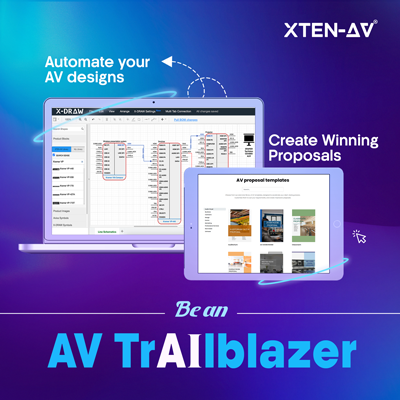
AV Design Mastery + Winning Proposals = 10x Productivity!
- Automatic Cable Labeling & Styling
- 100+ Free Proposal Templates
- Upload & Create Floor Plans
- 1.5M Products from 5200 Brands
- AI-powered ‘Search Sense'
- Legally Binding Digital Signatures
No Credit Card Required





