







Training Room AV System: What Modern Learning Spaces Need for Reliable Operation

Sahil Dhingra
Published 25 May 2026
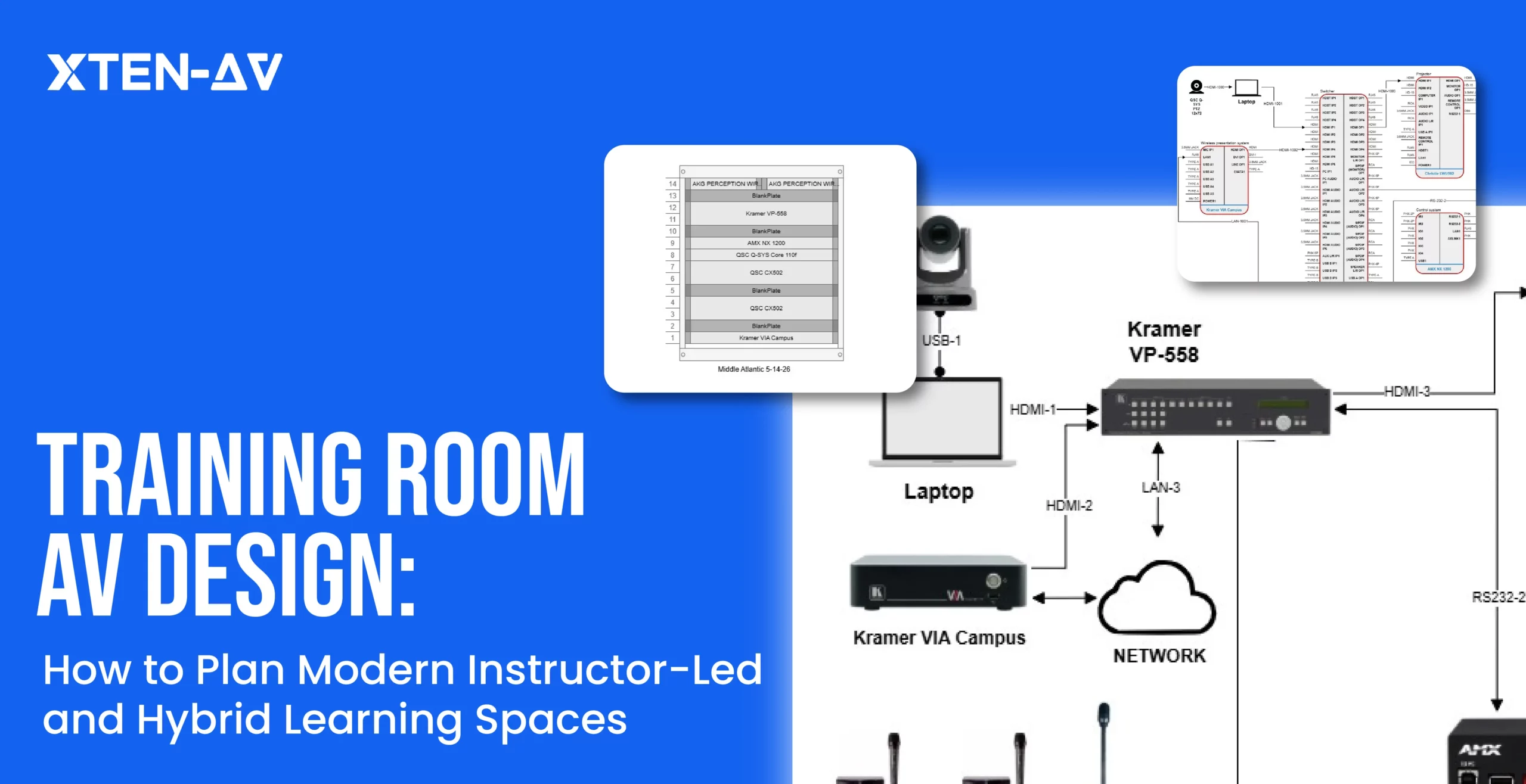


Training room systems often fail during live delivery despite passing design validation. Sightlines miss active participant zones. Microphone coverage becomes inconsistent. Camera tracking breaks during instructor movement. These issues are not isolated performance faults. They reveal a structural gap where design assumptions prioritize fixed room behavior over real instructional flow in active learning environments, reducing the accuracy of AV project cost estimation at the outset.
As per the report by commercial integrator, 77% of faculty report recurring hardware issues in learning spaces. This highlights a persistent execution gap where deployed environments fail to align with real classroom dynamics during live operation. Rather than standalone device failures, it reflects a disconnect between planned system behavior and actual instructional conditions during active sessions.
In this blog, we explore how a training room AV system impacts budgeting and procurement when designed as separate components instead of a unified learning environment.
Key Takeaways
A modern training room AV system only proves itself in live sessions, where movement, seating layout and hybrid participation quickly expose gaps that early AV CAD design often misses.
A high-performing setup comes down to how well the display, audio, camera, control, and connectivity work together in the room, not how clean the AV diagramming looks on paper.
Speech clarity shapes the entire learning experience, where microphone coverage, speaker distribution and room acoustics directly influence how well participants stay engaged.
An accurate AV BOM and scope can only be built after validating signal flow, coverage and real training scenarios, so the system works reliably when sessions are actually running.
AV CAD design platforms like X-Draw by XTEN-AV align with AVIXA standards and use a 1.6M + product library with 5200+ brands to support accurate AI generated AV BOM creation and structured system planning.
The all-in-one solution for your Audio Visual (AV) Project Design & Documentation needs
Transform your audio-visual experience with XTEN-AV.
No Credit Card required
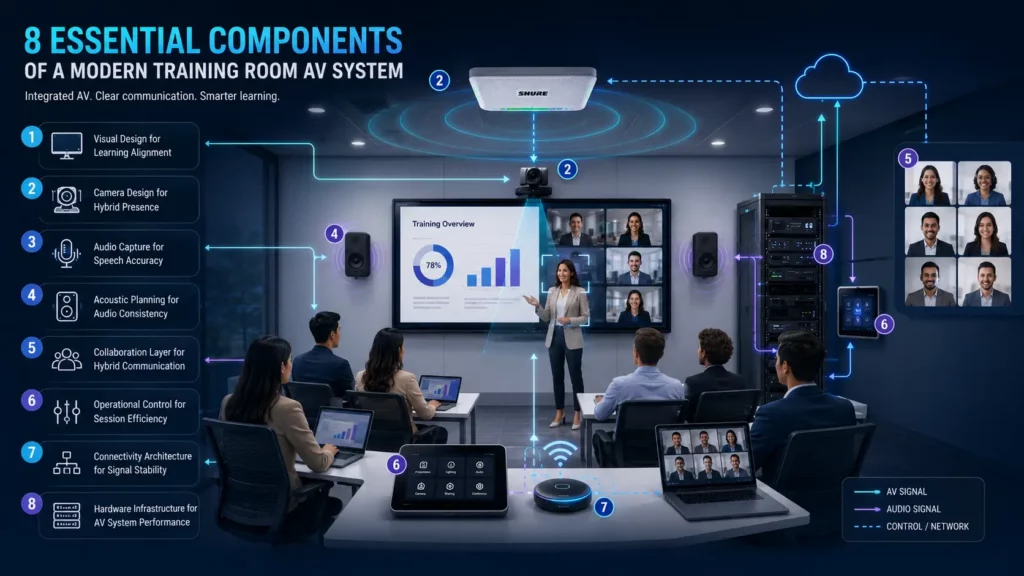
8 Essential Components of a Modern Training Room AV System
A modern training room AV setup must support hybrid instruction, video collaboration and reliable communication without workflow disruption. Most operational issues result from integration gaps, switching delays, uneven audio pickup and poor room coordination rather than missing hardware. When properly aligned, the setup improves session continuity, usability and training reliability across in-room and remote participants.
Below are the essential components that enable consistent and efficient training delivery:
1. Visual Design for Learning Alignment
The training room display system must align with sightlines, seating depth and instructor movement. Poor alignment creates fragmented viewing zones and reduces focus during live sessions. When properly engineered, the visual presentation remains consistent across in-room and hybrid participants.
Not sure why your AV design process feels manual and time-consuming? Explore this AV design software vs AI-powered tools guide for a simpler comparison.
2. Camera Design for Hybrid Presence
Hybrid learning environments rely on a camera system that maintains continuous instructor visibility for remote users. Fixed framing often fails when teaching becomes dynamic. Tracking-based capture ensures session continuity without visual disconnects.
3. Audio Capture for Speech Accuracy
Speech clarity is governed by how effectively a training room microphone system handles acoustic zoning across the space. Uneven pickup creates communication gaps during group interaction. Proper design ensures balanced voice capture across all participant zones.
4. Acoustic Planning for Audio Consistency
Room acoustics directly influence how a speaker system performs in real deployment. Poor calibration leads to uneven intelligibility and echo zones. A structured acoustic layout ensures uniform sound distribution across all seating positions.
If your AV setup looks right on paper but struggles during live sessions, don’t worry. We’ve covered this in the audio visual room setup guide so you can align design with actual room usage.
5. Collaboration Layer for Hybrid Communication
Real-time interaction between physical and remote participants depends on a training room video conferencing system that maintains audio-video synchronization. Latency or sync drift disrupts natural conversation flow. Proper integration keeps hybrid communication aligned and responsive.
6. Operational Control for Session Efficiency
Session management becomes more predictable when an audio visual (AV) control system centralizes switching, routing, and device handling. Without it, instructors face unnecessary interruptions during transitions. A unified control layer ensures smooth operational flow.
7. Connectivity Architecture for Signal Stability
System reliability is defined by how well the training room AV connectivity maintains signal integrity across devices and switching points. Most failures occur during transitions rather than steady usage. Stable routing ensures uninterrupted session delivery.
8. Hardware Infrastructure for AV System Performance
Long-duration training environments depend on the processing capability of AV hardware used for the training room. Underpowered systems introduce latency under load, especially during hybrid sessions. Properly specified infrastructure ensures consistent performance at scale.
Common Training Room AV System Mistakes That Impact Usability and Support
Most problems don’t appear during design reviews or installation. They surface during actual use. Signal routing fails, switching delays appear, and control responses feel inconsistent. These gaps disrupt training flow and increase support effort. Identifying them early ensures stable operation and a more predictable user experience.
These are the most common design and planning mistakes seen in training room AV projects:
Design Moves Ahead Without Room Checks
The first session starts and some seats cannot see the content clearly. Sightlines and viewing angles were never validated. This forces instructors to adjust mid-session and breaks learning flow.
Hybrid Workflows Break at Runtime
In a hybrid training room AV system, content shows on the room screen but not in the meeting call. The signal path was never fully defined. Hybrid delivery fails when routing logic is unclear.
Laptop Integration Slows Down Sessions
A trainer plugs in a laptop and loses time fixing audio or camera mapping. USB switching was not planned as part of the workflow. What should take seconds turns into minutes of setup.
Sound Coverage Feels Uneven Across the Room
Some participants are clear while others are hard to hear. A weak training room speaker system creates uneven coverage. Conversations lose pace when people repeat themselves.
Controls Work in Demo, Not in Live Sessions
Switching between inputs looks simple during testing. In real sessions, it becomes slow and confusing. Control logic was not built around how training actually runs.
AV Drawings Look Clean but Fail on Site
Installation teams face blocked cable paths or space constraints. The approved training room AV package does not match real conditions. This leads to rework and delays.
Small Gaps in Planning Stop the System
Everything is installed, but one missing interface blocks integration. These gaps come from planning around devices, not workflows. Commissioning slows down at the final stage.
Scope Describes Devices, Not Behavior
A training room AV scope lists components but not how the room should operate. Each team interprets it differently. The final setup behaves differently than expected.
System Struggles When Usage Increases
The setup works during testing but slows down in real sessions. Multiple inputs create lag and instability. Load conditions were not considered during design.
Every Room Feels Different to Use
Users move between rooms and face a different experience each time. A non-standard corporate training room AV system increases confusion and support calls. Consistency becomes difficult to maintain.
If scaling training room AV solutions across locations feels inconsistent, adopt AV design templates to standardize your approach early.
AV Design DOs vs DON’Ts That Prevents Usability and Support Issues
DOs | DON’Ts |
Validate sightlines, display height and camera FOV during AV design. | Approve layouts without checking real viewing angles and framing. |
Define end-to-end signal flow with switching states and routing paths. | Show block diagrams without source-to-destination behavior. |
Plan USB and BYOD switching with clear host control logic. | Leave device handoff undefined for laptops. |
Design audio with coverage mapping and SPL consistency. | Place speakers without modeling speech intelligibility. |
Build control sequences for presentation, hybrid and discussion modes | Create UI screens without mapping real user actions. |
Align drawings with ceiling grids, rack layouts and cable pathways. | Push generic CAD layouts to the site without coordination. |
Validate BOM against I/O requirements, adapters and licensing. | Treat BOM as a device list without interface checks. |
Define a precise training room AV scope including signal behavior. | List components without defining how the room operates. |
Test with real scenarios like multi-source switching and live calls. | Sign off after power-on and basic signal checks. |
Standardize configurations, naming and documentation across rooms. | Allow each room to follow a different logic and setup. |
How do you turn a training room AV system into an accurate BOM and proposal-ready scope?
A training room AV system becomes proposal-ready when the room experience is translated into a clear engineering scope. The real risk is not only choosing the wrong display, microphone or switches. It is missing how instructors, learners, remote participants, sources, displays, audio zones and controls interact during a live session.
The following process helps AV teams turn room requirements into an accurate BOM, coordinated drawings and approval-ready documentation:
1. Define The Real AV Training Scenario
A small training space may only need one display and basic audio. A larger room may need multiple screens, ceiling microphones, distributed speakers, cameras and wireless presentation. A hybrid setup may also need clear audio and camera coverage for remote participants.
How X-DRAW helps:
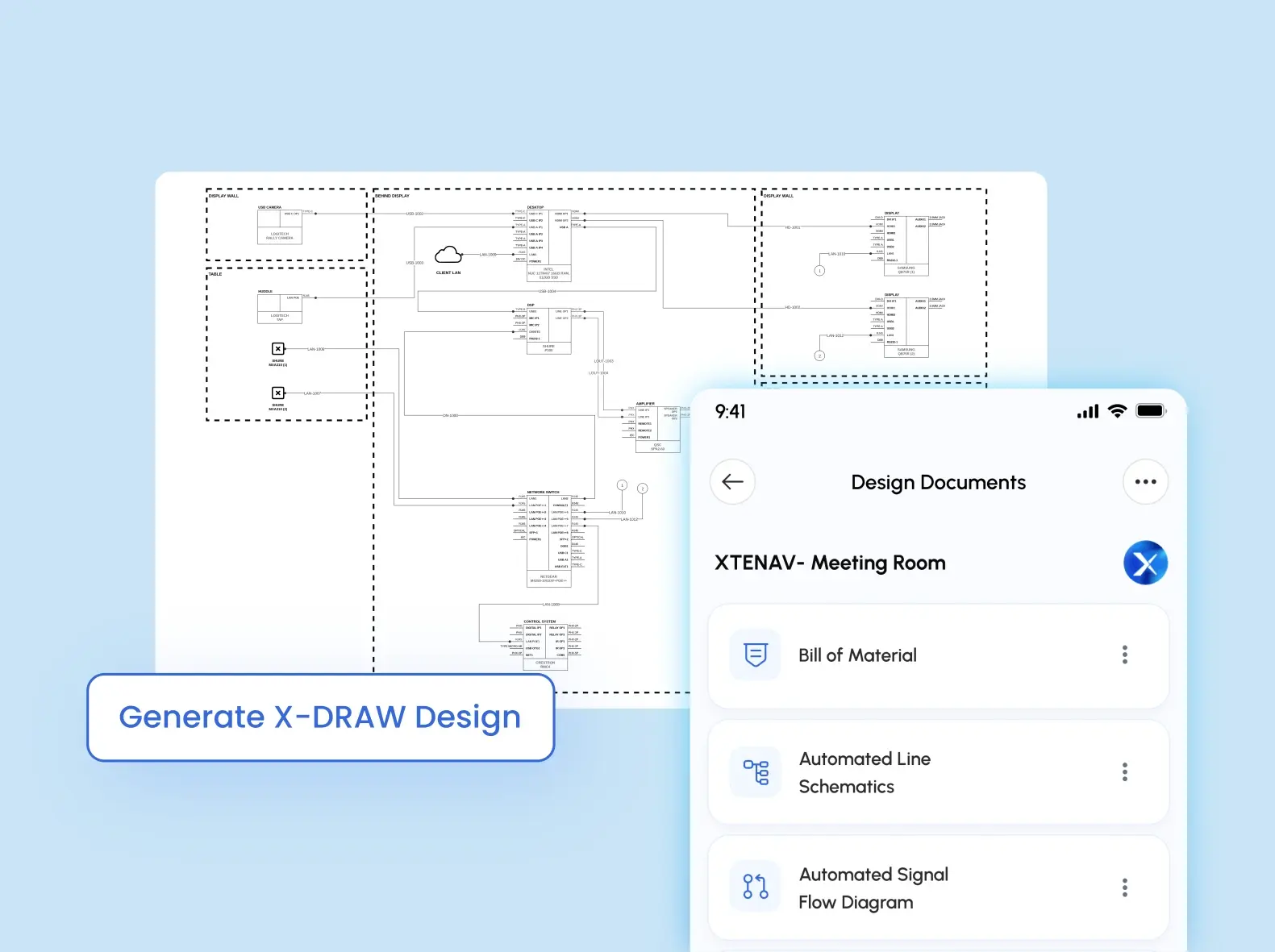
X-DRAW by XTEN-AV is a cloud-based automated CAD drawing platform for AV system design. It enables converting room requirements into accurate AV schematics, floor plans, rack elevations, signal flow diagrams and detailed cable labelling.
2. Build the design from a verified product library
A complete training room AV solution needs displays, mics, cameras, speakers, processors, mounts, cables and control devices that work together, not products added from separate spreadsheets.
How X-DRAW helps
With a 1.6M + verified product library across 5,200+ AV brands, X-DRAW enables teams to precisely select and place compatible equipment while building fully coordinated system drawings.
3. Map signal flow before finalizing the BOM
In a hybrid room, cameras, ceiling microphones, DSPs, displays, speakers, wireless sharing, and conferencing devices must operate as a single, integrated system. If signal paths are not defined correctly, the BOM can miss critical extenders, mounts, adapters, interfaces or cabling requirements.
How X-DRAW helps
X-DRAW maps signal flow using AVIXA-standard symbols, keeping system logic aligned with room design intent and AV hardware requirements before the Audio visual (AV) BOM is finalized.
4. Turn technical scope into an approval-ready proposal
AV project decision-makers require more than model numbers. They need clear system scope, room-level functionality, deliverables and approval clarity, especially when working with a training room AV BOM.
How X-DOC helps
X-DOC by XTEN-AV is a smarter AV proposal and documentation platform. It helps turn scope, BOM, pricing, deliverables and project details into accurate, client-ready proposals with ready-to-go templates.
5. Manage revisions and client sign-off without scope confusion
Training room proposals often evolve after the first review. Clients may request additional displays, revised camera coverage, extra microphones, recording capability, or seating layout changes.When handled through emails, spreadsheets and scattered files, it becomes difficult to track what was quoted, revised, and approved.
How X-DOC helps
AV Proposal updates, version control, controlled sharing, digital signatures and approval tracking are managed within X-DOC, ensuring every change remains traceable, review-ready, and aligned with project approvals. It supports faster decision cycles and improves close rates by up to 10x.
The all-in-one solution for your AV needs
Transform your audio-visual experience with XTEN-AV.
No Credit Card required
Audio Visual System Design Mastery + Winning Proposals = 10x Productivity!
- ✔ Automatic Cable Labeling & Styling
- ✔100+ Free Proposal Templates
- ✔ Upload & Create Floor Plans
- ✔1.5M Products from 5200 Brands
- ✔ AI-powered ‘Search Sense'
- ✔Legally Binding Digital Signatures

Conclusion
A modern training room AV system often underperforms when room requirements are not translated accurately into system design, leading to uneven microphone coverage, inconsistent speaker dispersion, and unstable conferencing during live sessions. Design and AV diagramming platforms such as X-Draw by XTEN-AV enable designers and integrators to structure layouts, define signal flow and map device placement with precision aligned to real training room execution.
Confused about balancing instructor visibility with remote participant experience in a single setup? Explore our guide on Training Room AV Design Guide for Hybrid Learning Spaces to understand how to structure modern hybrid classrooms effectively.
FAQ's
A training room AV system is an integrated audiovisual setup used for instructor-led and hybrid training environments.
Core elements include displays, microphones, speaker systems, cameras, control processors and connectivity hardware for AV signal routing.
Performance is influenced by microphone pickup geometry, speaker coverage alignment, camera framing accuracy, display sightlines and conferencing latency across the signal chain.
A hybrid training room AV system connects in-room participants with remote users using video conferencing, room audio capture and camera tracking for active speakers.
Explore more by topic
AV Design Mastery + Winning Proposals = 10x Productivity!
- Automatic Cable Labeling & Styling
- 100+ Free Proposal Templates
- Upload & Create Floor Plans
- 1.5M Products from 5200 Brands
- AI-powered ‘Search Sense'
- Legally Binding Digital Signatures
No Credit Card Required
Related Blogs
-

- Posted by Sahil Dhingra

Audio Visual A Complete Guide to Commercial AV Companies: What to Expect,...
-
- Posted by Sahil Dhingra
Audio Visual 6 Best Field Service Management Software for Audio Visual (AV)...
-
- Posted by Sahil Dhingra
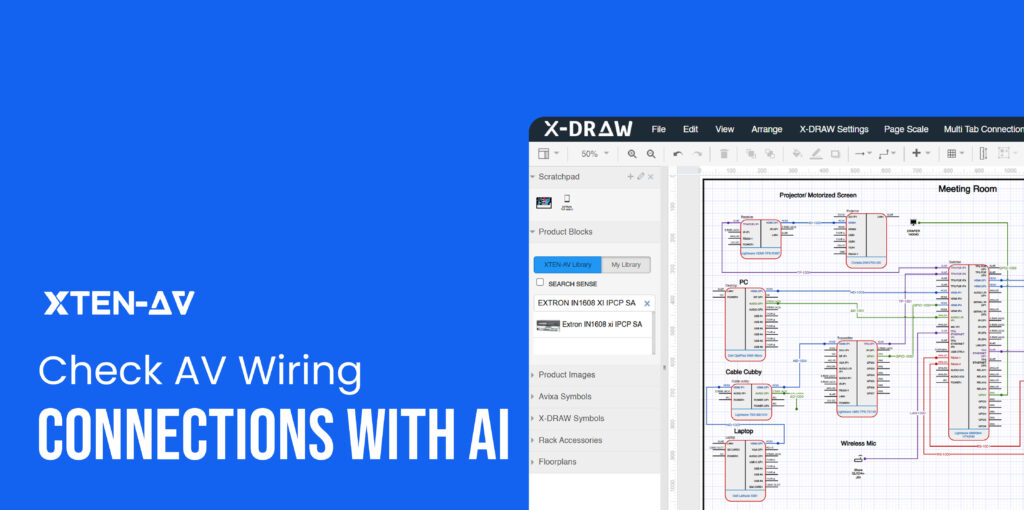
Audio Visual What Is an AV Connection Check and Why Does It...
