







Courtroom Video Conferencing: How to Set Up Reliable Remote and Hybrid Hearings

Sahil Dhingra
Published 24 Nov 2026
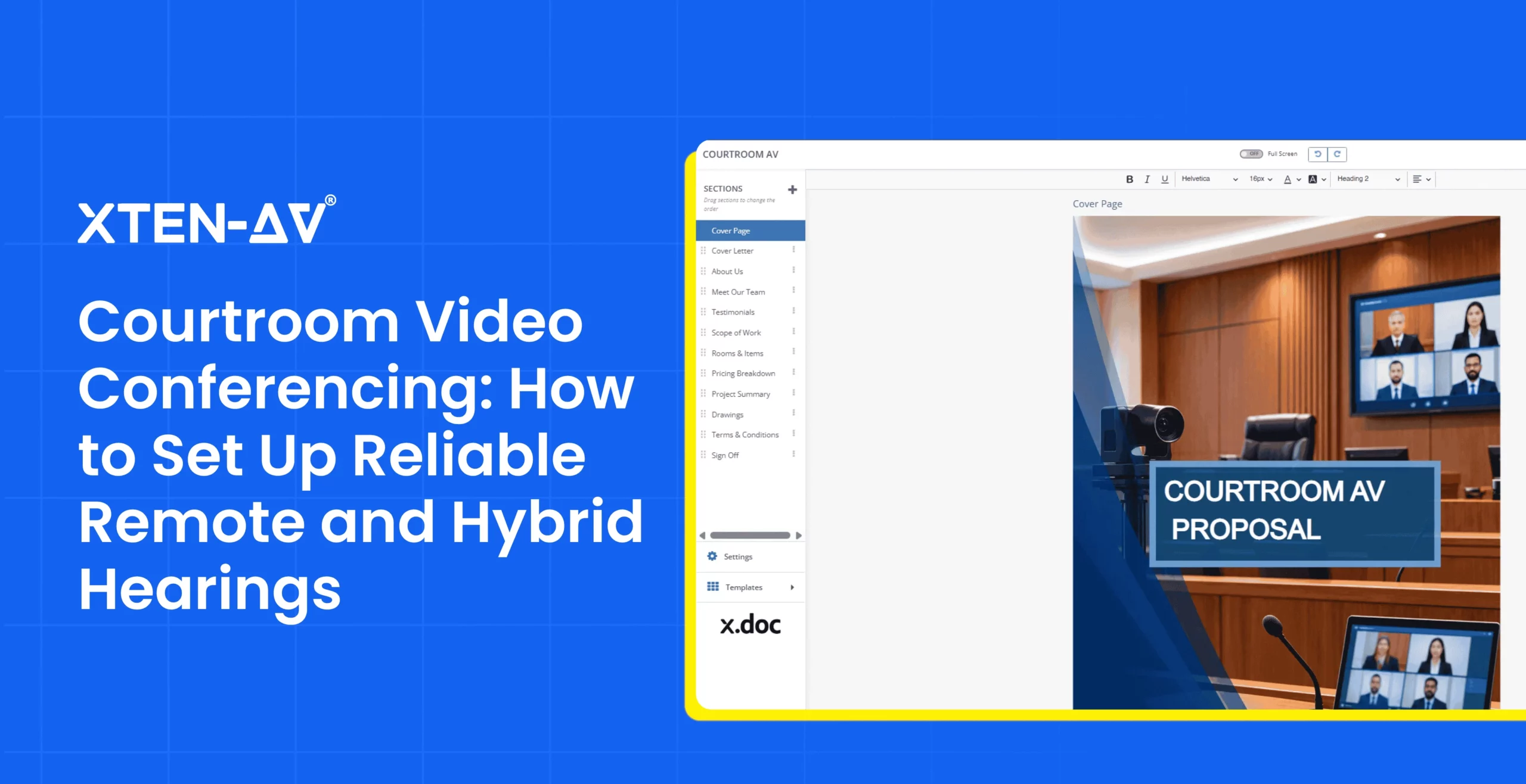
Audio echo, unclear witness testimony and disruptions in evidence sharing can affect remote and hybrid judicial hearings. Existing microphones, cameras, displays and recording equipment may not be fully compatible with modern conferencing platforms, resulting in technical difficulties that compromise communication quality and the continuity of courtroom proceedings.
For AV integrators and courthouse IT managers, planning requires careful assessment of room acoustics, participant visibility, network capacity and security requirements. Inaccurate site assessments and equipment specifications can create procurement issues and unexpected costs. Poor coordination between stakeholders can further delay AV installation and affect facility readiness for scheduled proceedings.
In this guide, we will have a look at how courtroom video conferencing works, the technical challenges involved, the AV equipment required in remote court hearings and discover practical approaches to set up a reliable judicial video conferencing system.
Key Takeaways
- Reliable courtroom video conferencing connects judges, attorneys, witnesses and remote participants through integrated audio, video, evidence presentation and recording systems.
- A hybrid courtroom requires compatible microphones, cameras, displays, audio processors, conferencing platforms and stable network infrastructure to support clear communication during judicial proceedings.
- Setting up remote hearings involves site assessments, equipment selection, AV schematic drawings, accurate BOMs, installation planning and system commissioning to ensure reliable performance.
- Audio echo, legacy equipment compatibility, network instability, security risks and accessibility gaps are major challenges that require careful system planning and integration.
- XTEN-AV is worth considering for AV professionals seeking a connected ecosystem that supports AI-powered automation, schematic drawings, proposal creation, project management and after-sales service.
What Is a Hybrid Courtroom and How Does AV Technology Support Remote Hearings?
A hybrid courtroom allows some participants to attend proceedings in person while others join remotely through video or audio links. This setup is commonly preferred for arraignments, status conferences and motion hearings, although trial witness testimony requires in-person attendance in the court. These types of courthouses enhance overall scheduling efficiency, allowing out-of-state participants to join remotely without travel, which helps in minimizing delays.
AV technology supports these proceedings through courtroom microphones, cameras, loudspeakers, DSPs, displays, video conferencing systems and proper internet connectivity.
Digital evidence such as documents, photos, recorded footage can be routed to courtroom displays and remote participants. Also, support simultaneous recording and captioning systems with accurate documentation and accessibility.
Judicial proceedings can be disrupted by unclear communication, poor visibility and unreliable evidence sharing. Discover our courtroom AV systems guide to learn how the right technology and schematic design approach support clear, consistent courtroom communication.
How Does Signal Flow Work in a Hybrid Courtroom AV System?
Signal flow defines how audio, video and digital content move between courtroom AV equipment, conferencing interfaces, remote participants and recording infrastructure. A well-planned signal path ensures that courtroom discussions, remote testimony and electronic evidence reach the correct destinations without disrupting judicial proceedings.
A typical hybrid courtroom AV signal flow involves these five stages:
- Audio and Video Capture: Microphones capture speech from judges, attorneys and witnesses, while cameras capture courtroom proceedings.
- AV Signal Processing: Digital signal processors (DSPs) manage audio mixing, echo cancellation and noise reduction. Video processors handle camera feeds and presentation content.
- Signal Routing and Distribution: Matrix switchers route audio and video signals to courtroom displays, loudspeakers, conferencing systems and recording equipment.
- Remote Conferencing and Evidence Sharing: Conferencing interfaces exchange audio and video with remote participants, while presentation systems distribute digital documents, photographs and video evidence.
- Recording and Monitoring: Recording systems capture authorized proceedings, while monitoring interfaces enable technical staff to check signal status and identify transmission issues.
What Technical Challenges Affect AV Integration in Remote Court Hearings?
Reliable remote court hearing technology depends on seamless communication between courtroom AV equipment, conferencing platforms, recording systems and network infrastructure. Compatibility issues or incorrect system configurations can affect audio clarity, video quality and evidence presentation.
Here are common technical challenges that affect AV Integration in remote court hearings:
1. Upgrading Systems
Courts face challenges upgrading existing AV technology due to budget limitations and the need to maintain compatibility with existing infrastructure.
2. Complexity of AV Systems
Advanced AV systems can be difficult to control, especially if not integrated into a comprehensive technology plan.
3. Integration Challenges
Legacy systems often struggle to integrate with modern AV courtroom systems, which further leads to compatibility problems.
4. Training Needs
Staff need extensive training to use new technologies effectively, which can enhance overall efficiency.
5. Security Concerns
Ensuring secure connections for remote participants is crucial to maintaining confidentiality and integrity. Otherwise, data breaches and phishing attacks may occur, leading to loss and reputational damage.
6. Audio Clarity
Echo, feedback, background noise, latency, low bandwidth, and unstable internet connections can make testimony difficult to understand. Courts must verify that participants can see, hear and be heard before proceedings begin.
7. Compliance Requirements
Courts need to strictly adhere to legal standards for accessibility, privacy, security, public access and digital evidence handling.
Managing security risks in remote court hearings can be complex. Explore our AV cybersecurity best practices checklist to find out how to protect networked AV systems, secure connected devices and strengthen courtroom infrastructure.
What AV Equipment and Virtual Courthouse Technology Are Required for Judicial Hearings?
Modern courts demand virtual courtroom technology that offers dependable video, audio, content presentation, recording and remote participation within one centralized AV environment. For AV installers and consultants, choosing the right infrastructure is crucial for maintaining system performance, usability and consistency across judicial spaces.
Following are the essential AV equipment and virtual courthouse technologies required for courtroom hearings:
AV Equipment | Role in Judicial Hearings |
Microphones | Capture intelligible speech from judges, attorneys, witnesses, and other participants. |
Cameras | Provide clear video coverage for remote appearances and hybrid proceedings. |
Displays | Show virtual participants, case material, and digital exhibits. |
Loudspeakers | Distribute speech and remote audio evenly across the room. |
DSPs | Mix, process, and route audio between in-room and remote endpoints. |
Video Conferencing System | Connect external participants through two-way audio and video. |
Evidence Presentation System | Route documents, images, and recorded media to selected screens. |
Recording System | Capture synchronized audio and video for the official record. |
Captioning and Transcription | Convert spoken content into text for documentation and accessibility. |
Network Infrastructure | Support stable media transport, conferencing, and IP-based AV connections. |
Not sure which audio setup can deliver clear speech across judicial proceedings? Check our courtroom sound systems resource to compare key components and plan reliable hearing-room audio.
How Do You Set Up a Reliable Court Video Conferencing System?
Setting up a reliable court video conferencing system requires precise AV design, compatible equipment, accurate technical documentation and coordinated installation. Here are the six essential steps to support seamless remote and hybrid judicial hearings:

1. Assess Courtroom AV Requirements
Evaluate room acoustics, seating arrangements, existing infrastructure, network bandwidth and accessibility needs to define technical specifications.
2. Design AV Layout and Signal Flow
Determine microphone coverage, camera angles and display positions. Create AV floor plans, rack elevations, line schematics and signal flow diagrams to map device connectivity.
3. Prepare Technical Documentation
Develop AV proposals, BOMs, rack elevations and cable schedules to establish accurate equipment and wiring specifications.
4. Plan Procurement and Installation
Finalize AV equipment quantities, material costs and labor estimates. Coordinate AV technician assignments, equipment delivery and project milestones.
5. Configure Conferencing and Control Systems
Integrate audio processing, video switching, echo cancellation, secure network access and evidence presentation with the approved AV conferencing platform.
6. Test, Commission and Handover
Verify audio clarity, camera coverage, recording quality, accessibility and backup connectivity. Conduct final performance checks before AV system handover.
Outdated infrastructure and fragmented project data can make judicial AV deployments difficult to manage. Discover government AV software for a more organized approach to automation, CAD design, AV documentation and project management.
What Are the Common AV Design Mistakes to Avoid in Hybrid Courtroom Projects?
Hybrid courtroom projects require careful coordination of audio, video, network and conferencing components. Design oversights can result in poor speech intelligibility, limited camera coverage, equipment compatibility issues and interruptions during judicial proceedings.
Following table outlines common AV design mistakes in hybrid courtroom projects, their potential impact on system performance and recommended approaches to avoid them:
Common AV Design Mistake | Potential Impact | Recommended Approach |
Incorrect microphone placement | Unclear speech and poor witness audibility. | Position microphones according to seating arrangements and room acoustics. |
Improper camera positioning | Limited visibility of courtroom participants. | Assess camera angles and coverage for judges, attorneys and witnesses. |
Incomplete signal flow diagrams | Connection errors and integration difficulties. | Document signal paths and equipment connections in detailed AV schematics. |
Inaccurate equipment BOMs | Procurement errors and unexpected costs. | Verify equipment models, quantities and technical specifications before procurement. |
Insufficient network assessment | Video latency, dropped connections and interruptions. | Evaluate bandwidth, network capacity and connection stability. |
Lack of backup provisions | Disrupted hearings during equipment or network failures. | Establish contingency arrangements for critical AV components and network connections. |
Overlooking accessibility requirements | Barriers to participation for individuals with accessibility needs. | Incorporate captioning, assistive listening and other required accessibility features during initial design. |
Precise site surveys, CAD drawing details and equipment specifications enable integrators to identify design gaps before final deployment. Early assessments of room acoustics, equipment compatibility and network capacity also minimize procurement discrepancies, installation errors and commissioning delays.
How Can Judicial AV Ensure Audio Clarity, Video Quality, Secure Evidence Sharing and Accessibility?
Clear audio, consistent video quality, secure evidence sharing and accessibility are essential for reliable judicial communication. A well-planned court video conferencing setup requires accurate AV design, detailed design schematics, precise cost estimates and coordinated project management.
Following are key considerations for supporting smooth communication and consistent performance across remote and hybrid hearings:
- Audio Clarity: Plan microphone coverage, acoustic performance and AV signal routing for clear speech and accurate recordings.
- Video Quality: Optimize camera coverage, display placement and viewing angles for consistent visibility throughout proceedings.
- Secure Evidence Sharing: Design controlled signal paths and access permissions to protect sensitive information during evidence presentation.
- Accessibility: Include assistive listening, live captioning and language interpretation capabilities to support inclusive participation.
- Design documentation: Prepare AV floor plans, drawing schematics, rack elevations and cable schedules for accurate installation and system integration.
- Proposals and Cost Planning: Define equipment specifications, AV BOMs, labor estimates and project scope for accurate budgeting.
- Project Coordination: Manage project timelines, task assignments, resource allocation, service calls and ongoing maintenance support.
Planning Your Next Courtroom Video Conferencing Project?
How Can XTEN-AV Simplify Courthouse Automation, AV Design, Proposals and Project Management?
Setting up reliable courtroom video conferencing involves planning equipment layouts, cable labeling, cost estimates, installation tasks and ongoing maintenance. The XTEN-AV ecosystem connects AI-powered automation, CAD design, proposals, project management and after-sales service in one connected AV platform.
Following four XTEN-AV products streamline AI-powered automation, AV design, documentation and project management for courtroom video conferencing systems:
1. XAVIA: AV AI Agent for Courthouse Projects
Planning judicial technology systems involves several technical and administrative tasks. With XAVIA, teams can use an AV AI agent to automate BOM generation, schematic design creation, cost estimation and project planning through voice and chat commands.
- Generate BOMs and CAD designs using prompts
- Recommend suitable equipment from the integrated product library.
- Create BOMs with product quantities and pricing.
- Produce line schematics, AV floor plans and rack elevations.
- Prepare proposals with scope, pricing and project terms.
- Generate Gantt charts and assign project tasks.
- Access budget insights, progress updates and performance reports.
2. X-DRAW: Courtroom AV Drawing and Diagramming Platform
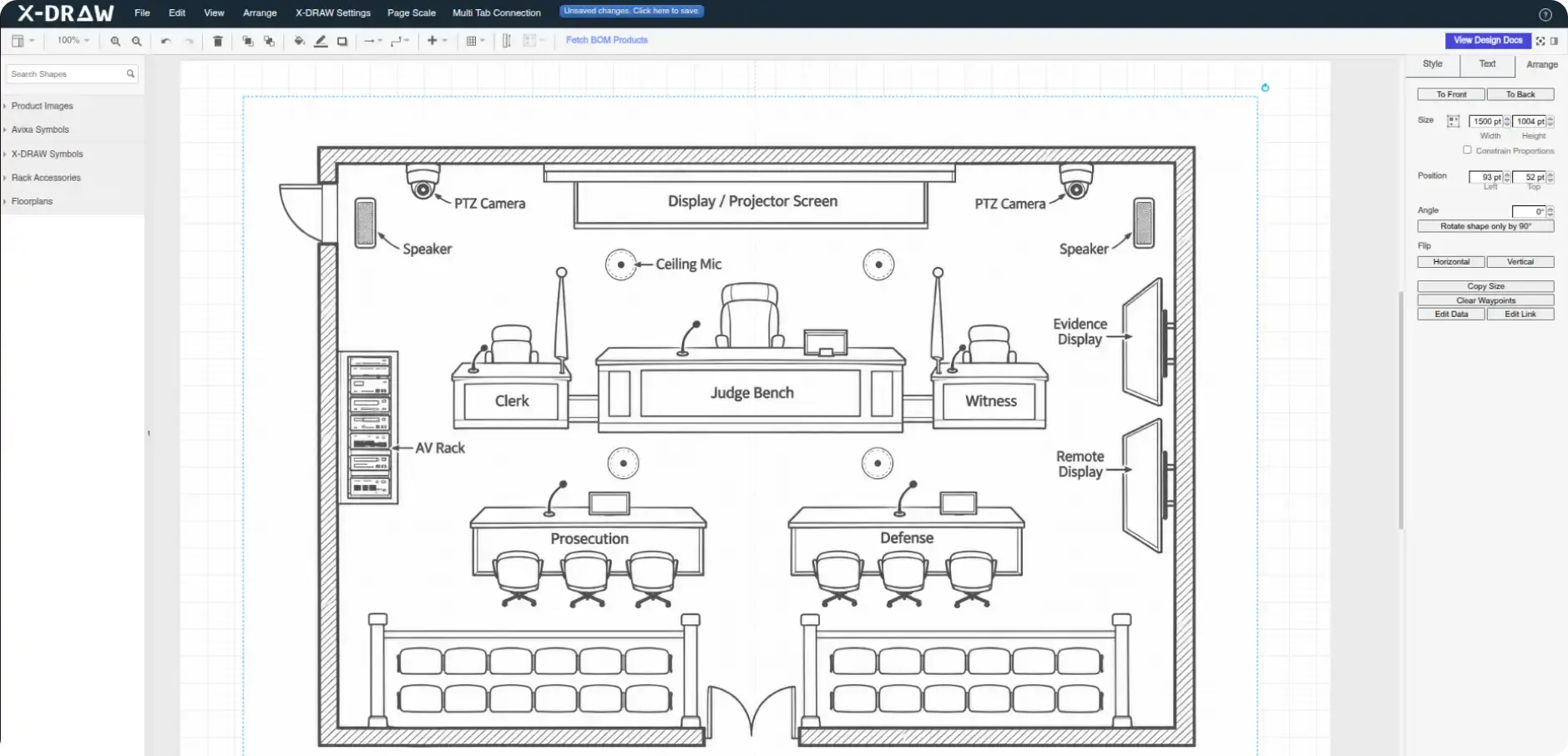
Designing systems for judges, witnesses, attorneys and remote participants requires accurate equipment placement and signal routing. X-DRAW supports courtroom AV drawing and diagramming with automated technical documentation, equipment data and AI-assisted connection verification.
- Import and customize floor plans for courtroom equipment placement.
- Select devices from 1.5 M+ AV products across 5,200+ brands.
- Map audio, video and evidence presentation signal paths.
- Automatically generate AV schematics, submittals, ceiling speaker layouts and signal flow diagrams.
- Identify potential connection issues using AI connection-check capabilities.
- Create rack elevations, labeled cable schedules and synchronized AV BOMs.
- Capture room scans, photos and survey details with the site survey capabilities.
3. x.doc: Judicial AV Proposal and Documentation Software

Courthouse technology projects require clear equipment specifications, cost breakdowns and defined deliverables before approval. x.doc simplifies the preparation by bringing judicial AV proposal documentation, pricing calculations and approval tracking into one unified platform.
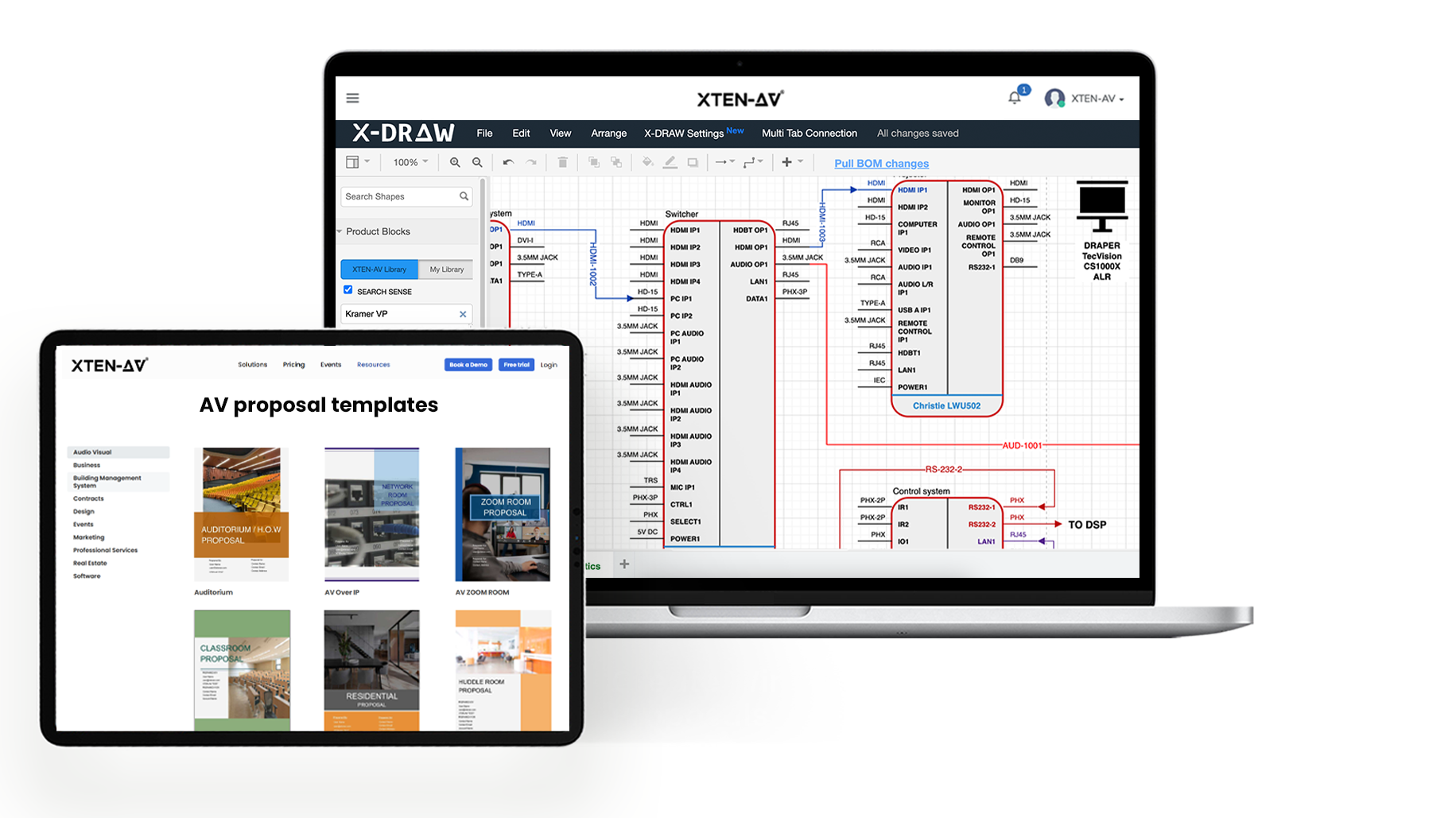
- Build customized proposals using 100+ professional AV proposal templates.
- Add system drawings, equipment specifications and BOMs.
- Calculate material costs, labor estimates and pricing breakdowns.
- Outline AV project scope, installation requirements and deliverables.
- Customize document layouts, branding and supporting visuals.
- Monitor proposal views and maintain updated document versions.
- Collect legally binding digital signatures for approvals.
4. X-PRO: Courthouse AV Project Management and Service Platform
Coordinating installation activities across multiple hearing rooms requires clear schedules, task ownership and resource planning. X-PRO supports courthouse AV project management through centralized project tracking, field coordination and ongoing service administration.
- Organize project timelines, milestones and task assignments.
- Allocate resources and coordinate AV technician schedules.
- Track equipment inventory, purchase orders and invoices.
- Monitor installation progress, labor costs and project profitability.
- Access AV CAD drawings, assigned tasks and site updates through mobile Field View.
- Manage service calls, issue reports and technician assignments.
- Track AV maintenance contracts, service agreements and performance analytics.
Conclusion
Reliable courtroom video conferencing requires precise drawing schematics, compatible equipment, clear communication and secure evidence sharing. Poor documentation and coordination can delay installations and affect performance. XTEN-AV connects AI-powered automation, schematic drawings, proposals, project management and after-sales service in one AV ecosystem. Start your 15-day free trial of XTEN-AV to simplify courthouse technology planning and project delivery.
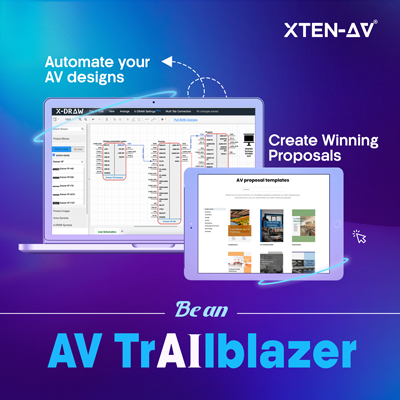
Audio Visual System Design Mastery + Winning Proposals = 10x Productivity!
- ✔ Automatic Cable Labeling & Styling
- ✔ 100+ Free Proposal Templates
- ✔ Upload & Create Floor Plans
- ✔ 1.5M+ Products from 5200 Brands
- ✔ AI-powered 'Search Sense'
- ✔ Legally Binding Digital Signatures
FAQs
Yes, Zoom and Microsoft Teams can integrate with compatible microphones, cameras, audio processors and displays. Proper AV configuration ensures synchronized communication and secure access for authorized participants.
Yes, existing infrastructure can support hybrid hearings if AV devices meet current connectivity, audio processing and video requirements. An equipment compatibility assessment helps identify necessary upgrades.
Bandwidth depends on video resolution, platform requirements and connected endpoints. For example, Zoom recommends 2.6 Mbps upload and 1.8 Mbps download for 720p group video calls.
Courts can prevent echo through proper microphone positioning, acoustic echo cancellation (AEC) and mix-minus audio routing. Digital signal processors enable maintaining speech clarity during two-way communication.
Yes, remote testimony can be captured through an authorized judicial recording system, subject to applicable court rules. Audio and video feeds must meet the required recording standards.
Attorneys can use court-approved private breakout rooms or secure communication channels. These arrangements must protect confidentiality and prevent privileged discussions from entering the public hearing or official record.
Technical staff can troubleshoot connectivity, restore the session or activate approved backup methods. The presiding judge determines whether proceedings must pause, continue or be rescheduled.

Explore more by topic
Related Blogs
-

- Posted by Sahil Dhingra

Audio Visual How to Choose the Right Commercial AV Software for Your...
-
- Posted by Sahil Dhingra
Audio Visual Why Commercial AV Proposals Take Too Long to Prepare and...

-
- Posted by Sahil Dhingra
Audio Visual Top 5 AV Project Management Software with CRM and Invoicing...
AV Design Mastery + Winning Proposals = 10x Productivity!
- Automatic Cable Labeling & Styling
- 100+ Free Proposal Templates
- Upload & Create Floor Plans
- 1.5M Products from 5200 Brands
- AI-powered ‘Search Sense'
- Legally Binding Digital Signatures
No Credit Card Required