









draw.io (diagrams.net) is a popular free tool for creating flowcharts, network diagrams and basic AV schematics. Its customizable shapes and connectors enable users to visualize equipment connections and signal flow diagrams.
However, audiovisual (AV) design engineers, consultants and system integrators handling complex projects often need manufacturer-specific product libraries, BOM generation, cable schedules, connection validation, revision control and design automation capabilities. Managing these tasks manually can lead to inconsistent CAD drawings, documentation errors and project delays.
In this guide, we compare 10 draw.io alternatives by features, pricing, collaboration, platform support and suitability for AV projects to help you choose the right software for your requirements.
Key Takeaways
- XTEN-AV (X-DRAW) is worth considering for AV designers and integrators seeking complete CAD drawing, diagramming, AI-powered design automation and technical documentation.
- Lucidchart supports collaborative network mapping, while Microsoft Visio offers structured technical diagrams with Microsoft 365 integration.
- SmartDraw suits floor plans and equipment layouts, Creately supports visual planning, while Miro helps with client concept reviews.
- EdrawMax provides offline technical drafting, whereas AutoCAD specializes in precision CAD drawings and architectural coordination.
- D-Tools connects system design with estimating and project management, while AVSnap offers free Windows-based AV drafting capabilities.
- Choosing the right draw.io alternatives depends on equipment libraries, connection documentation, automation features, file compatibility, collaboration and budget.
What is draw.io?
draw.io is an open-source diagramming tool for creating flowcharts, network maps and technical illustrations. Its free online editor, available at diagrams.net, requires no account. Users can work offline with the desktop application or save files to the supported cloud storage services through the web version.
For AV professionals, customizable shapes and labeled connectors enable visual mapping of device connections and signal paths. Rack libraries support equipment layouts, while layers organize content for review. Projects remain editable for future revisions, with PDF, PNG and SVG exports available for client presentations or technical handoffs.
Why Look for draw.io Alternatives?
draw.io works well for general diagramming, including flowcharts, network diagrams, basic schematic drawings and simple collaboration. However, AV system integrators handling complex installations may need specialized functionality, making draw.io alternatives with AI capabilities relevant for equipment selection, system design, AV documentation and faster project delivery.
Following are the key capabilities users may look for:

- Industry-specific templates: Templates for commercial, residential, education, hospitality, and corporate AV applications. These can support room layouts, system designs and installation requirements.
- Better collaboration controls: Cloud-based collaboration with revision tracking, access permissions, comments and review capabilities. This keeps design updates organized and visible to the right project stakeholders.
- Advanced design documentation: Support AV CAD diagrams, rack elevations, signal flow diagrams, wiring diagrams and cable schedules. Include scope of work, submittals, installation details and handover records.
- Automation: Generate AV BOMs and other design outputs with automated equipment selection. AI-assisted recommendations minimize manual effort during system planning.
- Product libraries: Structured equipment and AV manufacturer data for accurate device representation and efficient equipment selection.
- Integration with other tools: Integrate CRM, pricing, accounting, project management and design data to keep AV project information connected.
How We Evaluated draw.io Alternatives?
The comparison focuses on the technical requirements integrators consider when selecting AV diagramming software for various project requirements. Each platform was assessed for its ability to support AV CAD drawings, system representation, equipment data, team review, design automation, business integrations, pricing and project documentation. Alternative to draw.io options were evaluated using the following criteria:
| Criteria | Evaluation Focus |
| Diagram capabilities | Signal flow diagrams, wiring diagrams, AV floor plans, rack elevations, schematics and cable schedules. |
| Templates and symbols | AV-specific symbols, manufacturer device blocks, reusable templates, and application-based design elements. |
| Collaboration | Cloud access, revision control, design reviews, comments, permissions, and shared project files. |
| Automation | AI-powered design assistance, automated equipment selection, BOM generation and faster preparation of repetitive outputs. |
| Integrations | CRM, pricing, accounting, project management and other systems used to manage project data. |
| Pricing | Free plans, trial periods, feature limits, paid tiers and suitability for different project sizes. |
| AV suitability | Equipment connectivity, cable labeling, scope of work, speaker placement and installation documentation |
draw.io Alternatives Comparison Table for AV Design Engineers
Choosing better alternatives to draw.io starts with understanding your AV project requirements. Compare schematic tools, layout capabilities and free access to find software that meets your documentation needs within budget.
Following are the leading alternatives for audiovisual (AV) designers, compared by practical use, collaboration and limitations:
| Software | Best For | Free Access | Collaboration | AV-Specific Capabilities | Main Limitations |
| XTEN-AV (X-DRAW) | Complete AV schematic drawing and diagramming in one unified platform. | 15-day trial. | Cloud-based AV drawing access, document sharing and real-time discussions through chatter. | Supports AV system design through automated schematics, equipment layouts and AI connection checks. | Learning curve for new users. |
| Lucidchart | Network mapping. | Limited free plan. | Live editing and comments. | AV network topology for IT coordination. | Manual device compatibility checks. |
| Microsoft Visio | Technical diagrams and scaled layouts. | One-month eligible subscription trial. | Co-authoring on supported versions. | Rack diagrams and equipment positioning. | Advanced floor planning requires Windows desktop. |
| SmartDraw | Floor plan layouts. | Free trial. | Shared editing and comments. | Device placement on imported building plans. | No AV signal validation. |
| Creately | Visual requirements planning. | Free plan with canvas limits. | Live editing and contextual feedback. | Room requirements and system concepts. | Separate cable schedule preparation. |
| Miro | Client concept reviews. | Three editable boards free. | Shared boards, voting and walkthroughs. | Early-stage room planning and presentations. | Not intended for scaled technical drawings. |
| EdrawMax | General technical diagramming. | Limited free version with watermarks. | Cloud sharing through supported offerings. | Rack, wiring and network illustrations. | Paid license for watermark-free output. |
| AutoCAD | Precision CAD drafting. | 15-day trial. | AV CAD drawing, sharing and markups. | Construction drawings and mounting details. | CAD expertise required. |
| D-Tools | Estimation and system documentation. | 30-day Cloud trial. | Project sharing and proposal approvals. | Equipment data connected with BOMs and quotes. | Advanced SI drafting needs separate software. |
| AVSnap | Desktop schematics and control testing. | Standard features are free. | File sharing and presentation mode. | AV component libraries and cable reports. | No native macOS edition. |
What Are the 10 Best draw.io Alternatives?
The best draw.io alternatives cover AV schematics, equipment layouts, visual planning and project estimates. Compare key features, pricing, user feedback and limitations to choose software that fits your technical requirements and budget.
Here are the top 10 diagramming tools for AV professionals to consider:
XTEN-AV (X-DRAW)
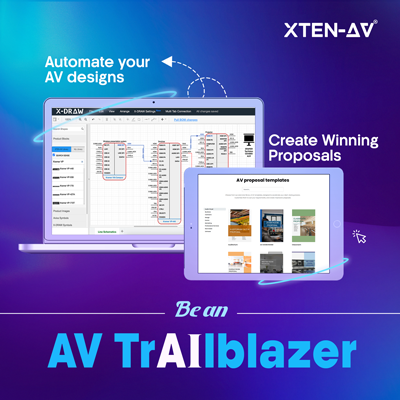
XTEN-AV (X-DRAW) is cloud-based AV system design software that brings equipment selection, technical drawings and design documentation into one platform. Its 1.5M+ AV Product Library includes equipment from 5,200+ brands, with AI-powered search sense for faster discovery. AVIXA symbols and predesigned AV templates enable engineers to create line schematics, signal flow diagrams, rack elevations and floor plans. As a draw.io alternative, X-DRAW automates AV BOMs and cable schedules. Custom dealer pricing carries negotiated costs into proposals.

Best For:
AV design engineers and system integrators seeking complete CAD design and diagramming capabilities in one unified platform.
Key Features of X-DRAW:
- Predesigned AV templates for residential, commercial, education, hospitality and retail projects.
- Automated line schematics showing device connections, signal paths and cable routes.
- AI connection check capabilities to flag invalid pairings and open cable ends for engineering review.
- AI-powered search sense that adapts to equipment searches and product selections.
- Supports 12 types of AV design documentation, including BOMs, rack elevations, signal flow diagrams, cable schedules, ceiling speaker layout and many others.
- Automated cable labeling and styling for consistent connection identification.
- Floor plan import from AutoCAD or Visio for placing devices within existing layouts.
- A 1.5M+ AV Product Library with specifications for evaluating equipment against project requirements.
- My Library for storing custom products, preferred devices and associated technical details.
- Custom dealer pricing uploads through CSV or XLS files to apply negotiated costs to estimates and proposals.
Pros:
- Enables line schematic and BOM generation through XAVIA, an AV AI agent that supports voice or chat-based prompts.
- Supports cloud collaboration so stakeholders can review current drawings across locations.
- Keeps project discussions alongside relevant documents, making feedback easier to follow.
- Saves drafting time so integrators can focus on system requirements.
- Connects technical documentation with proposals in one unified AV platform.
Cons:
- New users may experience a learning curve as they become familiar with the platform’s AV schematic design and drawing automation capabilities.
User Reviews:
Users appreciate XTEN-AV (X-DRAW) for simplifying AV schematics and BOM generation, with an extensive product library and drawing automation that save drafting time.
Supported Platforms and Export Formats:
- Platform: X-DRAW is cloud-based and available on Windows and macOS, giving users online access to their AV system designs.
- Export: X-DRAW supports PDF, PNG, JPEG, SVG, Visio, HTML, XML and AutoCAD (DWG) formats.
XTEN-AV Pricing Plans:
- Free Trial
XTEN-AV offers a 15-day free trial. - Basic
$104.25/user/month, billed annually. - Business
$111.75/user/month, billed annually. - Enterprise
$126.75/user/month, billed annually. - X-PRO Add-On
$16.88/user/month, billed annually. Available as an optional add-on.
Considering a switch from basic diagramming to AV CAD design? Read our Draw.io vs XTEN-AV comparison to assess features, pricing and suitability for your projects.
Source and Verification Date:
- Source:
https://xtenav.com/x-draw/ - Verification Date:
October 6, 2026
Looking Beyond draw.io? Discover Smarter AV System Design with X-DRAW.
Lucidchart
Lucidchart is an online diagramming tool for flowcharts, network maps, and technical documentation. For AV consultants evaluating alternatives to draw.io, it supports collaborative planning and client reviews. Real-time editing enables contributors to update the same document. Spreadsheet linking adds data to shapes, while conditional formatting highlights important details. These features are useful for mapping AV-over-IP connections and explaining proposed configurations to stakeholders.
Best For:
AV integrators who need to map AV-over-IP networks, document signal connections and collaborate on system diagrams with clients and IT stakeholders.
Key Features of Lucidchart:
- Network shapes and custom libraries for illustrating equipment connections.
- Data linking from Excel, Google Sheets, or CSV files to display device details.
- Configurable layers for organizing signal paths and alternate system views.
- Conditional formatting to highlight categories or status using defined rules.
- Real-time editing with comments for reviewing proposed changes.
- Revision history to restore earlier versions on eligible plans.
- Import support for draw.io and Microsoft Visio diagrams.
- AI-assisted diagram creation and editing through text prompts.
Pros:
- Makes technical concepts easier to explain during client presentations.
- Enables AV integrators and IT stakeholders to resolve connection questions together.
- Provides a practical starting point for adapting existing diagrams.
- Accommodates both system overviews and detailed network maps.
- Offers free access for evaluating basic drawing requirements.
Cons:
- Complex AV diagrams may load or respond slowly, according to some users.
- Free-plan limits can constrain larger AV system drawings.
- Visio export and revision history require paid plans.
User Reviews:
Users like Lucidchart for easy diagram creation and real-time collaboration, but some report slower performance with complex drawings and limited free-plan access.
Supported Platforms and Export Formats:
- Platform: Lucidchart offers cloud-based diagramming on Windows, macOS, and Linux, with no desktop installation required.
- Export: Download diagrams as PDF, PNG, JPEG, or SVG and export shape data to CSV. Microsoft Visio export is available on paid plans.
Lucidchart Pricing Plans:
- Free Trial
Lucidchart provides a 7-day free trial for paid plans. - Free Plan
Includes three editable documents and 60 shapes per document. - Individual
Starts at $9/month with unlimited documents and shapes. - Team
Starts at $10/user/month with collaboration and team management features. - Enterprise
Custom pricing based on business requirements.
If you’re unsure which tool fits your AV drawing requirements, our schematic drawing software guide breaks down the features, strengths and limitations to help you choose with confidence.
Source and Verification Date:
- Source:
https://lucid.co/lucidchart - Verification Date:
October 6, 2026
Microsoft Visio
Microsoft Visio is a diagramming application for creating editable AV floor plan layouts. Integrators evaluating a replacement of draw.io may find it suitable for projects built around Microsoft 365. Users can attach equipment specifications to shapes, then position displays, speakers or control panels. CAD imports and scale settings support coordination with architectural drawings in selected editions.
Best For:
AV professionals who need scaled floor plans, rack layouts and CAD file compatibility for detailed project documentation.
Key Features of Microsoft Visio:
- Scaled floor plans with dimension lines for planning AV equipment placement.
- AutoCAD DWG and DXF import for adding installation details to architectural drawings. Microsoft Support
- Rack diagram templates with equipment shapes sized to industry-standard measurements.
- Shape data fields for recording asset identifiers, serial numbers and installation locations.
- Equipment reports generated from information stored within rack drawings. Microsoft Support
- Network diagrams for documenting physical connections or logical system architecture. Microsoft Support
- Excel data linking to associate equipment records with diagram symbols.
- Layers and containers for organizing detailed technical drawings.
Pros:
- Enables AV integrators to check rack space before ordering hardware.
- Clarifies device placement for contractors.
- Saves drafting time by using existing architectural plans.
- Keeps site revisions moving with offline desktop access.
- Simplifies incorporating technical diagrams into Microsoft reports and presentations.
Cons:
- Advanced drafting is limited to Windows, restricting options for Mac users.
- Floor plan creation requires the desktop application.
- AV-specific symbols and equipment details may need manual setup.
- Paid licenses add to software costs for smaller integrators.
User Reviews:
Users prefer Visio for customizable diagrams and Microsoft 365 integration, but some find connector alignment time-consuming in detailed schematic drawings.
Supported Platforms and Export Formats:
- Platform: Visio for the web is available on Windows and macOS. The desktop application is available for Windows.
- Export: Supports PDF, SVG, PNG and DWG, with additional formats depending on the diagram and version.
Microsoft Visio Pricing Plans:
- Free Trial
Pricing: 1-month free trial
Test Visio features before subscribing. Explore templates, collaboration options, and core tools to evaluate the platform. - Visio Plan 1
Pricing: $5/user/month (billed yearly)
Create and share diagrams online with essential templates, shapes, and browser-based editing. - Visio Plan 2
Pricing: $15/user/month (billed yearly)
Access advanced features with both desktop and web apps for creating detailed business visuals. - Visio Standard 2024
Pricing: $309.99 one-time purchase
Build professional visuals using desktop tools, standard templates, and built-in shapes. - Visio Professional 2024
Pricing: $579.99 one-time purchase
Create complex visuals with advanced templates, data linking, and enhanced customization options.
Still building every AV schematic from generic shapes? Read our Microsoft Visio alternatives guide to find options with more relevant design features.
Source and Verification Date:
- Source:
https://www.microsoft.com/en-us/microsoft-365/visio/ - Verification Date:
October 6, 2026
SmartDraw
SmartDraw is an online drawing tool for preparing audiovisual documentation from existing PDF plans. For integrators comparing draw.io competitors, it provides a practical starting point for room planning. Users can set dimensions, arrange equipment, then annotate proposed changes for client discussions. Supported storage integrations keep files accessible alongside other AV project records.
Best For:
AV estimators and integration businesses preparing client-facing room layouts with equipment quantities for quotes.
Key Features of SmartDraw:
- Import existing floor plans as PDFs or images, then scale them for AV equipment placement.
- Create custom symbol libraries for commonly specified products.
- Add model numbers, supplier details, and pricing to drawing elements.
- Generate AV BOMs with equipment counts from completed layouts.
- Organize cable routes and device locations on separate layers.
- Measure distances between hardware, walls, and nearby fixtures.
- Build rack diagrams using dedicated templates.
- Coordinate revisions through real-time editing, comments and version control.
Pros:
- Makes proposed room layouts easier for clients to review.
- Saves manual counting when preparing quotes.
- Allows approved concepts to develop into technical documentation.
- Offers a practical starting point for integrators with limited CAD experience.
Cons:
- Requires reliable internet access for editing.
- Annual billing may not suit short-term projects.
- Some users find precise customization difficult.
- Lacks advanced 3D modeling and BIM capabilities.
User Reviews:
Users consider SmartDraw easy to use for floor plans and template-based diagrams but raise concerns about limited customization and annual billing.
Supported Platforms and Export Formats:
- Platform: Browser-based and available on Windows, macOS and Linux.
- Export: Supports PDF, PNG, SVG, along with Visio file import and export.
SmartDraw Pricing Plans:
- Free Trial
Pricing: Free trial available.
Best for testing SmartDraw before purchasing an annual subscription. - Individual Plan
Pricing: $7.95/month (billed annually).
Includes diagram creation, templates, and drawing features for individual users. - Team Plan
Pricing: $6.95/user/month (billed annually).
Includes team collaboration, shared folders and administrative controls. - Enterprise Plan
Pricing: Contact SmartDraw for pricing.
Includes enterprise features such as SSO, multiple shared folders, and organization-level support.
Wondering how to plan rack elevations around RU space, ventilation and cable access? Compare the top rack diagram software to choose a tool that fits your layout requirements.
Source and Verification Date:
- Source:
https://www.smartdraw.com/ - Verification Date:
October 6, 2026
Creately
Creately combines freeform whiteboarding with structured diagrams on an infinite canvas. AV firms comparing software similar to draw.io can use it to outline meeting room functions, trace user interactions or map commissioning responsibilities. Task details and reference links sit beside the relevant visual, keeping supporting information easy to find. Its strength lies in explaining how a proposed setup will be used before detailed engineering begins.
Best For:
AV project managers organize room requirements, system dependencies and client feedback in a shared visual workspace.
Key Features of Creately:
- Network symbols for mapping switches, endpoints, and connections.
- Device notes with attachments for specifications and reference files.
- Custom fields for IP addresses, room assignments, and review status.
- Links between system overviews and subsystem diagrams.
- Kanban boards and timelines for tracking responsibilities.
- Freehand markup for annotating proposed changes.
- Spotlight mode for directing attention during presentations.
Pros:
- Makes proposed AV configurations easier for clients to assess.
- Enables integrators to clarify network requirements with IT stakeholders.
- Keeps room requirements accessible to AV designers during project handoffs.
- Saves meeting preparation time by presenting system concepts directly from the canvas.
Cons:
- Free access is limited to 45 items per canvas.
- PDF and SVG exports require a paid plan.
- Some reviewers find mobile editing less intuitive than desktop use.
User Reviews:
Users find Creately useful for organizing ideas on a shared canvas but reported a less intuitive editing experience on mobile.
Supported Platforms and Export Formats:
- Platform: Cloud-based access on Windows, macOS, and Linux.
- Export: PNG and JPEG across all plans, with PDF and SVG available on paid subscriptions.
Creately Pricing Plans:
- Free Plan
Pricing: Free
Includes an infinite canvas, all diagram types, up to 40 shapes per diagram, and real-time collaboration. - Pro Plan
Pricing: $4/editor/month, billed annually.
Includes unlimited shapes and diagrams, PDF and SVG exports, private sharing, and one connected data source. - Business Plan
Pricing: $89/month, billed annually.
Includes all Pro features, unlimited connected data sources, administrative controls, audit logs and priority support. - Enterprise Plan
Pricing: Contact Sales for custom pricing.
Includes advanced security, SAML SSO, SCIM, data residency options and custom service agreements.
Give installers the details they need in your AV CAD designs. Read our overhead paging system guide to document amplifier connections, cable labels and speaker assignments clearly.
Source and Verification Date:
- Source:
https://creately.com/ - Verification Date:
October 6, 2026
Miro
Miro is an online whiteboard suited to presenting AV recommendations and collecting client feedback. Integrators seeking a program similar to draw.io can arrange site photographs, reference PDFs, and conferencing options on a shared board. Wireframing tools enable basic touchpanel mockups, while Talktrack adds recorded explanations for reviewers to revisit. Its strongest fit is visual communication during purchasing discussions and design reviews.
Best For:
AV professionals comparing system concepts and gathering client input through interactive planning sessions.
Key Features of Miro:
- Shapes and directional connectors for outlining connections between sources, processors, and displays.
- Flowcharts for mapping actions such as selecting inputs, powering equipment, or joining video calls.
- PDF and image uploads for annotating architectural references and site photographs.
- Frames for organizing separate rooms or comparing configuration options.
- Talktrack recordings for narrating design walkthroughs.
- Voting tools for ranking requested conferencing, presentation, and automation functions.
- AI-assisted sticky-note grouping for organizing requirements around audio, video, and control.
Pros:
- Clarifies expected room behavior before control programming begins.
- Makes technical choices easier for nontechnical decision-makers to assess.
- Enables absent stakeholders to review explanations without another meeting.
- Establishes shared priorities before scope and equipment selections are finalized.
Cons:
- Connection diagrams require separate checks for port compatibility and signal integrity.
- Imported PDFs serve as visual references, not editable CAD geometry.
- Free access is limited to three editable boards.
User Reviews:
Users highlight Miro’s live collaboration and brainstorming tools, but report that its extensive interface takes time to learn.
Supported Platforms and Export Formats:
- Platform: Web access and desktop apps for Windows or macOS, with mobile support for iOS or Android.
- Export: JPG, PDF, SVG, and CSV for supported content. Export options vary by plan, device and board permissions.
Miro Pricing Plans:
- Free Plan
Pricing: Free
Includes 3 editable boards with basic collaboration and diagramming capabilities. - Starter Plan
Pricing: $8/member/month, billed annually
Includes unlimited boards and additional collaboration, project management, and content management features. - Business Plan
Pricing: $20/member/month, billed annually
Includes advanced collaboration, unlimited projects, and additional team and administration features. - Enterprise Plan
Pricing: Contact Sales
Includes enterprise-level security, administration, support, and advanced collaboration capabilities.
Help integrators select your products without chasing specification sheets. Explore AV software for manufacturers to manage technical details, SKUs and dealer pricing in one centralized platform.
Source and Verification Date:
- Source:
https://miro.com/ - Verification Date:
October 6, 2026
EdrawMax
EdrawMax suits AV professionals who need offline drafting with flexible export options. It supports network maps, rack diagrams and electrical schematics, with built-in symbols for representing system components. The desktop application enables work at sites with limited internet access. PDF, PowerPoint or Visio exports support technical submittals and drawing exchanges with project partners.
Best For:
AV designers preparing rack layouts, network documentation and scaled room plans across multiple operating systems.
Key Features of EdrawMax:
- Rack templates and equipment symbols for arranging cabinet-mounted hardware.
- Electrical and network libraries for illustrating wiring connections or infrastructure.
- Floor plan controls for setting drawing scale, units, and measurement precision.
- Custom symbol creation for representing devices missing from built-in libraries.
- Layer controls for managing the visibility and printing of drawing elements.
- Visio and SVG import for editing compatible files.
- Export settings for selecting image resolution and page ranges.
Pros:
- Covers several documentation needs within one application.
- Saves preparation time through ready-made technical symbols.
- Extends Visio file editing to Mac or Linux users.
- Offers a one-time purchase option for long-term desktop use.
Cons:
- Manufacturer-specific AV blocks may require manual creation.
- Free exports include watermarks.
- Some reviewers report file compatibility issues.
- Online or mobile access does not last indefinitely with a perpetual desktop license.
User Reviews:
Users consider EdrawMax useful for AV rack layouts and network diagrams, but some report file compatibility challenges when working across applications.
Supported Platforms and Export Formats:
- Platform: Desktop applications for Windows, macOS and Linux. Online or mobile access is also available.
- Export: PDF, PNG, JPG, SVG, Visio, Word, Excel, PowerPoint or HTML. Availability varies by version and license.
EdrawMax Pricing Plans:
- Free Plan
Pricing: Free
Includes a drag-and-drop diagram editor, 500 AI tokens, 100 MB cloud storage, and limited features. - Basic Plan
Pricing: $7.90/month (billed monthly) or $5.90/month (billed annually).
Includes all Free Plan features, 10,000 AI tokens per month and access to all online functions. - Unlimited Plan
Pricing: $15.90/month (billed monthly) or $11.90/month (billed annually).
Includes all Basic Plan features, unlimited AI tokens and unlimited access to paid community templates.
Planning a learning space? Turn equipment choices into clear drawings and complete documentation with our classroom AV equipment guide.
Source and Verification Date:
- Source:
https://www.edrawmax.com/online/en/ - Verification Date:
October 6, 2026
AutoCAD
AutoCAD suits AV integrators preparing detailed construction drawings for commercial projects. Its precision tools enable designers to document mounting heights, conduit routes, and service clearances. Layers organize audiovisual details over architectural backgrounds, while reusable blocks simplify recurring equipment placement. Native DWG support streamlines file exchanges with architects and contractors. It is best suited to experienced CAD users who need control over dimensions, annotations and AV drawing standards.
Best For:
CAD engineers who need precise AV drafting and architectural drawing coordination.
Key Features of AutoCAD:
- Dimensioning tools for documenting mounting heights, equipment positions and service clearances.
- External references for linking building plans to audiovisual layouts.
- Dynamic blocks for adjusting device symbols without recreating their geometry.
- Layer management for separating cable pathways, hardware locations, and annotations.
- Count tools for tallying repeated equipment blocks.
- Drawing comparison for identifying changes between revisions.
- Trace tools for adding review comments without altering the original drawing.
Pros:
- Provides accurate dimensions for display mounting, rack clearances and cable pathways.
- Keeps AV layouts aligned with architectural drawings through linked references.
- Accommodates client drafting standards for detailed construction submissions.
- Supports custom commands that save time on repetitive drafting tasks.
Cons:
- AV equipment blocks require initial setup or sourcing from manufacturers.
- BOMs and cable schedules need additional configuration for AV-specific documentation.
- Specialized toolsets are limited to Windows.
- Large drawing files with multiple external references can slow editing.
User Reviews:
Users like AutoCAD for precise drafting and customizable tools, but some reported slower performance with complex schematic drawings.
Supported Platforms and Export Formats:
- Platform: Desktop applications for Windows and macOS, with web and mobile access included. Specialized toolsets are Windows-only.
- Formats: Native DWG drawings, with PDF, DWF and DWFx output for sharing or review.
AutoCAD Pricing Plans:
- AutoCAD Subscription
Pricing: $2,095/year.
Includes 2D and 3D CAD tools, specialized toolsets, and desktop, web, and mobile access. - AutoCAD LT
Pricing: $540/year.
Includes essential 2D drafting and documentation features. - Free Trial
Pricing: Available.
Let’s users explore AutoCAD features before subscribing.
Spending too long customizing CAD blocks for AV equipment? Compare the best wiring diagram software for device libraries, port-to-port connections and automated cable labeling.
Source and Verification Date:
- Source:
https://www.autodesk.com/in/products/autocad/overview - Verification Date:
October 6, 2026
D-Tools
D-Tools connects AV system design with cost estimation, quotes and project management through two modules, D-Tools SI and D-Tools Cloud. For integrators evaluating tools similar to draw.io, it links technical drawings with equipment quantities and pricing. SI synchronizes engineering documentation with BOMs, while Cloud supports visual quoting and port-level connection diagrams. Product specifications, dealer costs and labor details support AV proposals that reflect the proposed scope.
Best For:
AV integration businesses seeking to coordinate system documentation, project estimates and client approvals.
Key Features of D-Tools:
- AV schematics, rack elevations, line diagrams and plan views through drafting integrations.
- Drawing-linked BOMs that synchronize equipment quantities.
- Port-level interconnect diagrams organized by location, system or project phase.
- Visual quoting with devices positioned on site photos or floor plans.
- Cable length estimates based on mapped pathways.
- Integrated product specifications with dealer-specific pricing.
- Multimedia proposals with electronic signatures.
- Change orders for documenting scope adjustments after approval.
Pros:
- Connects engineering decisions with their financial impact.
- Makes proposed AV configurations easier for clients to evaluate.
- Accounts for accessories and labor during bid preparation.
- Enables managers to compare budgeted hours against recorded work.
Cons:
- Catalog configuration and proposal customization require upfront preparation.
- Advanced drafting capabilities rely on separately licensed software.
- Onboarding fees and optional services add to ownership costs.
- Managing AV site notes, task assignments and schedules can require extra effort.
User Reviews:
Users value D-Tools for organized quotes and project tracking, but some describe difficulties with site notes, AV task management and scheduling.
Supported Platforms and Export Formats:
- Platform: D-Tools Cloud provides online access on Windows and macOS, with mobile apps for iOS and Android. SI requires a Windows desktop environment.
- Export: Cloud diagrams export to PDF or PNG, while project items support CSV. SI reports offer PDF, Excel, Rich Text, HTML or Plain Text. Editable CAD drawings depend on the connected drafting software.
D-Tools Pricing Plans:
- D-Tools Cloud – Single
Pricing: $89/month billed annually
Designed for individual users managing AV sales, proposals, and project documentation. - D-Tools Cloud – Duo
Pricing: $161/month billed annually
Supports small businesses with additional users and collaboration features. - D-Tools Cloud – Team
Pricing: $314/month billed annually
Built for growing businesses managing multiple users and AV projects. - D-Tools Cloud – Company
Pricing: $584/month billed annually
Offers expanded user capacity and advanced business management features. - D-Tools Cloud – Enterprise
Pricing: $1,079/month billed annually
Designed for larger organizations with higher user and operational requirements. - D-Tools System Integrator (SI)
Pricing: Starts at $1,800/user/year (5-user minimum)
Available as hosted or on-premises software for larger AV integration businesses.
Equipment lists keep changing. Can your estimates keep pace? Compare leading BOM management software for tracking revisions, updating quantities and managing dealer pricing.
Source and Verification Date:
- Source:
https://www.d-tools.com/ - Verification Date:
October 6, 2026
AVSnap
AVSnap is a free draw.io alternative for audiovisual drafting and control testing. Its DrawAssist tool squares cable connections, while the Library Editor lets integrators define device inputs and outputs. Rack elevations, printed labels and material lists support site preparation. Communication mode enables command testing over RS-232, TCP/IP or UDP. Standard features are free, with premium capabilities available through Altinex.
Best For:
AV integrators documenting permanent systems who want free desktop drawing tools with equipment control testing.
Key Features of AVSnap:
- DrawAssist cable routing between AV device symbols.
- Custom component libraries with defined inputs, outputs and connection points.
- Material lists and cable reports generated from project drawings.
- Printable wire labels with configurable layouts.
- Rack elevations for documenting equipment placement.
- Communication terminal for testing RS-232 or TCP/IP control commands.
- PDF editing tools for assembling submittal packages.
- Presentation mode for reviewing system diagrams with clients.
Pros:
- Provides AV-specific documentation without a standard software license fee.
- Preserves cable connections when equipment symbols move.
- Saves preparation time by reusing custom components across projects.
- Enables command testing alongside system documentation.
Cons:
- New users may need some time to become familiar with the interface and available functionality.
- Creating and maintaining custom product symbols can require additional effort for equipment not included in the standard library.
- Some advanced capabilities are available separately from the standard free offering.
- Users familiar with newer cloud-based design applications may find the interface less intuitive.
User Reviews:
Users like AVSnap for its system design capabilities, rack layouts, and AV-specific features, but some have highlighted a learning curve and limited suitability for temporary event setups.
Supported Platforms and Export Formats:
- Platform: Offered as a free Windows desktop application with no native macOS version available.
- Export: Includes PDF handling for organizing project pages, along with generated cable lists and material lists.
AVSnap Pricing Plans:
- Free Version
Pricing: Free
Design AV systems, create schematics, and build wiring diagrams with essential AV design tools. - Professional Licensing
Pricing: Contact Altinex for pricing
Explore additional licensing options and features for advanced AV design requirements.
Struggling to decide whether switching software is worth it? Compare the top AVSnap alternatives to weigh drafting capabilities, ease of use and cost against your project needs.
Source and Verification Date:
- Source:
https://avsnap.com/ - Verification Date:
October 6, 2026
Are Free draw.io Alternatives Good Enough?
Free platforms can handle basic AV schematics, room layouts, and system concepts. When comparing draw.io alternatives free online, check limits on editable files, symbols, exports, and technical functionality.
AVSnap is free for integrators, but its standard offering is primarily suited to basic schematic creation and system layouts. Paid options such as XTEN-AV (X-DRAW), D-Tools and Lucidchart offer more advanced capabilities for equipment representation, connectivity, collaboration and detailed schematic layouts.
For complex installations, specialized AV software may be a better fit when projects require extensive equipment libraries, connection checks, accurate layouts or automated design capabilities.
Which draw.io Alternative Should AV Professionals Choose?
Each app similar to draw.io offers different capabilities, from general-purpose diagramming and team collaboration to precision drafting and specialized AV design. Use the following breakdown to match each platform to your technical requirements and project deliverables:
- Choose XTEN-AV (X-DRAW) if:
Your AV projects require CAD drawings, wiring diagrams, rack elevations, equipment selection and automated design outputs. - Choose Lucidchart if:
Your team prioritizes collaborative editing, shared diagrams and feedback during technical reviews. - Choose Microsoft Visio if:
Your organization uses Microsoft 365 and needs structured AV diagrams, network layouts and scaled technical drawings. - Choose SmartDraw if:
You create floor plans, room layouts, equipment placement diagrams and space plans. - Choose Creately if:
You need process mapping, visual planning and collaborative idea development. - Choose Miro if:
Your team uses visual boards for brainstorming, early-stage concepts and stakeholder discussions. - Choose EdrawMax if:
You need desktop software for engineering, technical and general-purpose diagrams. - Choose AutoCAD if:
Your projects demand precision drafting, detailed CAD layouts and coordination with architectural drawings. - Choose D-Tools if:
You need to connect AV system specifications with estimations, AV proposals and project tracking. - Choose AVSnap if:
You need Windows-based AV design software for schematics, rack elevations, and cable reports.
Conclusion
The right draw.io alternative depends on your AV requirements, project scope, and budget. draw.io suits basic diagrams, while Lucidchart supports shared network mapping. Microsoft Visio fits Microsoft environments and technical drawings. SmartDraw, Creately, and Miro suit room planning, visual concepts, and design reviews.
EdrawMax supports offline technical drafting, while AutoCAD suits precision drafting and coordination of architectural drawings. D-Tools connects system design with estimating and project management. AVSnap provides free AV-specific drafting for integrators. XTEN-AV (X-DRAW) is worth considering for AV design engineers who need comprehensive AV design and diagramming capabilities within one centralized platform. Book a free XTEN-AV demo today to explore its capabilities.
Audio Visual System Design Mastery + Winning Proposals = 10x Productivity!
- ✔ Automatic Cable Labeling & Styling
- ✔ 100+ Free Proposal Templates
- ✔ Upload & Create Floor Plans
- ✔ 1.5M+ Products from 5200 Brands
- ✔ AI-powered 'Search Sense'
- ✔ Legally Binding Digital Signatures

FAQs
The best choice depends on your requirements. XTEN-AV (X-DRAW) stands out for complete AV schematic drawing, diagramming, and design automation. AutoCAD focuses on precision drafting, while D-Tools supports system design, estimating, and project management.
Yes, AVSnap offers free AV-specific desktop drafting. Since draw.io is also free and open source, switching depends on your CAD design requirements.
AutoCAD suits precision drafting. Microsoft Visio fits structured technical diagrams, while XTEN-AV (X-DRAW) focuses on AV-specific drawings and schematics.
draw.io suits basic diagrams and technical documentation. Meanwhile, Lucidchart offers stronger collaboration, data linking, templates and team review features.
Yes, draw.io can be used for basic AV system design, including floor plans, rack layout, network diagrams and signal flow diagrams.
The best draw.io alternatives for AV professionals include XTEN-AV (X-DRAW), D-Tools and AVSnap. They cover AV diagramming, project estimates, drafting and equipment planning.
Note:
Product details, pricing and user feedback are based on official websites, G2, Capterra and Reddit. Prices may vary by region or change over time. All trademarks belong to their respective owners.

Explore more by topic
Related Blogs
-

- Posted by Sahil Dhingra

Audio Visual Courtroom Audio Visual (AV) Systems: A Complete Guide for Courts...
-
- Posted by Sahil Dhingra
Audio Visual 10 Best draw.io Alternatives for AV Professionals Sahil Dhingra Published...
-
- Posted by Sahil Dhingra
Audio Visual 7 Best Schematic Drawing Software for AV System Integrators Sahil...
AV Design Mastery + Winning Proposals = 10x Productivity!
- Automatic Cable Labeling & Styling
- 100+ Free Proposal Templates
- Upload & Create Floor Plans
- 1.5M Products from 5200 Brands
- AI-powered ‘Search Sense'
- Legally Binding Digital Signatures
No Credit Card Required





