







AV Commissioning Checklist & Best Practices for Integrators

Sahil Dhingra
Published 27 OCT 2026
A display losing its signal, distorted microphone audio or an unresponsive control panel can disrupt an AV system after installation. Commercial AV systems integrate audio, video, and control technologies into a cohesive chain to ensure speech intelligibility, reliable signal routing, and user-friendly operation.
However, incorrect cable connections, device configuration errors or poor system calibration can complicate AV commissioning. System integrators must verify equipment functionality, signal paths and performance against approved design requirements. They also need accurate AV schematics, cable schedules, BOMs and testing records. Missed checks can lead to repeat site visits, project delays and incomplete client handovers.
In this guide, we will explore what AV commissioning involves, why it matters for system integrators and what an AV commissioning checklist should include. We will also examine audio, video and control system testing, common commissioning challenges, best practices and how accurate AV documentation supports successful project handover.
Key Takeaways
- AV commissioning verifies that installed audiovisual systems meet design requirements and perform reliably before client handover.
- AV commissioning checklist includes effective equipment inspections, audio calibration, cable connections, control system verification and video testing.
- Identifying signal routing errors, configuration issues, and equipment faults early helps keep a project on schedule and protect your profit margins.
- Following AV commissioning best practices ensures the audio visual system is tested, calibrated and validated against design specifications.
- XTEN-AV supports AV commissioning preparation with automated AV schematics, cable schedules, project deliverables and installation task management.
What Is AV Commissioning?
AV commissioning is the final quality assurance phase in which an AV system is tested, calibrated, and verified against approved design requirements. Integrators check microphones, DSPs, speakers, displays, cameras and control systems to confirm that individual devices and connected components function correctly. The process also involves verifying signal paths, measuring system performance and documenting test results.
An AV commissioning checklist helps integrators systematically check audio clarity, video quality, control responses and system reliability. Identified issues are corrected and verified through retesting before client sign-off and project handover to ensure quality and prevent operational risks.
AV commissioning is equally important for residential AV systems, including home theaters, smart homes and multi-room audio setups, where equipment performance and system reliability are of utmost importance.
Why Is AV Commissioning Important for System Integrators?
AV system commissioning is the critical final phase that transforms a collection of installed hardware into a fully optimized, cohesive audiovisual environment. While an installation may look finished physically, its technical performance relies entirely on systematic testing, calibration and verification.
Here are the key reasons why AV commissioning is important for system integrators:
Identify Installation and Configuration Errors Before Handover
Incorrect cable terminations, mismatched port assignments, improper device settings and outdated firmware can affect system functionality. With AV commissioning, AV integrators can detect these issues using cable continuity checks, signal path verification and equipment configuration reviews. When faults are resolved before handover, technical problems can be prevented from disrupting daily operations. Accurate diagrams created with schematic drawing software also help integrators compare installed connections with approved signal paths and identify discrepancies before handover.
Verify Audio, Video and Control System Performance
Individual AV components often fail to work properly together in a complete system because they lack proper signal distribution mapping, communication configuration and environmental calibration. AV integrators need to verify microphone levels, DSP configurations, speaker coverage, control panel responses, display resolutions and source switching. AV testing confirms that conferencing devices and automated functions operate reliably under real-world conditions.
Preventing Repeat Site Visits and Commissioning Delays
Undetected connectivity problems, incorrect programming, or network conflicts may still require technicians to visit the site after installation. A systematic commissioning procedure helps identify and resolve these issues while the technicians and testing equipment are still on-site. This in turn avoids unexpected labor costs, repeated troubleshooting and delays in client acceptance.
Establishing Reliable Records for Maintenance and Service
Commissioning documentation serves as a technical reference when carrying out future troubleshooting, system upgrades and equipment replacements. Accurate as-built drawings, cable schedules, device configurations and test reports assist service technicians in identifying the existing connections and system settings. Maintaining installation and maintenance records is the most effective way to minimize system downtime and ensure long-term operational consistency. Accurate commissioning records also help integrators manage AV service calls after installation by giving technicians access to original equipment details, drawings and service history.

What are the Stages of AV Commissioning?
The following table outlines the key stages of AV commissioning, including the tests performed, acceptance criteria and tools required to verify system performance before client handover.
| Phase | What is Tested | Typical Pass Criteria | Tools |
| Pre-commissioning | Technical documentation, rack layouts, cable labeling, power connections, firmware versions. | Installed equipment matches the BOM, AV schematics and cable schedules. | AV drawings, inspection checklist. |
| Functional Testing | Every device powers up, signal routing, source switching, control commands, system connectivity. | Signals reach their intended destinations. | Cable tester, video test patterns, signal generator. |
| Performance Verification | Sound pressure level (SPL), speech intelligibility, display quality, signal latency. | Measured performance meets project-specific targets, using the AVIXA 10:2013 verification approach where applicable. | SPL meter, measurement microphone, audio analyzer, signal generator. |
| User Acceptance | Real-world scenarios, including meetings, presentations, video calls. | Client confirms the system meets agreed functional requirements and approves final acceptance testing. | Live system demonstrations. |
| Handover | As-built drawings, system credentials, user training, warranty details. | Complete documentation delivered. | Handover package. |
What Should an AV Commissioning Checklist Include?
An AV commissioning checklist ensures audio visual hardware, cabling and networking meet design specs and perform reliably before client handover.
Here are the essential checks to include in an AV commissioning checklist:
Pre-Commissioning Preparation and Documentation
Review AV engineering documentation such as bills of materials (BOMs), cable schedules, rack elevations, schematics and the scope of work. Verify site readiness, power availability, equipment configurations and network requirements. You must confirm that all technical documentation, programming, equipment and acceptance criteria are completely available before commissioning begins. Accurate commercial AV installation documentation gives commissioning engineers a reliable reference for checking equipment details, cable connections and approved system designs.
Signal Path and Routing Verification
Verify that every audio and video source reaches its intended destination according to the approved signal flow diagrams. Test source switching, signal routing and connectivity across displays, loudspeakers and conferencing endpoints. Check for signal loss, incorrect connections and routing failures before final performance testing.
Physical Equipment and Cable Connection Checks
The checklist includes a systematic, step-by-step physical inspection. To ensure the hardware infrastructure is secure, properly labeled and correctly routed before powering on equipment or configuring software, verify that speakers, displays, control processors and amplifiers are stable, safe and comply with safety standards. Verify mounting security, rack ventilation, cable labeling, terminations and power connections. Before moving to functional testing, document and fix visibly crushed cables, unused or unmapped cables left loose inside the rack.
Audio Testing and Calibration
To verify that an installed sound system meets performance standards, it is important to test microphones, loudspeakers, amplifiers and digital signal processors. Check gain structure, input/output levels, acoustic echo cancellation and speaker coverage where applicable. Measure the sound pressure level (SPL) at each listening position and compare the findings directly against the project specifications to confirm it meets the project target. Where speech clarity is critical, measure speech intelligibility using the Speech Transmission Index (STI or STIPA) and compare measured values with the criteria in the project specification to verify target compliance. Confirm that levels stay consistent across all listening areas without any unwanted distortion.
Video and Display Performance Testing
AV integrators should ensure that displays deliver clear images with the right resolution, brightness and aspect ratio across all sources. Additionally, when it comes to testing video signal stability, source switching and device compatibility, there is a need for a systematic check of cables, EDID handshakes and hardware limits.
Real-World AV System Testing
Test the complete AV setup using real-world scenarios such as meetings, presentations and video conferencing calls. Verify microphone pickup, camera operation, audio playback, screen sharing, source switching and control functions together to make sure that the system performs as expected during actual use.
AV Control and Conferencing System Testing
It involves a well-structured commissioning process to verify that audio, video, control interfaces and video conferencing endpoints function seamlessly together. To test setup during a live call, make sure that your camera is well-lit and at eye-level. Next, verify with a remote partner to ensure the microphone picks up your voice cleanly while the speakers playback their audio without static. Lastly, try sharing the screen to verify the content sharing feed is fast and sharp.
System Reliability and Final Performance Checks
To complete commissioning, confirm that audio, video and control interfaces interact seamlessly by testing source routing and conferencing macros. Check system startup, device restart, shutdown and recovery from expected interruptions. Record test results, identify outstanding defects and retest corrected issues. Complete AV performance verification, update as-built documentation and prepare the commissioning report for final client acceptance and handover.
Ready to simplify AV commissioning with automated technical documentation?
What Are the Best Practices for Successful AV Commissioning?
AV commissioning best practices help AV integrators maintain consistent testing procedures, identify problems early and complete projects with accurate performance records.
Here are some key practices to ensure a structured and reliable AV commissioning process:
Define Acceptance Criteria Early:
Establishing measurable system performance before installation begins prevents costly redesigns and aligns client expectations.
Follow Standardized Testing Procedures:
A standardized AV commissioning checklist across every room and installation ensures consistent quality, performance and reliability.
Conduct Pre-Commissioning Checks:
You should systematically verify equipment configurations and test critical subsystems to ensure smooth final integration.
Test Real-World Operating Scenarios:
Verify complete conferencing, presentation and control functions under normal operating conditions.
Document Results and Resolve Issues:
Record test outcomes, track outstanding defects and retest before client handover.
What Technical Challenges Affect AV Commissioning?
AV commissioning requires accurate system testing, performance verification and coordination between commissioning engineers and AV integrators. Incorrect cable connections, device configuration errors and inaccurate AV documentation can affect system performance, delay client handover and increase troubleshooting costs.
Here are the key challenges integrators face during AV commissioning:
| AV Commissioning Challenges | Impact on AV Projects | Key Considerations |
| Incorrect Cable Connections | Damaged cables or incorrect signal routing can result in audio and video failures. | Port assignments, cable continuity, connector integrity, signal flow diagram and cable labeling. |
| Video Signal Compatibility | Incorrect source mapping may expose restricted exhibits on jury monitors or public gallery displays.EDID, HDCP or resolution mismatches can cause blank displays, flickering or failed source switching. | HDCP compatibility, EDID settings, signal formats, display resolutions and video routing. |
| Audio Calibration Issues | Incorrect DSP settings, microphone levels or speaker calibration can affect speech clarity and coverage. | Gain structure, DSP configurations, speaker coverage, equalization and speech intelligibility. |
| Control System Failures | Device communication errors or incorrect programming can prevent touch panels, presets or automated commands from functioning properly. | System presets, command responses and control programming. |
| Performance Verification and Sign-Off | Incomplete testing or unclear acceptance criteria can delay project approval. | AVIXA performance verification guidelines, test reports and client sign off. |
| Incomplete AV Documentation | Outdated schematics, missing cable IDs, or no proper documentation can delay project approval. | Drawings, cable schedules, document revisions, device configurations and commissioning reports. |
How Does XTEN-AV Support AV Commissioning and Documentation?
XTEN-AV is an AI-powered, cloud-based platform built specifically for AV system integrators to prepare accurate technical documentation, coordinate installation activities and maintain project records throughout the AV commissioning process. Its connected design, project management and after sales service tools help AV professionals verify installation details, manage testing tasks and prepare for client handover.
Here is how XTEN-AV supports AV commissioning and documentation:
Automated AV Design Documentation with X-DRAW
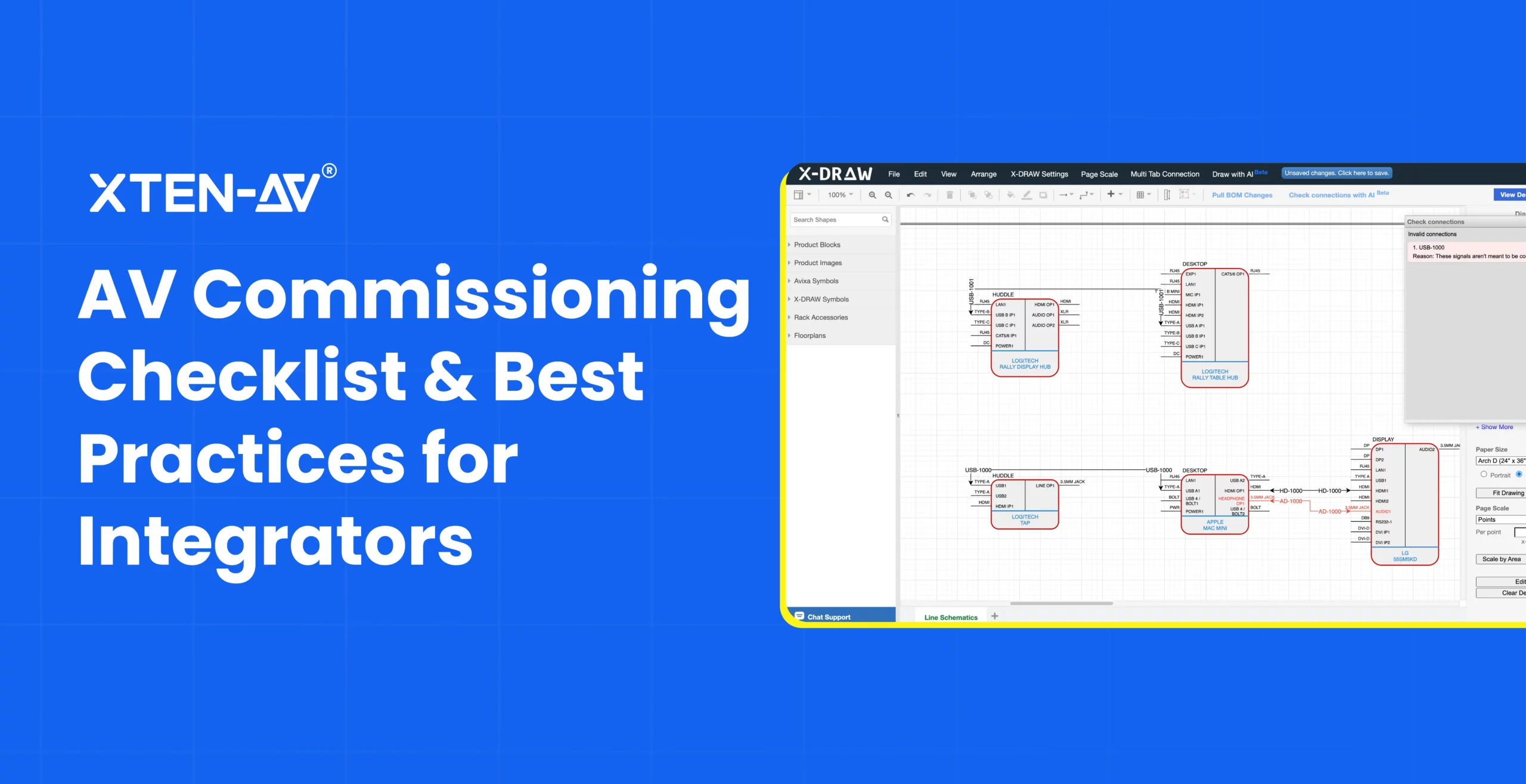
X-DRAW, a powerful audio visual system design, diagram and drawing software to automate line schematics, signal flow diagrams, cable schedules, rack layouts, bills of materials (BOMs) and other critical design documentation. These documents help commissioning engineers verify equipment connections, trace signal paths and ensure physical wiring matches the engineered design before powering up a system.
AI-Powered Connection Verification
AI Connection Check feature acts as an automated quality assurance layer for AV designers. It identifies invalid connections, AI highlights connections where its predictions do not align with what is drawn and also identifies loose connections. This way designers can resolve connection issues before installation and provide more accurate documentation for field verification.
Centralized Project Documentation
XTEN-AV provides a centralized platform for managing project documentation, equipment details, installation records and AV drawings. By keeping all these files interconnected and easily accessible, the platform ensures that installation crews can reference critical data during testing, troubleshooting and final handover.
Commissioning Task Management with X-PRO Install
This project management software is designed to organize AV commissioning tasks, track progress, and coordinate installation activities. AV system integrators can easily create tasks, define responsibilities and assign them to specific team members. Field technicians can see essential technical drawings and project documents directly from the field. They can do real-time task updates and coordinate any outstanding work during the critical commissioning phase.

Post-Installation Support with X-PRO Service
It is an after-sales service management module built into the same unified platform as design, proposal and project delivery, covering service contracts, service calls, service agreements and service analytics. It bridges the gap between the initial design phase and long-term system maintenance by keeping original schematics and service histories tied together in one place.
XTEN-AV helps system integrators prepare accurate technical documentation, coordinate installation activities and maintain project records throughout the AV commissioning process. Its connected design, project management and service tools help teams verify installation details, manage testing tasks and prepare for client handover.
Conclusion
A reliable AV commissioning checklist turns a finished installation into a verified documented system. Define acceptance criteria early, test audio, video, conferencing and control systems against measurable targets and retest every bug before giving final sign-off. Integrators who implement rigorous AV commissioning best practices and deliver complete documentation successfully reduce service callbacks, protect project margins and build long-term client trust.
XTEN-AV aligns design, field execution, and commissioning into a single unified platform, ensuring technicians work from accurate schematics, track outstanding tasks in the field and give clients a complete record at project close.
Every successful AV commissioning project sets the standard for the next, while consistent testing, accurate documentation and reliable handovers build client trust and encourage repeat business. See how XTEN-AV brings system design, installation tracking and project documentation together to support smoother AV commissioning and client handovers. Book a Demo to explore these capabilities in action.
Audio Visual System Design Mastery + Winning Proposals = 10x Productivity!
- ✔ Automatic Cable Labeling & Styling
- ✔ 100+ Free Proposal Templates
- ✔ Upload & Create Floor Plans
- ✔ 1.5M+ Products from 5200 Brands
- ✔ AI-powered 'Search Sense'
- ✔ Legally Binding Digital Signatures

FAQs
AV installation involves setting up equipment, while commissioning verifies that the complete system meets approved design and performance requirements.
An AV commissioning checklist includes equipment inspections, cable verification, audio calibration, video testing, control system checks, and performance verification.
AV commissioning is typically performed by commissioning engineers or AV integrators in coordination with project managers and consultants.
Integrators document the failed tests, identify technical errors, make corrections and retest the affected functionalities.

Explore more by topic
Related Blogs

-

- Posted by Sahil Dhingra

Audio Visual AV Commissioning Checklist & Best Practices for Integrators Sahil Dhingra...
-
- Posted by Sahil Dhingra
Audio Visual AV Cybersecurity Best Practices: Securing Networked Audiovisual Systems Sahil Dhingra...
-
- Posted by Sahil Dhingra
Audio Visual 7 Best Floor Plan Software for AV System Integrators Sahil...
AV Design Mastery + Winning Proposals = 10x Productivity!
- Automatic Cable Labeling & Styling
- 100+ Free Proposal Templates
- Upload & Create Floor Plans
- 1.5M Products from 5200 Brands
- AI-powered ‘Search Sense'
- Legally Binding Digital Signatures
No Credit Card Required





